
Skills overview
Skills
Skills are installable capabilities that extend what an agent can do. The Skills page
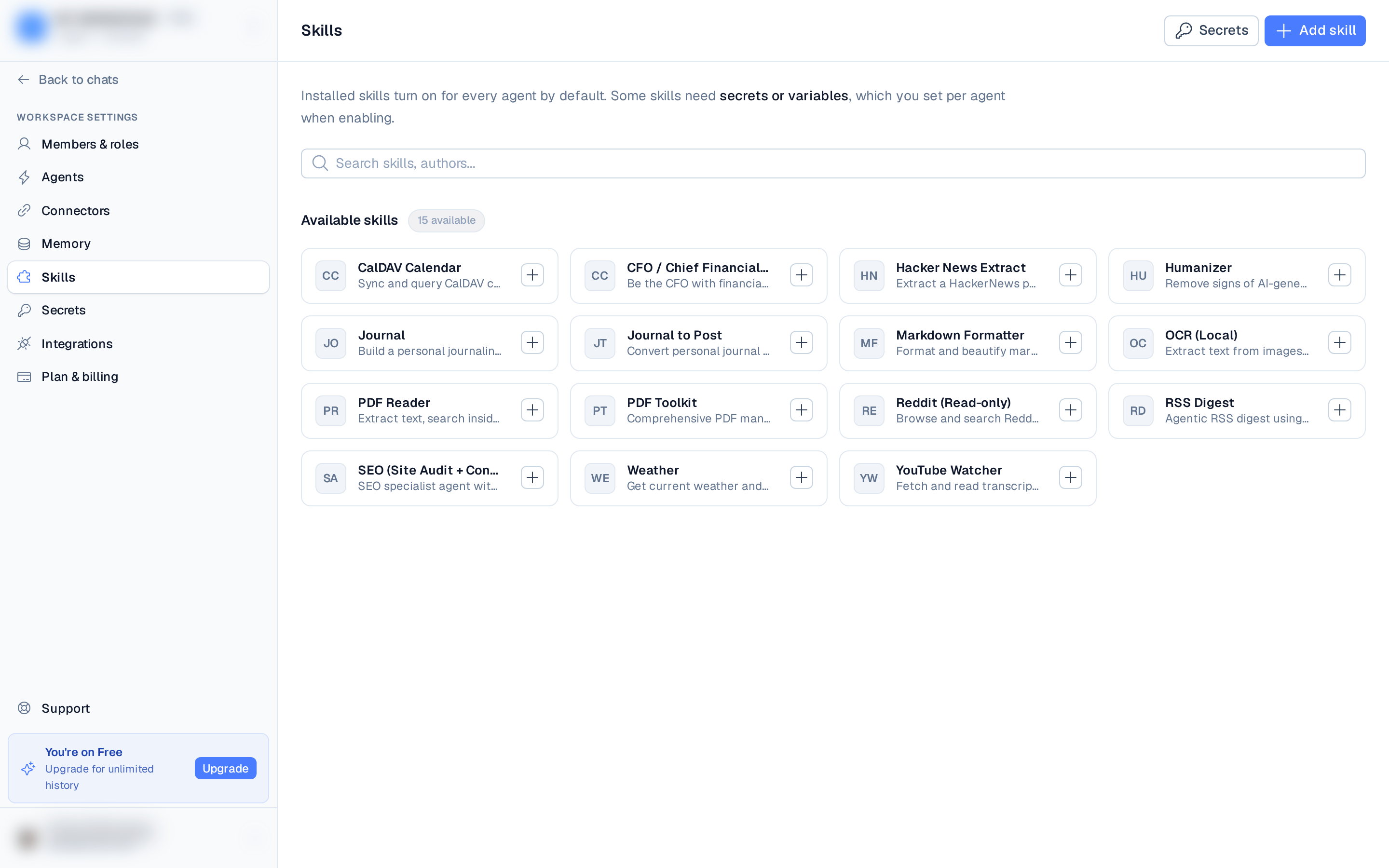
(Settings → Skills, at /skills) is a directory: browse and install skills, then manage
which agents use them.
The skills directory
The directory has two sections:
- Installed — skills already added to this workspace, including custom (chat, upload, URL, or GitHub) skills.
- Available skills — entries from the public ClawHub catalog you can install with one click, plus integration connectors (Telegram, Slack, Discord) that show a Connect button.
A search box filters by title, slug, author, or description.
Where skills come from
Use Add skill to install from any of these four sources:
- ClawHub — paste a skill page URL from the public marketplace.
- GitHub repo — install from a repository (optionally a path within it).
- From URL — install from a hosted
SKILL.mdor ZIP link. - Upload file — add a
.md,.js, or.zipfrom your machine.
You can also save a chat as a reusable skill — that's a separate flow started from the Save as a reusable skill button inside a chat, not an Add skill source. See Custom skills.
See Installing skills for the step-by-step flow.
Enabling on agents
Installed skills turn on for every agent by default. Open a skill's card to manage it — the
panel has an Overview (agents using it, enabled count, and any required credentials), a
Files tab showing the raw SKILL.md source, and per-agent toggles.
Some skills need credentials or variables:
- Credentials / secrets — bind an existing secret (or create one inline) per agent when you enable the skill.
- Variables — pick a secret, type a custom value inline, or create a new secret.
To remove a skill entirely, use Uninstall from its manage panel — that takes it off every agent.
Installation status
After you install a skill it moves through installing → ready (or failed if something went wrong). A skill that needs secrets on some agents shows a Setup needed badge, and a failed catalog install offers a Retry.