
Connect Your Tools
Slack
Connect a Slack workspace to one of your agents.
Slack
Connect a Slack workspace and assign an agent to respond there. Unlike Telegram and Discord, Slack uses a one-click OAuth flow — there's no token to copy.
Before you start
A Slack integration connects to an agent, so make sure the workspace has at least one agent first.
Each BetterClaw workspace pairs with one Slack workspace at a time.
Connect
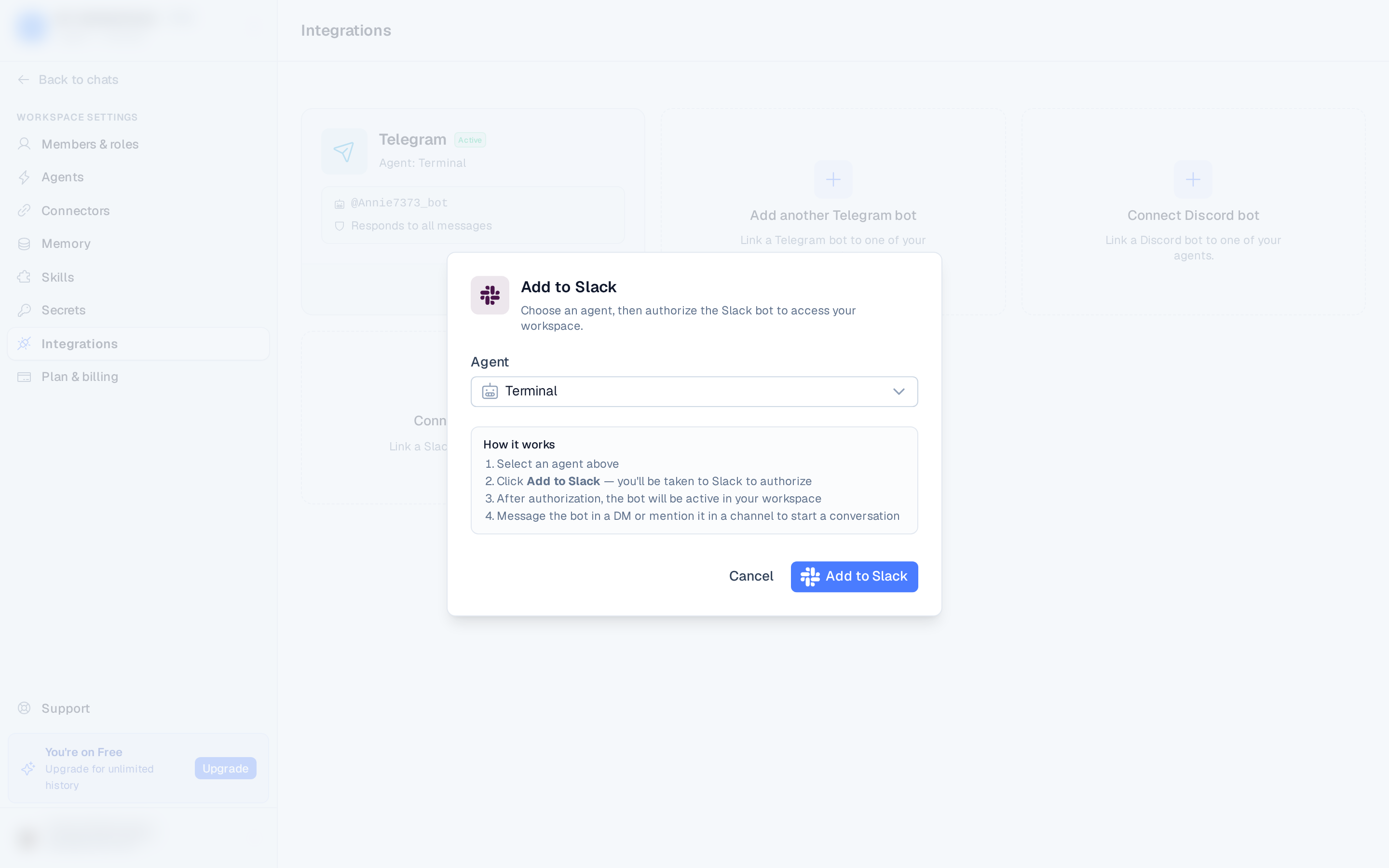
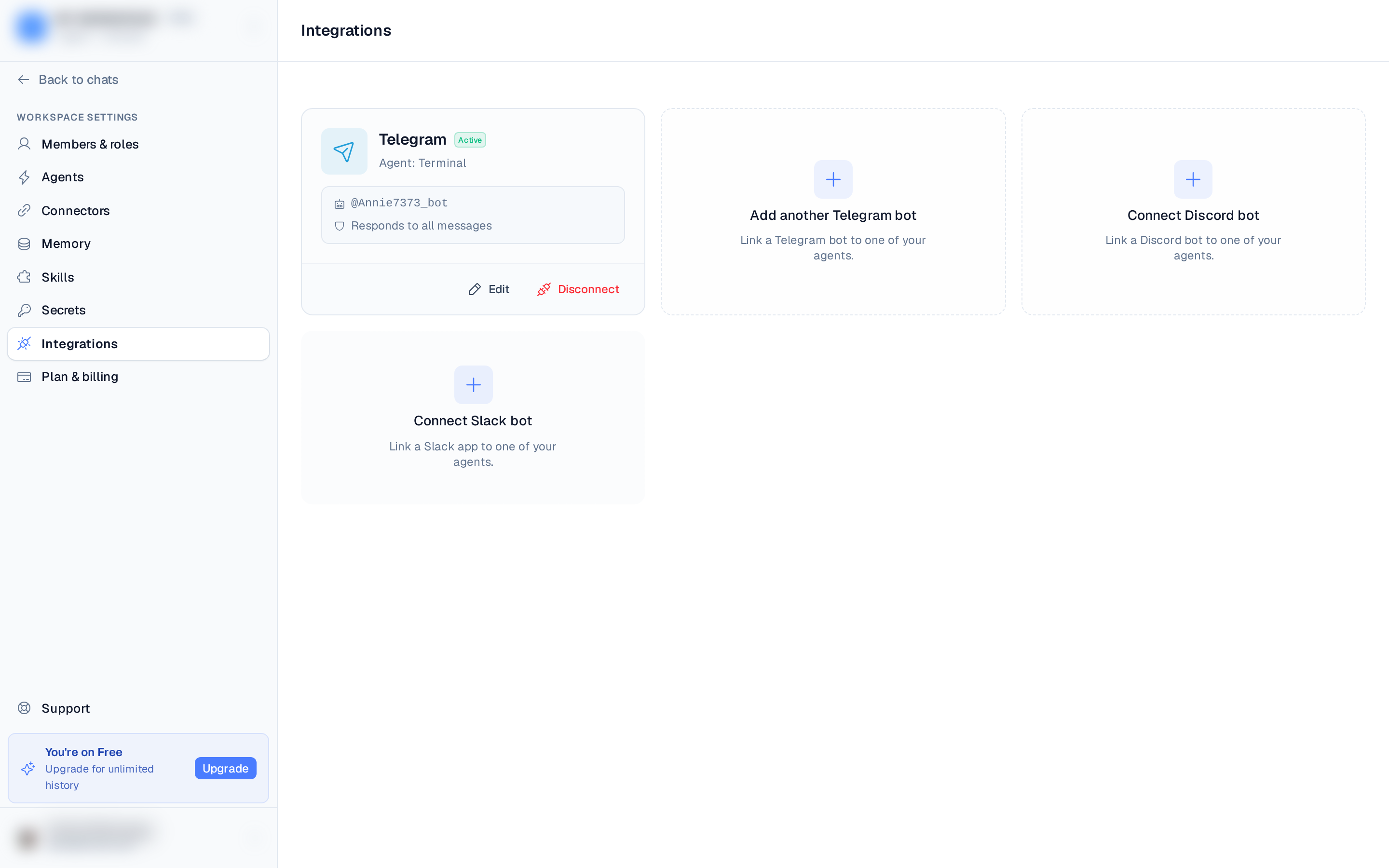
- Open Settings ▸ Integrations and select Connect Slack bot.
- Choose the agent that should respond.
- Select Add to Slack — you'll be taken to Slack to authorize the bot.
- After you approve, you're returned to BetterClaw and the bot is active in your Slack workspace.
Manage it
The connected card shows the Slack team name and app ID. Select Edit to:
- Set who can message the bot — All users or Specific users (pick them from your Slack workspace's member list).
- Pause the bot so it ignores messages until you re-enable it.
Select Disconnect to remove the integration.
Using it
DM the bot or @mention it in a channel, and it responds using its skills and connected accounts — just like in BetterClaw.