
Chats & Tasks
Sharing chats
Share a read-only transcript with anyone via a public link.
Sharing chats
You can share any chat as a read-only public link. Anyone with the link can read the conversation and download its deliverables — without signing in or accessing your workspace.
Share a chat
- Open the chat you want to share.
- Click the share button in the chat header (or Share chat in the … menu).
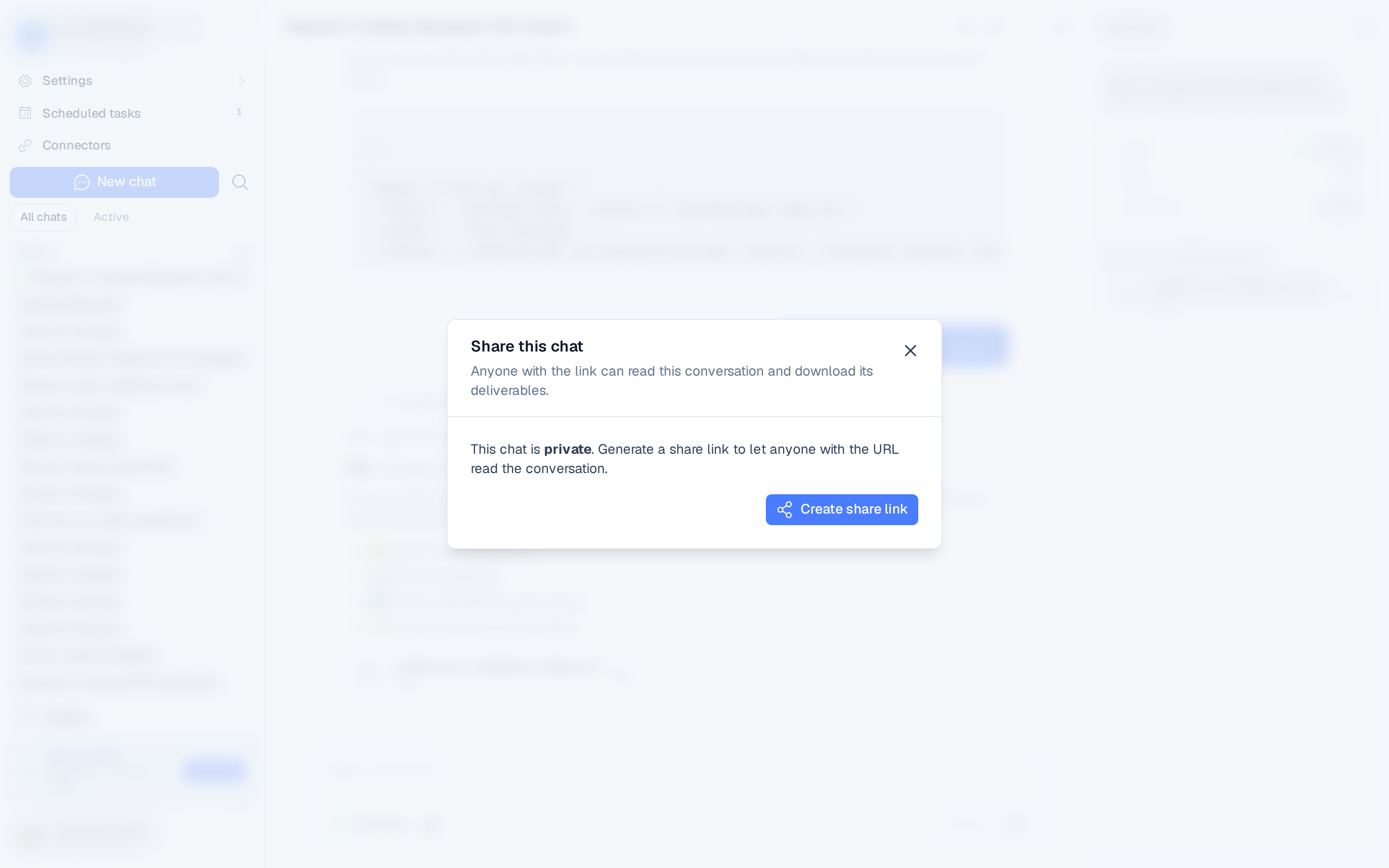
- In the Share this chat dialog, click Create share link.
- Copy the public URL and send it.
The link looks like /share/chat/<token>.
What recipients see
- A clean, read-only view of the conversation transcript.
- Any deliverables the agent produced, available to download. Files you attached are listed by name, type, and size, but can't be downloaded from the shared page.
- Nothing else — no access to your workspace, other chats, agents, or settings.
The shared page is not indexed by search engines.
Revoke or regenerate
Open the share dialog again at any time:
- Revoke invalidates the link immediately for everyone.
- Regenerate link issues a new URL and invalidates the old one.
Anyone with the link can view the shared transcript and download its files. Only share chats
that don't contain sensitive information, and revoke the link when you no longer need it.