
Account & Team
Invitations
Invite teammates and manage pending invites.
Invitations
Add teammates to a workspace by inviting them by email and assigning a role. Inviting people is a Pro feature — see Teams.
Send an invitation
- Open Settings ▸ Members & roles (the
/memberspage). - In the Invite a teammate bar, enter the person's email.
- Choose their role — Admin or Member.
- Choose Send invite. They receive an email with an invitation link.
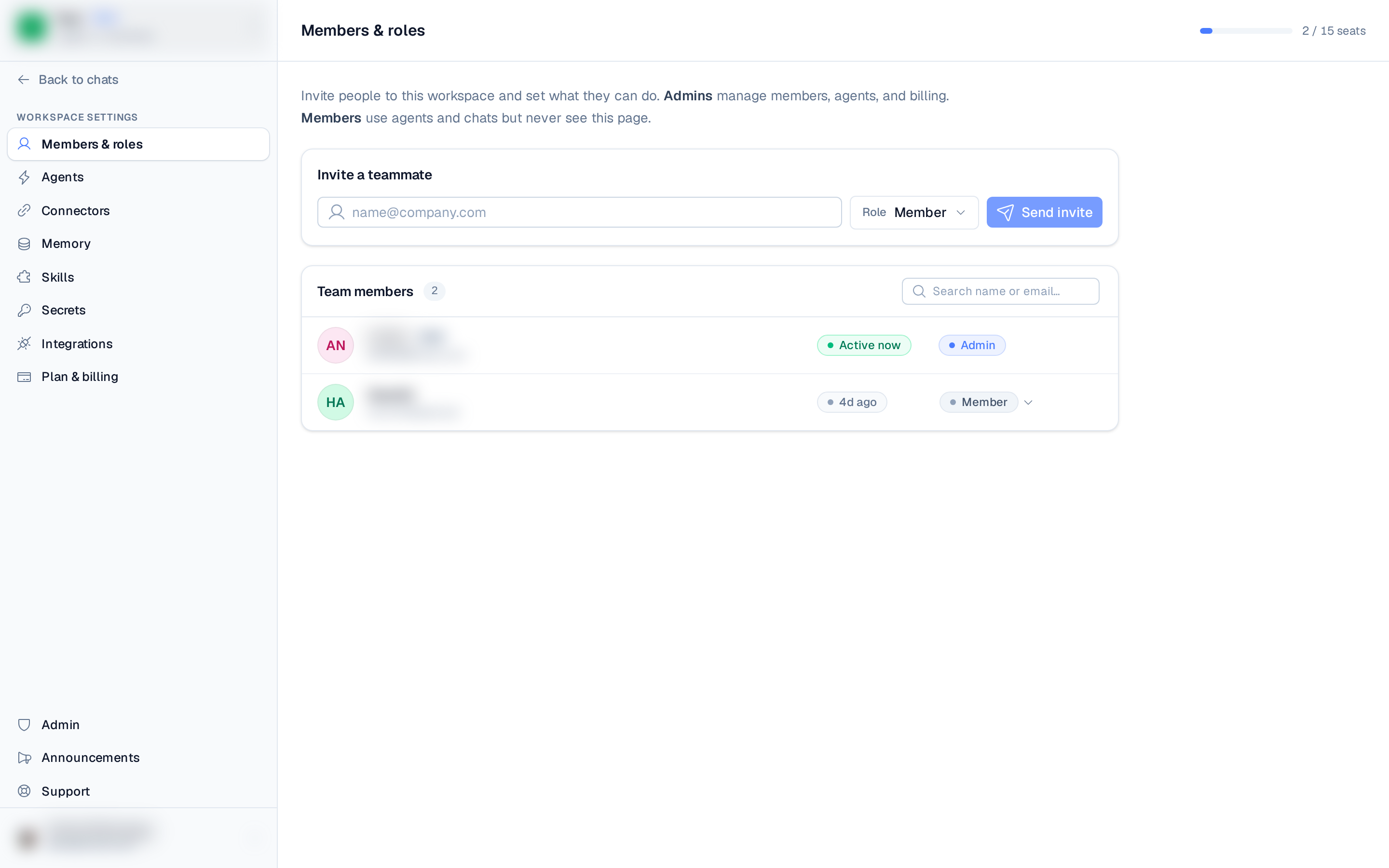
Invitations count toward the workspace's seat limit (members + pending invites) — the seats your
plan includes (2 on Pro, 5 on Business) plus any extra seats you've bought.
When the workspace is at capacity, the invite form is disabled until a seat frees up.
Accepting an invitation
The invited person opens the link and is asked to sign in with the email the invite was sent to. Once signed in with the matching email, the invitation is accepted automatically. They land in their own workspace — open the joined workspace from the switcher to work in it with the assigned role.
If they're signed in with a different email, they'll be prompted to sign in with the invited address instead.
Invitations expire 7 days after they're sent.
Managing pending invites
The Pending invites section of the Members & roles page lists outstanding invitations. For each one you can:
- Resend the invite (issues a fresh link).
- Revoke it if it's no longer needed.