
Discord
Discord
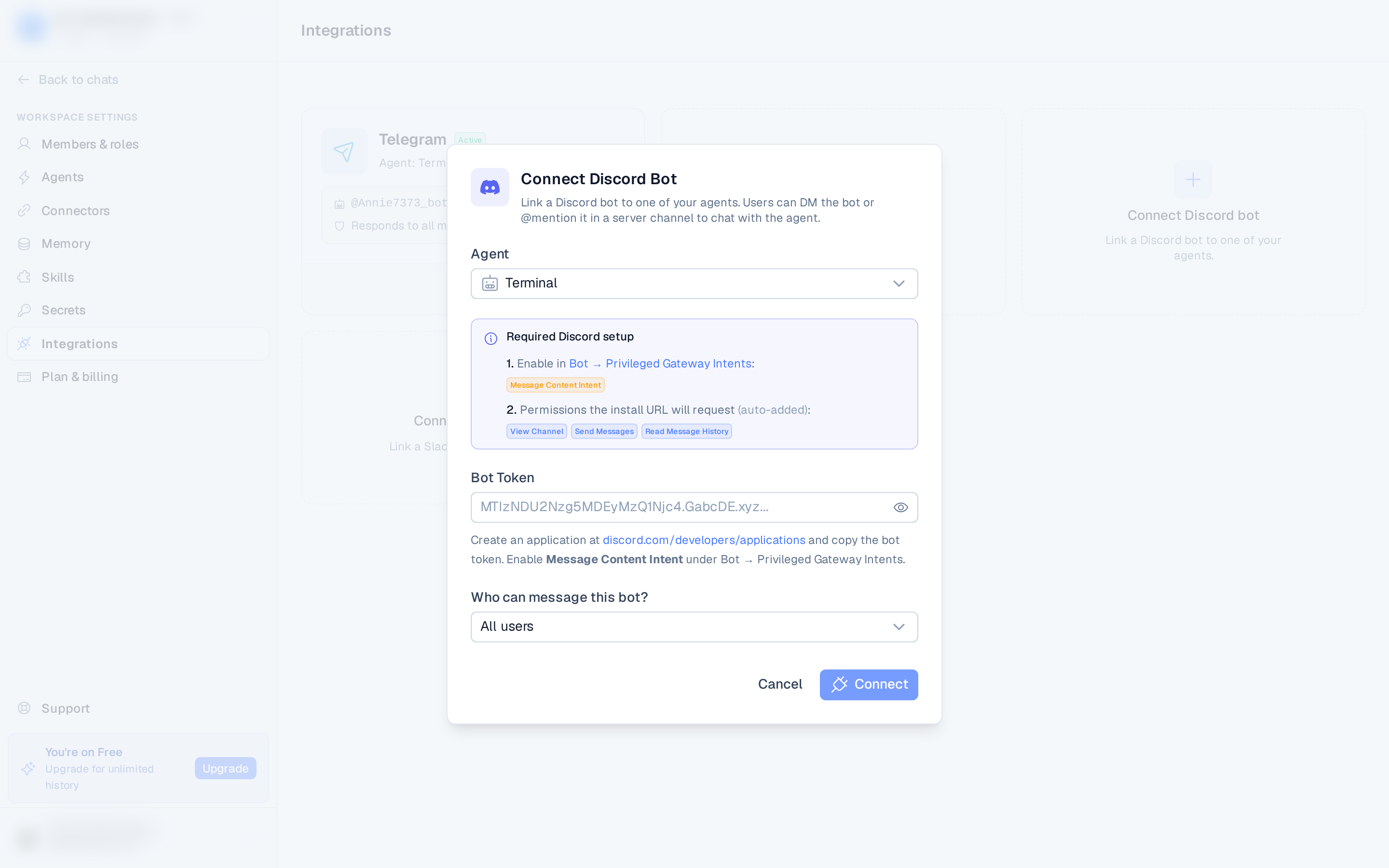
Connect a Discord bot and pair it with an agent so people can DM the bot or @mention it in a server channel to chat with the agent.
Before you start
A bot connects to an agent, so make sure the workspace has at least one agent first. Then, at discord.com/developers/applications:
- Create an application and add a bot, then copy its token.
- Under Bot → Privileged Gateway Intents, enable Message Content Intent — without it the bot can't read messages and will appear unresponsive.
Connect
- Open Settings ▸ Integrations and select Connect Discord bot.
- Choose the agent that should respond.
- Paste the bot token.
- Choose who can message the bot:
- All users — anyone who DMs or mentions the bot.
- Specific user IDs only — an allowlist of Discord user IDs. Turn on Developer Mode in Discord, then right-click a user and choose Copy User ID.
- Select Connect.
The install URL BetterClaw generates requests the permissions the bot needs — View Channel, Send Messages, and Read Message History.
Add the bot to a server
After connecting, the bot's card shows an Add to a Discord server link. Open it to invite the bot to a server with the right permissions already selected.
Manage it
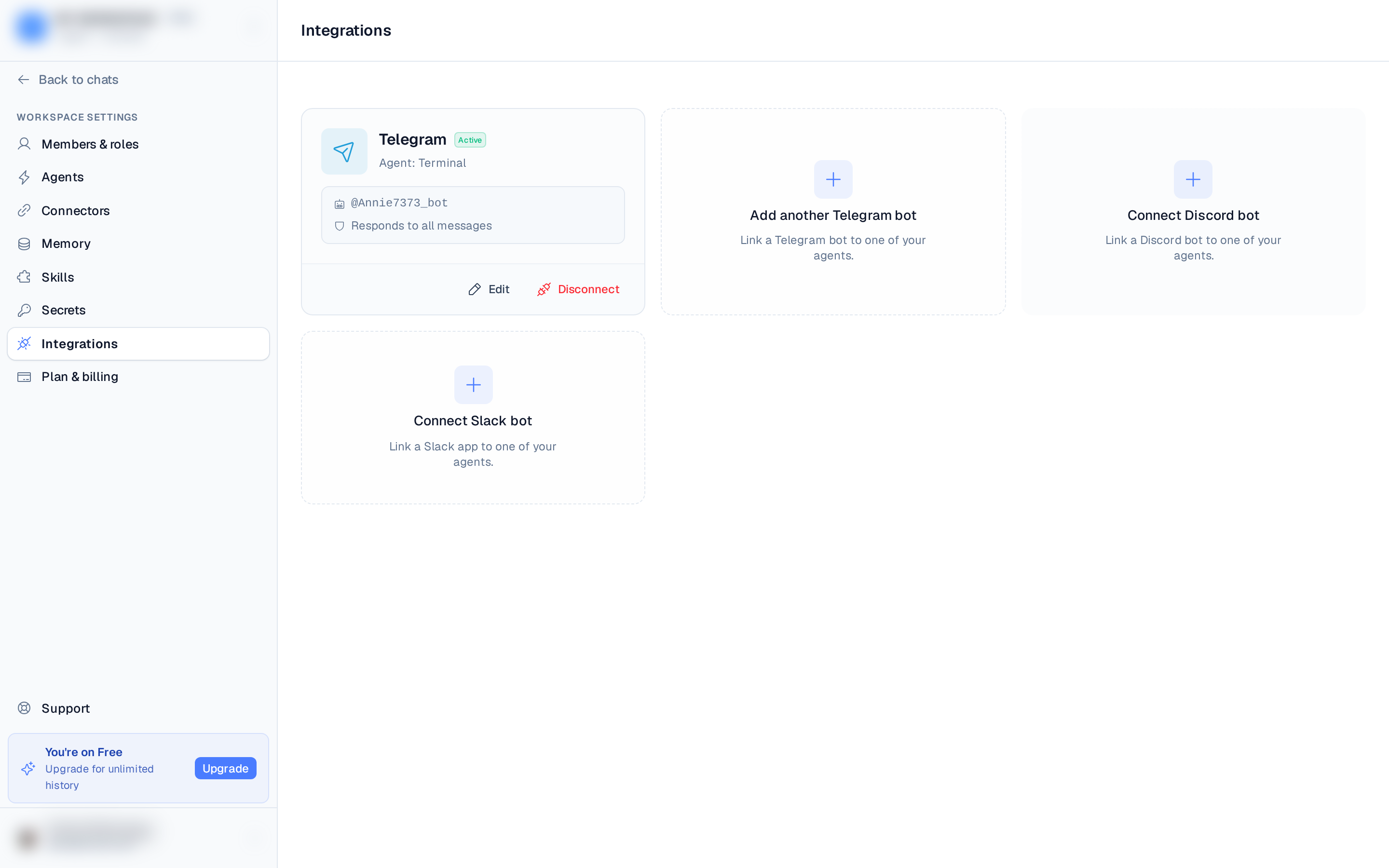
From the card you can Edit (change response mode and allowlist, or pause the bot) or Disconnect. To change the bot token, disconnect and reconnect.
Using it
DM the bot or @mention it in a channel, and the assigned agent replies.