
Models & Skills
Installing skills
Install skills from ClawHub, GitHub, a URL, or a file upload.
Installing skills
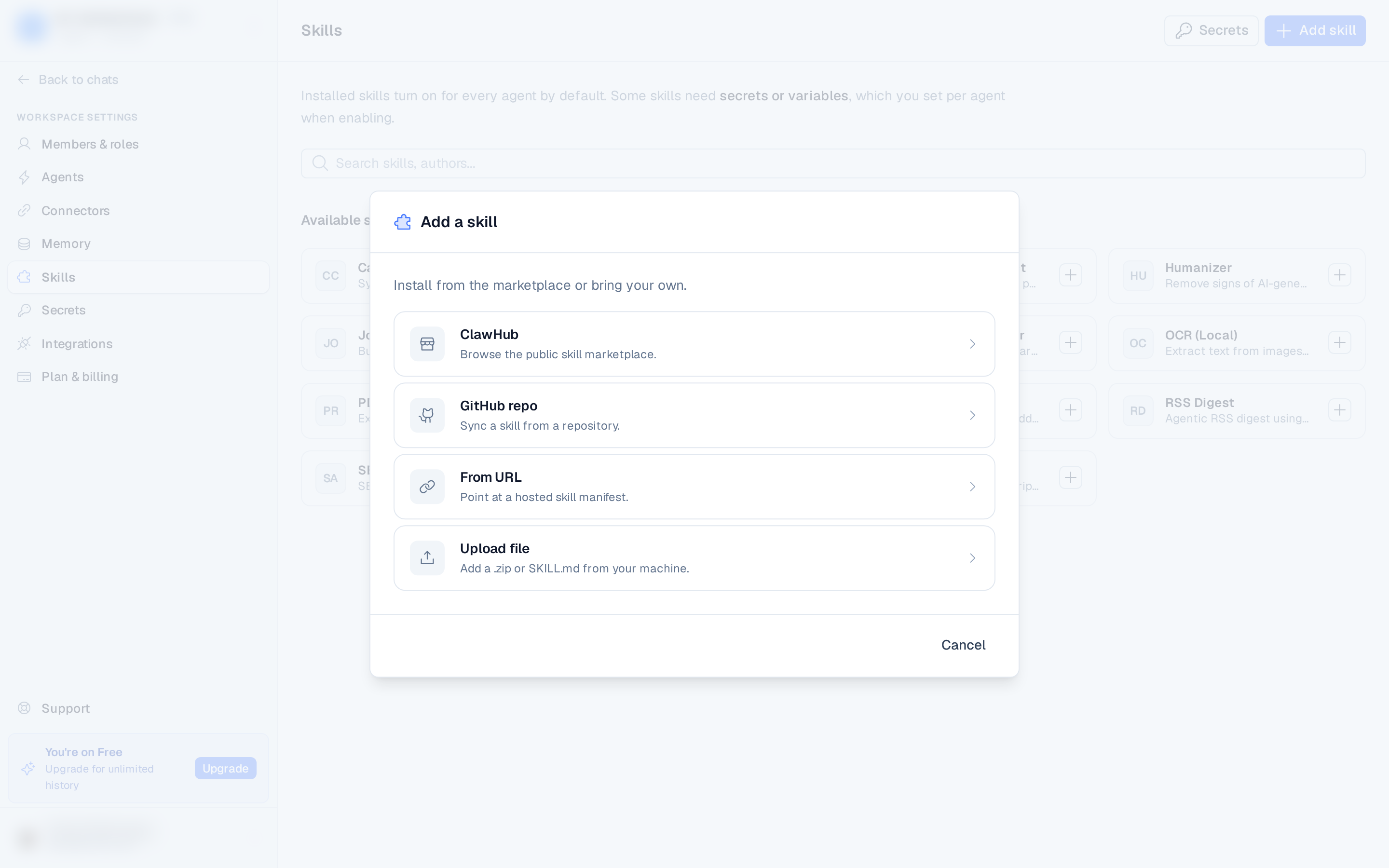
Open the Skills page and click Add skill, then pick a source. You can also install a catalog skill in one click from the Available skills section (the + button on a card).
From ClawHub
- Choose ClawHub as the source.
- Browse clawhub.ai and paste a skill page URL.
- Click Install.
From GitHub
- Choose GitHub repo.
- Enter the repository URL. If the repo has a
SKILL.mdat its root, the path is optional — otherwise enter the path to the skill within the repo. - Click Install.
From a URL
- Choose From URL.
- Paste a link to a raw
SKILL.mdor a ZIP. - Click Install.
Upload a file
- Choose Upload file.
- Select a
.md,.js, or.zipfile from your machine. - Click Install.
Configure and enable
The skill installs (installing → ready). Once ready, the dialog moves to a configure step where you:
- Pick the agents to enable the skill on.
- For any agent, bind the secrets the skill requires — choose an existing secret of the right kind, or create one inline (API key, username/password, or generic value).
- Click Enable on N agents. You can also Skip for now and configure later from the skill's card.
If an install shows failed, check the source (ClawHub URL, repo, URL, or file) is valid.
Catalog installs offer a Retry button on the card.