Account & Team
Roles & permissions
The Owner, Admin, and Member roles and what each can do.
Roles & permissions
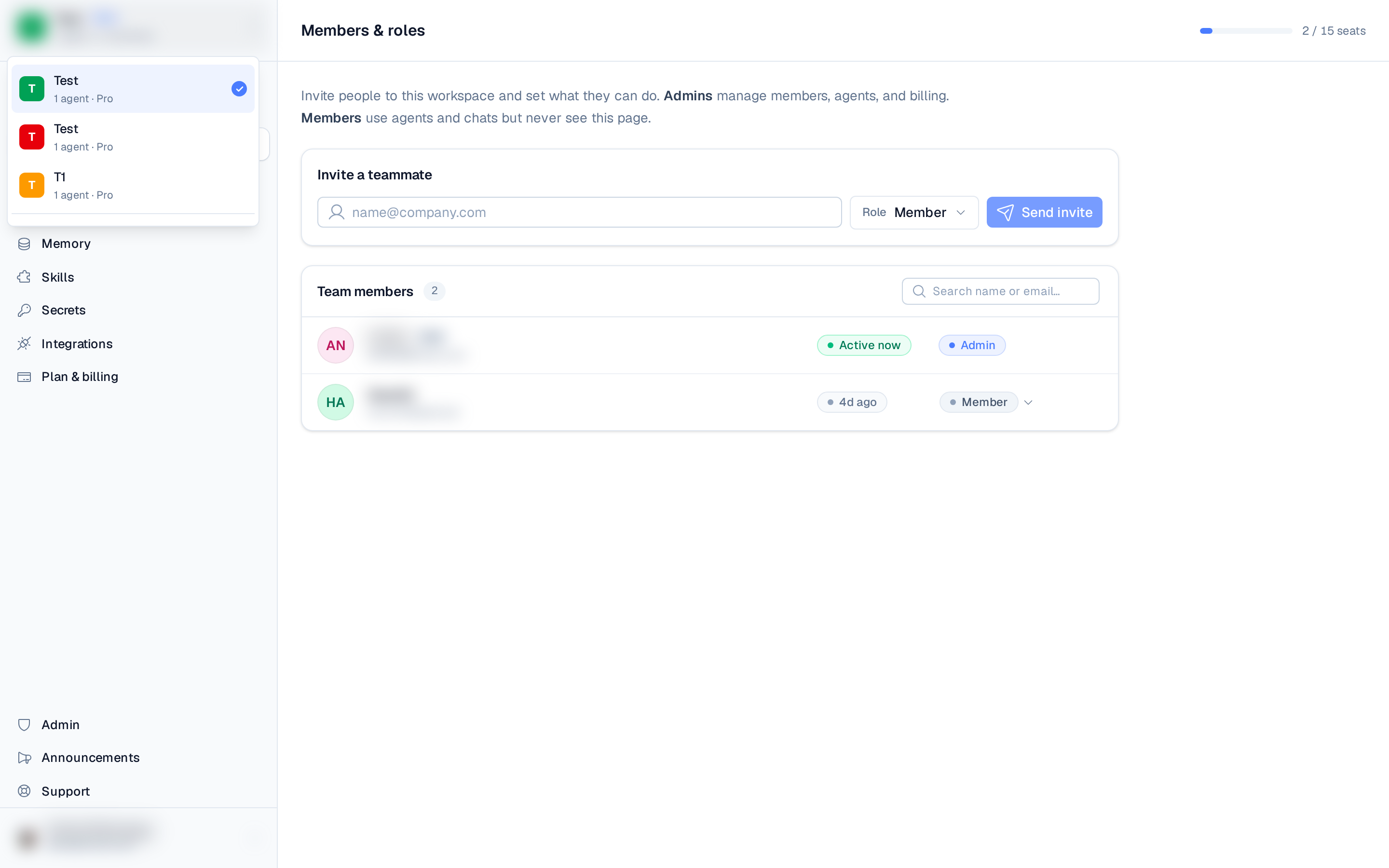
Each workspace member has one of three roles. Owner and Admin have full access; Member can use the workspace but not manage it.
| Role | Can do |
|---|---|
| Owner | Full control of the workspace, including members, agents, and billing. The workspace creator. |
| Admin | Full access — manage members, agents, and billing. |
| Member | Use agents and chats. No settings access — can't manage members or view billing. |
When you invite or change someone's role, the choices are Admin and Member. The Owner role belongs to the workspace creator and isn't assigned to others.
In the members list the Owner is shown with the Admin pill — there's no separate Owner badge — but their row can't be edited or removed, which is how you tell the creator apart.
- Members & roles is admin-only — a Member can open
/membersbut sees an "Admins only" notice instead of the member list. - Plan & billing is restricted to Owners and Admins. Members see a "Billing is restricted" notice instead of the billing controls on the Plans & Billing page.
Changing a role
From Settings ▸ Members & roles, an admin can change another member's role using the role selector on their row, or remove them from the workspace. You can't change your own role or the Owner's role.