
Residential proxy
Residential proxy
Some sites treat datacenter IPs as bots and block them with captchas or hard errors. Turn on the residential proxy and the agent's browsing goes out through a residential IP instead, so those sites are far more likely to let it through.
Only the agent's browser traffic is routed this way — its other activity (LLM calls, your connected integrations, memory) is unchanged.
Where to find it
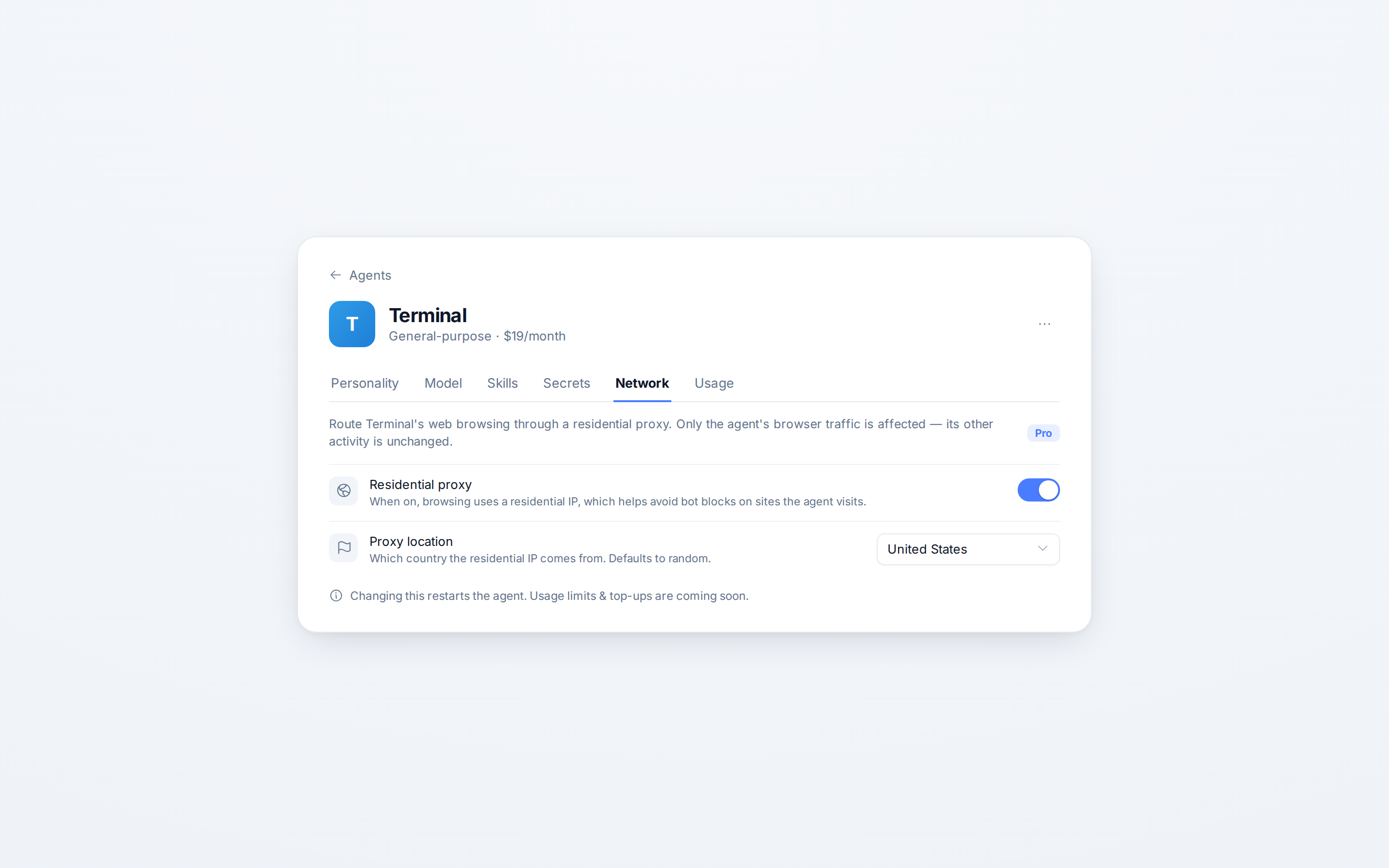
Open an agent (Agents → pick an agent) and select the Network tab.
Turn it on
Flip the Residential proxy switch on. The agent restarts to apply the change, so give it a moment to come back online before it browses again.
Choose a location
Once the proxy is on, pick a Proxy location — the country the residential IP comes from:
- Random — any country (the default) lets the provider pick.
- Or choose a specific country: United States, United Kingdom, Canada, Germany, France, Netherlands, Spain, Italy, India, Singapore, Australia, Japan, or Brazil.
Changing the location also restarts the agent.
Good to know
- It restarts the agent. Both the on/off toggle and the location change trigger a quick restart.
- Browser traffic only. It doesn't change where your LLM requests or integrations connect from.
- Usage limits & top-ups are coming soon — proxy bandwidth isn't metered separately yet.
For the rest of the agent's settings, see Agent settings.