
Secrets
Secrets
The secrets vault stores credentials your agents need — API keys, logins, and OAuth grants — encrypted and scoped to your workspace. You store a value once, assign it to the agents that need it, and they use it without ever seeing the raw secret. Plaintext is never shown back after you save it.
Open Settings ▸ Secrets from the left rail.
Secret types
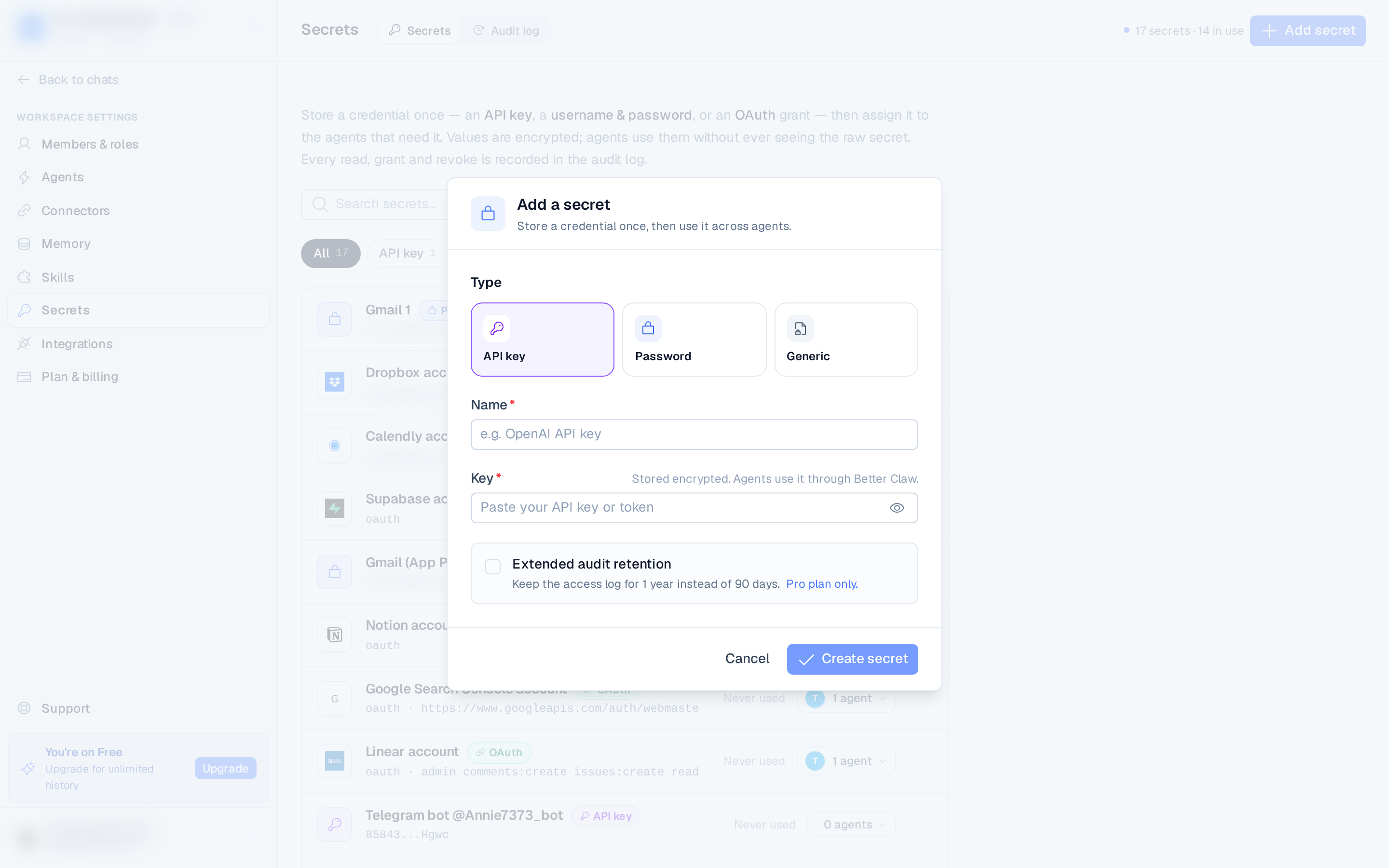
When you add a secret you pick one of three types:
| Type | Use it for |
|---|---|
| API key | A single key or token for a service. |
| Password | A username and password pair. |
| Generic | Any other single value. |
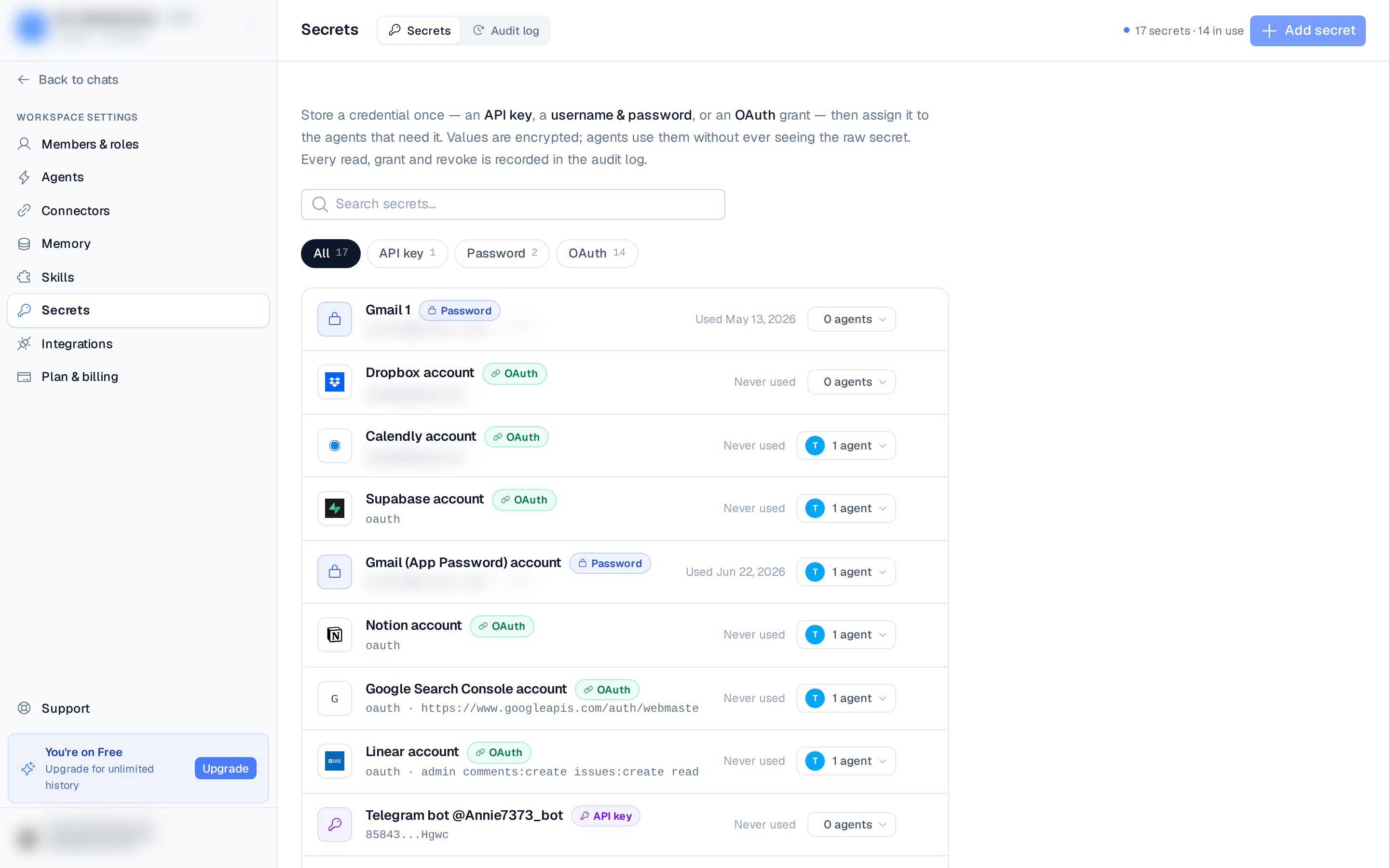
OAuth grants also appear in the vault — those come from connecting a connector rather than being added by hand. You can filter the list by All, API key, Password, or OAuth.
Add a secret
- Open Secrets and select Add secret.
- Choose the type.
- Enter a name and the value(s).
- Optionally turn on Extended audit retention (see below).
- Select Create secret.
Assign to agents
A secret is only usable by the agents you grant it to. Each row shows the agents that currently
have access; open the agent popover to grant or revoke access per agent. Open a secret to see
its detail slideover, where each secret exposes a reference like secrets.MY_KEY that agents
use to read the value, along with its masked preview, when it was last used, total access count,
and the agents with access.
Extended audit retention
Turn on Extended audit retention when adding a secret to keep its access log for 1 year instead of the default 90 days — useful for especially sensitive credentials. This option is available on the Pro plan.
Security
- Secrets are encrypted and scoped to the workspace.
- Values are masked in the UI — plaintext does not round-trip back to your browser after saving.
- Agents read a secret by reference and never see the raw value.
- Every read of a secret — granted, denied, or errored — is recorded in the audit log.