
Signing in
Signing in
BetterClaw uses passwordless, unified sign-in. There's no separate sign-up step — you enter your email, verify a one-time code (OTP), and if you don't have an account yet, one is created automatically. There's no password to set or remember.
Sign in or create an account
- Go to the sign-in page at
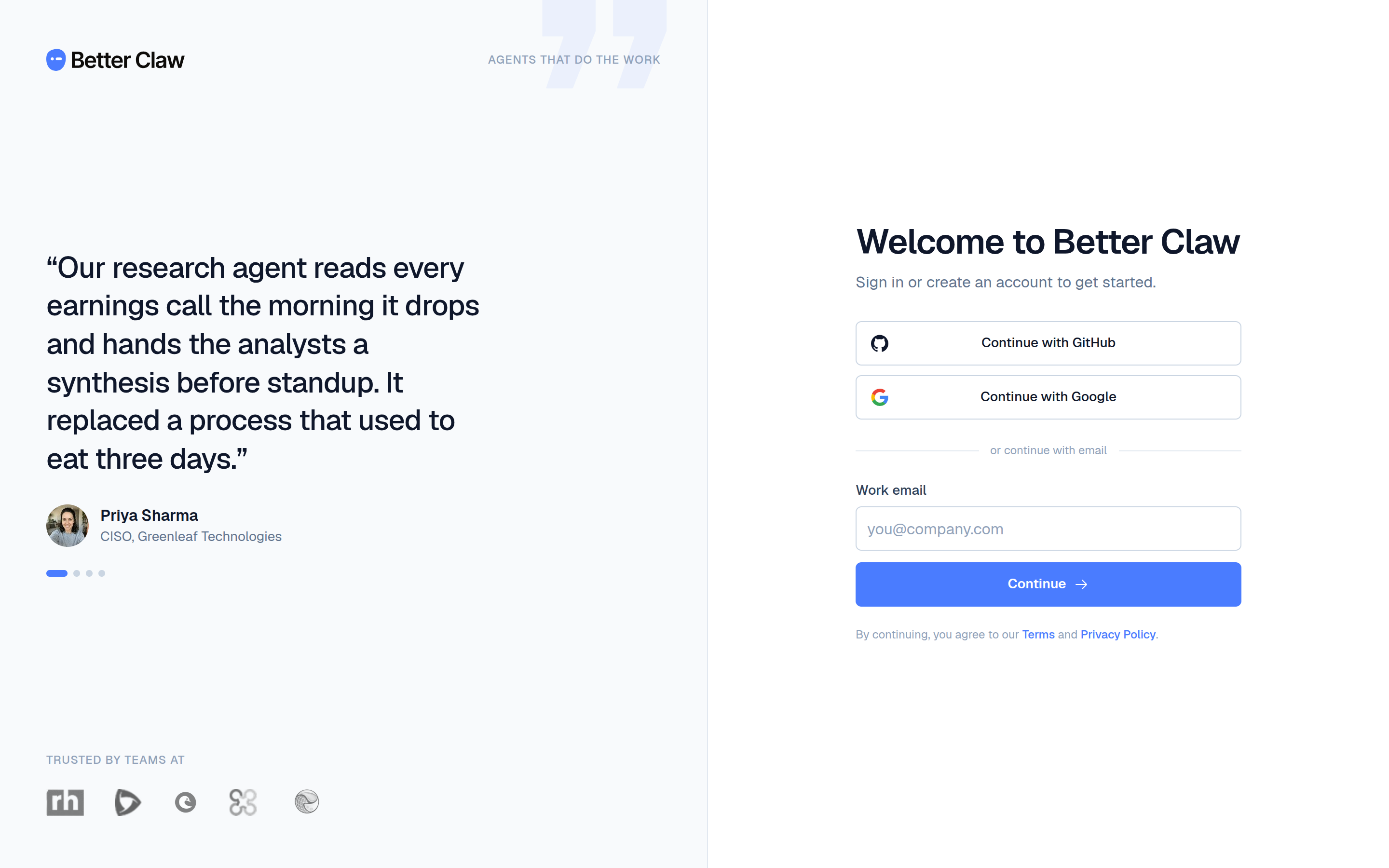
/sign-in. - Enter your email address and choose Continue.
- Check your inbox for the 6-digit code and enter it.
- Choose Verify & continue. You're in — first-time accounts continue to onboarding; returning users land in the app.
The sign-in screen is a split layout: a social-proof panel on one side and the email form on the other. If a social provider is available, you can also use Continue with that provider instead of email.
/sign-up route now redirects to /sign-in — there's only one place to start.Invitations
If a teammate invited you to a workspace, follow the link in your invitation email. You'll be asked to sign in first (with the email the invite was sent to), then the invitation is accepted automatically. See Invitations for how membership works.
Signing out
Use the user menu at the bottom of the left rail to sign out. Because sign-in is code-based, signing back in just requires a fresh OTP.