
Memory
Agent memory
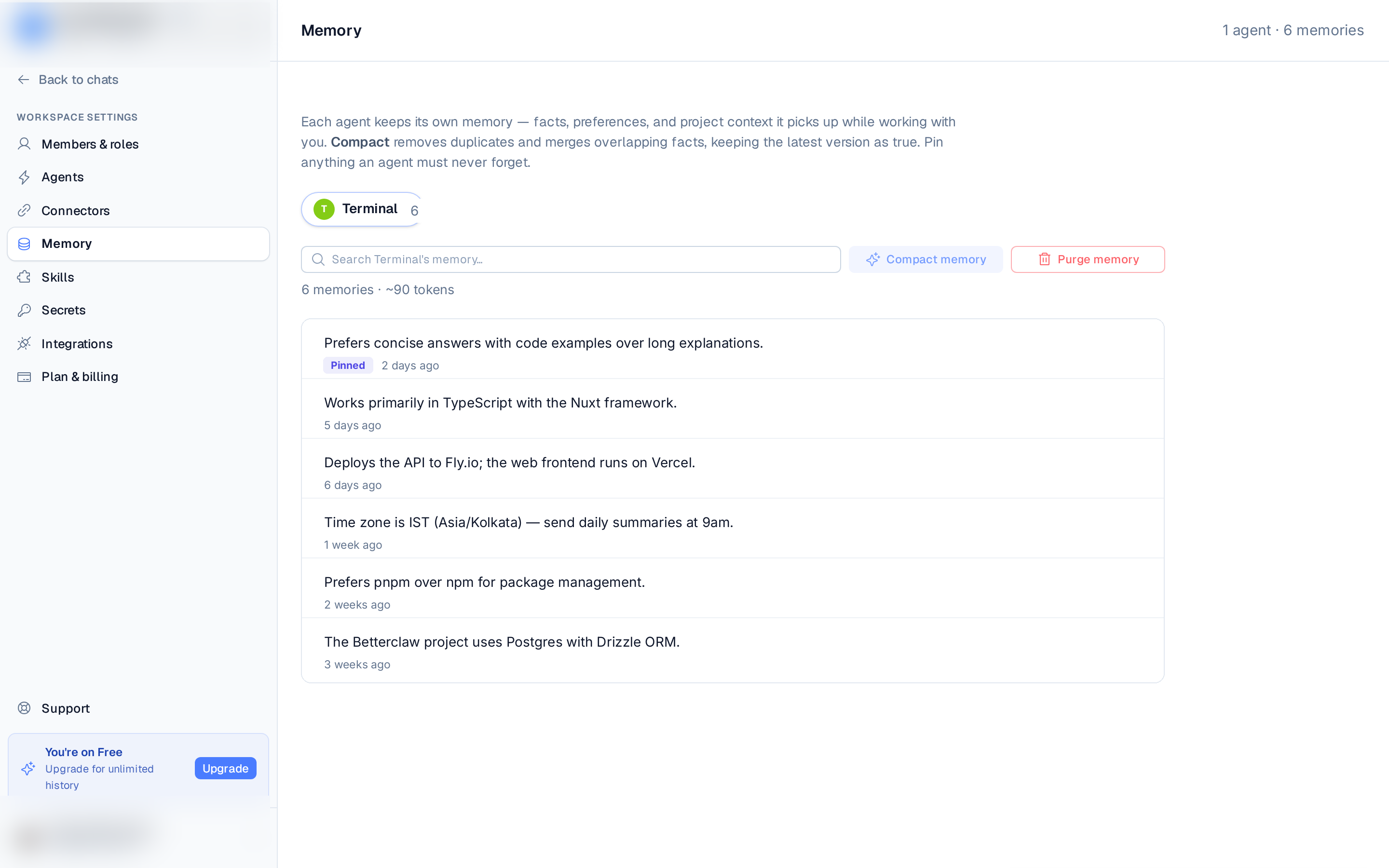
Each agent keeps its own memory — facts, preferences, and project context it picks up while working with you. While memory is on, memories are created automatically as you chat; the agent's Memory tab is where you turn memory on or off and review and manage what it has saved.
In the left rail, under Workspace settings, choose Agents, open an agent, then switch to its Memory tab. The tab always shows the memories of the agent you have open. Each memory shows its text and when it was last updated.
Turn memory on or off
Memory is a per-agent switch at the top of the Memory tab.
- New agents start with memory on. Flip the Memory switch off if you don't want the agent to remember facts and preferences between conversations. Agents created before the switch existed keep memory on.
- With memory off, the agent doesn't save or recall anything between conversations — it has no memory tools and no memory instructions. The tab shows only the switch, plus a Saved memories row if the agent still has memories stored from before.
- With memory on, the search, Compact, and Purge controls and the memory list appear below the switch.
Changing the switch restarts the agent to apply it, so give it a moment to come back online.
When you clone an agent (Clone agent… in the agent's ⋯ menu), tick Memory setting to copy whether memory is on or off. Saved memories are never copied — the clone starts with an empty memory.
Search
Use the search box to filter the agent's memories by keyword. A footer shows the memory count and an approximate token estimate.
Pin
Pin anything an agent must never forget. Pinned memories sort to the top and stay flagged. Pins are per agent and are kept only in your browser, so they're a personal organizing aid rather than a shared setting.
Compact memory
Compact removes duplicates and merges overlapping facts, keeping the latest version as true.
Run it when an agent has accumulated repetitive or conflicting notes. Compacting can take up to a
couple of minutes; you'll see a result like 12 → 9 memories · 3 removed, or "Memory already tidy"
if there was nothing to merge. Compact is available once an agent has more than one memory.
Remove or purge
- Remove a single memory — hover a row and click the trash icon.
- Purge memory — permanently deletes every memory for the selected agent, so it starts from a blank slate. You'll be asked to type the agent's name to confirm. This can't be undone.
Limits
The list shows up to the first 200 memories per agent — compact to bring the total back down if you hit that.
On the Free plan, each agent keeps up to 50 memories; once it's full, the oldest are dropped as new ones are added. Upgrade to Pro to raise the cap.
When memory isn't available
- Agent offline — you still see the last memories saved in your browser, with a warning, and the tab retries the sync automatically once the agent is back.
- Memory not supported — update the agent to the latest version to enable memory management.