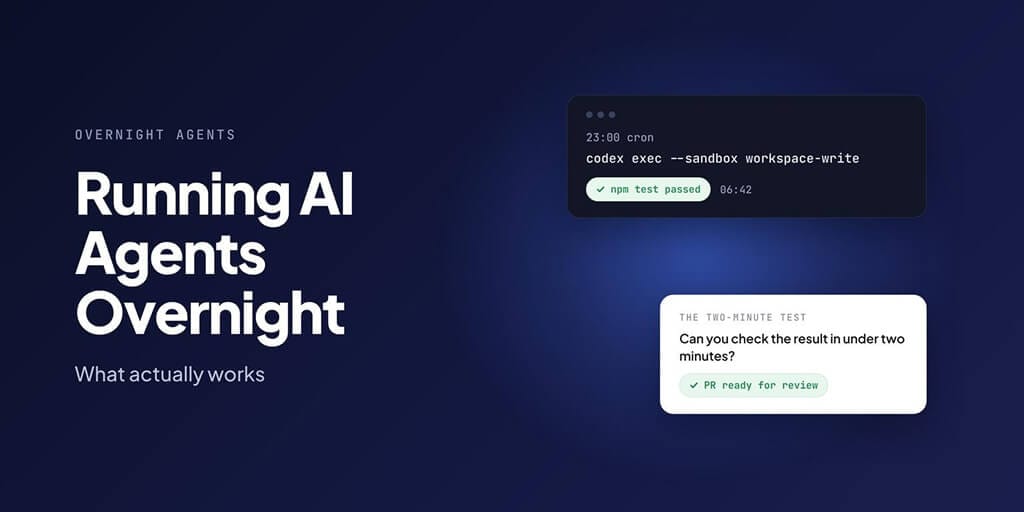
Yes, you can leave Claude Code, Codex or Hermes Agent running overnight. But only for narrow tasks with a result you can check in two minutes the next morning. Everything that needs judgment waits for you.
That one rule does most of the work. Done right, your morning starts with a report like this, from the script later in this post:
- add-date-tests: passed https://github.com/acme/my-app/pull/123
- bump-deps: done-check failed, see bump-deps.check.log
One pull request to review, one failure that cost you nothing. The rest of this post is the setup that gets you there: one task per run, a sandbox, a done-check a machine can run, and a short morning review.
Why the "agents worked all night" stories mislead
Best-run bias. The posts that spread are the nights where everything worked. The nights where an agent looped on a failing test until it hit its budget don't get screenshots.
Hard tasks still fail most of the time. In the current version of UC Berkeley's Agents' Last Exam, a pass-or-fail test built from real professional work, the average full pass rate on the hardest tier was below 1% (checked 25 Oct 2026). An agent left alone on a judgment-heavy task overnight usually produces something that looks finished and isn't.
What actually works is narrower. Long-running setups that hold up, like the one below, share the same recipe: narrow tasks, a checkable definition of done, and a separate review in the morning. Anthropic's own work on long-running agents found the same failure modes: agents that "try to do too much at once", later sessions that "declare the job done" too early, and sessions that start with "no memory of what came before." For more on why, see our breakdown of why AI agents fail on multi-step tasks.
The two-minute test
Daniel Vaughan's guide to overnight Codex runs puts the rule as a single question: "can I verify this task's output in under two minutes in the morning?" If not, the task is too vague to leave alone.
Most bad overnight tasks can be rewritten into good ones:
| Vague (don't leave it running) | Testable (fine overnight) |
|---|---|
| "Improve the test coverage." | "Add unit tests for src/utils/date.ts. Done when npm test passes and coverage for that file is above 80%." |
| "Clean up the dependencies." | "Bump patch versions in package.json. Done when the build and all tests pass. Open one PR." |
| "Research our competitors." | "List every pricing change on these five competitor pages since 1 October, in a table with links." |
| "Sort out my inbox." | "Label unread emails urgent, routine or ignore, and draft replies to routine ones. Send nothing." |
Every right-hand task has an output you can glance at and a check a machine can run.
The setup that survives a normal night (for coding agents)
Vaughan's setup has a few parts worth copying whatever tool you use:
- One task per run. Pulled from a queue, so two agents never take the same job.
- One git worktree and branch per task. A bad run can't touch the main checkout or another task's work.
- A sandbox. The agent can write in its workspace and nowhere else.
- Tests as the definition of done. A pre-commit hook runs tests, lint and type checks, and the agent can't commit around it.
- Staggered starts. Launch agents 15 to 30 seconds apart so they don't trip your provider's rate limits all at once.
- A watchdog. It restarts crashed runs and kills and reschedules stuck ones.
- A spending cap per task, and a cheaper model for tests, docs and dependency upgrades.
- Pull requests as output. Nothing merges overnight. Everything waits for review.
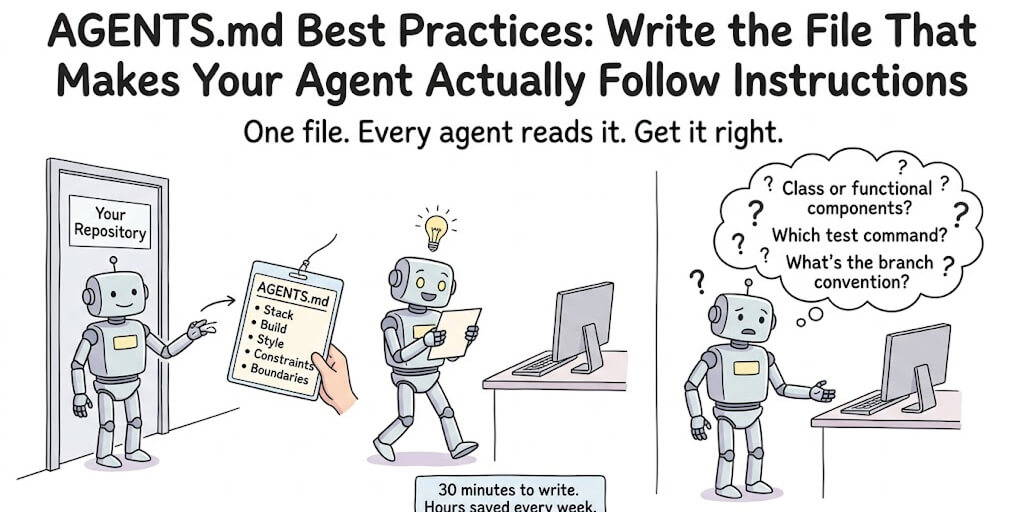
Write the boundaries into your AGENTS.md too: no edits to auth, payments or infrastructure code, no adding or removing dependencies, no CI changes, and tests must pass before any commit. Our AGENTS.md best practices guide covers how to keep that file short enough to be followed.
A complete overnight script for Codex (dry-run tested)
Here's a working version of that setup in one Bash file. Each task is a Markdown file in .overnight/tasks/. For each one, the script makes a fresh git worktree and branch, runs Codex with a time limit, runs your done-check, and opens a draft pull request only if the check passes. Then it writes a one-page morning report.
We tested it end to end on 25 October 2026 against a scratch repository, with stand-ins for codex, npm and gh so we could force one task to pass and one to fail. It produced one draft PR and one clearly labelled failure, as intended, and when we made the PR step fail it reported that instead of claiming a pass. We haven't run it against live Codex and GitHub, so try it on a test repo first. Read it before you run it; it pushes branches to your remote.
#!/usr/bin/env bash
# overnight-run.sh: run each task in tasks/ in its own git worktree, check it, open a draft PR.
set -uo pipefail

REPO="${REPO:-$HOME/code/my-app}"          # the repo agents work on
TASKS="$REPO/.overnight/tasks"             # one *.md file per task
OUT="$REPO/.overnight/runs/$(date +%F)"
STAGGER="${STAGGER:-20}"                   # seconds between launches
MAX_MINUTES=45                             # hard stop per task
DONE_CHECK="npm test"                      # the machine-checkable finish line

mkdir -p "$OUT"
cd "$REPO" && git fetch -q origin && git checkout -q main && git pull -q

run_task() {
  local file="$1" id; id="$(basename "$file" .md)"
  local wt="$REPO/../wt-$id" branch="agent/$id"
  git -C "$REPO" worktree add -q -b "$branch" "$wt" origin/main || { echo "$id|setup-failed" >> "$OUT/results.txt"; return; }
  cd "$wt" || return

  timeout "${MAX_MINUTES}m" codex exec --sandbox workspace-write --json \
    -o "$OUT/$id.final.md" "$(cat "$file")" > "$OUT/$id.events.jsonl" 2>&1
  local agent_rc=$?

  if [ "$agent_rc" -eq 0 ] && $DONE_CHECK > "$OUT/$id.check.log" 2>&1; then
    if git add -A && git commit -q -m "agent: $id" && git push -q -u origin "$branch" \
       && gh pr create --draft --title "agent: $id" --body-file "$OUT/$id.final.md" > "$OUT/$id.pr.txt" 2>&1; then
      echo "$id|passed|$(tail -1 "$OUT/$id.pr.txt")" >> "$OUT/results.txt"
    else
      echo "$id|checks passed, but commit/push/PR failed" >> "$OUT/results.txt"
    fi
  elif [ "$agent_rc" -ne 0 ]; then
    echo "$id|agent stopped (exit $agent_rc, 124 = timed out)" >> "$OUT/results.txt"
  else
    echo "$id|done-check failed, see $id.check.log" >> "$OUT/results.txt"
  fi
}

for f in "$TASKS"/*.md; do
  [ -e "$f" ] || continue
  run_task "$f" &
  sleep "$STAGGER"
done
wait

# Morning report: one line per task.
{ echo "# Overnight run $(date +%F)"; echo
  while IFS='|' read -r id status pr; do echo "- $id: $status ${pr:-}"; done < "$OUT/results.txt"
} > "$OUT/REPORT.md"
A task file is just the prompt, written to pass the two-minute test:
Add unit tests for src/utils/date.ts covering formatDate and parseDate,
including invalid input and timezone edge cases.
Do not change src/utils/date.ts itself.
Done when `npm test` passes.
Schedule it with cron for 11 pm on weekdays (Vaughan's guide uses the same timing):
0 23 * * 1-5 /home/dev/overnight-run.sh >> /var/log/codex/cron.log 2>&1
And in the morning, REPORT.md is the first thing you open:
# Overnight run 2026-10-25

- add-date-tests: passed https://github.com/acme/my-app/pull/123
- bump-deps: done-check failed, see bump-deps.check.log
A few details that matter:
codex execruns in a read-only sandbox by default, per OpenAI's non-interactive mode docs, so--sandbox workspace-writeis what lets it edit files.--jsonwrites every event to a log, and-osaves the agent's final message, which the script reuses as the PR description.- Older guides use
--full-auto. Current Codex (0.164.0) rejects it. timeoutreturns exit code 124 when it stops a run, which is why the report says so. A task that keeps timing out is too big.- Failed worktrees are left in place so you can look at what the agent did. Clean them up with
git worktree remove. - The done-check runs in your environment, not the agent's. The agent can't mark its own work as passing.
Claude Code
Claude Code's headless mode is claude -p. To use it in the script above, swap the codex exec line for this:
  timeout "${MAX_MINUTES}m" claude -p "$(cat "$file")" \
    --allowedTools "Read,Edit,Write,Bash" \
    --permission-mode dontAsk \
    --max-budget-usd 2 \
    --output-format json > "$OUT/$id.events.json" 2>&1
  local agent_rc=$?
  jq -r '.result // empty' "$OUT/$id.events.json" > "$OUT/$id.final.md"
The last line pulls the agent's final answer out of the JSON so the PR description still works.
Per Anthropic's headless docs, --permission-mode dontAsk is "useful for locked-down CI runs", --max-budget-usd caps spend (it only works with -p), and the JSON output includes the run's total cost. Anthropic also suggests --bare for CI and scripts, so every run behaves the same. Know the catch before you add it: bare mode skips CLAUDE.md, hooks, skills and MCP servers, and it authenticates only with an API key (ANTHROPIC_API_KEY or an apiKeyHelper), never your subscription login. If your overnight boundaries live in CLAUDE.md or AGENTS.md, pass them in with --append-system-prompt-file or leave --bare off.
For scheduling, Claude Code has three options, compared in its scheduled tasks docs: Routines run in Anthropic's cloud, so your machine can be off, with a minimum interval of one hour (set them up with /schedule); desktop scheduled tasks run on your own computer; and /loop is tied to a session, with recurring tasks expiring after 7 days. For overnight work, Routines or a cron job calling claude -p are the reliable choices. Current version checked: v2.1.310.
Hermes Agent
Hermes has scheduling built in. In chat, /cron add "every 2h" "Check server status"; from the terminal, hermes cron create "every 2h" "Check server status" --deliver telegram. Results go back to the chat that created the job, to files, or to any configured platform. For jobs that need no thinking at all, Hermes can run a script on a schedule with no model involved, which is the cheapest overnight job there is.
One thing to know for long chat sessions: Hermes's gateway compacts a session automatically at 85% of the context window before the agent runs. A Telegram or Discord session that grew overnight can pause for a while on your first message in the morning. Our guide to Hermes compaction covers how to make that pause short.
Your first overnight run, step by step
Don't start with ten agents. Start with one task and one night.
- Pick the most boring task on your list. Adding tests to one file is ideal: the finish line is a command that passes or fails.
- Write the task the way the right-hand column above does, with the file, the action and the check that proves it's done.
- Run it once while you're awake and watching. If it can't finish while you watch, it won't finish while you sleep.
- Add the guardrails: a sandbox, a spending cap, tests in a pre-commit hook, and output as a pull request rather than a commit to your main branch.
- Schedule it for one night. In the morning, time how long the review takes.
- Repeat for a week. Only add a second task, or a second agent, after a week of clean runs where the review stayed under a few minutes per task.
The usual way this goes wrong is skipping steps 3 and 6: starting with a big, vague task, coming back to a mess, and concluding that agents can't work unattended. Start small and widen slowly.
What never to leave running unattended
These wait for a person, every time:
- Deployments. A bad deploy at 3 am stays bad until someone wakes up.
- Auth and payment code. The cost of a subtle mistake is too high, and tests rarely cover it fully.
- Database migrations. Hard or impossible to undo once they've run against real data.
- Architecture decisions. These need judgment and context the agent doesn't have.
- Anything without automated tests. If a machine can't check it, it fails the two-minute test.
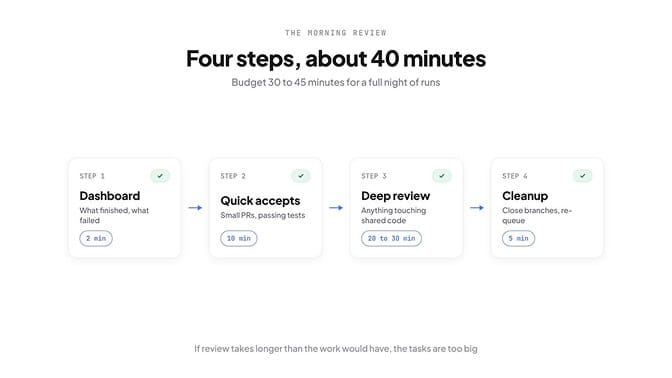
The morning review (about 40 minutes)
Vaughan budgets 30 to 45 minutes, and the steps below add up to about 40. Here's the routine:
- Dashboard (2 minutes). Which tasks finished, which failed, which got killed by the watchdog.
- Quick accepts (10 minutes). Small PRs with passing tests and obvious diffs.
- Deep review (20 to 30 minutes). Anything larger, anything touching shared code.
- Cleanup (5 minutes). Close dead branches, re-queue failed tasks with clearer instructions.
If the review regularly takes longer than the work would have, the tasks are too big. Cut them down before adding more agents.
Overnight agents for business (not just code)
The two-minute test works for business jobs too, and many of them fit it better than code does:
- A morning briefing ready before you open your laptop.
- Overnight lead research added to a sheet.
- Inbox triage with drafts waiting for you.
- Brand and competitor mentions summarised with suggested replies.
BetterClaw has ready-made workflows for exactly these, and they run on a schedule without you keeping a server alive:
- Morning Briefing runs daily at 6:30 am. It's read-only; the only thing it sends is the briefing, to you.
- Email Triage runs every hour on weekdays and drafts replies in your style. It never sends them for you.
- B2B Prospect Hunter runs on weekday mornings and adds prospects to a Google Sheet with a suggested opener. It never contacts anyone.
- Brand Mention Monitor runs daily and emails you a digest of mentions, each with a suggested reply. Posting is up to you.
Every one of them passes the two-minute test: you look at a briefing, a sheet, a digest or a drafts folder, and you know whether it worked. If you'd rather build your own, see how to schedule an AI agent or run a small always-on personal agent. Set up your first scheduled agent.
Where this is heading
The list of things you can safely leave running will get longer. METR, which measures how long a task frontier AI can complete, reports that this length has doubled about every 7 months over the long run, and about every 131 days since 2023.
But today the boring setup wins: one narrow task, a sandbox, a machine-checkable finish line, and about 40 minutes of review with your coffee.
Build your agent in BetterClaw. Plans start at $19 a month with a 7-day money-back guarantee.
Frequently Asked Questions
Can Claude Code run overnight?
Yes, in headless mode with claude -p. Lock it down with --allowedTools, --permission-mode dontAsk and a --max-budget-usd cap, give it one narrow task with tests as the finish line, and schedule it with a Routine or a cron job.
How do I run Codex overnight safely?
Use codex exec with --sandbox workspace-write, one git worktree per task, tests as the definition of done, and pull requests as the output. Stagger starts to avoid rate limits, and never let it deploy or merge.
What can an AI agent do while I sleep?
Narrow, checkable work: adding tests to a file, dependency bumps with passing tests, research digests, lead lists in a sheet, inbox triage drafts and morning briefings. Leave deployments, payments, auth, migrations and architecture decisions for when you're awake.
How long can an AI agent work without supervision?
Longer every year, but not long on hard tasks yet. METR reports the length of tasks AI can complete doubling about every 7 months over the long run. On hard real-world work, success rates are still very low, so long unattended runs should be split into small, checkable tasks.
How do I check overnight agent work?
Use a routine of about 40 minutes: a 2-minute dashboard check, 10 minutes of quick accepts, 20 to 30 minutes of deep review on anything larger, and 5 minutes of cleanup. If a task's output takes more than two minutes to verify, it shouldn't run overnight.
Do I need a server to run agents 24/7?
For self-hosted agents, yes: a machine or VPS that stays on, or a cloud scheduler like Claude Code's Routines. Managed platforms like BetterClaw run scheduled agents for you, so there's no server to keep alive.