The first AI agent I built was impressive for about 48 hours. It could read my emails, summarize my calendar, and draft responses to low-priority messages. If calendar work is your main use case, see our google calendar ai agent page.
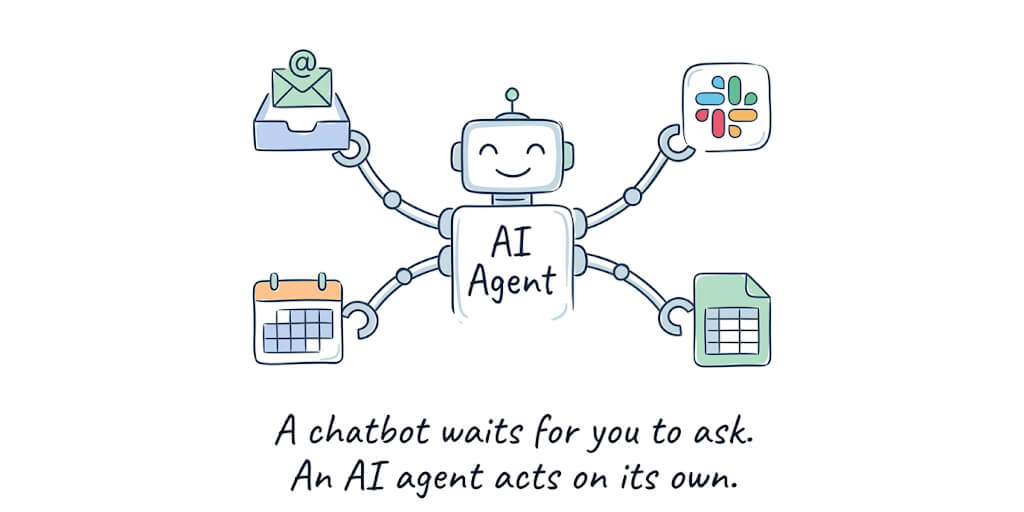
But I had to tell it to do all of that. Every single time. Open the chat. Type "check my email." Wait. Type "summarize my calendar." Wait. Type "draft responses." Wait.
By day three, I stopped using it. Not because it didn't work. Because an AI agent you have to manually trigger every time isn't automation. It's a chatbot with extra steps.
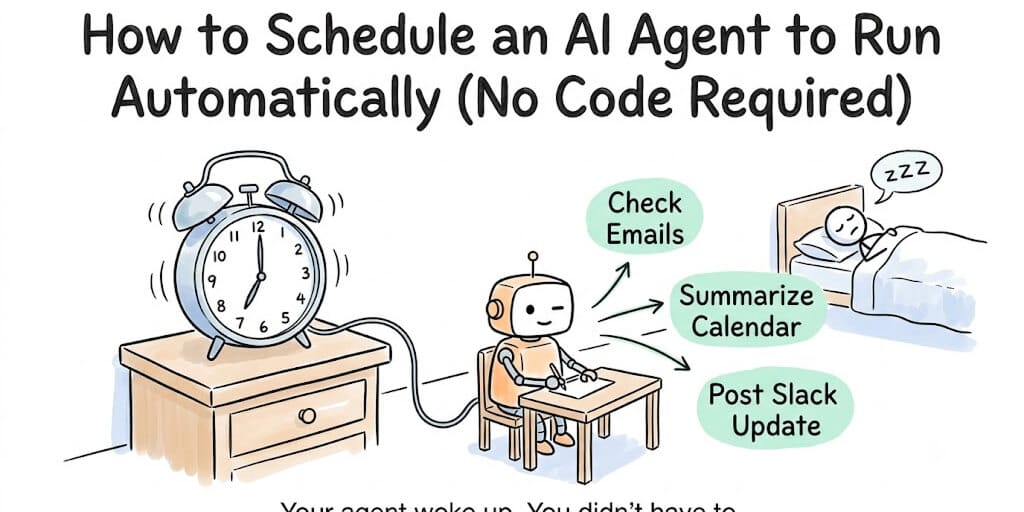
The moment an agent becomes genuinely useful is when it runs on a schedule. Every morning at 7 AM, before you wake up. Every hour during business hours. Every Friday at 5 PM to generate a weekly summary. That's when it stops being a tool you use and starts being an employee that works while you sleep.
Here's the problem: most guides on scheduling AI agents assume you know what a cron job is. If you've never opened a terminal, the phrase 0 7 * * * looks like someone fell asleep on their keyboard.
This guide is for everyone else.
What "scheduling" actually means (the 30-second version)
When developers talk about scheduling, they mean telling a computer to do something at a specific time without anyone pressing a button. That's it. Nothing more complicated than setting an alarm clock, except instead of waking you up, it wakes your AI agent up.
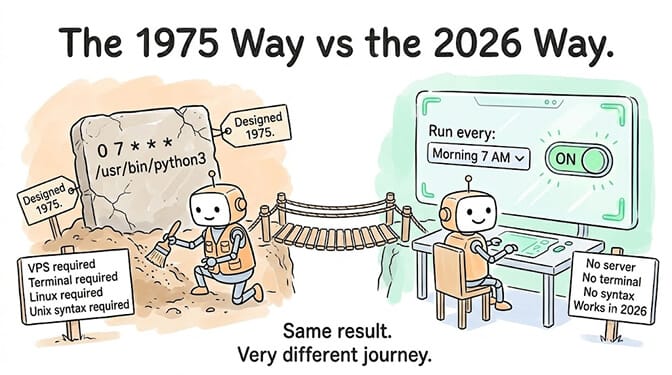
The traditional way to do this involves something called a "cron job." Cron is a time-based scheduler built into Linux servers. You write a schedule in a specific format (0 7 * * * means "at 7:00 AM every day"), and the server runs your script at that time.
The problem is that cron requires a server, a terminal, and knowledge of a syntax format that was designed in 1975 for Unix engineers. It was never meant for non-technical users. And yet, it's still the default answer when someone asks "how do I make my AI agent run automatically?"
You shouldn't need to learn 1975 Unix syntax to make your AI agent check your email every morning.
Five automations that make agents actually useful
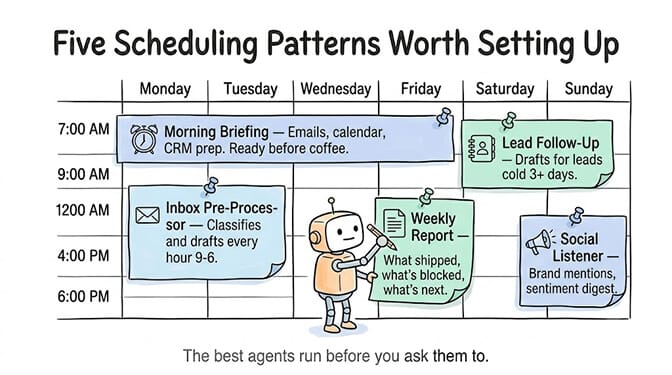
Before we get into how, let's talk about what's worth scheduling. These are the five patterns we see most often across the 50+ companies using scheduled agents.
The morning briefing
Schedule: Every weekday at 7 AM. What the agent does: Checks your inbox for anything urgent, scans your calendar for today's meetings, pulls relevant context from your CRM for each meeting, and sends you a summary in Slack or Telegram before you've had coffee.
This is the gateway automation. Once you experience someone (something?) doing your morning prep work without being asked, you never go back. It is the same promise behind an AI assistant that runs routines on its own, delivering a morning briefing and clearing routine busywork before you start your day.
The inbox pre-processor
Schedule: Every hour during business hours (9 AM to 6 PM). What the agent does: Reads new emails, classifies them by urgency, drafts responses for low-priority items, and flags high-priority ones with a suggested response and relevant context from previous conversations.
An ops lead at one of our customer companies told us this single automation cut their email response time from 24 hours to under 5 minutes for routine inquiries.
The weekly report generator
Schedule: Every Friday at 4 PM. What the agent does: Pulls data from your project management tool (Jira, Linear, Asana), summarizes what shipped this week, what's blocked, and what's scheduled for next week. Formats it as a Slack message or email to the team. Status reports like this are a core job for an AI operations agent, alongside morning briefings, expense routing and vendor emails.
The lead follow-up
Schedule: Every morning at 9 AM. What the agent does: Checks your CRM for leads that haven't been contacted in 3+ days, drafts personalized follow-up emails based on the lead's history, and queues them for your approval before sending.
The social listener
Schedule: Every 6 hours. What the agent does: Monitors mentions of your brand or competitors, summarizes sentiment, and flags anything that needs a response. Posts a digest to your team's Slack channel.
If you'd rather not build these from scratch, BetterClaw has scheduled workflows that run on their own for each pattern: Morning Briefing, Email Triage, Weekly Team Report, Follow-Up Reminder and Brand Mention Monitor. Each page lists its schedule and every step it takes.
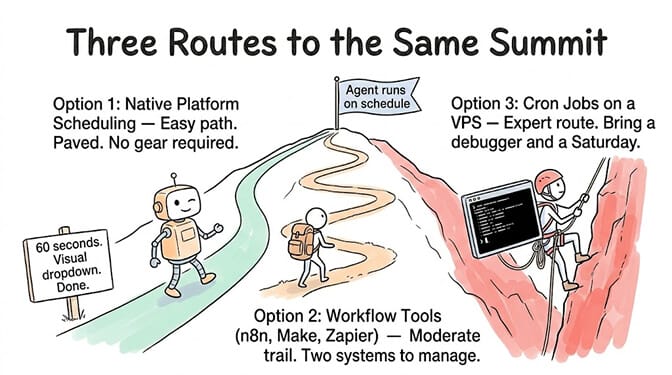
The three ways to schedule an AI agent (ranked by difficulty)
Option 1: Native platform scheduling (easiest)
Some AI agent platforms include scheduling as a built-in feature. You pick a frequency from a dropdown, toggle it on, and the platform handles the rest.
On BetterClaw, this is called heartbeat scheduling. You set an interval (hourly, daily, custom), define what the agent should do when triggered, and it runs automatically. Pro plan includes hourly scheduling. No server required. No cron syntax. No infrastructure to manage. You build an AI agent without writing code, so the schedule is a field in the dashboard rather than a crontab entry on a box you have to keep alive.
Pro also includes per-agent cost caps, so a scheduled agent that runs every hour can't accidentally burn through your LLM credits while you sleep. Real-time health monitoring auto-pauses agents if something goes wrong.
This is the right option for non-technical users. Period.
Option 2: Workflow automation tools (medium difficulty)
Tools like n8n, Make, or Zapier can trigger AI agent actions on a schedule. You create a workflow that fires at a set time, calls your agent's API, and processes the result.
The advantage: you can chain the agent with other automations (send the result to Google Sheets, post to Slack, update a database).
The disadvantage: you're managing two systems now. The workflow tool AND the agent platform. If something breaks, you're debugging across two different dashboards. n8n's 1,200+ connectors give you flexibility, but you're building plumbing instead of focusing on what the agent actually does.
Option 3: Traditional cron jobs (hardest)
If you're self-hosting your agent on a VPS, you'll use Linux cron or a cloud scheduler (AWS CloudWatch Events, GCP Cloud Scheduler, Azure Timer Triggers).
The format: minute hour day month weekday command
0 7 * * 1-5 means "at 7:00 AM, Monday through Friday." The asterisks mean "every" (every day of the month, every month).
You'll also need to handle what happens when cron fires but your agent crashes. Or when your server reboots and cron doesn't restart. Or when the agent runs successfully but the output goes nowhere because you forgot to configure the output destination. (If you do go this route, our cron job optimization guide covers the common pitfalls.)
McKinsey estimates AI agents represent a $2.6-4.4 trillion addressable market. But a significant chunk of that value depends on agents that run proactively, not just reactively. Scheduling is what turns a chatbot into an autonomous system.
If the idea of setting up a VPS and configuring cron jobs sounds like the wrong use of your Saturday, that's exactly why we built scheduling into BetterClaw as a one-click feature. The free plan gives you 1 agent and 100 credits/month to build and test on. Hourly scheduling and per-agent cost caps are Pro features at $49/month, with 5 agents and 12,000 credits/month. BYOK with zero markup.
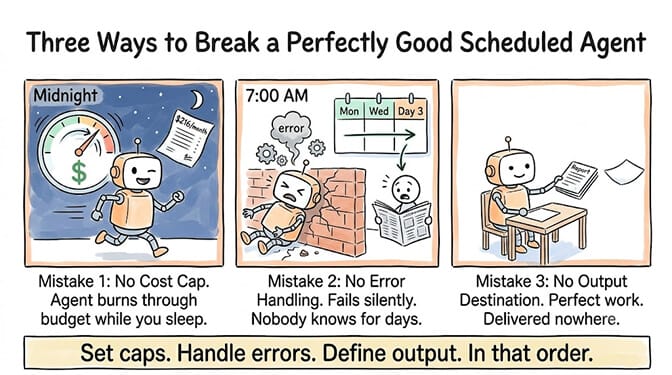
The three mistakes that kill scheduled agents
Mistake 1: No cost cap
A scheduled agent that runs every hour makes 24 API calls per day. If each call uses 10,000 tokens of context (tool definitions, system prompt, memory), that's 240,000 tokens per day, or roughly 7.2 million tokens per month.
On Claude Sonnet at $3 per million input tokens, that's about $21.60/month just in input costs. Manageable. But if your agent has a tool that fetches large documents, and each run pulls in 100,000 tokens instead of 10,000... your monthly bill just jumped to $216.
Always set a cost cap on scheduled agents. BetterClaw includes per-agent cost caps on Pro. On self-hosted setups, you need to build this yourself. (Most of that runaway cost is context bloat, which compounds on every scheduled run.)
Mistake 2: No error handling
What happens when your scheduled agent fails? If the Gmail API returns a 429 (rate limited) at 7 AM, does the agent retry? Crash silently? Send you an error notification?
On a managed platform, the answer is usually "retry with backoff, then alert you." On self-hosted cron, the answer is usually "fail silently and you find out three days later when someone asks why they never got a response."
Mistake 3: No output destination
A scheduled agent that runs at 7 AM and generates a morning briefing... that goes nowhere because you forgot to specify where the output should be delivered. Always configure your agent's output channel (Slack, Telegram, email, or a dashboard) before enabling the schedule.
The setup that takes 60 seconds (step by step)
Here's how scheduling works on a no-code platform like BetterClaw, start to finish.
Step 1: Create your agent. Pick your LLM (Claude, GPT, Gemini, or any of the 28+ supported providers). Give it a system prompt describing what it should do when triggered.
Step 2: Connect your integrations. Gmail, Calendar, Slack, HubSpot... whatever the agent needs to access. OAuth, one click. No API key juggling.
Step 3: Set the schedule. Pick your frequency: daily, hourly, or custom. Set the time. Toggle on.
Step 4: Set a cost cap. Define the maximum the agent can spend per month. If it hits the cap, it pauses automatically.
Step 5: Choose your output. Where should results go? Slack message? Telegram? Email? Pick the channel.
That's it. No server. No terminal. No cron syntax. No infrastructure. Your agent wakes up at 7 AM tomorrow and does its job before you do.
The whole point of AI agents is that they should work for you when you're not working. An agent you have to trigger manually is just a fancy search bar.
Scheduling is the single feature that turns an AI agent from a novelty into a business tool. And it shouldn't require a computer science degree to set up.
Give BetterClaw a look. Free plan with 1 agent and 100 credits a month. $49/month for Pro with hourly scheduling, 12,000 credits a month, and per-agent cost caps. Your first scheduled agent takes about 60 seconds to set up. We handle the infrastructure. You handle the part that matters.
Frequently Asked Questions
What is AI agent scheduling?
AI agent scheduling means configuring your AI agent to run automatically at set times without manual triggering. Instead of opening a chat and telling your agent what to do, it wakes up on its own (every morning, every hour, every Friday) and executes predefined tasks like checking email, generating reports, or following up with leads. It's the AI equivalent of setting an alarm clock, except the alarm does work instead of just making noise.
How does no-code agent scheduling compare to cron jobs?
Traditional cron jobs require a Linux server, terminal access, and understanding a scheduling syntax from 1975 (like 0 7 * * *). No-code platforms like BetterClaw replace this with a visual interface: pick your frequency, set the time, toggle on. The result is identical (your agent runs at the specified time), but no-code scheduling includes built-in error handling, cost caps, and monitoring that cron doesn't provide by default.
How do I set up my AI agent to run every morning?
On a no-code platform: create your agent, connect your integrations (email, calendar, Slack), set the schedule to "daily" at your preferred time, choose an output channel, and toggle it on. Total setup time is under 5 minutes. On a self-hosted setup: you'll need a VPS, a Python script for your agent, and a cron job configured on the server, which typically takes 2-4 hours including debugging.
How much does it cost to run a scheduled AI agent?
The platform cost varies: BetterClaw's free plan includes 1 agent and 100 credits/month, but hourly scheduling is a Pro feature. Pro at $49/month includes hourly scheduling and 12,000 credits/month. The LLM cost depends on usage. A daily agent using ~10,000 tokens per run costs roughly $0.90/month on Claude Sonnet ($3/million input tokens). An hourly agent with larger context can cost $20-50/month in API fees. Cost caps prevent unexpected bills.
Can a scheduled AI agent run reliably without someone monitoring it?
Yes, with the right safeguards. Managed platforms include real-time health monitoring that auto-pauses agents on anomalies, per-agent cost caps to prevent runaway spending, and automatic retry logic for failed tool calls. On self-hosted cron, you need to build all of this yourself. The most common failure mode is "the agent failed silently and nobody noticed for days," which managed platforms prevent with alerting and monitoring dashboards.