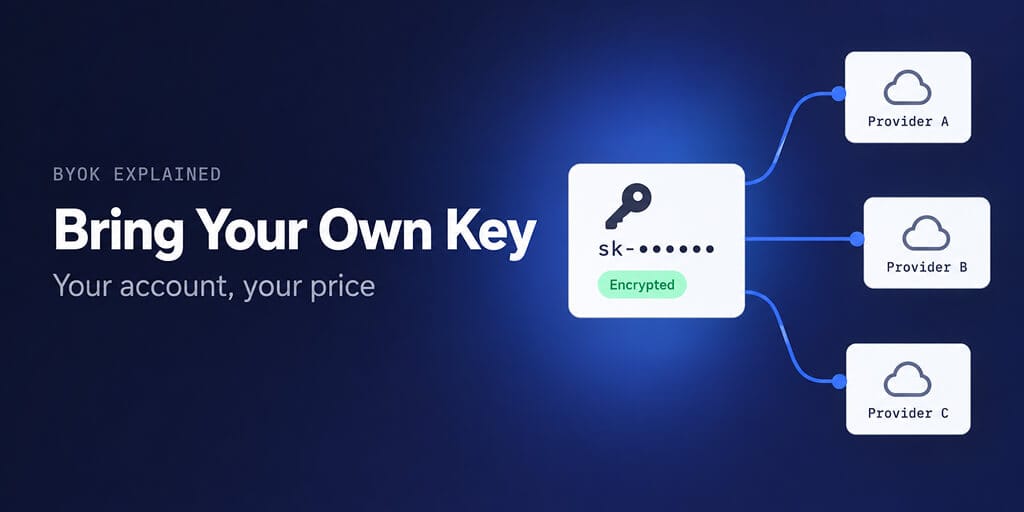
Bring your own key means your agent runs on your API account, at your provider's price. Here is how the billing works, what it saves, and how to keep the key safe.
Every AI agent platform has to answer one question: who pays the model provider?
Some platforms buy tokens in bulk and resell them to you as credits, usually with a margin. Others ask you to paste in your own API key, so the provider bills you directly. That second model is BYOK, short for bring your own key.
It sounds like a billing detail. In practice it decides how much your agent costs, which models it can use, and who can see your usage. Here is how it works.
What BYOK means in AI
In AI tools, BYOK means you create an API key with a model provider, such as Anthropic, OpenAI, Google or DeepSeek, and give it to the app. The app sends your agent's requests using that key. The provider charges your account at its normal rates.
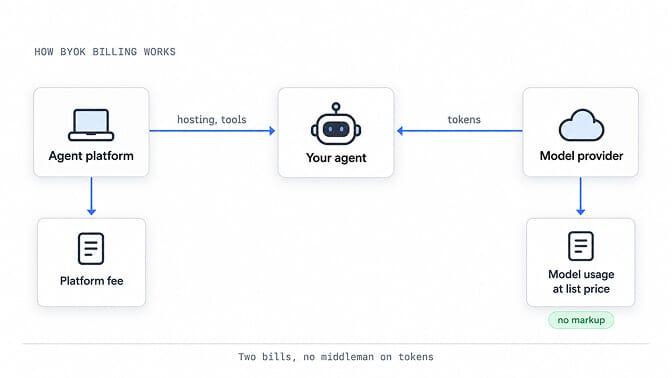
The app still charges for what it does: hosting, scheduling, connectors, memory, the interface. It just doesn't sit between you and the token bill.
One naming note. In cloud security, BYOK also means "bring your own encryption key", where a company supplies the key a cloud service uses to encrypt its data. That is a different idea. This post is about API keys for AI models.
How BYOK billing works
With BYOK, an agent's cost splits into two separate bills.
| Bill | Who sends it | What it covers |
|---|---|---|
| Platform fee | The agent platform | Hosting, tools, connectors, the interface |
| Model usage | Your model provider | Every token your agent sends and receives, at list price |
Because the provider bills you directly:
- You pay the provider's list price, with no resale margin on top.
- Your provider dashboard shows exactly what each agent spent.
- Discounts you already get, like prompt caching or batch pricing, apply to your agent too.
- You can switch models or providers by swapping the key, without changing platforms.
The trade-off is that you manage a provider account. You need a card on file with each provider you use, and you watch two bills instead of one.
BYOK vs managed credits vs subscription sign-in
BYOK isn't the only way to pay for an agent's model. There are three common setups.
| BYOK | Managed credits | Subscription sign-in | |
|---|---|---|---|
| How it works | You paste your provider API key | The platform buys tokens and sells you credits | You sign in with a consumer plan, like ChatGPT |
| Who bills tokens | Your provider, at list price | The platform, often with a margin | Your subscription, within its limits |
| Usage visibility | Full, in your provider dashboard | Whatever the platform shows | Your plan's usage page |
| Model choice | Any model your key can reach | The platform's catalog | Models your plan includes |
| Best for | Steady or heavy usage, cost control | One invoice, no provider accounts | People already paying for a plan |
Subscription sign-in is newer. OpenAI now lets Go, Plus and Pro subscribers spend their plan's usage in third-party apps, and OpenClaw supports it. Our guide to using your ChatGPT subscription with OpenClaw covers that path. Anthropic took the opposite route for Claude Pro and Max; the OpenClaw subscription ban explainer has the history.
What BYOK saves: a worked example
Take one agent that handles 2,000 tasks a month. Each task sends about 20,000 input tokens and gets back about 2,000 output tokens. That's 40M input and 4M output tokens a month.
On Claude Sonnet 5.5, which lists at $2 per 1M input tokens and $10 per 1M output tokens:
- Input: 40M x $2 = $80
- Output: 4M x $10 = $40
- Model cost at list price: $120 a month
Here's what that same usage costs through different routes.
| Route | Monthly model cost | Difference |
|---|---|---|
| BYOK, direct to Anthropic | $120 | List price |
| OpenRouter credits bought by card (5.5% fee) | $126.60 | +$6.60 |
| A platform reselling tokens at a 20% margin (illustrative) | $144 | +$24 |
| BYOK on Claude Haiku 5.5 ($0.10 / $0.50 per 1M) | $6 | Cheaper model, same key setup |
Two things stand out. First, the margin scales with usage, so it matters more the more your agent works. Second, the biggest saving often isn't the fee at all. It's being able to move routine tasks to a cheaper model, which BYOK makes a settings change.
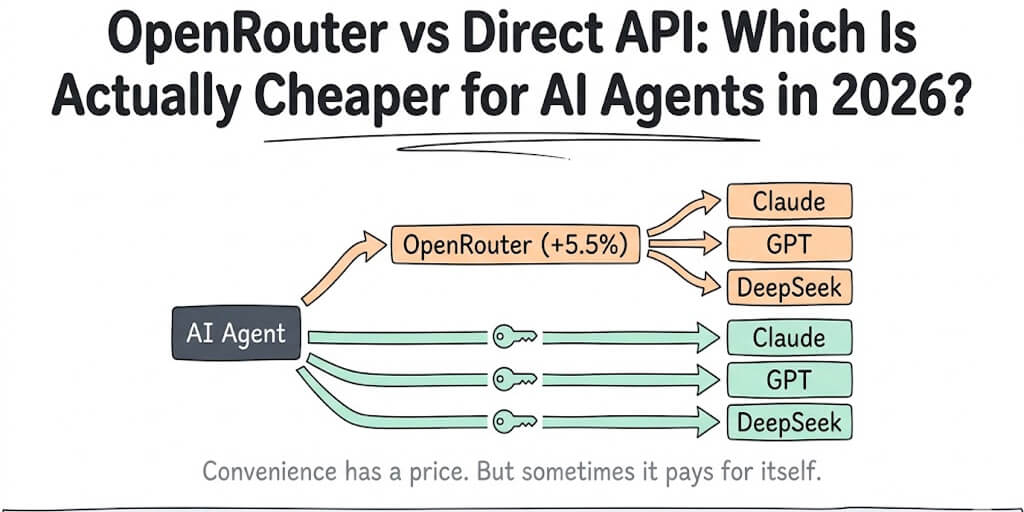
OpenRouter has its own BYOK mode: you add your provider keys there, and the first $25,000 a month of list-price usage carries no fee, then 5%. Our OpenRouter vs direct API breakdown runs the full numbers.
How to keep your API keys safe
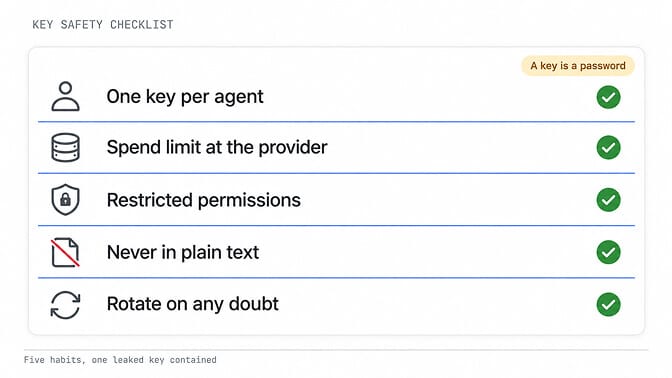
A BYOK key is a password with a credit card attached. Treat it like one.
Use one key per agent or workspace
If a key leaks, you revoke one key and one agent stops, not everything. On Anthropic, keys belong to the workspace they were created in, so a workspace per project keeps things separated.
Set a spend limit at the provider
Anthropic lets you set a spend limit per workspace, below your organization's limit, plus email alerts at a set amount. OpenAI lets you set project spend limits with alerts. Check whether yours only alerts or actually blocks requests, because OpenAI's own help page describes both.
Restrict what the key can do
OpenAI keys can be All, Restricted or Read Only. Restricted keys let you choose None, Read or Write per endpoint, so an agent key doesn't need access it never uses.
Never put keys in plain text
Not in chat messages, not in config files you share, not in screenshots. Our guide to keeping API keys out of plain text covers the self-hosted side.
Rotate on any doubt
If a key may have been exposed, create a new one at the provider, update it in your agent, then delete the old one.
If you'd rather not run the agent side yourself, BetterClaw hosts the agent and keeps your key encrypted, with zero markup on inference. Compare BetterClaw plans.
How BYOK works on BetterClaw
BetterClaw is built around BYOK. Every plan supports it, and we never mark up inference.
- Basic ($19 a month) is BYOK only. You bring a key from any of the 28+ supported providers, including Anthropic, OpenAI, Google, DeepSeek, Groq and OpenRouter.
- Pro and Business add managed keys alongside BYOK, for teams that want to run some agents without a provider account.
- Ollama is supported too, so local models cost nothing in tokens.
Adding a key takes a minute. Open Settings > Agents, pick the agent, open its Model tab, choose a provider and model, paste the key and click Save & Redeploy. On paid plans, you use Connect a model instead and pick which of that provider's models to add.
Your key is stored encrypted and used only to run that agent's model. Secrets you add for tools work the same way: values are masked after saving, agents read them by reference and never see the raw value, and every read is recorded in the audit log.
If a key stops working, our API key troubleshooting guide covers the usual causes.
When BYOK isn't the right choice
BYOK is the better deal for most steady agents, but not for everyone.
- If you can't put a card on file with a provider, or your company needs one supplier invoice, managed credits are simpler.
- If you already pay for ChatGPT and your agent's usage fits inside the plan, subscription sign-in can cost nothing extra.
- If you only run an agent a few times a month, the saving from avoiding a margin is small. Pick whatever is easiest.
The rule of thumb: the more your agent runs, the more BYOK is worth.
Ready to run an agent on your own key? Deploy your first BetterClaw agent. Plans start at $19 a month with a 7-day money-back guarantee.
Frequently Asked Questions
What does BYOK mean in AI?
BYOK stands for bring your own key. You give an AI app your own API key from a model provider, and the provider bills you directly for usage at its normal rates, instead of the app reselling tokens to you.
Is BYOK cheaper than buying credits?
Usually, yes. With BYOK you pay the provider's list price with no resale margin. How much you save depends on the margin you'd otherwise pay and how much your agent runs, so heavy users save the most.
Is it safe to give an app my API key?
It's as safe as the app's key storage and your own limits. Use a separate key per app, set a spend limit at the provider, restrict the key's permissions where you can, and rotate it if anything looks wrong.
Can I use BYOK with any model?
You can use any model your key has access to, as long as the app supports that provider. BetterClaw supports 28+ providers, plus OpenAI-compatible and Anthropic-compatible custom endpoints.
Does BYOK work with local models?
Local models don't need a key at all, because there's no provider to bill. Apps that support Ollama, including BetterClaw, can run them with zero token cost.
What is the difference between BYOK and a ChatGPT subscription?
BYOK bills per token through an API account. A ChatGPT subscription is a flat monthly plan, and some apps now let you sign in with it and spend the plan's included usage, up to its limits.