"Free" means three very different things depending on who's saying it. Here's what you actually get at $0.
I searched "free AI agent" last month. The first five results were either open-source frameworks that need a $20/month VPS to actually run, or platforms with a "free trial" that asks for your credit card on day one and starts charging on day fifteen.
Here's what nobody tells you about "free" in the AI agent space. The word means three completely different things depending on who's using it, and the difference between them is the difference between $0 a month and $50 a month with a surprise invoice.
This post is the honest version of that comparison. What you actually get at $0 on BetterClaw, OpenClaw, Hermes, and the other platforms that use the word "free" in their marketing. No affiliate links. No sponsored placements. Just the math.
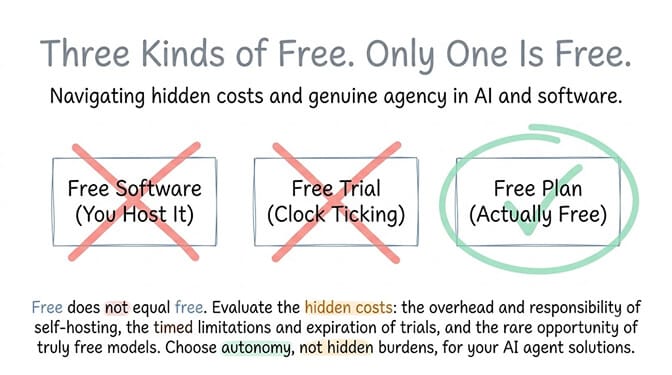
The three kinds of "free" and why they're not the same thing
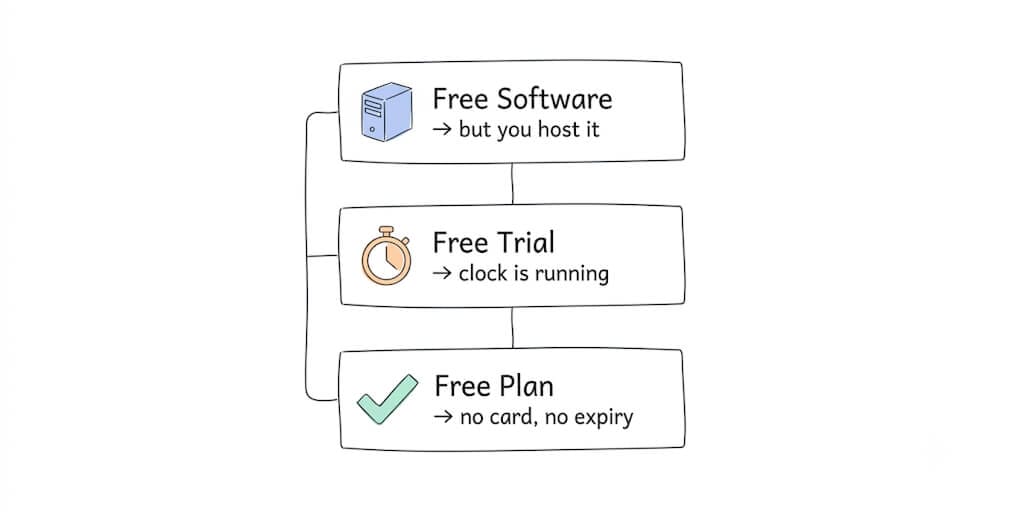
Free software, self-hosted. OpenClaw and Hermes are open source. The license is free. You can download and run them for $0. But "run them" means you need a server, which means a VPS at $5 to $50 a month, plus Docker, plus configuration time, plus ongoing security patches and maintenance. The software is free. The infrastructure to run it is not.
Free trial, credit card required. Several AI agent platforms offer 7 or 14-day trials that require a credit card at signup and start billing automatically when the trial ends. These aren't free plans. They're paid plans with a grace period.
Free plan, no credit card, stays free. A permanent tier that doesn't expire, doesn't require payment information, and includes real features. This is what most people actually mean when they search "free AI agent."
There's also a fourth variant hiding inside the third: freemium with feature gates. The free tier exists, but it's missing the one thing you actually need. You get OAuth integrations but not scheduling. Or scheduling but not memory. Or memory but not a chat channel. It's designed to push you to upgrade before you've built anything. Usage limits on a free plan are fine. A free plan that can't run a complete agent end to end isn't really a free plan.
The question isn't "which platforms are free." It's "which platforms let me build and run a working agent at $0, right now, without a VPS, a credit card, or a countdown timer."
The comparison table (the one worth screenshotting)
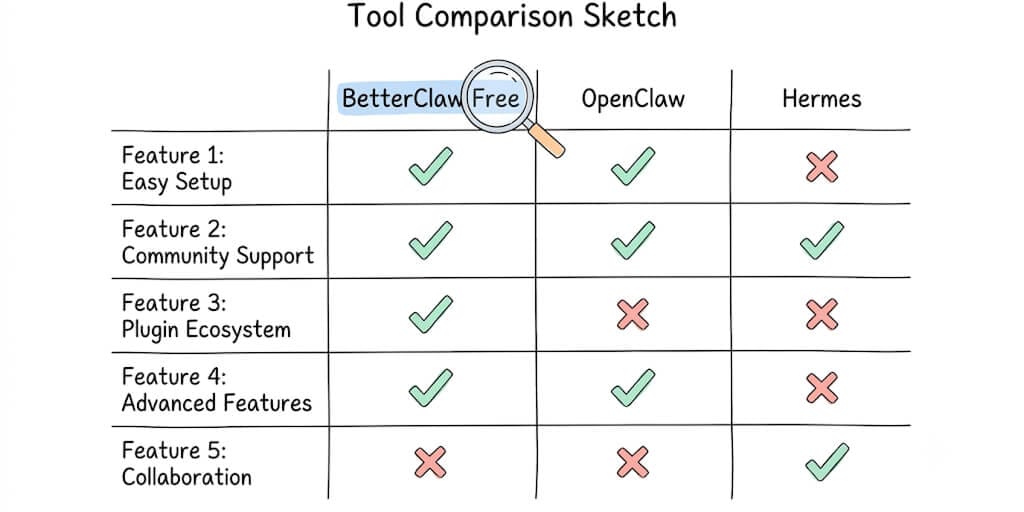
| Feature | BetterClaw Free | OpenClaw (self-hosted) | Hermes (self-hosted) |
|---|---|---|---|
| Monthly platform cost | $0 | $0 software + $5-50/mo VPS | $0 software + $5-50/mo VPS |
| Credit card required | No | No (but VPS does) | No (but VPS does) |
| Setup time | ~60 seconds | 4-8 hours | 30-60 minutes |
| Technical skill needed | None | Docker, Node.js, CLI | npm/curl, CLI |
| Agents included | 1 | Unlimited (you host) | Unlimited (you host) |
| Usage per month | 100 credits | Unlimited (you host) | Unlimited (you host) |
| Managed hosting | Yes | No (you manage) | No (you manage) |
| Visual builder | Yes | No (text config) | No (text config) |
| Memory | 7-day persistent | Persistent (you manage) | Persistent (self-learning) |
| Integrations | 3 one-click connectors (single account) | Manual config | Manual config |
| Security updates | Automatic | Manual patches required | Manual patches required |
| Skills | Basic verified skill set | 5,700+ on ClawHub (unaudited) | Growing, curated |
Stay with me here, because the table alone doesn't tell the full story. The numbers only make sense once you understand what each "free" actually costs in practice.
BetterClaw free plan: what you actually get at $0
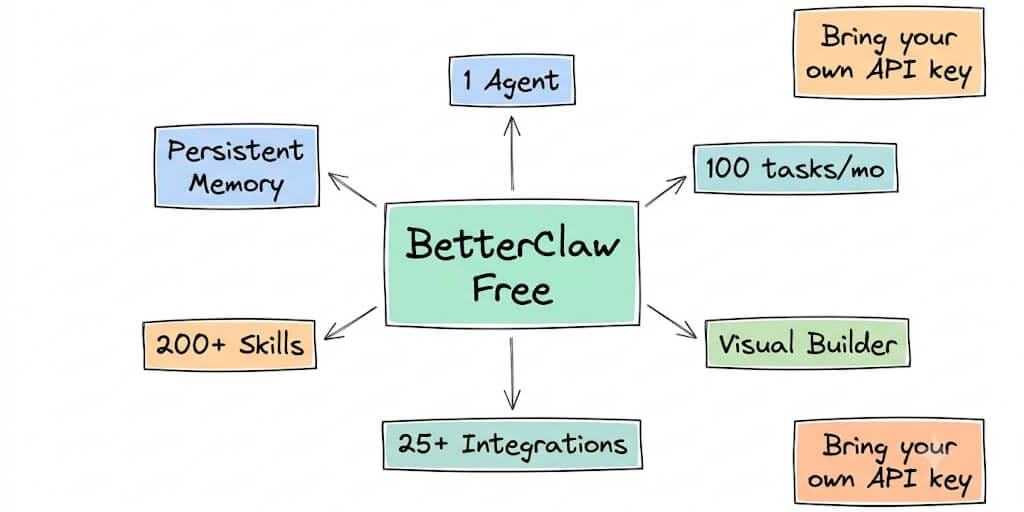
One agent. 100 credits per month. 3 connectors on a single account. 7-day memory. No credit card. No expiration date.
Credits meter your agent's work (task runs, connector calls) and reset every month. The limits are on volume, not on whether the agent can do a complete job. The free plan includes the visual builder, one-click OAuth for your 3 connectors (Gmail, Slack, Calendar, Notion, and the rest of the catalog), the basic verified skill set with a 4-layer security audit, trust levels (Intern, Specialist, Lead), a kill switch, sandboxed execution in isolated containers, AES-256 encryption, secrets auto-purge after 5 minutes, basic cost tracking, and 28+ model providers with BYOK and zero inference markup.
The catch: BYOK means you bring your own API key. BetterClaw doesn't include LLM credits on the free plan. You're paying your model provider directly (OpenAI, Anthropic, Google, whoever you choose), and BetterClaw adds zero markup on top of what the provider charges.
Total actual cost of running an agent on BetterClaw's free plan: $0 platform fee + roughly $2 to $10 a month in direct LLM API costs depending on usage volume and model choice, or $0 if you stay inside a free model tier (more on that next). That's it. No VPS. No Docker. No maintenance. You deploy an AI agent from the browser and the hosting is part of the plan rather than a separate bill.
Can the LLM bill be $0 too? Free model keys
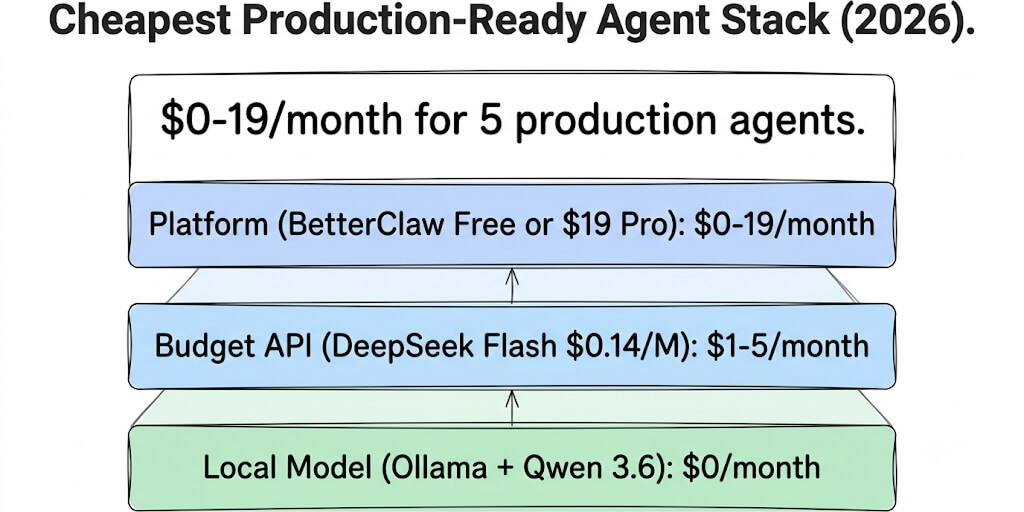
Here's the part that makes a genuinely $0 agent possible. Several LLM providers now compete on free access, because they want you in their ecosystem before you start paying. Pair a free model key with a free platform plan and a free chat channel (a Telegram bot or a free Slack workspace), and every layer of the stack costs nothing.
You have three solid free options. Pick one based on what you're optimizing for.
| Free LLM option | Best free models | Free limits (Sept 2026) | Best for |
|---|---|---|---|
| Google AI Studio (Gemini API) | Gemini 3.8 Flash, 3.5 Flash-Lite, 3.1 Flash-Lite, 2.5 Pro | Per-project limits, shown in AI Studio | Best overall quality, long context, multimodal |
| Groq | gpt-oss-120b, gpt-oss-20b, Qwen 3.8 27B | 30 requests/minute, 1,000 requests/day, 200K tokens/day per model | Speed-critical agents, real-time chat |
| OpenRouter | Models tagged :free | 20 requests/minute; 50/day, or 1,000/day once you've bought $10 of credits | Model variety, fallback chains |
A few things to know before you pick, all from each provider's own docs. Google's pricing page lists Gemini 3.8 Flash as "free of charge" on the free tier (Gemini 3.1 Pro Preview isn't), but Google no longer publishes fixed per-model free quotas; you see your project's limits in AI Studio. Free-tier prompts can also be used to improve Google's products, so don't route sensitive customer data through it. Groq's free plan now centres on the open gpt-oss models; the Llama models older guides recommend are no longer on it. OpenRouter caps free models at 20 requests per minute and 50 per day until you've bought at least 10 credits, and free models can be removed without notice.
The honest pick for most people: Google AI Studio with Gemini 3.8 Flash. Best free quality, a huge context window, and Flash is good enough for most agent tasks. Use Groq when you need real-time response speed. Use OpenRouter when you want the option to swap models without changing platforms.
How to build a $0 agent on BetterClaw, step by step
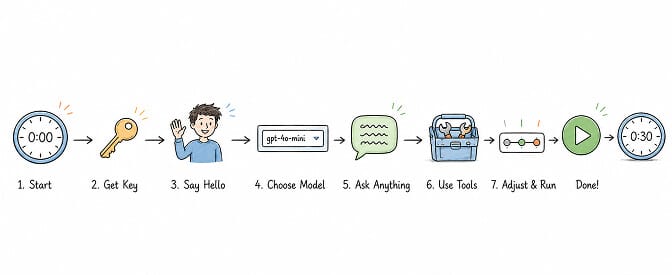
The whole thing takes 30 to 45 minutes the first time. Less if you've done it before.
- Get a free LLM key. In Google AI Studio, sign in with a Google account, click "Get API key", create a project, and copy the key. No credit card screen anywhere. About 2 minutes.
- Sign up for the platform. Create a BetterClaw free plan account. No credit card. Click "New Agent" on the dashboard.
- Connect the model. Select Google Gemini, pick Gemini 3.8 Flash, and paste your key into the BYOK field. BetterClaw adds no markup, and Google charges nothing on its free tier.
- Tell the agent who it is, in plain English. A simple first agent: "You're my morning briefing assistant. Every weekday at 7 AM, check my Gmail for overnight emails that look urgent. Summarize each in three lines, skip newsletters and promotions, and send the briefing to my Telegram."
- Add skills and connectors. Connect Gmail with one-tap OAuth. For Telegram, paste a bot token, which you get free from Telegram's BotFather in about 90 seconds (our Telegram bot token guide walks through it). That's 2 of your 3 free connectors.
- Pick a trust level. Intern asks before every action. Specialist asks before risky ones. Lead acts on its own, with a kill switch. Start at Intern and move to Specialist after a week of watching it work.
- Deploy. About 60 seconds later the agent is live in an isolated container, and it runs your briefing every weekday until you stop it.
Total spend: $0. The hardest part is deciding what you want the agent to do.
OpenClaw: free software, not free to run
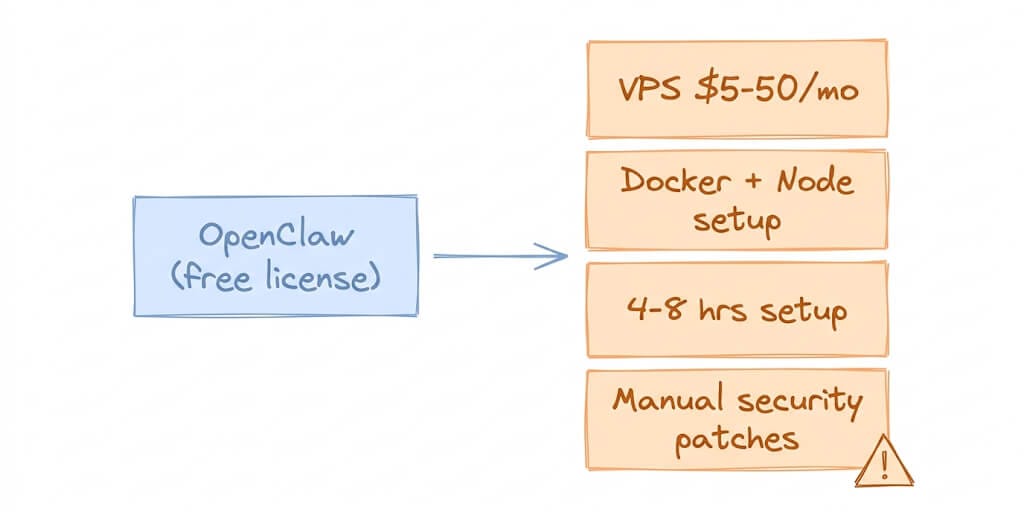
OpenClaw is open source with 230,000+ GitHub stars. The license is MIT. You can download it, install it, and configure it for free. That part is genuinely true.
Here's where it gets messy. To run OpenClaw as an always-on agent, you need a server. That means a VPS, typically $5 to $20 a month for a basic instance, up to $50 a month if you want enough RAM and CPU for a responsive agent with multiple skills loaded. You also need Docker installed and configured, Node.js, and roughly 4 to 8 hours for initial setup if you're doing it for the first time.
Then there's maintenance. OpenClaw has had real security issues. CVE-2026-25253 was a one-click remote code execution vulnerability (CVSS 8.8), patched in version 2026.1.29. The ClawHavoc campaign found 1,400+ malicious skills on ClawHub. CrowdStrike published a full security advisory on OpenClaw enterprise risks, and 500,000+ instances were found running on the public internet without authentication.
Those patches don't install themselves. On a managed platform, security updates happen automatically. On self-hosted OpenClaw, you're the one applying them, and the window between a vulnerability being disclosed and your instance being patched is however long it takes you to notice and act.
Total actual cost of running OpenClaw "free": $0 software + $5-50/mo VPS + 4-8 hours setup + ongoing maintenance time + your own LLM API costs. The software is free. The total cost is $10 to $60 a month before you count your time.
Hermes: lighter than OpenClaw, still self-hosted
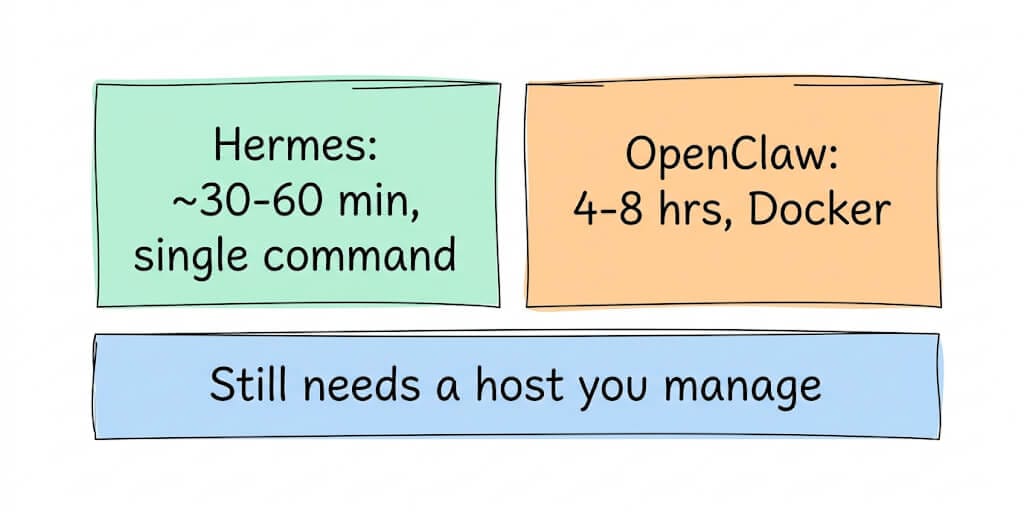
Hermes Agent by Nous Research is a separate framework from OpenClaw, not a fork. It emphasizes a self-learning skill system where the agent turns repeated workflows into reusable procedures, and it has better security defaults out of the box than OpenClaw.
Hermes installs with a single curl or npm command, which is genuinely faster than OpenClaw's Docker-based setup. Setup time is closer to 30 to 60 minutes versus OpenClaw's 4 to 8 hours. Hermes hit 95,000+ GitHub stars in its first seven weeks, which signals real community momentum.
But it's still self-hosted. You still need a machine to run it on, either your local computer (which means the agent stops when your laptop sleeps) or a VPS (which means $5 to $20 a month). You still manage your own security. You still handle your own updates.
Total actual cost of running Hermes "free": $0 software + $0-20/mo hosting (local or VPS) + 30-60 minutes setup + ongoing maintenance + your own LLM API costs.
What about the other platforms claiming "free"?
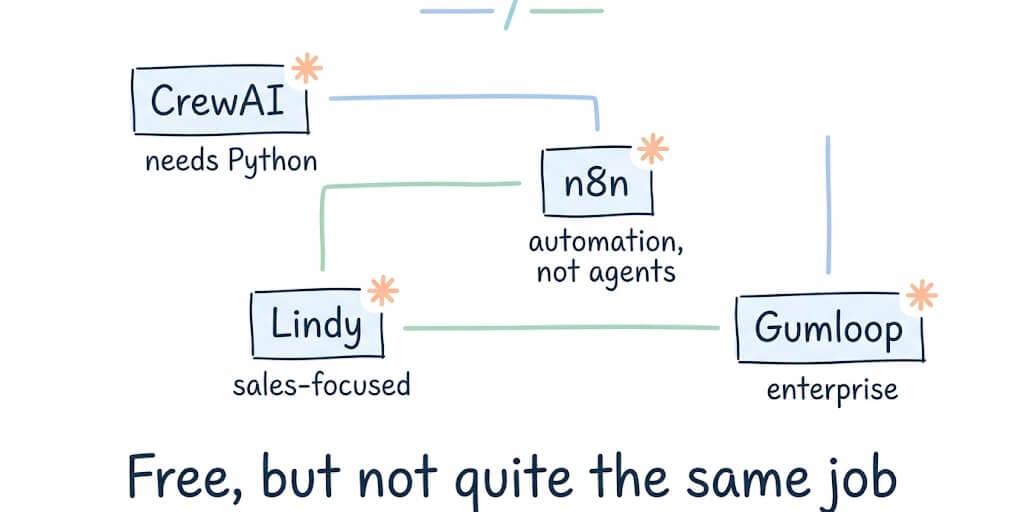
CrewAI: open source (47K+ stars), free to use, but it's a Python framework that requires coding. There's no hosted free plan. You write Python, run it somewhere, and manage the infrastructure yourself. For non-developers, it isn't really an option.
n8n: the self-hosted Community Edition is open source and free with unlimited executions. n8n Cloud offers a free trial, not a free plan. Either way, n8n is workflow automation, not an autonomous agent platform. No persistent memory, no trust levels, no agent-specific architecture, and you'll write some JavaScript to glue things together. Great tool, different job.
Lindy: no longer has a free plan. As of September 2026, its pricing page offers a 7-day free trial, then Plus at $29.99 per user per month. Good agent product, focused on sales workflows; not free.
Gumloop: also trial-only now. A 14-day free trial, then Pro from $37 a month. It's enterprise-focused and the pricing reflects that.
Pickaxe, Vapi, Flowise and a few others each have free or open-source options with different trade-offs, from usage caps to self-hosting. Check whether "free" means a permanent plan or a trial before you build on it.
Vertex AI (now Gemini Enterprise Agent Platform) has free monthly allowances and a $300 new-customer credit, but no free plan. Our Vertex AI pricing guide breaks that down, and the BetterClaw vs Vertex AI comparison covers the trade-offs if you're coming from Google Cloud.
None of these are free managed agent platforms with no credit card and no expiry. Some are free software you host yourself. Some are trials with a countdown. The combination of "free, managed, no credit card, never expires" is genuinely rare. For the wider side-by-side, including paid options, see our AI agent builder comparison.
If you've been reading this whole comparison thinking "I just want a working agent without paying for a VPS or learning Docker," that's basically the reason BetterClaw's free plan exists. One agent, 100 credits a month, no credit card, 60-second deploy. The only cost is your LLM API key, which you'd be paying regardless of which platform you use (and which can be $0 on a free model tier).
What a free plan is genuinely good for
Be honest with yourself about scope. A free plan is not a production customer support system, and it won't handle 50,000 lead lookups a month. 100 credits a month covers a personal agent running a short task once or twice a day. Here's what fits.
Personal AI assistant. Morning briefings, calendar prep, email triage, document lookups, meeting note summaries. Anything that runs a few times a day and saves you ten minutes each time.
Inbox triage. An agent that reads your inbox at 8 AM and tells you which three emails actually need a reply today. One or two short runs a day fits inside the credit budget.
Inbound lead qualification. When someone fills out your contact form, the agent enriches the lead, scores it against your ideal customer profile, and drops it into the right Notion table or CRM. At 10 leads a week, that's about 40 runs a month.
Content monitoring. An agent that watches a few sources, flags new posts that match your criteria, and sends you a summary. A daily run sits well within limits.
Testing before scaling. The underrated one. Build the agent on the free plan, watch it work for two weeks, and only add more agents once you trust it. The free plan is your validation environment.
The pattern to avoid: anything genuinely high-frequency. You'll burn through the credits by mid-month and start rationing. That's the signal you've outgrown free, which is fine.
When to upgrade: four signals
For a lot of individual use cases the free plan is enough indefinitely. Here's how to tell when it isn't.
You want more than one agent. Free gives you one, deliberately. Once you want a second (say, a sales follow-up agent alongside your morning briefing), Pro gives you five and Business gives you 25.
You need more connections. Free includes 3 connectors on a single account. If the agent needs Gmail, Calendar, Slack and a CRM, or two Gmail accounts, you've outgrown it. Basic ($19/month, still 1 agent) raises that to 10 connectors. Pro gives you unlimited connectors with multi-account support.
You're burning through credits. Basic raises the budget to 500 credits a month, Pro to 12,000, and on Pro extra 1,000-credit packs are $5 each.
You need memory longer than 7 days. Free-plan agents remember 7 days of context. That's enough for personal assistants and short workflows, not for sales nurturing or support threads where the agent needs to recall a conversation from three weeks ago. Pro keeps 90 days; Business is unlimited.
There's no free trial of the paid plans. You either stay on Free or start a paid plan, and Pro comes with a 7-day money-back guarantee if it turns out not to fit.
One more trap worth naming. People build an agent, it works, and on day three they try to scale it to ten times the volume. The free model tier rate-limits, the credit budget runs out, the whole thing breaks, and they conclude AI agents don't work. The better pattern is boring: run one agent for two weeks, notice what it gets wrong, tweak the instructions, add one skill, run it two more weeks. Then upgrade with confidence about what you're paying for.
The decision framework
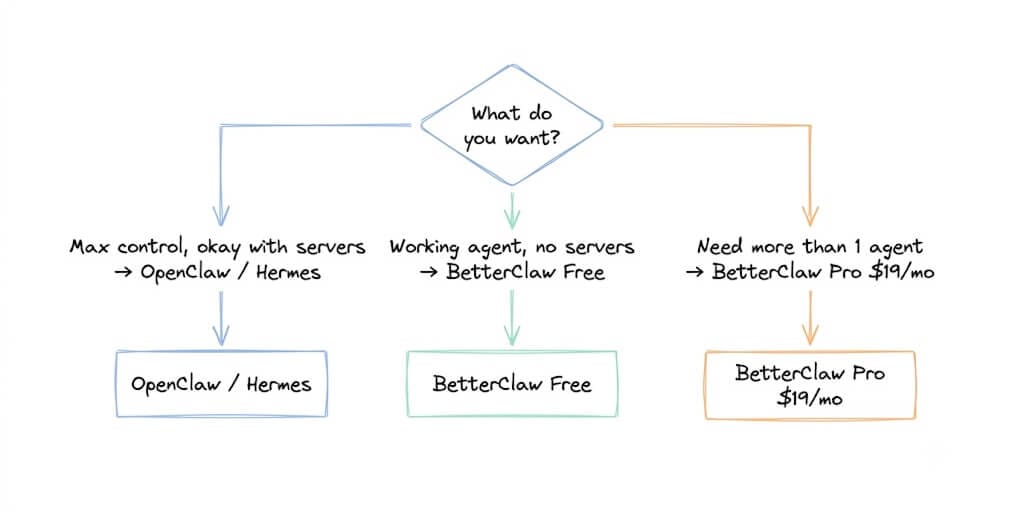
Want maximum control and don't mind managing servers? → OpenClaw or Hermes. Both are genuinely powerful open-source frameworks. OpenClaw has the larger ecosystem (5,700+ skills on ClawHub). Hermes has better security defaults and a self-learning skill system. Both require a VPS and ongoing maintenance.
Want a working agent without managing servers, Docker, or security patches? → BetterClaw free plan. One agent, 100 credits a month, 3 connectors, no credit card, managed infrastructure. You bring your own LLM API key and pay the provider directly (or nothing, on a free model tier).
Need more than one agent or more than 100 credits? → BetterClaw Basic at $19/month (1 agent, 500 credits, 10 connectors) or Pro at $49/month (5 agents, 12,000 credits), or scale your self-hosted instance. At the point where you need multiple agents at scale, the total cost of self-hosting (VPS, maintenance time, security patching) often meets or exceeds a managed plan. Full pricing here.
For context on how the token costs that apply regardless of platform play out at scale, our guide to cutting agent token costs covers model routing, prompt caching, and context compression in detail. And if you're already running agents and want to understand how their configuration affects both cost and reliability, our SOUL.md and AGENTS.md guide covers the instruction-file mechanics that apply across all three platforms.
The honest takeaway
"Free" is the most overloaded word in AI agent marketing. Open-source frameworks are free to license but not free to run. Free trials are paid plans in disguise. And even genuinely free managed plans come with limits that matter.
The right question was never "which platform is free." It was "what does $0 a month actually get me, and is it enough to start building something real?"
On BetterClaw, the answer is: one managed agent, 100 credits a month, 3 connectors, verified skills, 7-day memory, trust levels, secrets auto-purge, and a 60-second deploy. On OpenClaw, the answer is: unlimited agents, 5,700+ skills, maximum flexibility, and a server you maintain yourself. On Hermes, the answer is: self-learning skills, better security defaults, and a lighter install that still needs a host.
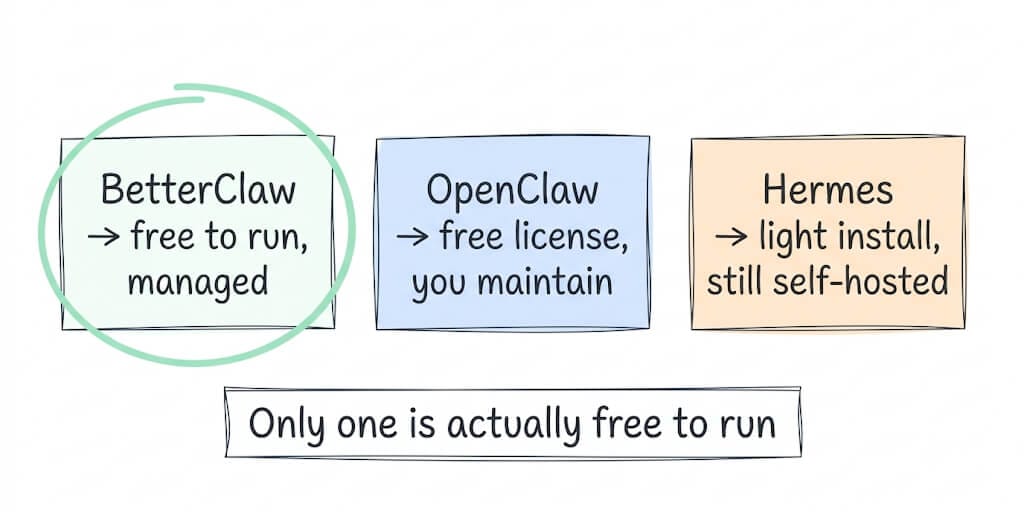
All three are real options. Only one of them is actually free to run without a VPS, a credit card, or a weekend of setup.
Give BetterClaw a try. Free plan. No credit card. Your first agent deploys in about 60 seconds. $49 a month for Pro (5 agents) when you're ready to scale past one. We handle the infrastructure. You handle the interesting part.
Frequently Asked Questions
What is the best free AI agent platform in 2026?
BetterClaw is the only platform here that offers a genuinely free plan with managed hosting, no credit card, and no expiry: 1 agent, 100 credits a month, 3 connectors, the visual builder, verified skills, trust levels, and 7-day memory. Lindy and Gumloop are trial-only as of September 2026. OpenClaw and Hermes are free to download but require self-hosting on a VPS, which costs $5 to $50 a month plus setup and maintenance time.
How does BetterClaw's free plan compare to OpenClaw's free self-hosting?
BetterClaw's free plan gives you one agent with 100 credits per month, managed infrastructure, automatic security updates, and a 60-second deploy. OpenClaw gives you unlimited agents and skills but requires a VPS ($5-50/mo), Docker, 4-8 hours of setup, and manual security patching. The tradeoff is control versus convenience.
How long does it take to set up a free AI agent?
On BetterClaw, about 60 seconds: sign up, connect an API key, pick integrations, deploy. On Hermes, roughly 30 to 60 minutes for a basic install via npm or curl. On OpenClaw, 4 to 8 hours for a first-time Docker-based setup including configuration and initial skill installation.
Is there really a free AI agent with no credit card required?
Yes. BetterClaw's free plan requires no credit card and doesn't expire. It includes one agent, 100 credits per month, 3 connectors, and 7-day memory. The only requirement is bringing your own LLM API key (from OpenAI, Anthropic, Google, or 28+ other providers), which costs roughly $2 to $10 a month in direct API usage, or $0 on a free model tier such as Google's Gemini API.
Is BetterClaw's free plan limited enough that I'll need to upgrade quickly?
It depends on your use case. One agent with 100 credits per month covers most individual productivity workflows: email triage, Slack summarization, lead qualification, calendar management. If you need more connectors or credits on a single agent, Basic is $19 per month (10 connectors, 500 credits). If you need more agents, unlimited connectors, multi-account support, or 90-day memory, Pro is $49 per month for 5 agents and 12,000 credits. Every plan can run a complete agent end to end, so upgrading is mostly about scale.
How do I build an AI agent for free?
Sign up for BetterClaw's free plan, get a free LLM key from Google AI Studio or Groq, connect it via BYOK, describe the agent in plain English, connect the skills it needs (Gmail, Telegram, Slack), set a trust level, and deploy. The first agent takes about 30 to 45 minutes, and total cost is $0 if you stay within the free limits on both the platform (100 credits a month) and the LLM provider (Gemini 3.8 Flash is free on Google's free tier, within the per-project limits shown in AI Studio).
Do Lindy, Gumloop or n8n have free plans?
Not hosted ones, as of September 2026. Lindy offers a 7-day free trial, then Plus at $29.99 per user per month. Gumloop offers a 14-day free trial, then Pro from $37 a month. n8n Cloud is trial-only too, though the self-hosted n8n Community Edition is free if you run the server yourself.
Is a free AI agent secure enough for personal use?
Yes, if the platform takes security seriously. Look for isolated containers per agent (so one agent can't affect another), encrypted credentials that are purged from agent memory after a short window, a verified skills library that audits and rejects malicious skills, a kill switch, and trust levels that require approval before risky actions. BetterClaw's free plan includes sandboxed execution, AES-256 encryption, secrets auto-purge, audited skills, a kill switch, and trust levels at $0.