Six words, no detail, and your app stops working. "TypeError: Failed to fetch" is the browser admitting it doesn't know what went wrong. Here's what it actually means, the five causes behind almost every case, and how to tell in thirty seconds whether the problem is your network or your code.
What does "Failed to Fetch" mean?
It means your browser asked a server for something and got silence.
Not a 404, which is the server saying the page doesn't exist. Not a 500, which is the server saying it broke. Those are answers. "Failed to fetch" is the absence of one: the request went out and nothing came back that the browser could use.
That's why the message is so unhelpful. The Fetch API rejects with a TypeError for every failure that happens before a response arrives, and it deliberately doesn't say which one, partly for security reasons. Telling a script exactly why a cross-origin request failed would leak information about other people's servers.
So the browser gives you six words and leaves you to work it out. This page is how you work it out.
I see it in an app or website
If the error appeared in something you didn't build, a work tool, a web app, a site you were using, you almost certainly didn't break anything. Run these five checks in order, because each rules out a cause.
- Reload properly with Ctrl+Shift+R (Cmd+Shift+R on Mac). This skips the cache without clearing cookies, so you stay logged in everywhere. On a phone, close the app fully and reopen it.
- Try a private window. If it works there but not in your normal window, an extension is blocking the request, usually an ad blocker or a privacy add-on. Turn them off one at a time.
- Turn off VPN, proxy or antivirus for a minute. Anything sitting between your browser and the internet can drop a request silently, and corporate firewalls belong in this group.
- Switch networks. Move from Wi-Fi to mobile data or back. If one network works and the other doesn't, the problem is the network, not the app.
- Consider that the service is down. If nothing above helps and the error shows on every network and browser, wait a few minutes.
If it works in a private window, on another network, or on another device, the app is fine. The problem is somewhere between you and it.
I see it in my own code
Then the first rule is this: "Failed to fetch" is never the real message. Open the browser console (F12) and read the line directly above or below it. The actual reason is almost always there, spelled out.
A CORS failure, for example, prints something like "Access to fetch at ... from origin ... has been blocked by CORS policy", followed by the specific reason. That second half is the part that tells you what to fix.
The rest of this page assumes you've read that line.
What the error actually means (the browser hides the real reason)
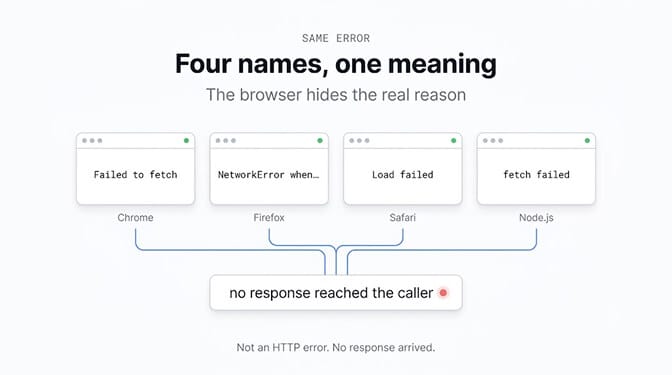
The same failure carries different names depending on where you see it. If you searched one of these, you're in the right place:
| Where it appears | Exact message |
|---|---|
| Chrome, Edge, Brave, Opera | TypeError: Failed to fetch |
| Firefox | TypeError: NetworkError when attempting to fetch resource. |
| Safari (Mac and iPhone) | TypeError: Load failed |
| Node.js (server side) | TypeError: fetch failed |
The first three mean the same thing. The fourth is a different animal and has its own section below.
The 5 most common causes and how to fix each
1. CORS (the most common by far)
Your JavaScript runs on one origin and asks for data on another. The browser checks whether the server gave permission, and if the Access-Control-Allow-Origin header isn't there or doesn't match, it throws the request away before your code sees it.
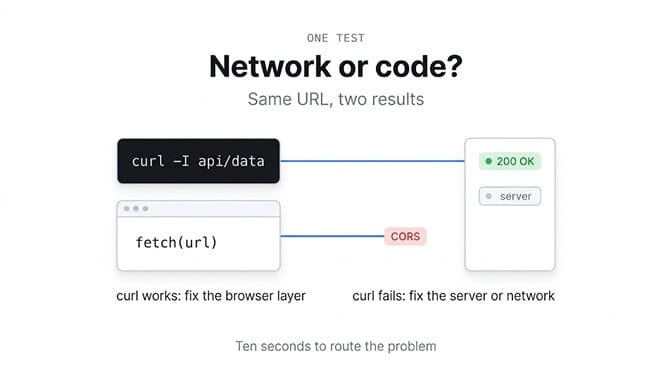
The giveaway: the URL works when you paste it into the address bar or run curl, and fails in fetch. curl doesn't enforce CORS. Browsers do.
The fix is on the server. It must return the header naming your site's origin. If you own the backend, add it there. If you don't own it, put a small proxy in your own backend and call that instead.
One mistake to avoid:
fetch(url, { mode: 'no-cors' }) // does not fix CORS
This makes the error disappear and hands you an opaque response: status 0, body unreadable. You've swapped a visible failure for a silent one.
Watch out for the credentials rule too. If your request sends cookies, the browser rejects a wildcard Access-Control-Allow-Origin: *. You have to name the origin explicitly.
2. Wrong URL, port or DNS
Less glamorous, very common. A typo in the domain, the wrong port, a local server you forgot to start, or a DNS name that doesn't resolve. In development, the API on 3001 while your code calls 3000 accounts for a good share of these.
3. Mixed content (HTTPS page calling HTTP)
If your page is served over https:// and your fetch targets http://, the browser blocks it without asking. The console says "Mixed Content". Change the target to https://.
4. Something between the browser and the network
Extensions, ad blockers, privacy tools, VPNs, proxies, corporate firewalls and antivirus software can all stop a request before it leaves. A Content Security Policy can too: if connect-src doesn't allow the host you're calling, the browser refuses the connection and says so in the console.
The private-window test from earlier is the quickest way to separate this from everything else.
5. The request was aborted
The request started and something killed it. A redirect (window.location = ...) or a page reload immediately after the call cancels it mid-flight. So does an AbortController timeout you forgot about, and so does closing the tab. The fetch rejects with the same TypeError, and nothing was ever wrong with the server.
Network problem or code problem? How to tell
One command settles it. Run the exact URL your code is calling:
curl -I https://api.yoursite.com/data
If curl returns headers: the server is up, reachable and answering. Your problem is in the browser layer, which means CORS, mixed content, an extension or CSP. Causes 1, 3 and 4.
If curl hangs or errors: the server, the address or the network is the problem, and the browser was telling the truth. Causes 2 and 5, or the service is genuinely down.
That single test routes you to the right half of this page in about ten seconds, and it's the step most people skip.
Quick diagnosis: the DevTools Network tab checklist
Open DevTools, go to Network, tick Preserve log, and reproduce the error. Then work through this list.
- Does the request appear at all? If it never shows up, it was blocked before it left the browser. That points at an extension or a Content Security Policy rule, not at your server.
- What does the Status column say? A CORS-blocked request typically shows "CORS error" or "(failed)" rather than a number. A status of 0 means no response was received, which is the same story from a different angle.
- Is there an OPTIONS request just before it? Non-simple requests send a preflight first. If the OPTIONS call failed, the real request never happened, and your fix belongs in how the server answers OPTIONS.
- Check the response headers. Look for
access-control-allow-origin. If it's missing, or it names an origin that isn't yours, that's your answer. - Watch for "Provisional headers are shown". This often means the request was blocked or never completed, so treat it as a hint to check extensions and CSP rather than as a detail about the server.
- Read the Console tab alongside it. Network tells you what happened; Console usually tells you why, and the CORS messages in particular name the exact rule that failed.
Node.js "fetch failed" is not "Failed to fetch"
Different environment, different problem, similar wording.
There is no CORS in Node. If you see TypeError: fetch failed on the server, it's a network problem, and the real reason is hiding in cause:
try {
  await fetch(url);
} catch (err) {
  console.error(err.cause);   // the actual reason lives here
}
err.cause | What it means |
|---|---|
ECONNREFUSED | Nothing is listening on that port. The service isn't running. |
ENOTFOUND | DNS can't resolve the hostname. Typo, or no DNS on that network. |
UND_ERR_CONNECT_TIMEOUT | It tried and gave up. Firewall or a slow server. |
| Certificate errors | HTTPS with a self-signed or expired certificate. |
One classic trap: in some Node versions localhost resolves to the IPv6 address ::1 first. If your server only listens on 127.0.0.1, the connection is refused. Swapping localhost for 127.0.0.1 in the URL fixes it immediately.
And if your backend is Python (FastAPI, Flask, Django) while your frontend shows "Failed to fetch", the cause is almost always missing CORS middleware on the Python side. Python itself never produces this error; its equivalent when acting as a client is requests.exceptions.ConnectionError.
Failed to fetch in AI agents: n8n, MCP, OpenClaw and Ollama
This error has quietly become one of the most common failures in AI agent setups, and the causes repeat.
Ollama
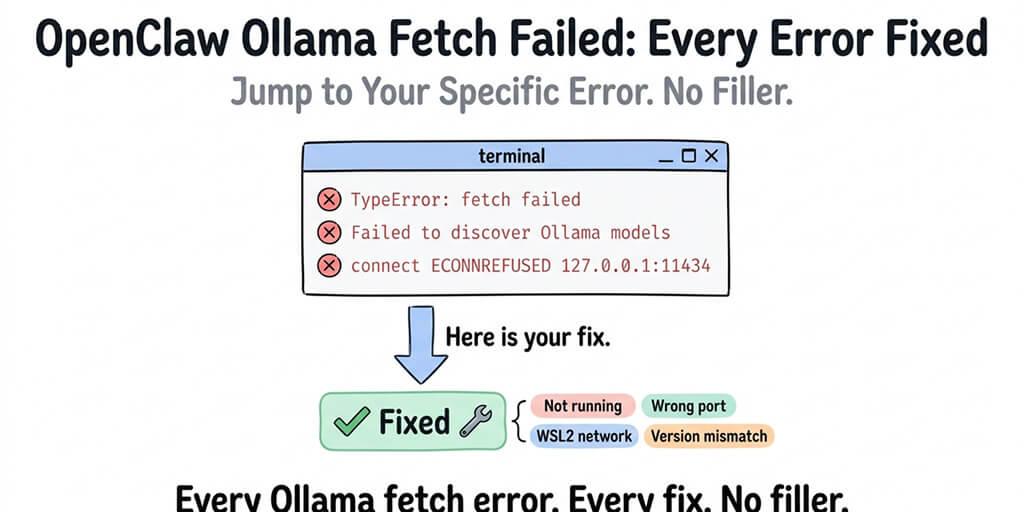
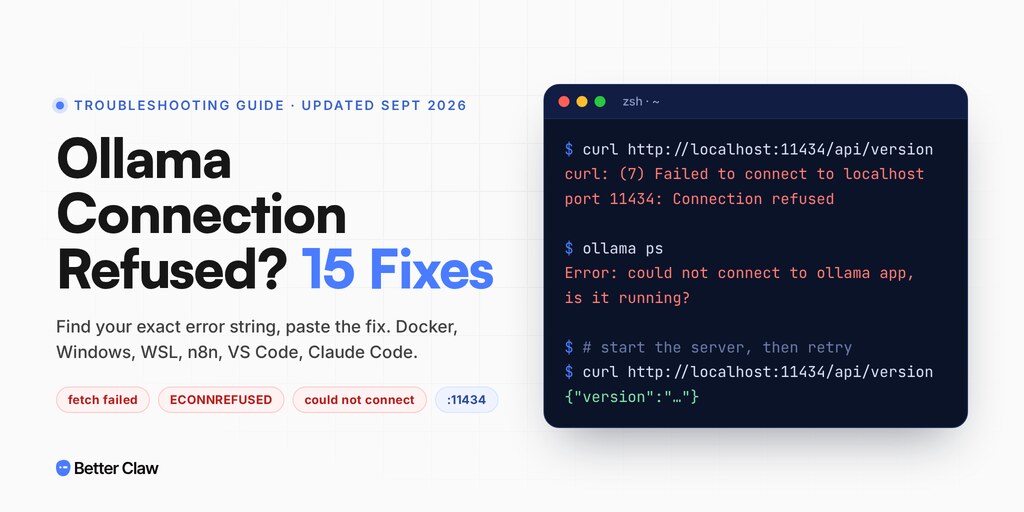
It listens on port 11434, and only on your own machine by default. Three situations produce the error: Ollama isn't running (ollama serve), you're connecting from another machine or a container (set OLLAMA_HOST=0.0.0.0), or a browser frontend is calling it directly and hitting CORS (OLLAMA_ORIGINS). Be careful with the second one: Ollama's API has no authentication, so binding to all interfaces exposes it to everyone on your network. Never put that port on the open internet. The Ollama connection refused and timeout fixes covers the variants.
n8n in Docker
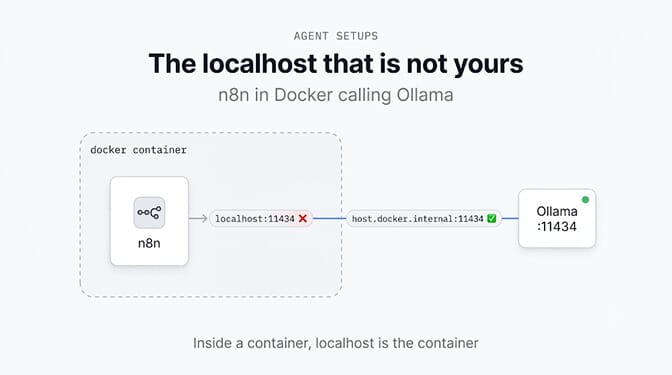
The nastiest one. If n8n runs in a container and you configure Ollama as http://localhost:11434, that localhost is the container itself, not your machine. Use http://host.docker.internal:11434 instead, adding --add-host=host.docker.internal:host-gateway on Linux.
MCP servers
Same rules, new wrapper. A remote MCP server called from a browser-based client needs CORS headers like any other endpoint, and an MCP server on localhost is unreachable from a hosted client for exactly the reason above. If tools connect but misbehave rather than failing outright, that's a different problem, covered in our guide to MCP server tools rejected in n8n.
OpenClaw
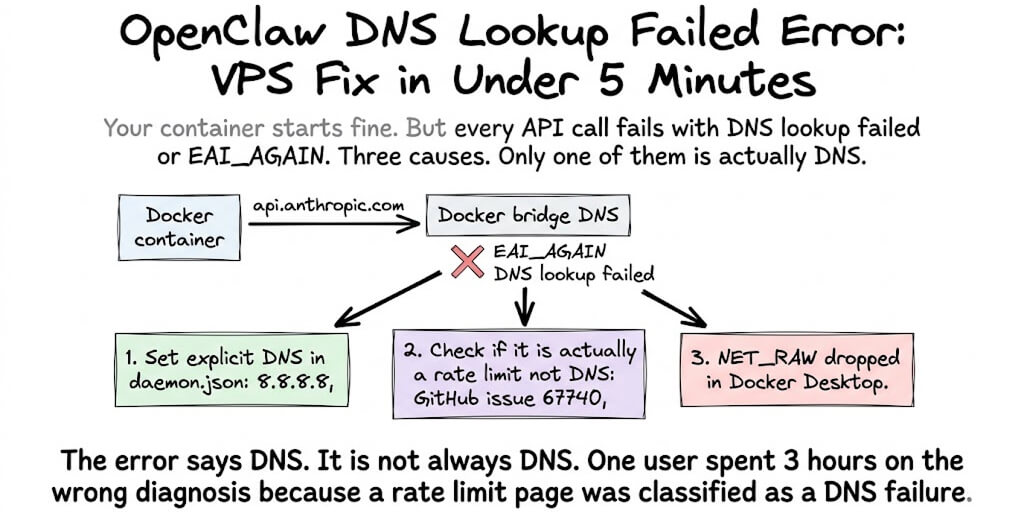
"fetch failed" here almost always points at the model endpoint, usually an Ollama that isn't reachable. We collected every variant in OpenClaw Ollama fetch failed, and if the message mentions DNS instead, OpenClaw DNS lookup failed is the one you want.
Here's the pattern behind all four: self-hosted agents fail at the network layer far more often than at the model layer. That's the part nobody warns you about when you decide to run your own stack. It's also why our own agents run managed, with connections that are already wired up and nothing for you to bind to a port. Plans start at $19 a month with your own API keys.
Still stuck?
Paste the exact message into our OpenClaw fetch failed decoder, which maps the common variants to their causes.
And keep one idea from this page if you keep nothing else: "Failed to fetch" is a symptom, not a diagnosis. It's the browser saying "I heard nothing back" without knowing why. The real answer is one line up in the console, or one curl away in your terminal.
For everyone who arrived here without writing any code: if it worked in another window, another network or another device, you didn't break it.
If you got here while wiring up an AI agent and spent more of the afternoon on networking than on the agent, that's the problem we work on. Every connection is already set up, there's no port to bind and no container to reason about. Plans start at $19 a month for Basic, $49 for Pro, and you bring your own model keys so the provider bills you directly. Start now or see the full pricing.
Frequently Asked Questions
What does "Failed to fetch" mean?
It means the browser sent a request and never received a usable response. It isn't an HTTP error like 404 or 500, because in those cases the server did answer. The most common causes are a CORS block, a wrong URL or port, an HTTPS page calling an HTTP address, a browser extension blocking the request, or the request being cancelled before it finished.
What's the difference between "Failed to fetch" and "fetch failed"?
"Failed to fetch" comes from a browser and is frequently CORS-related. "fetch failed" comes from Node.js, where CORS doesn't exist, and means a network problem on the server side. In Node, read err.cause for the real reason, such as ECONNREFUSED (nothing listening on that port) or ENOTFOUND (DNS can't resolve the host).
How do I fix "Failed to fetch" caused by CORS?
Fix it on the server: it must return an Access-Control-Allow-Origin header naming your site's origin, and handle the OPTIONS preflight for non-simple requests. If the request sends cookies, name the origin explicitly, because browsers reject the * wildcard with credentials. If you don't control that server, proxy the call through your own backend. Don't use mode: 'no-cors', which hides the error and returns an unreadable response.
Is "Failed to fetch" a problem with my internet connection?
Usually not. A dropped connection can cause it, but far more often the cause sits elsewhere: CORS, a wrong address, a browser extension, or the service being down. Test by switching between Wi-Fi and mobile data. If it fails on both, your connection isn't the issue.
Is "Failed to fetch" a sign of a virus or a hack?
No. It's an ordinary technical message meaning one request didn't get an answer, and it has nothing to do with malware or intrusion. In apps you didn't build, the usual culprits are a browser extension, the network you're on, or the service itself being temporarily down.