The demo takes ten minutes. Your first real agent, connected to your own data, behind your own permissions, takes longer. Here's the honest version: the actual setup steps, the features that earn their keep, what 740 G2 reviewers keep complaining about, and who should use Vertex AI Agent Builder in 2026.
Picture a CTO on a Thursday afternoon. The pitch was simple: point an AI agent at the company's shared Drive folder, let the support team ask it questions. The Google demo made it look like a lunch-break job.
By Monday it's working. Mostly. Three days went into service accounts, IAM roles, enabling the right APIs in the right project, and figuring out why the agent could see the folder but not read it.
That gap between the demo and the Monday is what this Vertex AI Agent Builder review is about. The platform is genuinely strong. It's also genuinely a Google Cloud product, with everything that implies.
What is Vertex AI Agent Builder (now Gemini Enterprise Agent Platform)?
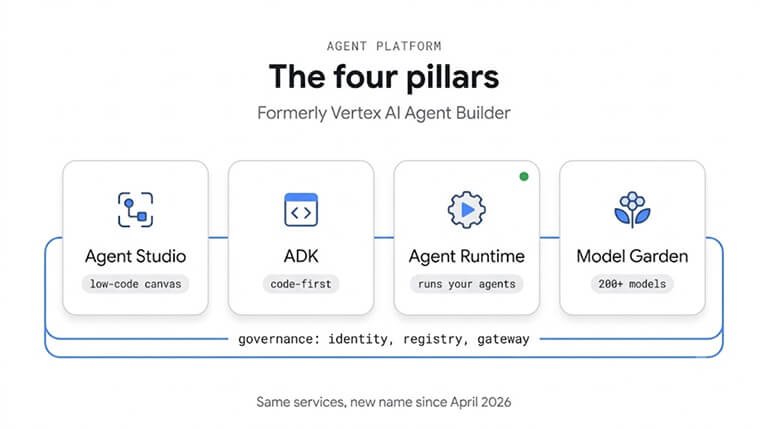
First, the name. On April 23, 2026, around Cloud Next, Google renamed Vertex AI and Vertex AI Agent Builder to Gemini Enterprise Agent Platform, folding Agentspace in at the same time. The services didn't change and existing customers didn't have to migrate, which is why both names still appear in docs, invoices and search results.
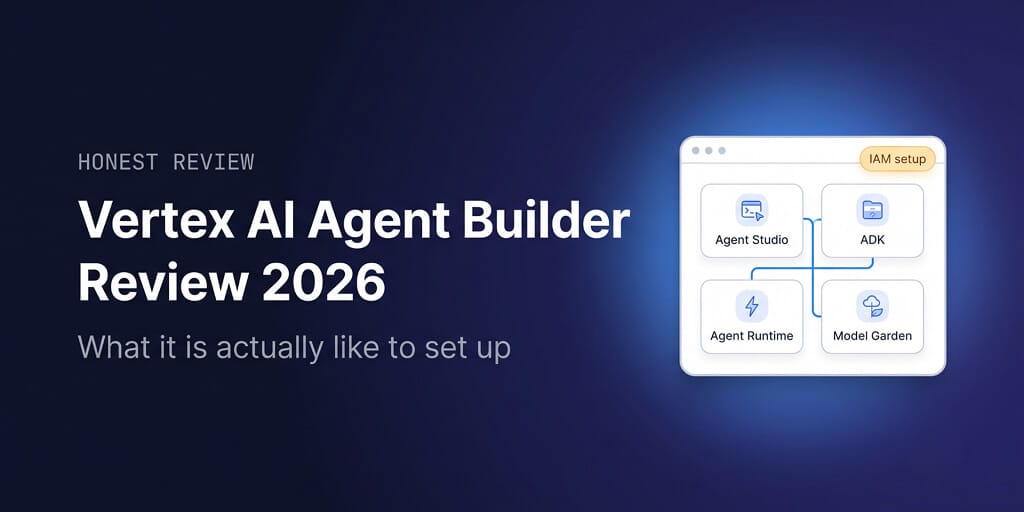
Underneath the new name, it's four pieces that matter:
- Agent Studio, a low-code visual canvas for designing and prototyping agents without writing code.
- Agent Development Kit (ADK), an open-source, code-first framework for building agents in Python, Go, Java or TypeScript.
- Agent Runtime (formerly Agent Engine), the managed infrastructure that runs agents, including long-running, stateful ones, with Memory Bank for persistent context.
- Model Garden, a catalog of 200+ models, including Gemini, Claude, Gemma and Llama.
Around those sit Agent Garden (prebuilt templates) and a governance layer: agent identity, a registry, a gateway, plus simulation and evaluation tools.
How to set up a Vertex AI agent: the actual steps
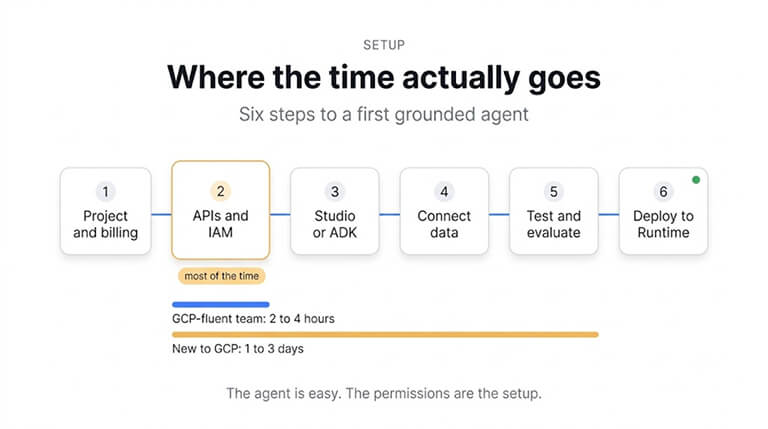
Here's the path most teams take to a first working agent grounded in their own data:
- Get a project and billing in place. If you're new to Google Cloud and have a Gmail account, express mode lets you try the platform for free for up to 90 days within fixed quotas, with no billing details. Existing Google Cloud users link a billing account instead.
- Enable the APIs and set IAM roles. This is the step the demo skips and the one that eats the most time. The service account running your agent needs permission to read whatever data you point it at.
- Choose your build path. Agent Studio for a visual, low-code build, or the ADK if you need custom tools and logic. Agent Garden templates are a faster starting point than a blank canvas.
- Connect your data. Create an Agent Search data store (formerly Vertex AI Search) from Cloud Storage, BigQuery or a website, or ground answers in Google Search.
- Test and evaluate. Use the test console in Agent Studio, then the simulation and evaluation tools before anyone outside the team sees it.
- Deploy to Agent Runtime. Add Memory Bank if the agent needs to remember context across sessions, and turn on observability before launch, not after the first incident.
Our estimate: 2 to 4 hours with solid Google Cloud experience, 1 to 3 days without. Almost all of the difference sits in step 2. If your team already lives in GCP, IAM is muscle memory. If it doesn't, IAM is the whole project.
The agent is the easy part. The permissions around the agent are the setup.
The features that actually matter
Grounding and RAG
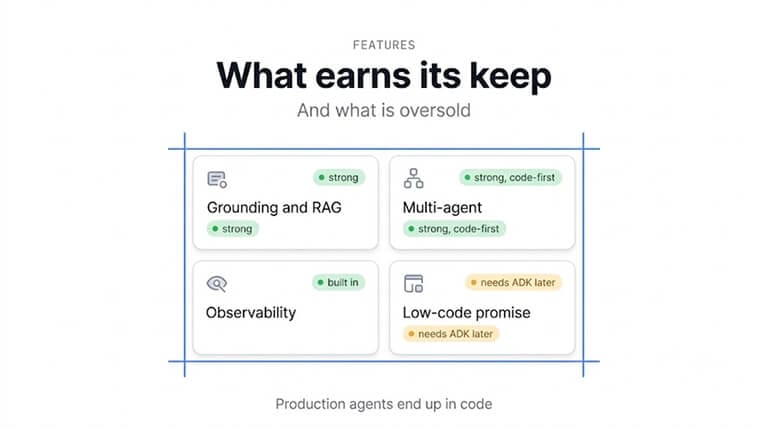
This is Vertex's strongest card. If your data already sits in BigQuery or Cloud Storage, connecting it to an agent is native rather than bolted on, and grounding in Google Search is built in. For teams with serious internal data, that's a real advantage over tools where retrieval is an afterthought.
Multi-agent systems
The ADK is built for composing agents that hand work to each other. It's code-first, and it's good at it.
Observability and evaluation
Tracing, simulation and evaluation are part of the platform rather than a third-party add-on, which matters the moment an agent does something unexpected in production.
Governance
Agent identity, a registry and a gateway give security teams one place to see which agents exist and what they can touch. On the infrastructure side, Agent Runtime supports HIPAA workloads, customer-managed encryption keys and VPC Service Controls.
What's overhyped, in our view: the low-code promise. Agent Studio is a genuinely good canvas for prototypes and simple agents. But once an agent needs custom tools, real business logic or integrations outside Google's ecosystem, you end up in the ADK, which means Python or another supported language. Plan for that before you pitch it internally as "no-code".
What users actually say
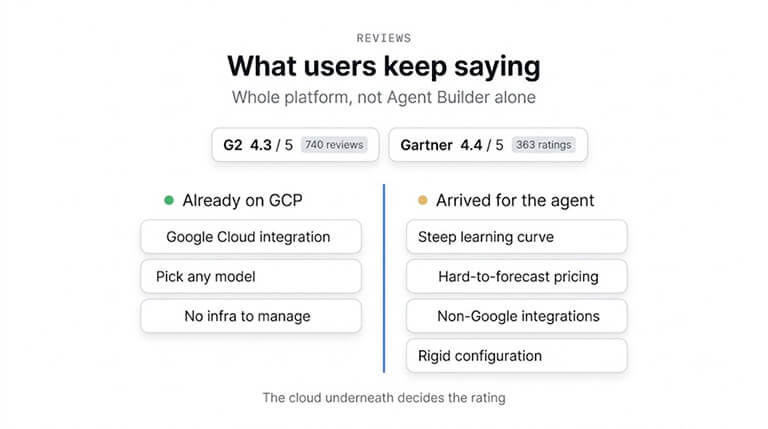
The platform rates well. On G2, Gemini Enterprise Agent Platform holds 4.3 out of 5 across 740 reviews, and it averages 4.4 across 363 ratings on Gartner Peer Insights. One caveat: those ratings cover the whole platform, not Agent Builder alone. Gartner's listing for Vertex AI Agent Builder specifically has only a handful of ratings, too few to mean much.
The praise is consistent. Reviewers like how tightly it integrates with the rest of Google Cloud, the freedom to pick different models for different tasks, and not having to manage the underlying infrastructure. Several mention that the built-in IAM governance saved them time in compliance reviews.
The complaints are consistent too, and they line up with the setup section above:
- A steep learning curve, especially for teams not already fluent in Google Cloud and its permission model.
- Usage-based pricing that's hard to forecast as agents multiply and data volumes grow.
- Extra effort connecting non-Google software, compared with how smooth the Google-native integrations are.
- Rigid configuration and a need for real technical expertise to get full value.
Put together, the pattern is clear. People who already run on GCP rate it highly. People who arrived for the agent and discovered the cloud underneath it are the ones writing the three-star reviews.
Who it's for (and who it isn't)
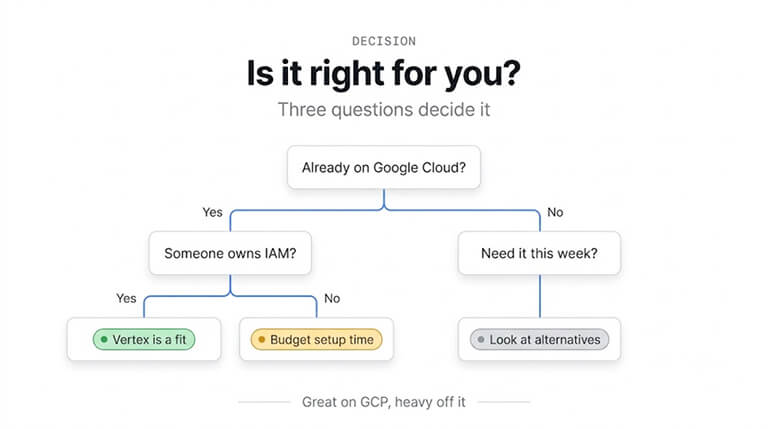
It's a strong fit if you already run on Google Cloud, your data lives in BigQuery or Cloud Storage, you have engineers comfortable with IAM and Python, and your security team needs central governance over every agent. For that team, nothing else gets grounded, governed agents into production on GCP as directly.
It's the wrong fit if you're not on Google Cloud, you don't have someone who can own IAM, you need an agent this week rather than this quarter, or you want a predictable monthly bill. None of that makes the product bad. It makes it an enterprise cloud product, sold to the people it was built for.
If you read "IAM roles" and "service accounts" and felt tired, that's exactly the gap BetterClaw was built to close. You connect your model key and your tools, and the agent is running in about a minute, with no cloud project to configure. There's a free plan, no card needed.
What it costs
There's no monthly platform fee. You pay for four meters: Agent Runtime compute, sessions and Memory Bank storage, Agent Search queries, and the Gemini (or other model) tokens your agent consumes. A small support bot comes to about $91 a month.
The full meter-by-meter breakdown, with three worked monthly bills and the free tiers most guides miss, is in our Vertex AI pricing guide.
Alternatives
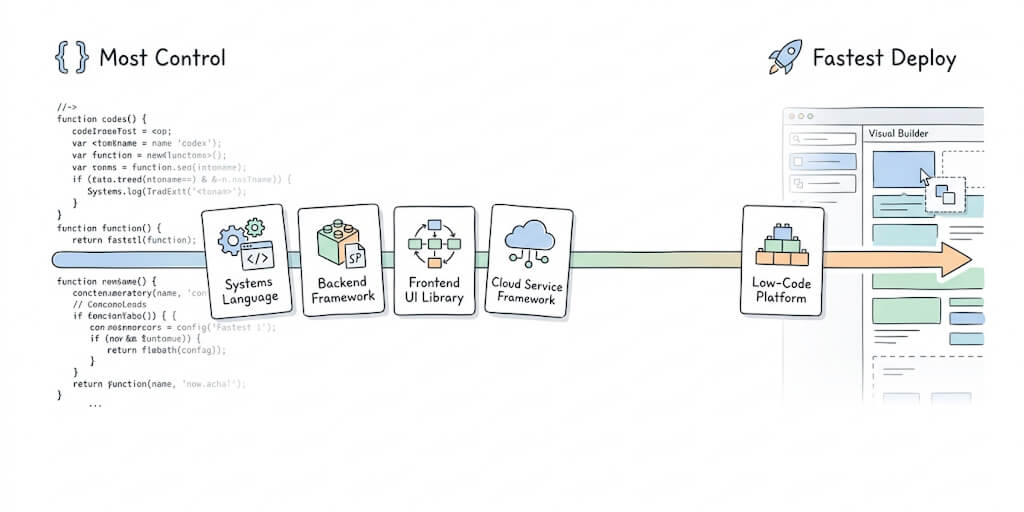
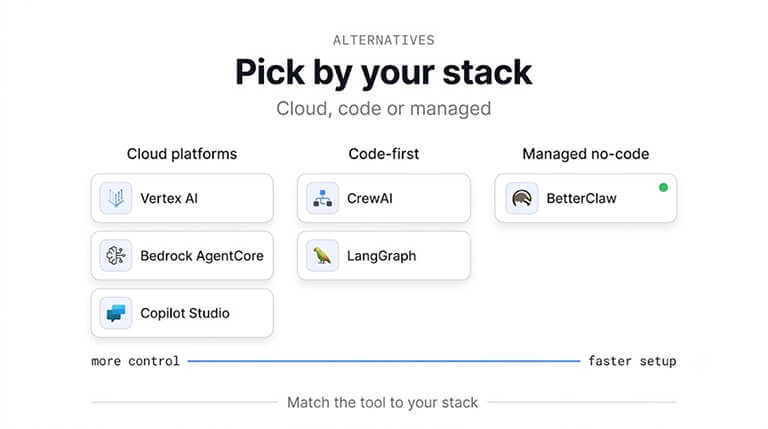
If you're off Google Cloud or want less setup, the realistic shortlist looks different. AWS Bedrock AgentCore and Microsoft Copilot Studio are the equivalents for teams on those clouds. Code-first frameworks such as CrewAI and LangGraph give you more control and more work. Managed no-code builders get you running fastest, at the cost of less deep infrastructure control.
We compare the options side by side in Vertex AI Agent Builder alternatives, and the broader field in our roundup of the best AI agent builders. If you want the head-to-head, there's BetterClaw vs Vertex AI.
The honest take
Vertex AI Agent Builder is one of the best places to build agents if you already live on Google Cloud. The grounding is excellent, governance is taken seriously, and the ADK is a genuinely good framework. Nobody should talk you out of it if that describes your team.
But be honest about which team you are. The product rewards GCP fluency and quietly taxes everyone else, and that tax gets paid in IAM roles and billing projects rather than in agent quality. The CTO in our opening didn't have a bad agent. He had a three-day permissions project wearing an agent costume.
If you'd rather spend those three days on what the agent actually does, BetterClaw is the shorter road. The free plan gives you 1 agent and 100 credits a month with your own model keys, and Pro is $49 a month when you need more. Start free, see the full pricing, or read how to build an AI agent if you want to understand the moving parts first.
Frequently Asked Questions
How long does it take to set up Vertex AI Agent Builder?
Expect 2 to 4 hours for a first grounded agent if your team already knows Google Cloud, and 1 to 3 days if it doesn't. The agent itself is quick to build in Agent Studio. Most of the time goes into project setup, enabling APIs and getting IAM permissions right so the agent can actually read your data.
Is Vertex AI Agent Builder secure enough for enterprise use?
Yes, and security is one of its strongest areas. Agent Runtime supports HIPAA workloads, customer-managed encryption keys and VPC Service Controls, and the platform adds agent identity, a registry and a gateway so security teams can see and control every agent. The main risk is misconfigured IAM, so treat permissions as part of the build rather than an afterthought.
Is Vertex AI Agent Builder the same as Gemini Enterprise Agent Platform?
Yes. Google renamed Vertex AI and Vertex AI Agent Builder to Gemini Enterprise Agent Platform on April 23, 2026, around Cloud Next, and folded Agentspace in at the same time. The services and prices are the same and existing customers didn't have to migrate, so both names still appear across docs and invoices.
Do I need to know Python to use Vertex AI Agent Builder?
Not to start. Agent Studio is a low-code visual canvas where you can build and test simple agents without writing code. Once an agent needs custom tools, complex workflows or integrations outside Google's ecosystem, you'll move to the Agent Development Kit, which is code-first in Python, Go, Java or TypeScript.
How does Vertex AI Agent Builder compare to BetterClaw?
Vertex is an enterprise cloud platform: excellent grounding and governance on Google Cloud, with usage-based pricing and meaningful setup work. BetterClaw is a managed no-code agent builder: no cloud project to configure, any of 28+ model providers with your own keys, and a free plan with a predictable monthly price after that. If you're deep in GCP, Vertex fits; if you want an agent running today, BetterClaw is faster.