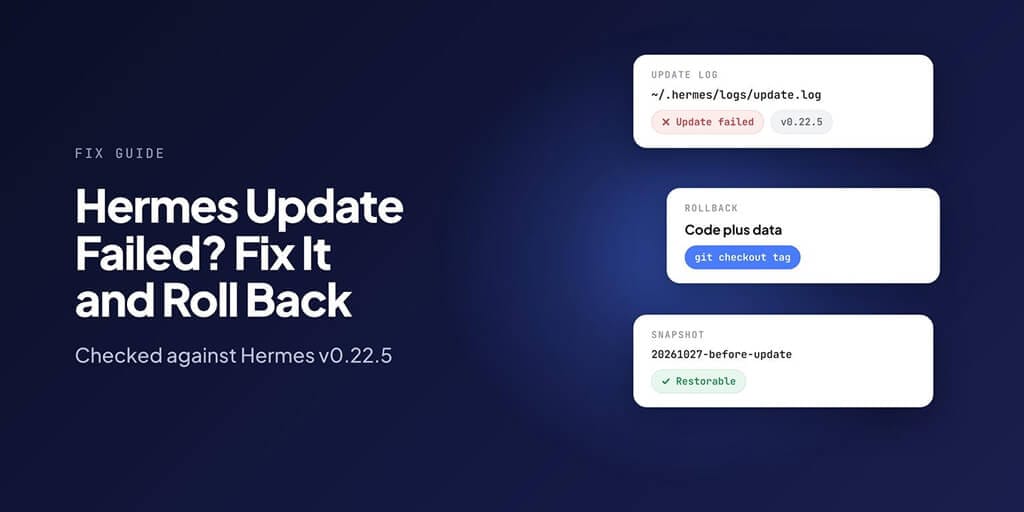
The update hung, failed, or finished and now something is missing. Here's how to recover, roll back to the last working version, and update safely next time.
Checked against Hermes v0.22.5 on 27 October 2026.
Before anything else: check what happened
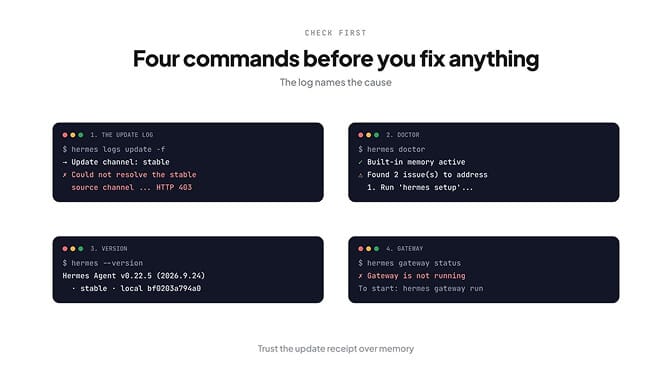
Four commands tell you almost everything. Run them in this order.
tail -f ~/.hermes/logs/update.log    # or: hermes logs update -f
hermes doctor
hermes --version
hermes gateway status
The update log is the important one. Hermes mirrors every line of the update into it, so even if your terminal died halfway, the log shows whether the update finished and whether the gateway came back.
hermes --version prints the release and how it was installed. Ours read:
Hermes Agent v0.22.5 (2026.9.24) · stable · local bf0203a794a0
Install method: git
Every update also writes a receipt to ~/.hermes/logs/update_receipts/latest.json: what it planned, each step, what it skipped and why, and whether each gateway restarted. If the log and the receipt disagree with what you see, trust the receipt.
Fix 1: the update is stuck or hangs
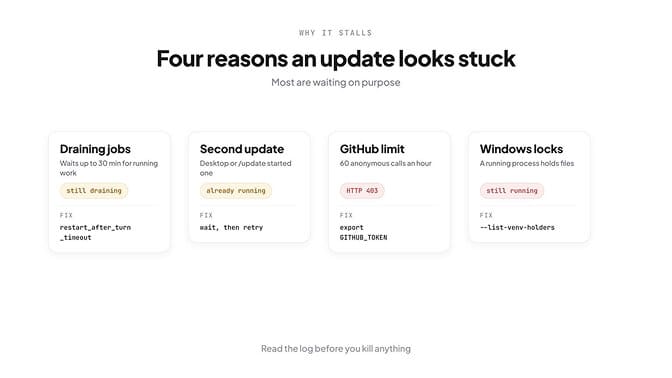
A "stuck" update is usually waiting on purpose. There are three common reasons, and the log tells you which.
It's draining the gateway. Hermes won't cut off a running job. Before restarting the gateway, it waits for in-flight chats and cron jobs to finish, for up to 30 minutes by default, and prints what it's waiting on every 30 seconds:
→ hermes-gateway: draining (up to 1875s)...
waiting on 1 active work unit(s):
• cron job 6ba19dab68df (nightly-scout) ...
Let the job finish, stop it, or lower agent.restart_after_turn_timeout in config.yaml (0 restarts immediately).
Another update is already running. Two at once would corrupt the install, so Hermes refuses:
✗ Another Hermes update is already running (started 4m 12s ago, process 81234).
Usually the Desktop app or a /update from chat started it. Wait for it (watch hermes logs), or close the window that started it, then try again.
Your terminal dropped. That doesn't kill the update. Hermes ignores a closed SSH session and keeps going, so reconnect and read the log before you kill anything. Only Ctrl+C cancels it on purpose.
Fix 2: "Could not resolve the stable source channel"
When we ran hermes update --check on a network that blocks GitHub's API, it stopped straight away:
→ Update channel: stable
✗ Could not resolve the stable source channel: api.github.com answered HTTP 403.
Hermes asks GitHub for the latest release before it updates. Anonymous requests are limited to 60 per hour per network address, shared with everyone behind the same connection, so offices and shared servers hit it often. When that's the cause, Hermes says "GitHub API rate limit reached" and tells you when it resets.
The fix is a GitHub token. Hermes checks GITHUB_TOKEN, then GH_TOKEN, then the gh CLI's login:
export GITHUB_TOKEN=ghp_your_token
hermes update
That moves you onto your token's 5,000-an-hour budget. If the message says the connection failed instead, it's a firewall or proxy, not a limit.
Fix 3: Windows says Hermes is still running
Windows locks files that a running program has open, so an update can't replace them while the Desktop app, a gateway or another terminal is using them.
- Quit Hermes Desktop and close any other Hermes terminals.
- Stop the gateway:
hermes gateway stop. - See exactly what's holding the files:
hermes update --list-venv-holders. It prints the processes as a list and exits with3while any remain. - Stop only those processes, then run
hermes updateagain.
Don't kill every process named Python or Hermes. And skip --force and --force-venv: Hermes keeps them for compatibility, but its own docs say they're "not normal update instructions" and can leave the install half-updated.
Fix 4: settings or plugins missing after the update
New releases add config options. hermes update asks you about them as it runs; if you skipped the prompt, check and add them now:
hermes config check
hermes config migrate
config check shows your config version and lists anything missing. Ours reported "Config version: 51 ✓" on v0.22.5.
If a tool or integration disappeared, look for a disabled plugin first. A plugin that doesn't fit the new version never fails the update. Hermes switches it off and prints a warning instead:
⚠ Disabled plugin '<name>' in <home>: <reason>
Check hermes plugins list, then turn it back on once the plugin ships a compatible version:
hermes plugins enable <name>
For a memory plugin, the update also clears memory.provider, so set that again too.
Fix 5: your local code edits disappeared
If you edit Hermes's own source files, the update stashes your changes first. In a terminal it then asks whether to put them back. From the Desktop app it never puts them back; they stay parked so they can't break the new version.
To get them back:
cd ~/.hermes/hermes-agent
git stash list --format='%gd %H %s'
git stash apply stash@{0}
Look for the entry named hermes-update-autostash. If you'd committed changes directly on main, the update saves them under refs/hermes-update-backups/ before resetting, and prints the ref name.
Updates shouldn't break your agent. On BetterClaw, we update the platform and your agents keep running. Start your first agent.
Fix 6: roll back to the last working version
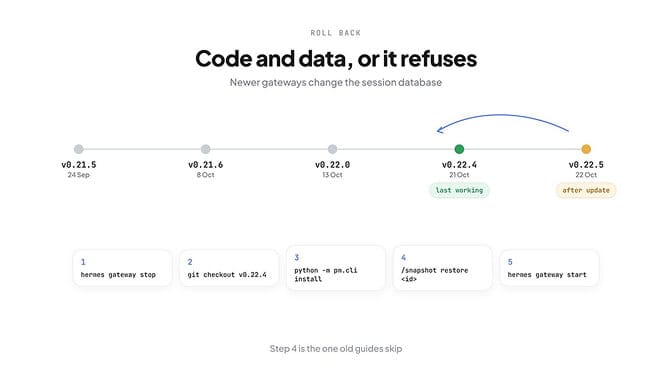
This is where most old guides are now wrong. In current releases, rolling back the code alone can be refused, because newer gateways change the session database in ways older releases can't read. Hermes stops instead of corrupting your history.
So a rollback is code plus data, in this order:
- Stop the gateway:
hermes gateway stop. - Check out the older release:
cd ~/.hermes/hermes-agent, thengit tag --sort=-version:refname, thengit checkout v0.22.4. - Prepare that version's dependencies:
python -m pm.cli installfrom the checkout. - Restore your data from before the update:
/snapshot restore <id>inside hermes chat, orhermes import <backup.zip>for a full backup. - Start the gateway again and run
hermes config check.
Two warnings. Sessions created after the update aren't in the snapshot. And the old uv pip install -e ".[all]" step no longer works: since v0.21.6, Hermes runs only on Python 3.14 with its own dependency manager, and a plain pip install gives you a package with no dependencies.
Fix 7: Docker, Nix and app installs
hermes update only updates a source checkout. Everything else uses its own updater:
| Install type | How to update or roll back |
|---|---|
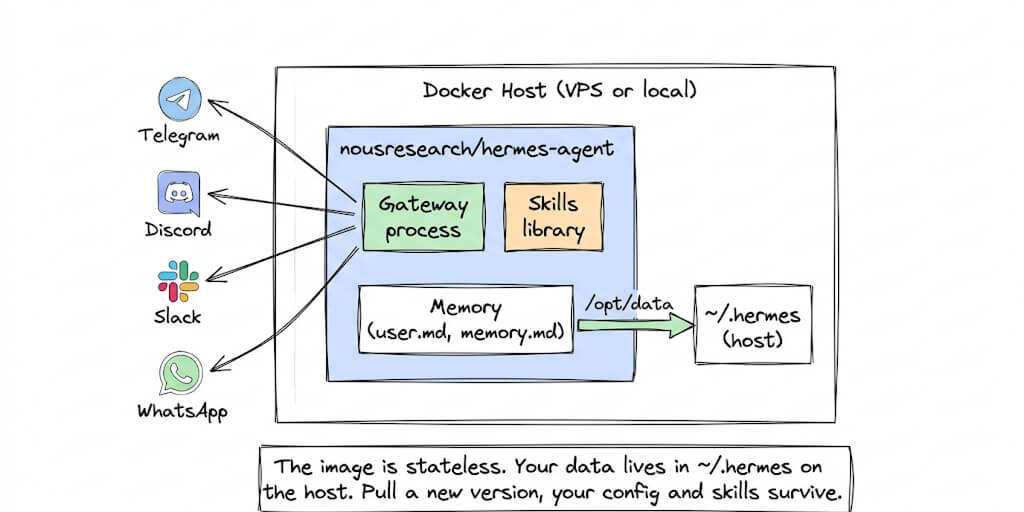
| Docker image | docker pull nousresearch/hermes-agent:latest, then recreate the container with the same data mount. hermes update refuses inside an image on purpose |
| Nix | nix profile upgrade hermes-agent; roll back with nix profile rollback |
| macOS or Windows app | The Update button in the app |
| Microsoft Store | Store updates |
If hermes update says "This Hermes checkout's git data is damaged", run the installer again. It moves the broken checkout aside (nothing is deleted) and your config and sessions stay put.
Update safely next time
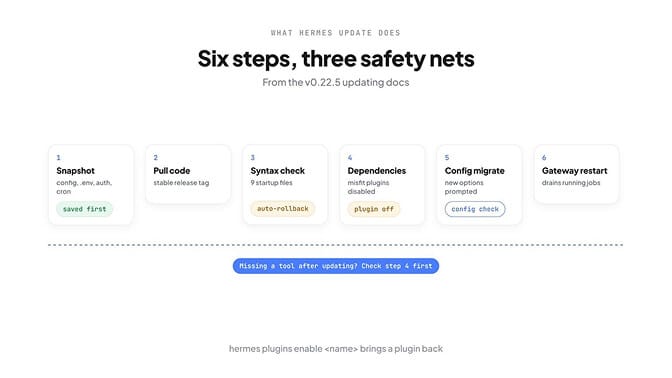
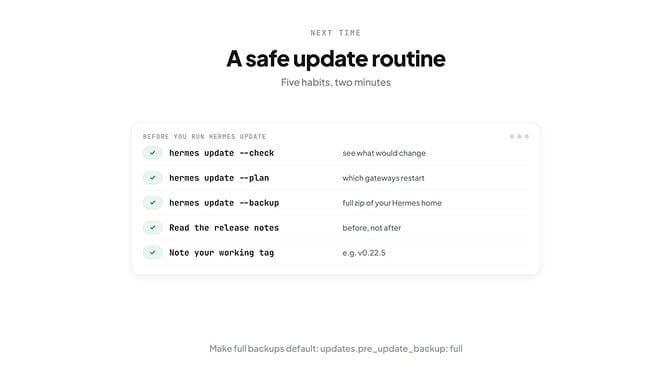
Hermes already takes a quick snapshot of your config, cron jobs and credentials before every update. For anything you'd hate to lose, take a full one too:
hermes update --check   # what would change, nothing applied
hermes update --plan    # which gateways restart, and how
hermes update --backup  # full backup, then update
To make full backups the default, set updates.pre_update_backup: full in config.yaml. We did, then took a manual snapshot to see what it saves:
State snapshot created: 20261027-103816-before-update
Restore with: /snapshot restore 20261027-103816-before-update
A few habits that save the most time:
- Read the release notes before you update.
- Update one machine first if you run several.
- Write down the tag that works, like
v0.22.5, so a rollback is one checkout away. - Since v0.21.7,
hermes updatefollows stable releases only. If you need a fix that's only on main, usehermes update --channel mainfor one run rather than switching for good.
Version-by-version update notes
| Version | Released | What matters when you update |
|---|---|---|
| v0.22.5 | 22 Oct 2026 | Current stable. Config version 51 |
| v0.22.3 and v0.22.4 | 21 Oct 2026 | Gateway owns every local session. Rolling back past this needs a pre-update snapshot |
| v0.22.0 | 13 Oct 2026 | Minor release line begins |
| v0.21.7 | 11 Oct 2026 | Source installs follow stable releases only, not every commit |
| v0.21.6 | 8 Oct 2026 | Python 3.14 only, managed dependencies. pip and uv pip installs stop working |
| v0.21.5 (2026.9.24) | 24 Sep 2026 | Last release before the Python 3.14 switch |
Bring your skills and model keys, leave the maintenance. BetterClaw: always-on agents, 500+ apps. Start your first agent.
Frequently Asked Questions
Why did my Hermes update fail? The most common causes are a GitHub API limit when Hermes looks up the latest release, another update already running, Windows files locked by a running Hermes process, or a damaged git checkout. The update log at ~/.hermes/logs/update.log names the cause.
How do I roll back a Hermes update? Stop the gateway, check out the older release tag in ~/.hermes/hermes-agent, run python -m pm.cli install, then restore your pre-update snapshot with /snapshot restore <id> or hermes import <backup.zip>. From v0.22.3, an older release refuses to run on data the newer gateway has written, so restoring the data matters.
Hermes update is stuck: what should I do? Check ~/.hermes/logs/update.log before killing anything. Most stuck updates are waiting for a running job to finish before restarting the gateway, which can take up to 30 minutes by default. Finish or stop the listed job, or lower agent.restart_after_turn_timeout.
Does hermes update back up my config? Yes. By default it saves a quick snapshot of your config, .env, credentials, pairing data and cron jobs before every update. For a full backup of your whole Hermes home, run hermes update --backup or set updates.pre_update_backup: full.
Why are my tools or settings missing after a Hermes update? Plugins that don't fit the new version are disabled rather than failing the update, and new config options need adding. Run hermes plugins list and hermes plugins enable <name>, then hermes config check and hermes config migrate.