From BotFather to a working agent in your Telegram groups and topic threads, plus fixes for the errors people hit most.
Checked against Hermes v0.22.5 on 27 October 2026.
Most "my bot won't answer" problems come from one thing: a group message has to pass three separate gates before Hermes replies, and only one of them lives in Hermes. We'll set the bot up, then walk through each gate.
Create the bot and get the token
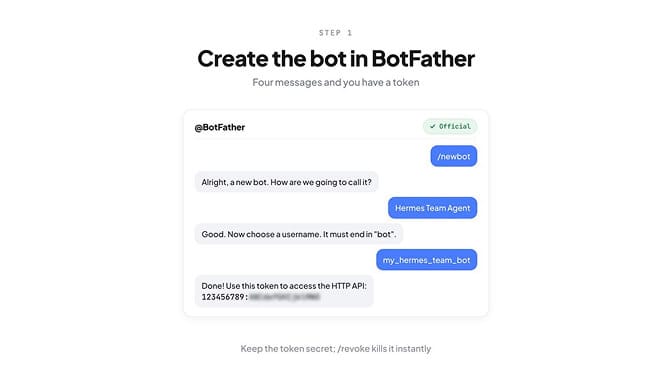
In Telegram, open @BotFather, send /newbot, pick a display name, then a username that ends in bot. BotFather replies with a token that looks like 123456789:ABCdefGHIjklMNOpqrSTUvwxYZ.
Treat that token like a password. Anyone who has it controls your bot, and /revoke in BotFather kills it instantly.
You also need your numeric Telegram user ID, not your @username. Message @userinfobot and it replies with a number like 123456789.
Connect Hermes to the bot
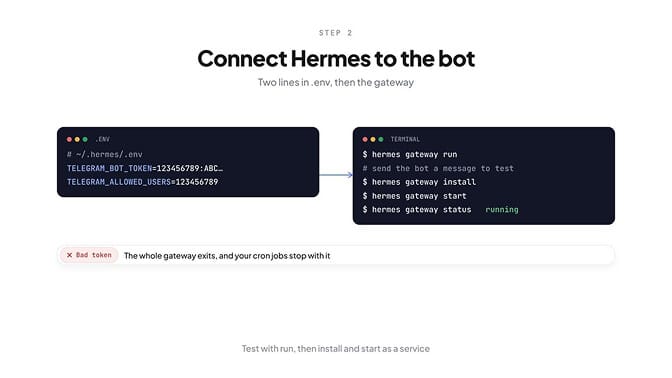
You have two options. The wizard asks for the token and user IDs and writes them for you:
hermes gateway setup
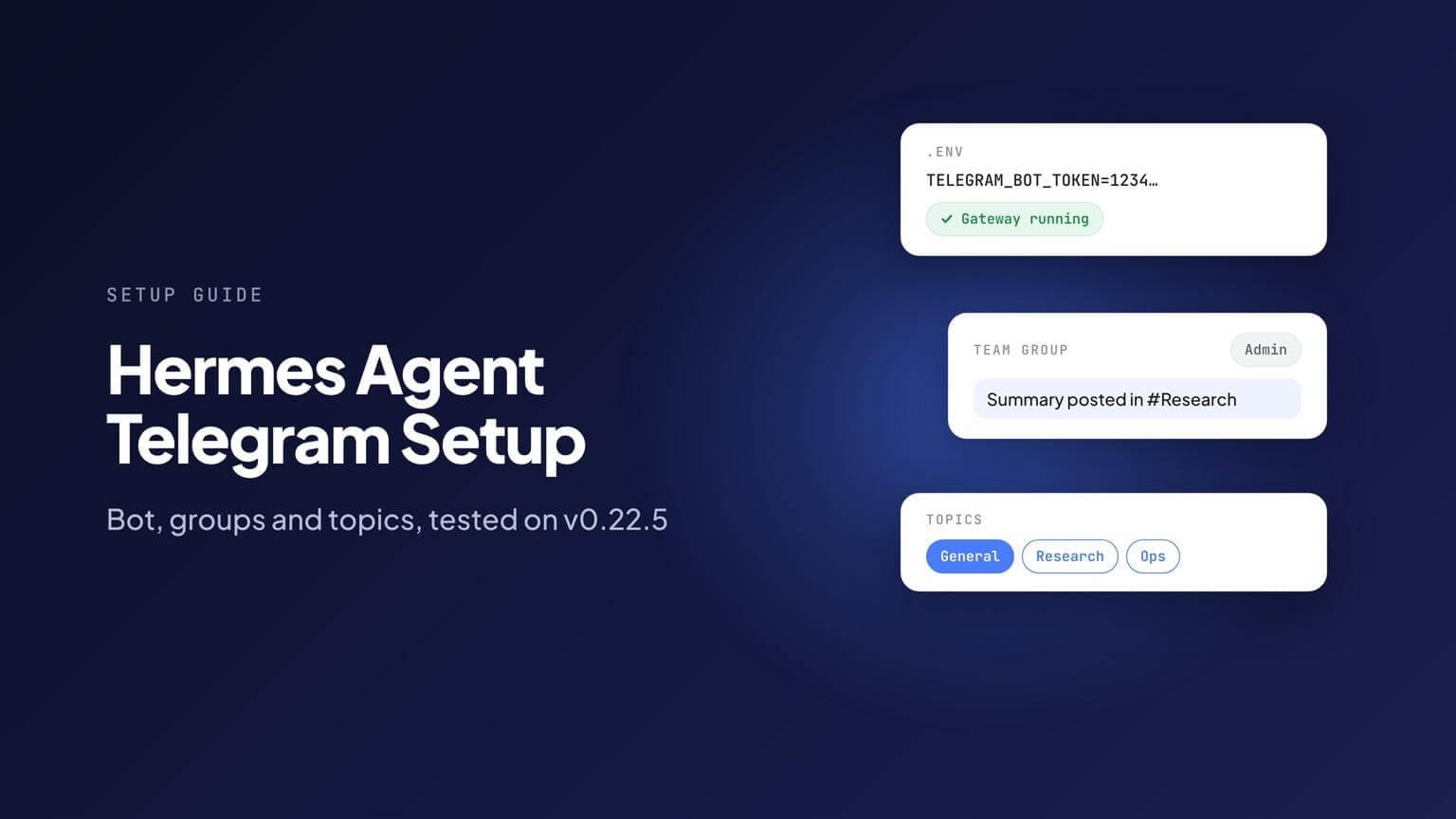
Or add them to ~/.hermes/.env yourself:
TELEGRAM_BOT_TOKEN=123456789:ABCdefGHIjklMNOpqrSTUvwxYZ
TELEGRAM_ALLOWED_USERS=123456789
Separate several user IDs with commas. Then start the gateway in the foreground to test:
hermes gateway run
Send your bot a message. It should answer within seconds.
Once it works, run it as a service so it survives a closed terminal or a reboot:
hermes gateway install
hermes gateway start
hermes gateway status
Note that hermes gateway start only starts a service you've already installed. On a fresh machine, start alone does nothing useful; install comes first.
If you use the Hermes desktop app or dashboard, Messaging → Telegram has a Create with QR button that creates the bot, finds your user ID and writes both lines for you.
What a bad token looks like
We started the gateway with a made-up token to see what happens. It didn't retry quietly. The log said:
Failed to connect to Telegram: The token `123456789:***` was rejected by the server.
Gateway exiting cleanly: telegram: Telegram bot token rejected ... The token
is invalid or was revoked ... generate a new one with @BotFather and update
TELEGRAM_BOT_TOKEN.
The whole gateway shut down, not just Telegram. That matters, because the gateway also runs your cron jobs. One revoked token stops every scheduled task on that profile until you fix it.
Use Hermes in a group: the three gates
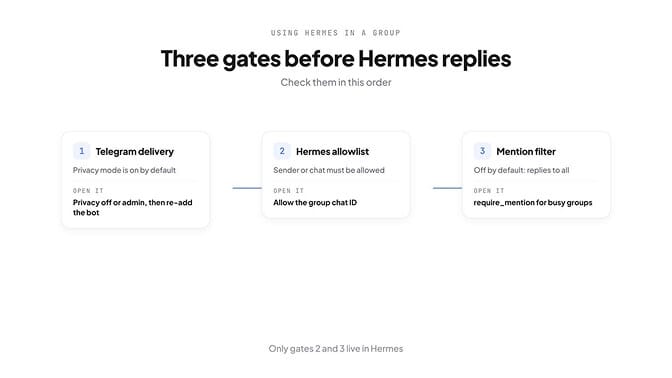
Add the bot to your group like any member. If it answers in your DM but stays silent in the group, one of these three gates is closed. Check them in this order.
Gate 1: Telegram has to deliver the message
Telegram bots start with privacy mode on. In a group, a privacy-mode bot only sees commands, replies to its own messages and service messages. Hermes can't answer a message Telegram never sends it.
Two ways to open this gate:
- Turn privacy off: @BotFather → /mybots → your bot → Bot Settings → Group Privacy → Turn off.
- Or make the bot a group admin. Telegram's own FAQ says admin bots "will receive all messages except messages sent by other bots."
Then remove the bot from the group and add it again. Telegram remembers the privacy setting from when the bot joined, and the change won't apply until it rejoins. Skipping this step is the most common reason the fix "didn't work".
Gate 2: Hermes has to allow the sender or the chat
TELEGRAM_ALLOWED_USERS applies everywhere, including groups. If a teammate isn't on it, Hermes ignores them. For a team bot, allowing the whole group is easier:
TELEGRAM_GROUP_ALLOWED_CHATS=-1001234567890
Any member of that group can now use the bot, without getting DM access. Group IDs are negative and usually start with -100. If you only want certain people, use TELEGRAM_GROUP_ALLOWED_USERS with their user IDs instead.
One trap: older guides put the group's chat ID in TELEGRAM_GROUP_ALLOWED_USERS. Hermes still honours that, but logs a deprecation warning. Move it to TELEGRAM_GROUP_ALLOWED_CHATS.
Gate 3: the mention filter
By default, require_mention is off, so Hermes replies to every group message it can see, without an @mention. If that's what you want, you're done once gates 1 and 2 are open.
For a busy group, you'll probably want the opposite. Add this to ~/.hermes/config.yaml:
telegram:
  require_mention: true
  mention_patterns:
    - "^\\s*hermes\\b"
Now Hermes only answers an @mention, a reply to one of its messages, a /command@yourbot, or a message that starts with "hermes". The wake word is a regular expression and isn't case-sensitive.
If your agent should be online for a team around the clock, a laptop running hermes gateway run won't cut it. That's where a hosted agent is simpler: BetterClaw connects an agent to Telegram with the same BotFather token and runs it on our servers. Start your first agent.
Use Hermes in topics
Topics come in two flavours, and they're set up differently.
Topics in a group (forum groups)
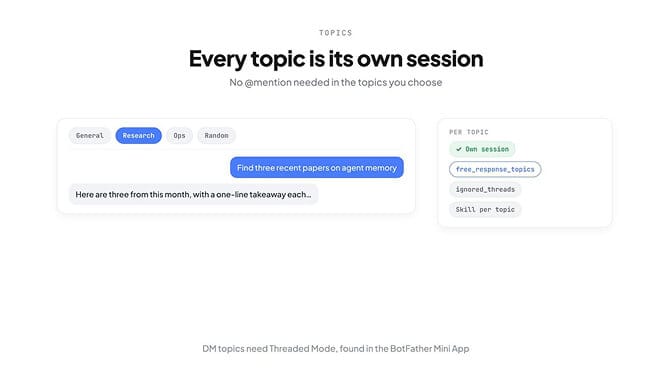
Turn on Topics in the group's settings. Hermes then gives each topic its own session automatically: separate history, separate context. There's nothing to configure.
Three optional settings make topics more useful:
- Reply without @mentions in one topic only, while the rest of the group needs them:
free_response_topicstakeschat_id:thread_idpairs (the General topic is1). - Keep Hermes silent in some topics:
ignored_threads. - Load a skill automatically in a topic, under
platforms.telegram.extra.group_topicswith the topic'sthread_idand a skill.
telegram:
  require_mention: true
  free_response_topics:
    - "-1001234567890:5"
  ignored_threads:
    - 42
To find a topic's thread_id, open it in Telegram Web or Desktop. The last number in the link t.me/c/1234567890/5 is the thread ID.
Topics in your DM with the bot
Telegram now lets bots have topics inside a private chat, which turns one DM into several parallel workspaces. Hermes supports two versions: send /topic in the DM to create topics as you go, or declare a fixed list under dm_topics in config.yaml.
Both need Threaded Mode switched on for the bot. This is where people get stuck: it isn't in the classic /mybots menu. Open the BotFather Mini App instead (search "botfather" and tap Open), then My bots → your bot → Bot Settings → Threads Settings.
Without it, Hermes logs The chat is not a forum and skips topic creation.
Deliver cron results to Telegram
Scheduled jobs can post straight into a chat. We created this one on v0.22.5:
hermes cron create "0 8 * * *" "Write a morning briefing: today's calendar,
unread priority email, and top 3 tasks. Keep it under 150 words." --name
"Morning briefing" --deliver telegram:-1001234567890
Delivery targets:
telegramsends to your home channel. Set it with/sethomein any chat, orTELEGRAM_HOME_CHANNELin.env.telegram:<chat_id>sends to a specific chat.telegram:<chat_id>:<thread_id>sends into a specific topic.
Two things we hit while testing. First, the schedule "every 1d at 08:00", which appears in some guides, failed with "Invalid duration". Use a cron expression like "0 8 * * *" instead. Second, the job saved fine with no gateway running, but Hermes warned "Scheduler is not ready". A job only fires while the gateway runs.
If a scheduled job runs but nothing arrives, our Hermes cron troubleshooting guide covers every cause.
Fix common Telegram errors
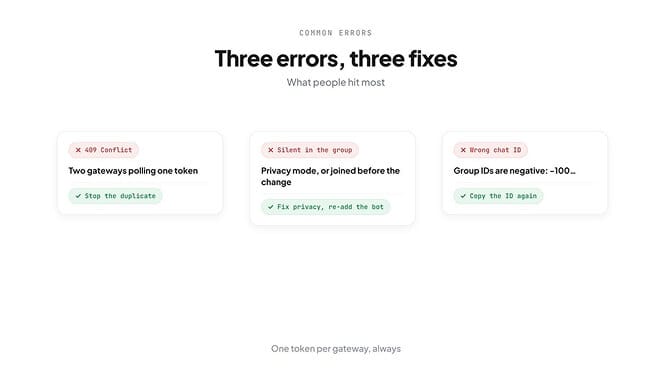
| What you see | Cause | Fix |
|---|---|---|
| "409 Conflict" in the gateway log | Two processes are polling the same bot token | Stop the duplicate gateway |
| "The token … was rejected by the server" and the gateway exits | Wrong or revoked token | Get a new token from BotFather and update TELEGRAM_BOT_TOKEN |
| Works in DMs, silent in the group | Privacy mode on, or the bot joined before you changed it | Turn privacy off or make it admin, then remove and re-add the bot |
| Replies to some people, ignores others | Sender not allowlisted | Add the group to TELEGRAM_GROUP_ALLOWED_CHATS |
| Ignores normal messages but answers @mentions | require_mention: true | Expected; add a wake word in mention_patterns, or list the topic in free_response_topics |
| Cron result never arrives in the group | Wrong chat ID (positive instead of -100...) | Copy the group ID again; groups are negative numbers |
| "The chat is not a forum" | Threaded Mode is off | Turn it on in the BotFather Mini App |
Running more than one Hermes bot in the same group? Give each profile its own token. Reusing a token across gateways is exactly what triggers the 409.
Telegram agents without a server (BetterClaw)
Everything above assumes a machine that stays on. If the gateway stops, so does your bot and every scheduled job behind it.
On BetterClaw, you paste the same BotFather token into Settings → Integrations, pick which agent answers, and choose who can message it. The agent runs on our servers, connects to 500+ apps, and uses any of 28+ model providers on your own key with zero markup.
Setting Hermes up on other chat apps too? We have guides for Discord and Slack.
Your agent in Telegram, Slack, Discord and Gmail, 24/7. Start your first agent.
Frequently Asked Questions
How do I connect Hermes Agent to Telegram? Create a bot with @BotFather, then put TELEGRAM_BOT_TOKEN and your numeric TELEGRAM_ALLOWED_USERS in ~/.hermes/.env, or run hermes gateway setup. Start it with hermes gateway run to test, then hermes gateway install and hermes gateway start to keep it running.
Can Hermes reply in a Telegram group without an @mention? Yes. That's the default: with require_mention off, Hermes answers every group message it receives. Telegram only delivers those messages if the bot's privacy mode is off or the bot is an admin, so change that and re-add the bot to the group.
Does Hermes support Telegram topics? Yes. In a group with Topics turned on, each topic automatically gets its own Hermes session. In a private chat, /topic or dm_topics creates topics too, once Threaded Mode is enabled in the BotFather Mini App.
Why is my Hermes Telegram bot not replying? Check the gateway is running (hermes gateway status) and the token wasn't rejected. In groups, check privacy mode, re-add the bot after changing it, allow the group with TELEGRAM_GROUP_ALLOWED_CHATS, and check whether require_mention is on.