Which memory provider to pick for Hermes, what each costs, how to switch, and what to check when your agent forgets things it should know.
Checked against Hermes v0.22.5 on 27 October 2026.
How Hermes memory works
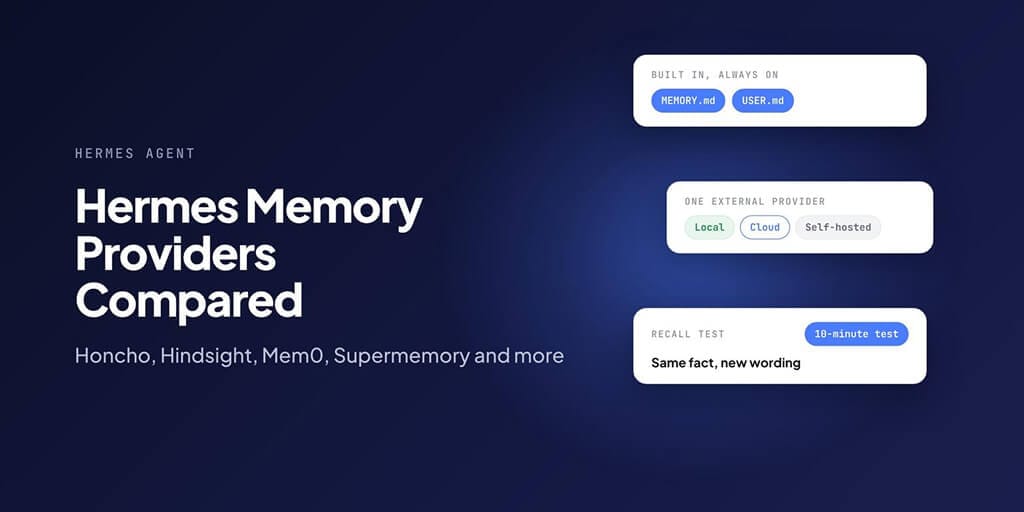
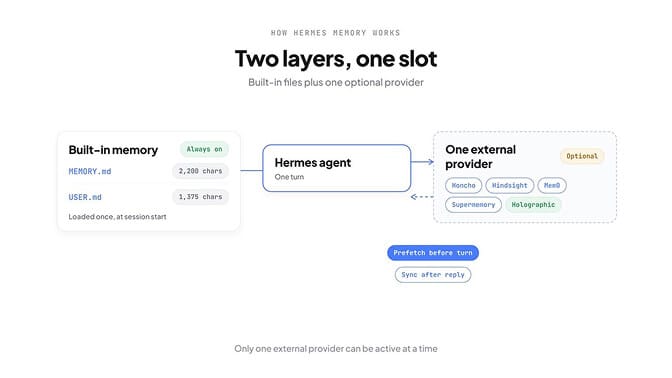
Hermes has two layers of memory, and they run at the same time.
Layer one is built in and always on. Two small files live in ~/.hermes/memories/:
| File | What it holds | Size limit |
|---|---|---|
| MEMORY.md | The agent's own notes: your environment, conventions, lessons learned | 2,200 characters |
| USER.md | Your profile: preferences, communication style, expectations | 1,375 characters |
Both load into the system prompt once, when a session starts. They don't refresh mid-session, which is deliberate: it keeps the prompt cache warm. A fact saved now shows up in your next session.
Layer two is optional: one external provider. Only one can be active at a time. When it is, Hermes fetches relevant memories before each turn, syncs each exchange to the provider after the reply, and gives the agent the provider's own search and store tools.
Three commands manage it:
hermes memory setup    # pick and configure a provider
hermes memory status   # see what's active and what's missing
hermes memory off      # back to built-in memory only
The providers at a glance
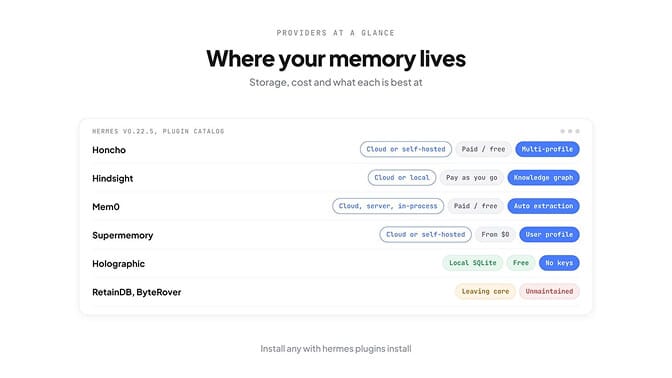
In 2026, Hermes moved almost every memory provider out of its own code and into the plugin catalog, where each one is maintained by the company or person who built it. You install them with hermes plugins install <name>.
| Provider | Where your data lives | Cost | Install | Best for |
|---|---|---|---|---|
| Honcho | Honcho Cloud or self-hosted | Paid cloud, free self-hosted | hermes plugins install honcho | Modelling the user across sessions and profiles |
| Hindsight | Hindsight Cloud, or local | Pay as you go (cloud), free local plus your LLM costs | hermes plugins install hindsight | Knowledge-graph recall with a "reflect" step |
| Mem0 | Mem0 Cloud, your own server, or in-process | Paid cloud, free self-hosted | hermes plugins install mem0 | Hands-off fact extraction |
| Supermemory | Supermemory Cloud or self-hosted | Plans from $0 (with $5 credit) | hermes plugins install supermemory | Semantic recall plus user profiling |
| Holographic | Local SQLite file | Free | hermes plugins install holographic | Local, no services, no keys |
| OpenViking | Self-hosted server | Free (AGPL-3.0) | hermes plugins install openviking | Browsing knowledge like a file system |
| Mnemosyne | Local SQLite | Free | hermes plugins install mnemosyne | Local memory with consolidation (see caveat below) |
Two notes: RetainDB and ByteRover are being retired from Hermes. The docs say they "leave core on October 15, 2026" and their standalone repositories are unmaintained. They still ship inside v0.22.5, but don't start a new setup on either. Every memory provider in the catalog, Honcho and Hindsight included, carries the "community" tier label — none is an official Nous Research provider.
Provider by provider
Honcho
Honcho, from Plastic Labs, builds a model of you across conversations. It's the strongest choice if you run several Hermes profiles, because each profile gets its own AI identity while sharing one picture of the user.
hermes plugins install honcho
hermes memory setup  # choose "honcho"
On a server without a browser, pick the "device" sign-in during setup and approve it from another machine. Settings live in $HERMES_HOME/honcho.json.
- Strength: three dials (
contextCadence,dialecticCadence,dialecticDepth) control how often it calls the API and its own LLM, so you can trade depth for cost. - Weakness: it's the most complex to reason about, and its default
sessionStrategyis per-directory. Session context from one project folder won't follow you into another.
Hindsight
Hindsight, from Vectorize, stores memories as a knowledge graph and adds a "reflect" step that synthesises answers from them. It runs three ways: cloud (the default), local_embedded (a bundled PostgreSQL) or local_external (your own Hindsight server).
hermes plugins install hindsight
hermes memory setup  # choose "hindsight"
- Strength: recall and retention are automatic by default (
auto_recallandauto_retainare both on), and therecall_budgetsetting (low,mid,high; defaultmid) gives you one dial for depth. - Weakness: Hindsight ignores the
memory:section ofconfig.yaml. It reads$HERMES_HOME/hindsight/config.jsonandHINDSIGHT_*variables only. Settings you put inconfig.yamldo nothing.
Mem0
Mem0 extracts facts from your conversations on its side, so you don't manage what gets saved. It has the most deployment options of any provider:
hermes plugins install mem0
hermes memory setup mem0 --mode platform                              # Mem0 Cloud
hermes memory setup mem0 --mode selfhosted --host http://localhost:8888 --api-key <key>
hermes memory setup mem0 --mode oss                                   # in-process, your own LLM and vector store
- Strength: it fits whatever infrastructure you already have.
- Weakness: in
ossmode you supply and pay for the LLM and vector database yourself, andmode: ossoverrideshostif you set both.
Supermemory
Supermemory focuses on semantic recall plus a profile of the user, and it can keep separate memory "containers" per project.
hermes plugins install supermemory
hermes memory setup  # choose "supermemory"
- Strength: the clearest pricing of the cloud options. On 27 October 2026 its pricing page listed Free ($0, $5 of credit a month), Pro ($19 a month, $20 of credit), Max ($100), Scale ($399) and Enterprise.
- Weakness: all usage draws down a credit balance, so a busy agent on the $0 plan simply stops storing when the $5 runs out.
Holographic
Holographic is the simplest option: one SQLite file in your Hermes home, no server, no API key, no account.
hermes plugins install holographic
hermes config set memory.provider holographic
- Strength: free, fully local, and it has unusual tools like
contradict(finds conflicting facts) and trust scores that change when you mark a memory helpful or unhelpful. - Weakness:
auto_extractis off by default, so it stores only what the agent explicitly saves. Turn it on if you want facts pulled out at the end of each session.
Mnemosyne: the local option with caveats
Mnemosyne is a local-first memory layer (SQLite with vector and full-text search) built by an independent team. It's in the Hermes plugin catalog, but it was never part of Hermes itself and isn't covered in the official memory provider docs.
We tried it on Hermes v0.22.5. hermes plugins install mnemosyne worked. hermes plugins enable mnemosyne then failed to resolve dependencies: its embeddings package pins onnxruntime below 1.29, and Hermes v0.22.5 runs on Python 3.14, which those versions have no builds for. If you hit the same wall, the Mnemosyne project documents a separate "side venv" install route.
On recall: a bug report claimed the Hermes plugin defaulted auto_sleep to false, so working memory never consolidated and cross-session recall came back empty. In Mnemosyne's current code (26 October 2026), auto_sleep defaults to true. If you're on an older install, set it explicitly:
memory:
  provider: mnemosyne
  mnemosyne:
    auto_sleep: true
We couldn't run Mnemosyne end to end, so we're not making any other recall claims about it.
Hindsight: cost and speed
Hindsight's cloud pricing is pay as you go from a prepaid balance. Its billing docs, at rates effective 6 July 2026:
| What you use | Price |
|---|---|
| Retain (storing) | $10.00 per million input tokens |
| Recall | $0.75 per million output tokens |
| Reflect | $0.05 per call |
| Storage after 30 days | $0.25 per million tokens per month |
Storing is the expensive part, and with auto_retain on, every conversation turn gets stored. If Hindsight feels slow or costly, the fix is in its own config file, not config.yaml:
- Lower
recall_budgetfrommidtolowfor faster, cheaper recall. - Set
auto_retaintofalseand let the agent store only what matters. - Switch
modetolocal_embedded. You still pay your own LLM provider, because local mode needs an LLM key, but not Hindsight.
When we activated Hindsight without keys, hermes memory status told us exactly what was missing:
Provider: hindsight
Plugin:   installed ✓
Status:   not available ✗
Missing:
  ✗ HINDSIGHT_API_KEY → https://ui.hindsight.vectorize.io
  ✗ HINDSIGHT_API_KEY
  ✗ HINDSIGHT_LLM_API_KEY
Note: systemd/gateway services do not inherit ~/.hermes/.env,
set any variables above in the service environment.
That last note matters. If memory works in your terminal but not through your Telegram or Discord bot, the gateway service probably can't see your keys.
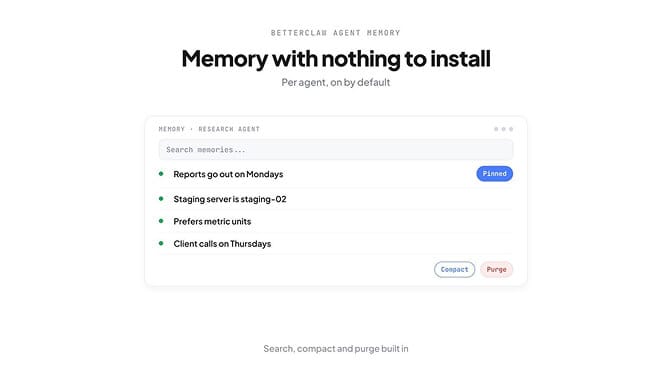
If you want memory that works without choosing, configuring and paying for a separate service, every BetterClaw agent remembers facts and preferences on its own, with search, compact and purge built in. Start your first agent.
Memory not recalling? Check these first
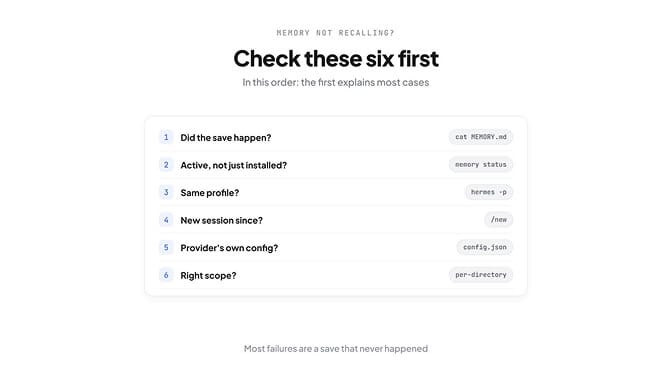
Work through these in order. The first one explains most cases.
- Check the save actually happened. Run
cat ~/.hermes/memories/MEMORY.md. Hermes' own docs say smaller local models often reply "I'll remember that" without ever calling the memory tool. - Check the provider is active, not just installed. Installing isn't enough. After
hermes plugins install hindsight, Hermes told us: "Memory provider installed but not active. Runhermes memory setup(or setmemory.provider: hindsight) to use it." Runhermes memory statusand look for← active. - Check you're reading the same profile. Memory is per profile.
hermes -p workreads~/.hermes/profiles/work/memories/, not the default folder, and a gateway bot may run under a different profile from your terminal. - Start a new session. Memory loads at session start. A Telegram chat is one long session that survives restarts, so send
/newafter saving something important. - Check the provider's own config. Hindsight reads
hindsight/config.json; Honcho readshoncho.json. Neither reads amemory.hindsightormemory.honchoblock inconfig.yaml. - Check the scope. Honcho's default per-directory strategy means starting Hermes in another folder gives you a different session.
If memory is fine but your agent still loses track mid-conversation, that's context, not memory.
A simple recall test you can run
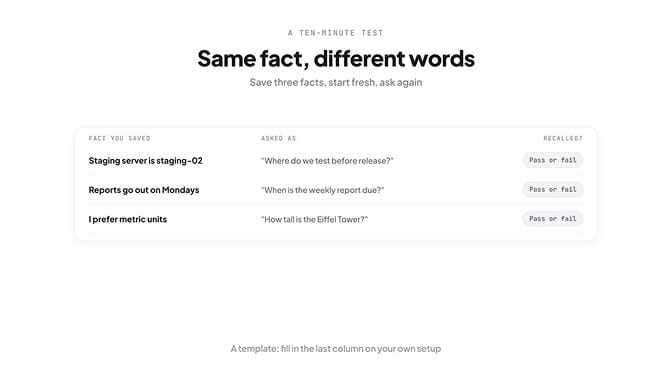
Don't trust a provider until you've tested it on your own setup. This takes ten minutes.
- In one session, tell the agent three facts and ask it to save each one ("Save to memory: our staging server is staging-02").
- Check the facts landed, with
cat ~/.hermes/memories/MEMORY.mdor your provider's dashboard. - Close the session and start a fresh one.
- Ask for each fact with different wording from the way you saved it.
- Record the result.
| Fact you saved | Asked as | Recalled? |
|---|---|---|
| Staging server is staging-02 | "Where do we test before release?" | |
| Reports go out on Mondays | "When's the weekly report due?" | |
| I prefer metric units | "How tall is the Eiffel Tower?" (expect metres) |
The rewording is the whole point. A fact recalled only when you repeat its exact words is keyword matching, not memory.
The takeaway
Hermes memory is two layers: two small files that always load, and one optional provider. Pick Holographic for free and local, Honcho for multi-profile setups, Mem0 or Supermemory for managed cloud, and skip RetainDB and ByteRover for new setups.
And when recall fails, check the boring things first. In most cases nothing was saved, the provider wasn't active, or the session never restarted.
Agents that remember, without a memory server to run. BetterClaw: always-on agents, any model, your own key. Start your first agent.
Frequently Asked Questions
What is the best memory provider for Hermes Agent? It depends on where you want your data. For free and fully local, Holographic needs nothing but SQLite. For a managed service, Honcho is strongest across several profiles, while Mem0 and Supermemory are simpler. Run the same three-fact recall test on any you shortlist.
How do I change the memory provider in Hermes? Install the plugin with hermes plugins install <name>, then run hermes memory setup and choose it, or set memory.provider in ~/.hermes/config.yaml. Only one external provider can be active at a time. hermes memory status confirms which one is live.
Why is my Hermes agent forgetting things? Usually the save never happened, because the model said it would remember without calling the memory tool. Other common causes are a provider that's installed but not active, a different profile, or a session that hasn't restarted since the fact was saved. Check ~/.hermes/memories/MEMORY.md first.
Is Mnemosyne an official Hermes memory provider? No. It's an independent project listed in the Hermes plugin catalog, but it was never bundled with Hermes and isn't covered in the official memory provider docs.
Is Hindsight free? Its local modes are free, though you still pay for the LLM it uses. Hindsight Cloud is pay as you go: $10 per million tokens to retain, $0.75 per million to recall and $0.05 per reflect call, at rates effective 6 July 2026.
Can I run Hermes memory locally? Yes. The built-in MEMORY.md and USER.md are always local. For a local provider, Holographic uses a SQLite file with no external services, and Hindsight, Mem0 and Honcho can all run self-hosted or local.