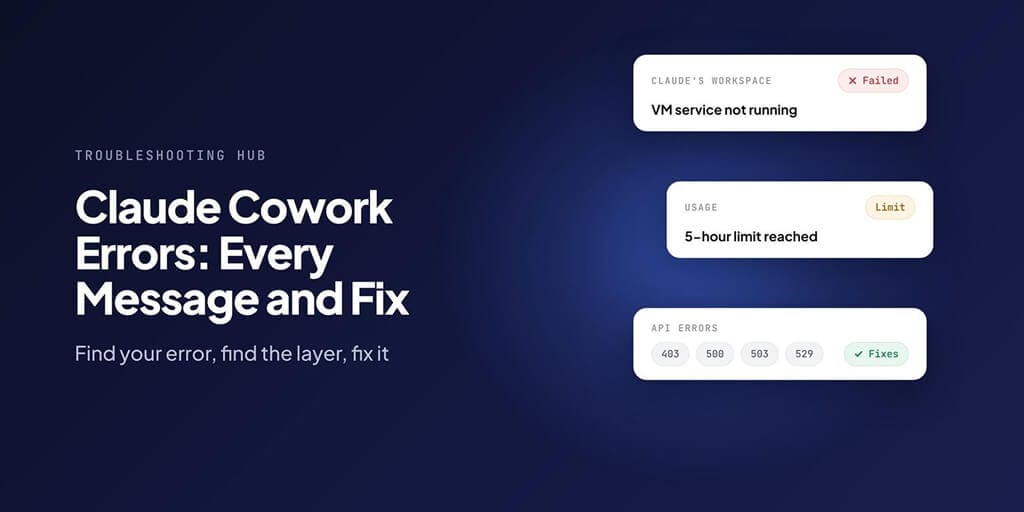
Find your exact error message, see which layer of Cowork it came from, and jump straight to the fix.
You gave Cowork a task, went to make coffee, and came back to a red banner instead of a finished report.
The message might be "VM service not running." It might be "API Error: 500." It might be a Windows code like 0x80370102 that means nothing to anyone. We've written a separate fix for most of these, and this page puts them all in one place.
Use Ctrl+F (Cmd+F on a Mac) to search this page for a few words from your error. The table below tells you what it means and links to the full fix.
First, is it you or Anthropic?
Before you reinstall anything, spend 30 seconds on this. It saves hours.
- Check status.claude.com. Anthropic lists "Claude Cowork" as its own component there, separate from claude.ai, the API and Claude Code. If it says Partial Outage or Major Outage, wait.
- Try a normal chat in the same app. If chat works but Cowork doesn't, the problem is on your machine or your account's Cowork access, not Anthropic's servers.
- Look at the shape of the message. A Windows code (0x8…) or "workspace" error is your computer. An "API Error" with a number is the connection to Anthropic. A "limit" message is your plan's usage.
One more thing to know: Anthropic's help centre says some capacity messages, like "Due to unexpected capacity constraints, Claude is unable to respond", are temporary and won't appear on the status page at all. A green status page doesn't rule out a server-side problem.
The four places a Cowork error can come from
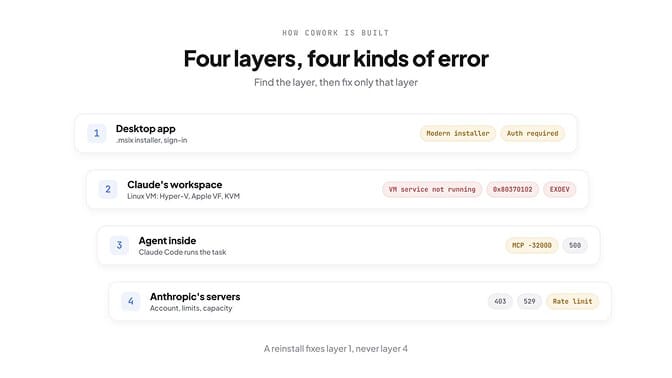
Cowork isn't one program. It's four layers stacked on each other, and every error message comes from one of them.
- The Claude desktop app. It has to be installed the right way, and on Windows that means the modern .msix installer.
- Claude's workspace. Each task runs in an isolated Linux virtual machine. On Windows that uses Hyper-V, on a Mac Apple's Virtualization framework, and on Linux (in beta) KVM.
- The agent inside the workspace. Cowork runs Claude Code inside that machine, which is why many Cowork errors read exactly like Claude Code errors.
- Anthropic's servers. Your account, your plan's limits, and the model's capacity.
Find the layer, and you've found the fix. A reinstall can't fix a usage limit, and waiting won't fix a hypervisor that's turned off in your BIOS.
Every Claude Cowork error, in one table
Errors we've written full guides for link to them. The rest have a short fix right here, taken from Anthropic's documentation or, where Anthropic hasn't documented one, marked as such.
Installer and app errors (layer 1)
| Error message | Platform | What it means | Fix |
|---|---|---|---|
| "Cowork requires Claude Desktop to be installed via a modern installer" | Windows | You installed with the older .exe, which can't run the workspace | Reinstall with the .msix installer |
| "Administrator access is required to install Claude with full features" | Windows | The .msix installer needs admin rights | Right-click installer → Run as administrator |
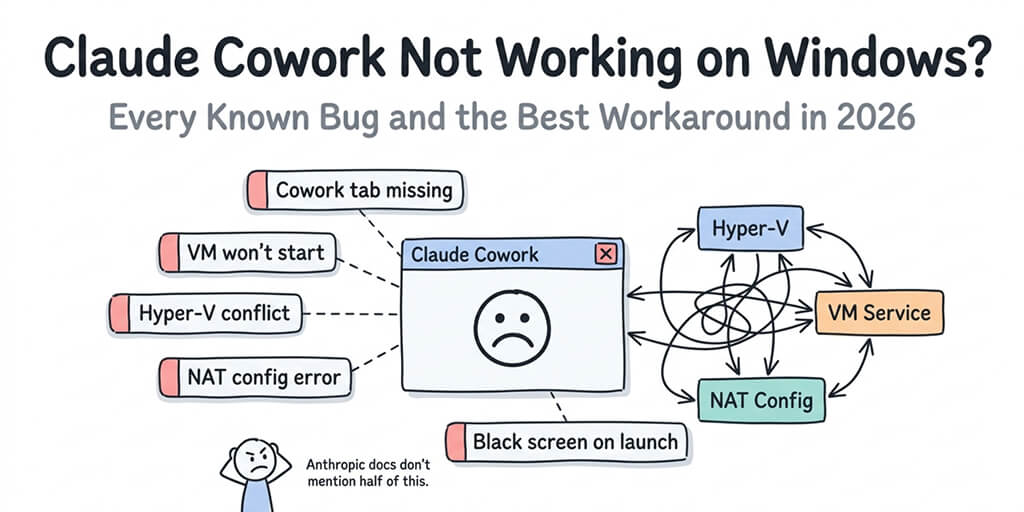
| Cowork tab missing | Windows | The app hid Cowork because the workspace can't start | Check workspace requirements first |
| "Authentication required · Sign in again to continue" | Any | No valid login for the session | Sign out and back in from the app |
| "Your organization has disabled API key authentication · Sign in again with your claude.ai account" | Any | Your admin turned off API key sign-in | Sign in with your claude.ai account, not a key |
Workspace and virtualization errors (layer 2)
| Error message | Platform | What it means | Fix |
|---|---|---|---|
| "VM service not running" | Windows | The Cowork VM service stopped or never installed | Reinstall with the current .msix installer or restart the service from an admin terminal: sc start CoworkVMService |
| "Missing HCS services: hns, vmcompute, vfpext" | Windows | Windows' container services aren't there | Enable the Virtual Machine Platform feature in Windows Features |
| "Claude's workspace failed to start with HRESULT 0x80370102" | Windows | The hypervisor isn't running, usually virtualization is off in BIOS | Enable virtualization (VT-x or AMD-V) in your BIOS settings |
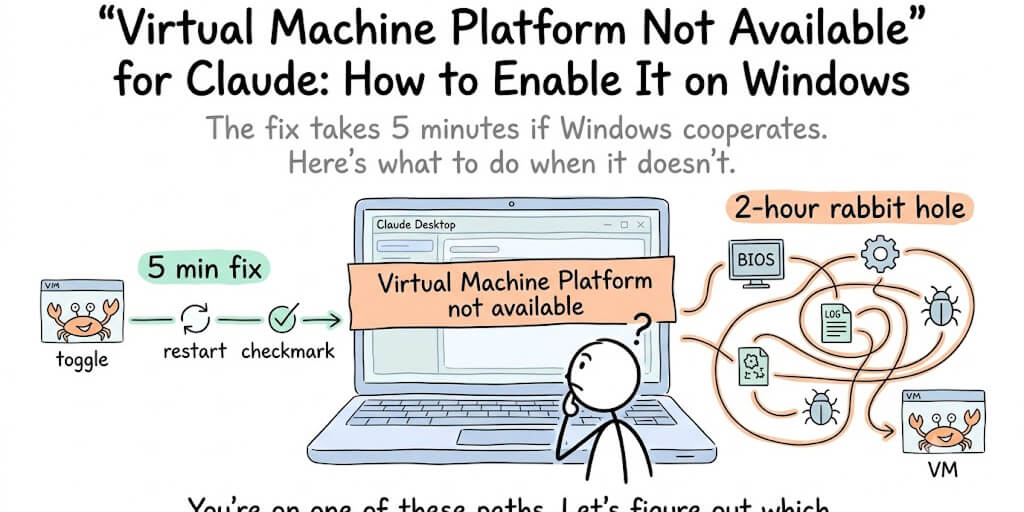
| "Claude's workspace requires the Virtual Machine Platform" | Windows | A Windows feature is switched off | Turn on Virtual Machine Platform in Windows Features |
| "EXDEV: cross-device link not permitted" | Windows | Your storage is set to another drive (like D:) or a network share | Move Cowork's data folder to the same drive as Windows |
| "A Windows security policy is blocking Claude's workspace" (0x80070569) | Windows | A policy denies the VM account "Log on as a service" | Grant that right to NT VIRTUAL MACHINE\Virtual Machines |
| "Checksum mismatch" or "Claude's workspace download was not the expected file" | Any | A proxy or web filter tampered with the workspace download | Allow downloads.claude.ai through your proxy or filter |
| "Workspace still starting" | Any | First launch is downloading and booting the VM | Normal. Wait a few minutes before you troubleshoot |
| "Claude doesn't have permission to use virtualization (/dev/kvm)" | Linux (beta) | Your user isn't in the kvm group | Run sudo usermod -aG kvm $USER and log out and back in |
| Readiness check fails | Windows | One of the virtualization checks didn't pass | Work through the checks in order: BIOS → Windows Features → installer |
Limit errors (layer 4)
| Error message | Platform | What it means | Fix |
|---|---|---|---|
| "You've hit your session limit" or "5-hour limit reached" | Any | Your plan's rolling usage is spent | Wait for the limit to reset, or upgrade your plan |
| "You've reached your weekly limit. It resets day at time." | Any | Your plan's weekly cap is spent | Wait for the reset time shown in the message |
| "Request rejected (429)" | Any | A rate limit or spend cap on the account | Wait and retry; check your account's spend limits |
| "Due to unexpected capacity constraints, Claude is unable to respond" | Any | Temporary capacity limit at Anthropic | Wait and retry. It won't show on the status page |
Server and connection errors (layers 3 and 4)
| Error message | Platform | What it means | Fix |
|---|---|---|---|
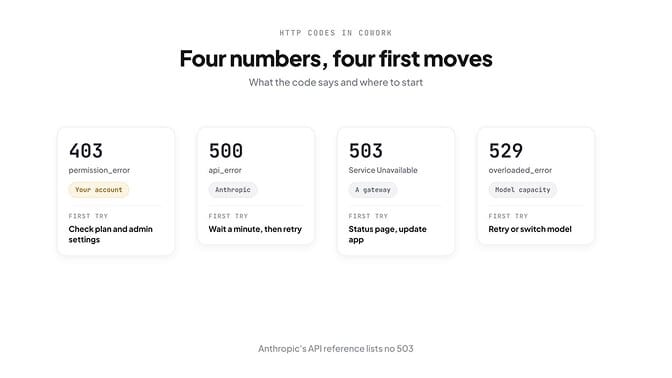
| "API Error: 403" (permission_error, "Request not allowed") | Any | The server refused this account or request | See the 403 section below |
| "API Error: 500 Internal server error" | Any | Something broke on Anthropic's side | See the 500 section below |
| 503 Service Unavailable | Any | A gateway couldn't reach the service behind it | See the 503 section below |
| "API Error: Repeated 529 Overloaded errors" | Any | The model is at capacity for everyone | Wait and retry; Anthropic's servers are overloaded |
| "Can't reach the Claude API from Claude's workspace" | Windows | The VM has no network route out, often a VPN, Docker or WSL subnet clash | Temporarily disable the conflicting network software and retry |
| "MCP error -32000: Connection closed" | Any | A connector's server process quit or never started | Restart the connector; check that the server process is running |
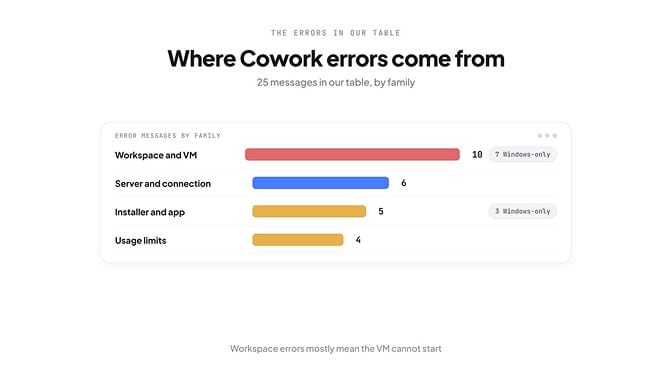
Count the rows and one group stands out. Workspace errors are the biggest family, 10 of the 25 messages, and 7 of those 10 only happen on Windows. Almost all of them mean the same thing: the workspace's virtual machine can't start.
HTTP 403 in Cowork: the server said no
Anthropic's API error reference defines 403 as permission_error: "Your API key does not have permission to use the specified resource."
In Cowork, you don't use an API key, so the 403s people report look different. Two messages come up again and again in Anthropic's public bug tracker:
- "Failed to authenticate. API Error: 403
{"error":{"type":"forbidden","message":"Request not allowed"}}" - "Unable to start session. Authentication failed (403)" with "Invalid authorization" in the details
The tell in every report: regular chat works on the same account, and Cowork doesn't. That points at your account's Cowork access, not your computer.
What to try, in order:
- Confirm your plan includes Cowork. Anthropic lists it for paid plans: Pro, Max, Team and Enterprise.
- On a Team or Enterprise plan, ask your admin. Owners can switch Cowork off for the whole organization, and it's off by default for HIPAA organizations.
- Turn off any VPN or proxy and sign in again. One reporter was on a proxy client when it started.
- Update the app from the menu, then sign out and back in.
- If it survives all that, contact Anthropic support with the request ID. In the reports we read, users had tried clearing caches and reinstalling, and none of them fixed it. It needed a fix on Anthropic's side.
HTTP 500 in Cowork: Anthropic's side broke
This one is honest about itself. Claude Code's error reference (the same agent Cowork runs) shows it as:
"API Error: 500 Internal server error. This is a server-side issue, usually temporary."
Anthropic's API docs define 500 as api_error, "an unexpected error has occurred internal to Anthropic's systems", and recommend retrying with exponential backoff.
What to do:
- Check status.claude.com for an incident on Claude Cowork or the Claude API.
- Wait a minute, then ask again. Your task is still in the conversation, so "try again" is enough. You don't need to re-paste anything.
- If it keeps happening with no incident posted, report it with the request ID.
Don't reinstall for a 500. Nothing on your machine caused it, and nothing on your machine will fix it.
HTTP 503 in Cowork: the door, not the room
Here's something most error guides get wrong: Anthropic's API error reference doesn't list 503 at all. Its server-side codes are 500, 504 and 529.
So when you see a 503, it usually comes from a gateway or proxy in front of a service, not from the model. In one public Cowork report from April 2026, tasks started with "Working on it…" and then failed, and the logs showed a 503 from Cowork's environment service with "upstream connect error or disconnect/reset before headers."
What that tells you:
- A 503 is almost always temporary and server-side. Check status.claude.com and give it time.
- If you're on a company network, your own proxy can send a 503 too. Claude Code's docs note that when a proxy or gateway answers with an error page, the message shows that page's status code. Try a different network.
- Update the app. On 16 April 2026, Anthropic posted an incident titled "Claude Cowork not starting for some users", and the fix was a new desktop version: "Please Check for Updates."
Before you reinstall: a 60-second checklist
Most Cowork fixes online start with "reinstall Claude." That's the slowest fix, and it fixes only one layer. Run these first:
- Check status.claude.com for the Claude Cowork component.
- Update the desktop app, then quit it fully (not just close the window) and reopen it.
- On Windows, restart rather than shut down. Fast Startup can leave the hypervisor off after a shut down.
- Turn off your VPN and try again.
- Read the error's layer from the tables above, then fix only that layer.
If you've been through all five and Cowork still won't start, that's usually the point where it's worth asking whether your agent needs to run on your laptop at all.
When a local workspace is the problem
Cowork runs its virtual machine on your own computer. That's great for privacy and local files. It also means every Windows feature, BIOS setting, VPN and security policy on that machine can stop it.
If what you want is an agent that does the work, and you'd rather never see a hypervisor error again, that's the gap we built BetterClaw for. Agents run in the cloud, connect to your apps, and keep working when your laptop is closed.
You also pick the model per agent and bring your own API key from any of 28+ providers, so a model at capacity doesn't stop the job.
The takeaway
Every Cowork error comes from one of four places: the app, the workspace, the agent inside it, or Anthropic's servers. The fix depends entirely on which one.
Bookmark this page. We update the table as new messages appear, and every fix guide we publish gets a row here.
If any of this resonated and you want agents that don't depend on your laptop's virtualization settings, give BetterClaw a try. Starter is $19 a month for one agent, Pro is $49 a month for five, and every plan has a 7-day free trial. See full pricing.
Frequently Asked Questions
Why does Claude Cowork keep saying "VM service not running"? The virtual machine service that runs Cowork's workspace stopped or was never installed properly. Anthropic's help centre says this usually follows an install with the older .exe installer, or a stopped service. Reinstall with the current installer, or start the service from an admin terminal with sc start CoworkVMService.
Is Claude Cowork down right now? Check status.claude.com. Anthropic lists Claude Cowork as its own component, with labels from Operational to Major Outage. If it's green but you still see capacity messages, Anthropic says some temporary capacity limits don't appear on the status page.
What does API Error 500 mean in Claude Cowork? An unexpected error inside Anthropic's systems. It's server-side and usually temporary. Wait a minute and ask again; if it persists with no posted incident, report it with the request ID. Reinstalling won't help.
What does a 403 error mean in Cowork? The server refused the request for your account. If normal chat works but Cowork doesn't, check that your plan includes Cowork (Pro, Max, Team or Enterprise), ask your admin whether Cowork is enabled for your organization, turn off VPNs, and sign in again.
Why does Cowork show 503 Service Unavailable? A gateway in front of a service couldn't reach it. Anthropic's API error list doesn't include 503, so it usually comes from infrastructure between you and the model, sometimes your own company proxy. Check the status page, update the app and try another network.
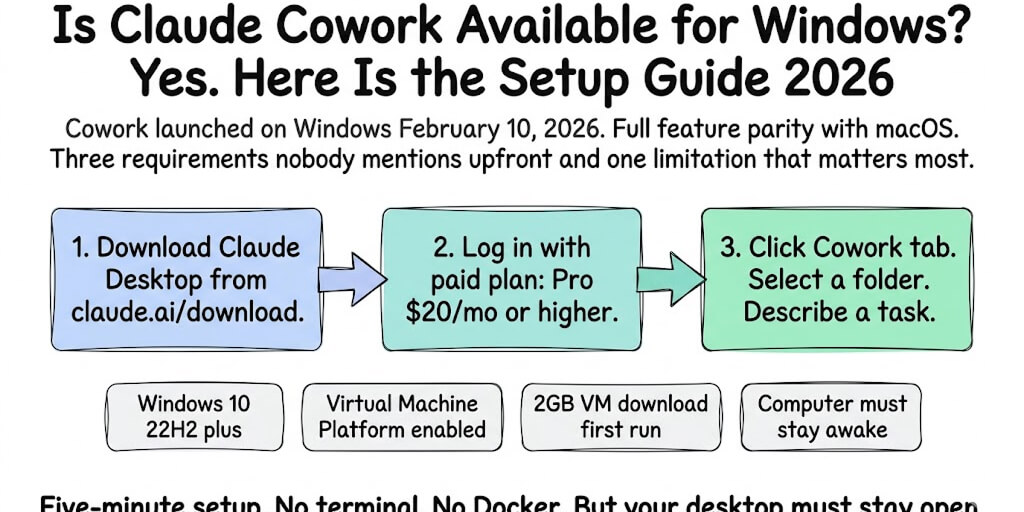
Does Claude Cowork work on Windows Home? It needs Windows 10 build 19041 or later and the Virtual Machine Platform feature. Some Home machines lack the full virtualization features Cowork relies on. Check whether your machine supports the required Windows features before you troubleshoot further.