If you searched "qwen 3.7 ollama", here is the short version: there is no Qwen 3.7 to pull, and there never will be. Alibaba kept 3.7 API-only and put the open weights into the next generation instead. The model you actually want on Ollama is Qwen 3.8 27B.
Run Qwen without managing Ollama.
Connect Qwen by API or your own local endpoint, get the visual builder and 200+ verified skills. BYOK across 28+ providers, zero markup. Free forever, not a trial. Start free → No credit card · No Docker · No config files
This post used to tell you to run Qwen 3.6 and wait for 3.7 open weights. That wait is over, just not the way anyone expected. The 3.7 weights never shipped. Qwen3.8-27B landed on Hugging Face on August 14, 2026, and Ollama added it in v0.32.12.
So this is now the honest Qwen 3.8 on Ollama guide: what the model is, what hardware it really needs, the config that matters for agents, and the places it still breaks. Everything below was checked against the Ollama library, the Qwen3.8-27B model card, and Alibaba Cloud's Model Studio pricing on September 14, 2026.
Qwen 3.7 Is API-Only (No Ollama Weights)
Qwen 3.7 shipped as two hosted models, Qwen3.7-Max and Qwen3.7-Plus. Neither has downloadable weights. ollama.com/library/qwen3.7 returns a 404, and a search of the Qwen organization on Hugging Face for "Qwen3.7" returns nothing.
Every guide that gives you an ollama run qwen3.7 command is making it up. Community uploads under other usernames are not official Qwen weights either.
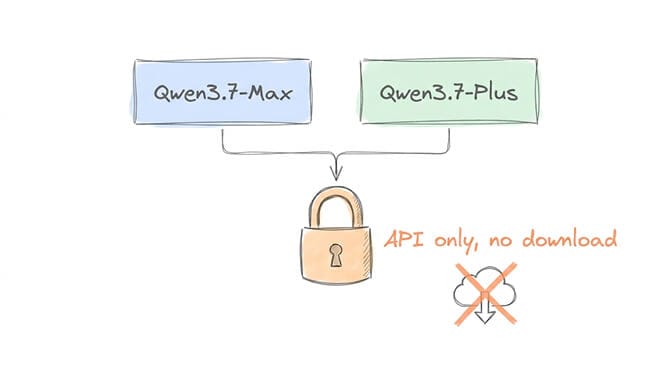
If you specifically want 3.7, you use it through an API. Alibaba Cloud Model Studio's international (Singapore) list prices, per million tokens:
| Model | Input | Output |
|---|---|---|
| qwen3.7-max | $2.50 | $7.50 |
| qwen3.7-plus (up to 256K input) | $0.40 | $1.60 |
| qwen3.7-plus (256K to 1M input) | $1.20 | $4.80 |
| qwen3.8-max | $2.00 | $6.00 |
| qwen3.8-27b (hosted) | $0.50 | $3.00 |
Look at the last two rows before you commit to 3.7. On Model Studio's own price list, qwen3.8-max is cheaper than qwen3.7-max on both input and output. OpenRouter carries both 3.7 models too, with prices that vary by provider. If you're deciding between a hosted Qwen and Claude for agent work, our Qwen 3.7 vs Claude Sonnet 4.6 comparison runs the cost math.
What Qwen 3.8 27B Actually Is
Qwen3.8-27B is a dense 27-billion-parameter model with a built-in vision encoder, released under Apache 2.0. The model card lists 262,144 tokens of native context, extensible to 1,000,000 with YaRN, and it handles text, images, and video.
The architecture is the interesting part for local users. It has 64 layers arranged as 16 blocks of three Gated DeltaNet layers followed by one Gated Attention layer. Only those 16 attention layers keep a conventional, growing KV cache. That is why long context costs less memory here than on an older all-attention 27B.
It is not the only Qwen 3.8 model, but it is the only one most people can run:
- Qwen3.8-27B: dense, 18GB at Q4. The one this post is about.
- Qwen3.8-Flash-Next: a 125B-total, 6B-active MoE on Ollama as
qwen3.8-flash-next. The smallest tag is 105GB (MLX) and Q4_K_M is 120GB, so it is workstation territory. Note the license is the Qwen Community License, not Apache 2.0. - Qwen3.8-2.4T-A95B: the open-weight flagship on Hugging Face. At 2.4 trillion parameters, it is datacentre hardware only.
On benchmarks, the model card reports 61.7 on SWE-bench Pro, 73.0 on Terminal Bench 2.1, 84.3 on OSWorld, and 89.2 on GPQA Diamond. The card's comparison table includes Qwen3.6-27B and Qwen3.7-Plus. These are Alibaba's own numbers. Treat them as a reason to test the model, not as proof it fits your workload.
Hardware and VRAM: Every Official Tag
These are the official qwen3.8 tags from the Ollama library. All of them have the 256K context window and accept text and images.
| Tag | Size on disk | Realistic hardware | Notes |
|---|---|---|---|
qwen3.8:27b / latest / 27b-q4_K_M | 18GB | 24GB GPU (RTX 3090/4090), 24GB+ Mac | The default. Start here. |
qwen3.8:27b-mtp-q4_K_M | 18GB | 24GB GPU | Q4 with multi-token prediction layers |
qwen3.8:27b-nvfp4 | 18GB | Recent NVIDIA GPU with FP4 support | NVIDIA 4-bit format |
qwen3.8:27b-mlx | 18GB | Apple Silicon, 24GB+ unified memory | Ollama's MLX build for Macs |
qwen3.8:27b-q8_0 / 27b-mtp-q8_0 | 30GB | 32GB+ GPU, 36GB+ Mac | Near-lossless quality |
qwen3.8:27b-mxfp8 | 32GB | 32GB+ GPU or Mac | 8-bit microscaling format |
qwen3.8:27b-bf16 / 27b-mtp-bf16 / 27b-mlx-bf16 | 56GB | 64GB+ | Full precision |
The single most useful number: 18GB. That is the smallest official download. It fits on a 24GB card with room left for context, and it does not fit fully on a 16GB card.
On a 16GB GPU, the stock Q4 still runs, but Ollama offloads some layers to system RAM and generation slows down noticeably. Your other option is a smaller community quant. VladimirGav/qwen3.8-27B-14GB-IQ4 is one of the more-pulled ones in the Ollama library. Community quants are not official Qwen releases, so check the model page before trusting one in an agent.
On 8GB of VRAM or less, Qwen 3.8 is not a realistic local model. Stay on a smaller previous-generation Qwen, or use the hosted qwen3.8-27b API at $0.50/$3 per million tokens.
Check what actually loaded: run ollama ps while the model is up. The PROCESSOR column shows the GPU/CPU split and CONTEXT shows the allocated context. If you see a CPU percentage you did not expect, that is your slow generation. For what each hardware tier buys you across models, see our local model hardware guide.
Install and First Run
Three commands:
curl -fsSL https://ollama.com/install.sh | sh   # Linux. Mac/Windows: download from ollama.com/download
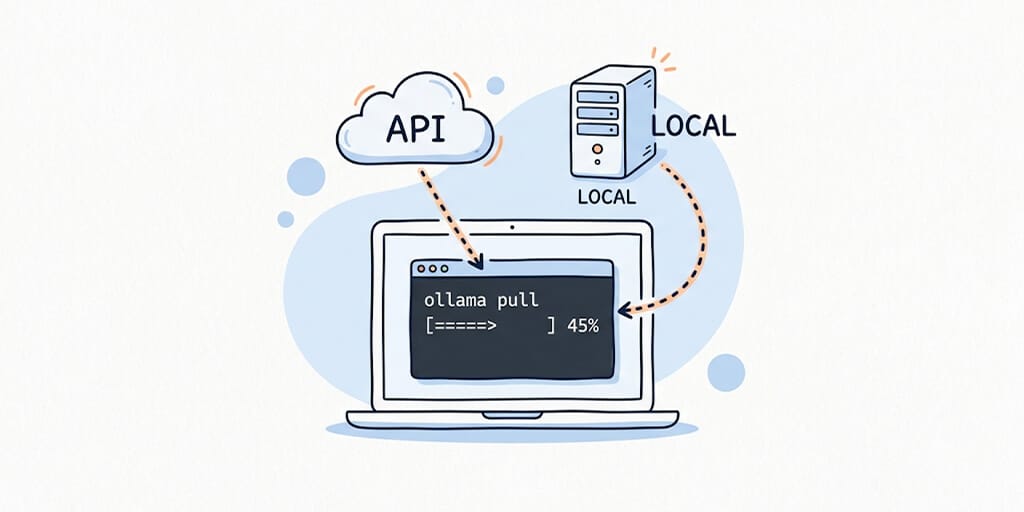
ollama pull qwen3.8:27b
ollama run qwen3.8:27b "Read this error log and tell me what's broken: FATAL: could not open file 'pg_hba.conf': No such file or directory"
You need Ollama v0.32.12 or newer, the release that added Qwen 3.8. If the pull fails on a model you know exists, run ollama --version first.
On Apple Silicon, ollama pull qwen3.8:27b-mlx gets you the MLX build Ollama optimized for Macs.
The first prompt is deliberately a real debugging task, not "hello world." Expect a pause before the answer: thinking mode is on by default, so the model reasons first. More on that below.
The Modelfile Config That Matters
This is the section to bookmark.
First, the context window. Ollama does not give every model its full context. Its documented default depends on your VRAM: 4K context below 24GiB, 32K between 24 and 48GiB, and 256K at 48GiB and above. On a 16GB card you are silently running a 256K model at 4K. Your system prompt, tool definitions, and conversation history overflow almost immediately.
You can raise it globally with the OLLAMA_CONTEXT_LENGTH environment variable, or with the context slider in the Ollama app. For a model you use for agents, a Modelfile is cleaner. Create qwen38-agent.modelfile:
FROM qwen3.8:27b
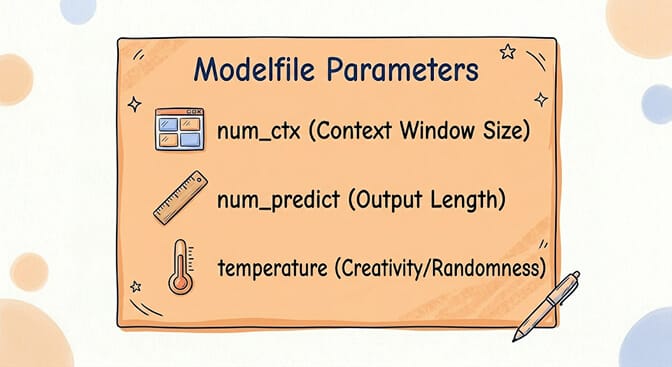
PARAMETER num_ctx 32768
PARAMETER num_predict 8192
PARAMETER temperature 1.0
PARAMETER top_p 0.95
PARAMETER top_k 20
Build and run it:
ollama create qwen38-agent -f qwen38-agent.modelfile
ollama run qwen38-agent "You are a code reviewer. Review this function for bugs and security issues: def login(user, pwd): return db.query(f'SELECT * FROM users WHERE name={user} AND pass={pwd}')"
What each parameter does:
num_ctx 32768: Context window in tokens. 32K is the practical minimum for agent work with tool results in the loop. Ollama's Claude Code integration docs recommend 64K or more for larger repositories. Higher values cost more memory, but on Qwen 3.8 that grows more slowly than on a pure-attention model, because only 16 of the 64 layers keep a KV cache.
num_predict 8192: Maximum tokens per response. Thinking tokens count toward this. Set it too low and you get answers that stop mid-sentence after a long reasoning trace.
temperature 1.0, top_p 0.95, top_k 20: The model card's recommended sampling for thinking mode, which is the default. If you run with thinking off, the card recommends temperature 0.7, top_p 0.8, top_k 20, and presence_penalty 1.5.
One thing not to copy from older Qwen guides: repeat_penalty 1.1. The Qwen3.8 card recommends a repetition penalty of 1.0, and Ollama's own params for qwen3.8:27b already set repeat_penalty 1.
The #1 reason agents produce garbage from a local model is still a context window that's too small. If your agent forgets earlier instructions, calls the wrong tool, or ignores something it was told three turns ago, check ollama ps before blaming the model. Our context window guide explains why truncation hits agents so hard.
Thinking Mode: On by Default
Qwen 3.8 thinks before it answers unless you tell it not to. That helps with multi-step debugging and planning. On short, repetitive agent turns like classification, extraction, and routing, it mostly costs latency and tokens.
Ollama gives you three ways to switch it off:
- CLI:
ollama run qwen3.8:27b --think=false "Classify this ticket as billing, technical, or general: ..." - Interactive session:
/set nothink(and/set thinkto turn it back on) - API:
"think": falseon/api/chat. On the OpenAI-compatible/v1endpoints the equivalent isreasoning_effort.
If you're serving the model with vLLM or SGLang instead of Ollama, the model card's switch is "enable_thinking": false inside chat_template_kwargs.
A useful split: thinking on for planning, code review, and anything with several steps. Thinking off for high-volume tool-call turns where the right action is obvious and speed matters. If you run agents on OpenClaw, our OpenClaw thinking mode guide covers how thinking levels map across providers.
Tool Calling and Connecting Agents
The Ollama library lists tools as a Qwen 3.8 capability, and a plain tool-call request against the model works. How you connect your agent matters more than usual with this model, though.
OpenClaw or Hermes: point the provider at http://127.0.0.1:11434 and set the model to qwen38-agent (or qwen3.8:27b). Use the native Ollama provider rather than a generic OpenAI-compatible one where your framework offers both. For the full walkthrough, see our OpenClaw Ollama guide.
Claude Code: ollama launch claude sets it up. To do it manually, export ANTHROPIC_AUTH_TOKEN=ollama and ANTHROPIC_BASE_URL=http://localhost:11434, then run claude --model qwen3.8:27b. Read the failure section below before you rely on this pairing.
n8n: add an Ollama node with base URL http://localhost:11434, or http://host.docker.internal:11434 if n8n runs in Docker. Then select your model.
Quick sanity check before wiring anything up:
curl -s http://127.0.0.1:11434/api/chat -d '{
  "model": "qwen3.8:27b",
  "messages": [{"role":"user","content":"Say hello"}],
  "think": false,
  "stream": false
}'
If that returns and your agent still hangs, the model is fine and the problem is the request path.
Honest Review: Qwen 3.8 27B for Agents
What's genuinely good:
- It is a real local agent model. Tools, vision, and thinking in one Apache 2.0 download that fits a single 24GB card is a strong package. Apache 2.0 means commercial use with no revenue-share clause.
- Long context is practical, not theoretical. The hybrid DeltaNet design keeps memory growth down as you raise
num_ctx, which is what agents with long tool histories need. - Vision is built in. Screenshots, documents, and diagrams go to the same model as your text prompts, with no separate VL variant to manage.
- The benchmark profile points at agent work. Alibaba's reported SWE-bench Pro, Terminal Bench, and OSWorld scores are the ones that matter for coding and computer-use agents. They are vendor-reported, so verify on your own tasks.
What's not:
- 16GB is below the comfortable floor. The smallest official quant is 18GB. Plenty of people who ran a Qwen 3.6 MoE comfortably will find 3.8 27B slow on the same card.
- Thinking by default is slow for agents. Every turn pays for reasoning tokens until you turn it off.
- The benchmarks are self-reported. Independent, reproducible numbers on real agent workloads are thinner than the headline table suggests.
- The Ollama integration has had a rough first month. That is the big one, so it gets its own section.
Where It Fails (Known Ollama Issues)
These are the reports worth knowing about as of September 14, 2026:
/v1/chat/completionshangs (ollama#17790). On Ollama 0.32.13, requests toqwen3.8:27bthrough the OpenAI-compatible endpoint never returned, whileollama runand/api/chatworked on the same instance. The issue was closed as not planned, with no fix linked. Our Qwen3.8 27B tool-calling hang guide has the two-minute test to confirm you're hitting it.- "system message must be at the beginning" (ollama#17768). Claude Code against
qwen3.8:27b-mtp-q4_K_Mon Ollama 0.32.12 returned a 500 from/v1/messages, while chat mode worked. Agents that send more than one system message are the trigger. OpenCode has reported the same renderer error. - Responses stopping after 20 to 30 seconds in Claude Code (ollama#17961). Reported on Ollama 0.32.15 and still open.
What to do about them:
- Update Ollama first. Several of these were reported on specific 0.32.x builds.
- Prefer the native
/api/chatpath where your framework supports it. It has been the reliable route in every report. - Keep a fallback model pulled.
qwen3.6:27b(18GB) andqwen3.6:35b(23GB) are still in the Ollama library, andqwen3.6:27bwas confirmed working on/v1on the same instance where 3.8 hung. Our Ollama cloud fallback setup shows how to fail over automatically. - Don't chase a missing template.
ollama show --modelfilelooks thin for qwen3.8 because the chat template lives inside the GGUF. Tool support is detected correctly anyway.
Other everyday errors:
"model not found": either you typed qwen3.7, which doesn't exist, or your Ollama is older than v0.32.12.
"out of memory" or very slow output: the quant is too big for your GPU and layers are spilling to CPU. Check ollama ps, lower num_ctx, or drop from Q8 to the 18GB Q4.
Answers cut off mid-sentence: raise num_predict, since thinking tokens eat into it. If context is truncating as well, see our Hermes response truncation fix.
Start Building Agents Today
Qwen 3.8 27B is the best reason in a while to run an agent model locally, provided you have 24GB to give it and you're willing to be the integration test when an Ollama release breaks a code path. If you'd rather not be, the hosted qwen3.8 and qwen3.7 models are a BYOK key away.
BetterClaw gives you both paths. Connect your local Ollama endpoint for full data privacy, or paste an Alibaba Cloud or OpenRouter key to use hosted Qwen alongside Claude, GPT, and 28+ other providers. Switching models is a dropdown change, not an evening of debugging.
Get started with BetterClaw for free. The free plan includes 1 agent and 100 credits a month, with no credit card and no time limit. Pro is $49/month for 5 agents. For a local stack that pairs Qwen with MiniMax M3, see our MiniMax M3 and Qwen agent guide.
Frequently Asked Questions
Can I run Qwen 3.7 on Ollama?
No. Qwen3.7-Max and Qwen3.7-Plus are API-only, and there is no qwen3.7 in the Ollama library and no Qwen3.7 repository in the official Qwen Hugging Face organization. The open-weight line skipped 3.7 and continued with Qwen 3.8. The model to pull is qwen3.8:27b.
How much VRAM does Qwen 3.8 27B need?
The smallest official Ollama tag is 18GB at Q4_K_M, so a 24GB GPU or a 24GB+ Apple Silicon Mac is the realistic floor with room for context. Q8 is 30GB and full precision is 56GB. It runs on a 16GB GPU with partial CPU offload, but noticeably slower.
How do I increase the Qwen 3.8 context window in Ollama?
Add PARAMETER num_ctx 32768 (or higher, up to the 256K the model supports) to a Modelfile and build it with ollama create. You can also set OLLAMA_CONTEXT_LENGTH globally. By default, Ollama allocates only 4K context on GPUs under 24GiB and 32K on GPUs from 24 to 48GiB, regardless of what the model supports.
Does Qwen 3.8 support tool calling on Ollama?
Yes. The Ollama library lists tools, vision, and thinking as capabilities. Some agent integrations have hit Ollama-side problems with it, including /v1/chat/completions hangs and a "system message must be at the beginning" error from Claude Code. Use the native /api/chat path where possible, and keep qwen3.6:27b as a fallback.
How do I turn off thinking mode for Qwen 3.8?
Thinking is on by default. In Ollama, use --think=false on the command line, /set nothink in an interactive session, or "think": false in /api/chat requests. With vLLM or SGLang, pass "enable_thinking": false in chat_template_kwargs.
How much does Qwen 3.7 cost through the API?
On Alibaba Cloud Model Studio's international pricing, qwen3.7-max is $2.50 per million input tokens and $7.50 per million output tokens. qwen3.7-plus is $0.40/$1.60 for inputs up to 256K tokens and $1.20/$4.80 from 256K to 1M. qwen3.8-max is listed lower than 3.7-max at $2/$6.
Skip the Ollama setup entirely.
Connect Qwen by API or your own endpoint, deploy a managed agent in 60 seconds. BYOK across 28+ providers, zero markup. Free forever, not a trial. Start free →