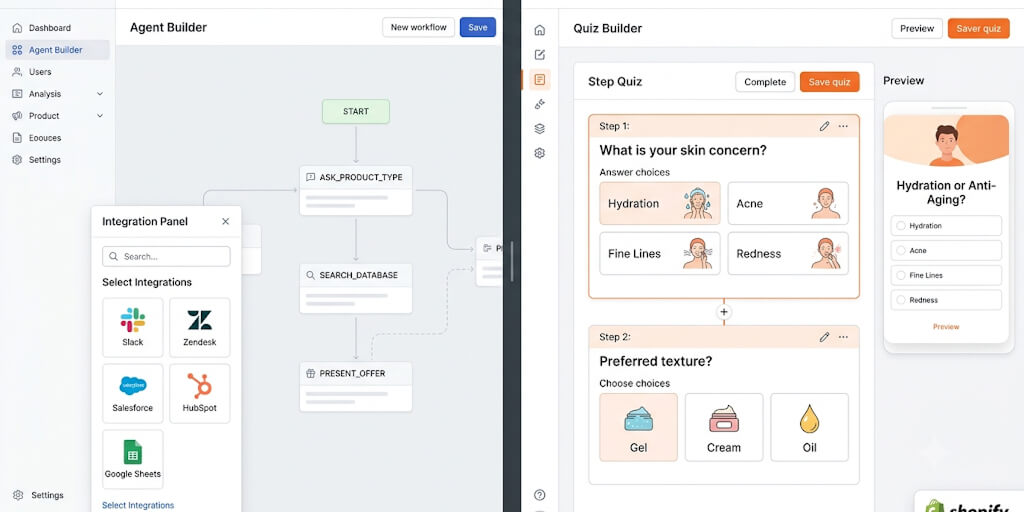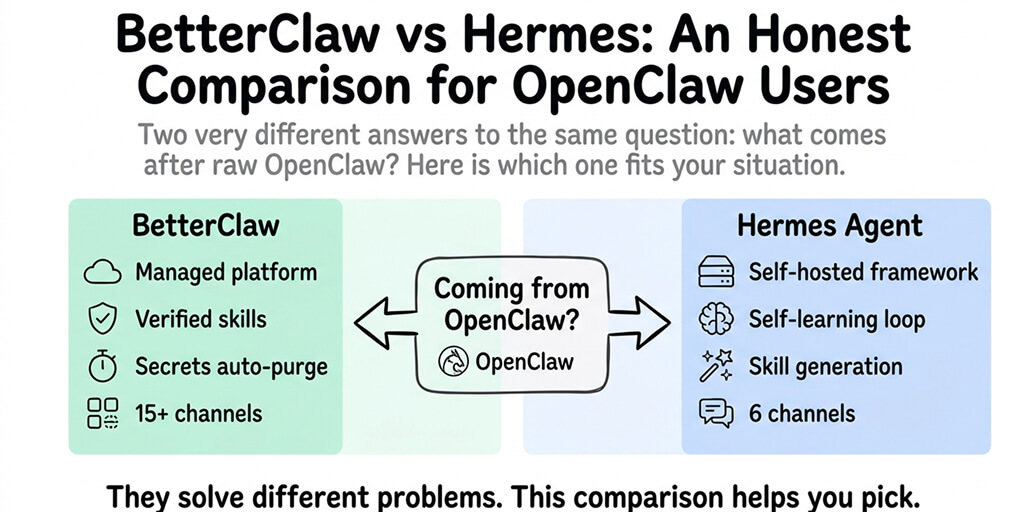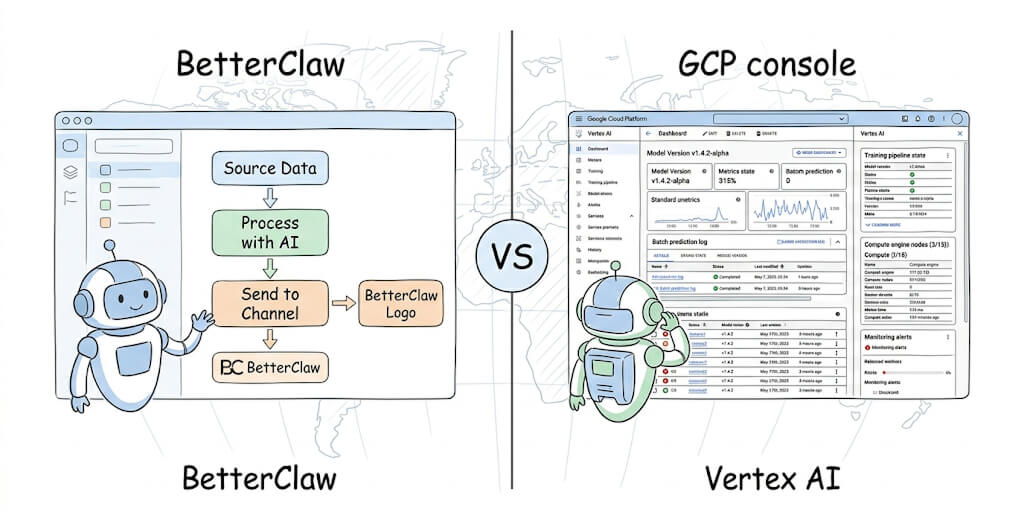
Vertex AI Agent Builder is a genuinely powerful platform. But most people searching for an alternative do not need multi-agent orchestration across a Google Cloud fleet. They want an agent that works today, without configuring IAM roles and billing alerts. Here are five simpler, cheaper options.
Get an agent running in 60 seconds.
No GCP account, no IAM roles, no four-meter billing. Paste your API key from any of 28+ providers and go. Free forever, not a trial. Start free → No credit card · No cloud config · No billing surprises
Google rebranded Vertex AI Agent Builder as the Gemini Enterprise Agent Platform at Cloud Next 2026, and the rebrand came with real substance: Agent Studio for visual building, Agent Development Kit for code-first Python development, Agent Engine for managed runtime, and Model Garden with 200+ foundation models including Gemini 3.1 Pro, Claude on Vertex, and Llama variants. If your organization runs on Google Cloud and needs governance-grade agent infrastructure, it is one of the strongest options available.
But most people searching for "Vertex AI Agent Builder alternative" are not running multi-agent orchestration across a Google Cloud fleet. They want an AI agent that works. Today. Without spending hours configuring IAM roles, enabling APIs, and setting up billing alerts so a misconfigured agent does not run up a surprise invoice overnight.
This post covers five alternatives that get you to a running agent faster and cheaper, with an honest assessment of what each one gives up compared to Vertex.
What Vertex AI Agent Builder Is and Who It Is For
Vertex AI Agent Builder (now officially the Gemini Enterprise Agent Platform) is Google Cloud's platform for building, deploying, and governing production-grade AI agents. The platform ships four main components.
Agent Studio is the visual, low-code builder. You describe what you want in natural language and it generates a working agent configuration. Google calls this "vibe coding" agents.
Agent Development Kit (ADK) is the code-first Python framework for teams that need custom logic, multi-agent orchestration, and complex tool integrations. This is where the serious engineering happens.
Agent Engine is the managed runtime that handles deployment, scaling, session management, and memory. It is the piece that turns a prototype into a production system.
Model Garden gives you access to 200+ foundation models through one API surface. Gemini 3.1 Pro, Gemini 3.5 Flash, Claude on Vertex, Llama, and dozens of others. You pick the model. Google handles the infrastructure.
For organizations already running on GCP with BigQuery data pipelines, Workspace integrations, and IAM policies already configured, this platform is deeply integrated and hard to replicate elsewhere. The governance controls are mature. The compliance surface (SOC2, HIPAA-eligible) is real. Enterprise support is available. (We cover the platform in depth in our Vertex AI Agent Builder overview.)
The platform itself is not the problem. The problem is the gap between what the platform offers and what most builders actually need.
Why People Look for Alternatives
Five specific pain points drive the "alternative" search. These are not theoretical complaints. They come directly from developer forums, Google Cloud community posts, and the Vertex AI Agent Builder reviews aggregated by platforms like G2 and SelectHub (aggregate rating around 4.3 out of 5, with pricing complexity and learning curve as the top two complaints).
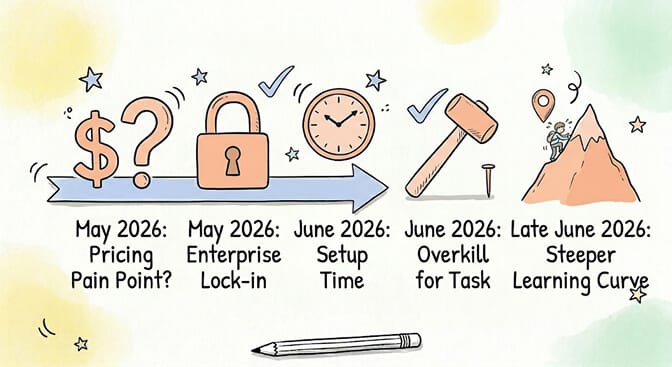
Pain point 1: Pricing is complex and unpredictable.
A single user question to a Vertex AI agent can trigger four separate billing meters:
- Agent Engine runtime: $0.0864 per vCPU-hour
- Memory: $0.0090 per GB-hour
- Session and Memory Bank events: $0.25 per 1,000 events (billing started February 2026)
- Vertex AI Search: $1.50 to $6.00 per 1,000 queries depending on tier
Foundation model tokens are billed separately on top of all four. A Gemini 3.1 Pro call costs $2.00 per million input tokens and $12.00 per million output tokens at up to 200K context, with rates doubling above 200K.
That is four different SKUs on your invoice for one user asking one question. At 10,000 daily queries, this stops being a rounding error. Teams have reported surprise invoices when agent sessions persisted longer than expected, search queries exceeded estimates, or Memory Bank events accumulated faster than forecasted.
One enterprise CTO publicly described spending three days just trying to get a Vertex AI agent to answer questions about internal documentation. Not building the agent. Configuring the infrastructure.
Pain point 2: Google Cloud lock-in.
Vertex AI Agent Builder requires a Google Cloud account and runs exclusively on GCP infrastructure. If your team runs on AWS, Azure, or a multi-cloud setup, building on Vertex means adding another cloud relationship with its own billing, IAM policies, and compliance surface.
Pain point 3: Setup takes hours to days.
Setting up your first production agent requires configuring IAM roles, enabling multiple APIs (Vertex AI, Dialogflow CX, Cloud Storage at minimum), creating agent definitions in Agent Studio or ADK, connecting data sources for grounding, and configuring billing alerts. The Express Mode free tier helps for prototyping (up to 10 agent engines, 90 days, no billing required), but the jump from prototype to production is a multi-day project.
Pain point 4: Overkill for personal or small team use.
If you need one agent to handle customer questions or automate a specific workflow, you do not need a platform designed for multi-agent orchestration with persistent memory, enterprise governance, and 200+ model options. The infrastructure overhead creates friction that is not justified by the use case, and a plain AI agent builder covers the single-agent case in an afternoon.
Pain point 5: The learning curve is steep.
You need to understand Agent Studio versus ADK, Dialogflow CX concepts, Agent Engine deployment, Model Garden model selection, and how four billing meters interact. The documentation is extensive but fragmented across multiple Google Cloud product pages. The platform is evolving fast (the rebrand itself required learning new terminology), which means documentation from 6 months ago may reference deprecated interfaces.
The 5 Alternatives
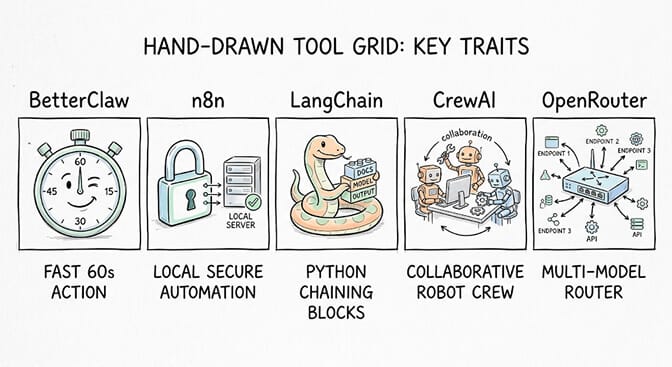
Alternative 1: BetterClaw
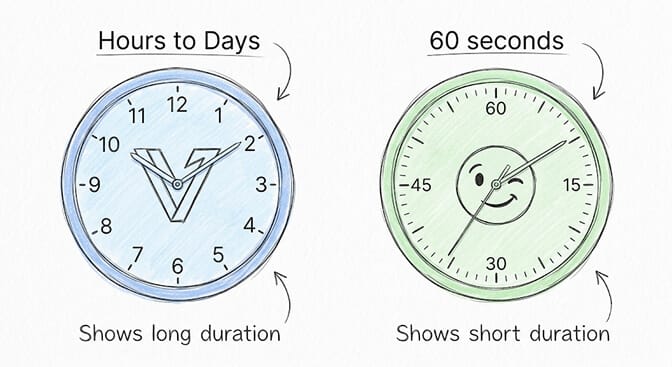
What it is: No-code AI agent platform with BYOK (bring your own key). You bring your API key from any of 28+ model providers, configure your agent's behavior, and it runs. No cloud infrastructure to manage.
Setup time: Under 60 seconds. Not an exaggeration. Sign up, paste your API key, configure the agent instructions, done.
Cost: Free plan includes 1 agent, 500 credits a month, and BYOK model access across 28+ providers, no credit card required, no time limit. Pro plan is $49 per month for teams that need multiple agents (5 agents, 12,000 credits a month).
Best for: Solo builders, small teams, and anyone who wants an agent running today instead of next week. The BYOK model means you control your costs by choosing your own provider. Use a cheap model for testing, switch to a frontier model for production. Your key, your billing, your choice.
Honest limitation: BetterClaw is focused on getting individual agents working well and fast. It does not have multi-agent orchestration, enterprise governance controls, or deep integration with any specific cloud platform. If you need SOC2 compliance documentation, IAM-level access controls, or agents that coordinate across a fleet, Vertex AI Agent Builder remains the better fit. We lay out the full side-by-side in BetterClaw vs Vertex AI.
Where it beats Vertex: Speed to first working agent. Cost predictability (you know exactly what you pay before you start). Zero cloud configuration. Zero billing surprises. Our Vertex AI Agent Builder alternative deep-dive walks through the no-code-speed-versus-GCP-depth tradeoff in full.
Alternative 2: n8n + Ollama (Self-Hosted)
What it is: n8n is an open-source workflow automation platform with a visual node-based builder. Pair it with Ollama running a local LLM, and you get automation workflows with AI processing steps where your data never leaves your machine.
Setup time: 30 minutes to 1 hour for someone comfortable with Docker and basic terminal commands. Longer if this is your first time with either tool.
Cost: $0 for the fully self-hosted stack. Your only cost is electricity for running the hardware, roughly $3 to $5 per month depending on usage and local power rates. n8n Cloud starts at $24 per month if you prefer not to self-host the automation layer while keeping the LLM local via Ollama.
Best for: Privacy-first users and developers who need complete data sovereignty. If your use case involves sensitive data (medical records, legal documents, financial data, proprietary code) that cannot leave your infrastructure under any circumstances, this is the only option on this list where data never touches a third-party server.
Honest limitation: n8n workflows are deterministic automation with AI steps, not autonomous agents. The AI model processes one step in a predefined chain. It does not plan its own approach, re-plan when something fails, or make autonomous decisions about what to do next. If you need an agent that reasons across multiple steps and adapts its strategy, n8n alone does not provide that.
Also: setting up Docker, configuring networking between containers, managing Ollama model updates, and debugging issues when things break is real operational overhead. You are trading subscription costs for your own time maintaining infrastructure.
For a full walkthrough of running local models this way, see our OpenClaw + Ollama guide.
Alternative 3: LangChain / LangGraph
What it is: An open-source Python framework for building chains of LLM interactions. LangChain handles the model interaction layer (prompts, output parsing, tool integration). LangGraph extends it with graph-based agent workflows that support cycles, branching, persistence, and human-in-the-loop patterns.
Setup time: Hours to days depending on complexity. A simple chain with one tool takes an afternoon. A production agent system with memory, multi-tool use, error handling, and observability takes significantly longer.
Cost: The core framework is free and open source under MIT. You pay for the LLM API calls your agents make (varies by provider and model). LangSmith, the observability and tracing platform, starts at $39 per month for teams. Typical development costs run $5 to $50 per month in API tokens depending on model choice and iteration frequency.
Best for: Developers who want complete control over every aspect of their agent's logic. Custom tool integrations, non-standard architectures, fine-grained control over prompt engineering, custom memory implementations. If you have a specific agent design in mind and the Python skills to build it, LangChain gives you the lowest-level building blocks.
Honest limitation: There is no hosted runtime. You deploy and manage your own infrastructure (or use a platform that integrates LangChain under the hood). The documentation is extensive but the API surface changes frequently, which creates a maintenance burden. The framework has a reputation for boilerplate code, and debugging chain failures can be frustrating when the error surfaces several steps removed from the actual problem. We compare it with the main framework alternative in LangChain vs LlamaIndex.
Alternative 4: CrewAI
What it is: A multi-agent orchestration framework built specifically for collaborative AI agent teams. You define "crews" of agents, each with a role, a goal, available tools, and a backstory. The agents work together in sequential or hierarchical processes to complete tasks.
Setup time: Hours for a basic crew. The framework installs in minutes, but designing effective multi-agent workflows (assigning roles, defining handoffs, debugging agent communication, tuning prompts per agent) takes iteration and experimentation.
Cost: The core open-source framework is free (MIT license). CrewAI Cloud offers a Free tier (50 executions per month), Professional at $25 per month (100 executions), and Enterprise with custom pricing estimated at $60,000 to $120,000 annually. LLM API costs are separate, and multi-agent systems consume tokens faster than single-agent approaches because each agent in a crew makes its own API calls and every handoff includes conversation history.
Used by 63% of the Fortune 500 according to CrewAI's May 2026 disclosures. Over 47,800 GitHub stars and 27 million PyPI downloads.
Best for: Teams building workflows where multiple specialized agents need to collaborate. A research agent gathers information, an analysis agent processes it, a writing agent produces the output. Customer support triage where a routing agent directs queries to domain-specific specialist agents.
Honest limitation: Multi-agent systems are inherently more complex and more expensive than well-designed single-agent approaches. The token costs multiply with every agent in the crew. Debugging inter-agent communication issues requires understanding how each agent interprets the output of the previous one. For most use cases, a single well-configured agent with good tools outperforms a poorly designed multi-agent crew. Start simple and add agents only when you have a clear reason. For a managed take on this, see BetterClaw vs CrewAI.
Alternative 5: OpenRouter + Any Frontend
What it is: An API aggregator that gives you access to 100+ models through one endpoint with one API key. OpenRouter handles provider routing, fallback logic, and request optimization. You build or choose whatever frontend or agent framework you want on top.
Setup time: Minutes for the API integration. Literally swap the base URL in your existing OpenAI-compatible code. Building the agent logic on top takes additional time depending on what framework you use.
Cost: Pay-per-use based on the models you call. No platform fee from OpenRouter. Pricing is typically the same as or slightly above direct provider pricing (OpenRouter takes a small margin for routing). You can switch between Claude, GPT, Gemma, Qwen, MiniMax, GLM, DeepSeek, and dozens of other models by changing one string in your code.
Best for: Developers who want model flexibility without being locked into a single provider. Test different models on the same prompts. Build fallback chains where if one provider is down, traffic routes to another. Compare pricing and quality across providers without managing multiple API keys and billing relationships.
Honest limitation: OpenRouter is a routing layer, not an agent platform. You get API access to models. You do not get agent orchestration, session memory, tool integration, or deployment infrastructure. You assemble your own stack, which gives maximum flexibility but means you own every integration, deployment, and debugging decision. We weigh aggregator vs direct keys in OpenRouter vs direct API for agents.
Quick Comparison Table
| Vertex AI Agent Builder | BetterClaw | n8n + Ollama | LangChain / LangGraph | CrewAI | |
|---|---|---|---|---|---|
| Setup time | Hours to days | Under 60 seconds | 30 to 60 minutes | Hours to days | Hours |
| Monthly cost (platform) | $150 to $2,000+ (variable) | Free or $49/mo (Pro) | $0 to $5 self-hosted | Free or $39 (LangSmith) | Free or $25+ (Cloud) |
| No-code option | Yes (Agent Studio) | Yes | Yes (visual builder) | No | Partial (Cloud only) |
| Self-hosted possible | No (GCP only) | No | Yes (fully local) | Yes | Yes |
| Multi-agent native | Yes | Single agent focus | Workflow chains | Yes (LangGraph) | Yes (core feature) |
| Best for | Enterprise with existing GCP | Solo builders, small teams | Privacy-first, data sovereignty | Full-control developers | Multi-agent collaboration |
| Model access | 200+ via Model Garden | 28+ providers via BYOK | Local models via Ollama | Any via API | Any via API |
| Data sovereignty | GCP regions | Depends on BYOK provider | Full (local hardware) | Your infrastructure | Your infrastructure |
| Governance / compliance | SOC2, HIPAA-eligible | N/A | Your responsibility | Your responsibility | SOC2 (Enterprise tier) |
Real-World Cost Comparison
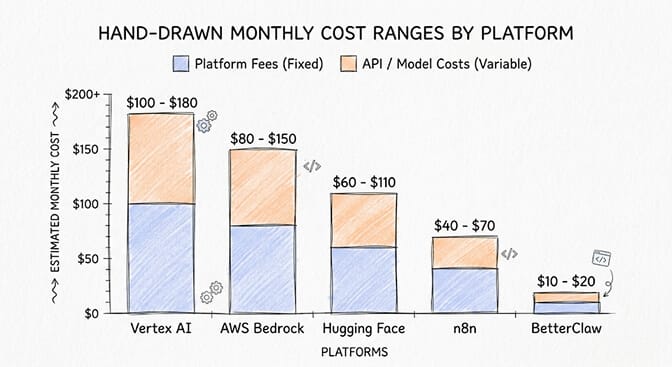
Here is what a support agent handling 10,000 user queries per month costs across platforms, assuming Gemini 3 Flash equivalent quality where applicable:
| Vertex AI | BetterClaw | n8n + Ollama | LangChain + API | CrewAI + API | |
|---|---|---|---|---|---|
| Platform / runtime fee | ~$150 to $300 | $0 (free) or $49 (Pro) | $0 to $5 (electricity) | $0 or $39 (LangSmith) | $0 to $25 |
| Model / API costs | ~$50 to $200 (Gemini) | Depends on BYOK provider | $0 (local model) | ~$30 to $100 | ~$60 to $200 |
| Search / retrieval costs | ~$40 to $60 (Vertex Search) | N/A | N/A | N/A | N/A |
| Session / memory costs | ~$15 to $30 | Included | N/A | Your implementation | Your implementation |
| Infrastructure overhead | Included in GCP | None | Your hardware + time | Your hosting | Your hosting |
| Estimated monthly total | $255 to $590+ | $0 to $149 | $0 to $5 + your time | $30 to $139 | $60 to $225 |
These are rough estimates. Your actual costs vary with query complexity, model choice, response length, context window usage, and whether you need search or retrieval. The point is not the exact numbers but the order-of-magnitude difference between a multi-meter enterprise platform and focused alternatives.
Verdict by Use Case
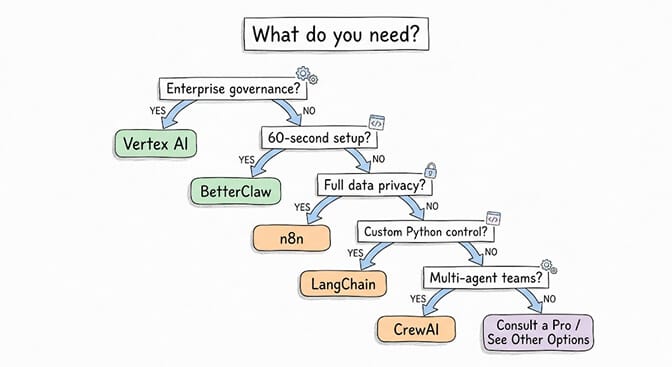
"I need enterprise-grade agents with Google Cloud integration and governance" = Stay with Vertex AI Agent Builder. If your organization already runs on GCP and needs SOC2 compliance, audit trails, IAM integration, and multi-agent orchestration at scale, the Gemini Enterprise Agent Platform is purpose-built for that. The cost and complexity are justified by the governance requirements.
"I want an agent running in 60 seconds without configuring cloud infrastructure" = BetterClaw. Free plan, no credit card, pick your model provider from 28+ options, and your agent is live. If it works for your use case, upgrade to Pro. If it does not, you spent 60 seconds finding out.
"I want full privacy and my data must never leave my infrastructure" = n8n + Ollama. Run the entire stack locally on your hardware. Your data never touches a third-party server. The tradeoff is operational maintenance and the limitations of local model quality compared to frontier APIs.
"I want maximum control and I am comfortable writing Python" = LangChain / LangGraph. You build exactly what you need with the most flexible building blocks available. No unnecessary abstraction. No platform constraints. Just you, Python, and whatever architecture you design.
"I need multiple agents collaborating on complex multi-step workflows" = CrewAI. The most mature framework specifically designed for multi-agent orchestration. Budget carefully for LLM costs because they compound across every agent in the crew.
"I want model flexibility without provider lock-in" = OpenRouter + your preferred frontend. One API key, 100+ models. Switch between them by changing a string. Pair with BetterClaw's BYOK if you want a ready-made agent interface without building one yourself.
Get Your First Agent Running Today
If you have been researching Vertex AI Agent Builder and you are not sure it is the right fit, start simpler. Build one agent that solves one real problem. See how it performs on actual user queries. Then decide whether you need enterprise infrastructure or whether a focused tool handles the job.
BetterClaw's free plan gives you 1 agent and 500 credits a month. Bring your own API key from any of 28+ providers including OpenRouter, Anthropic, OpenAI, Alibaba Cloud, MiniMax, and more. No credit card. No GCP account. No IAM configuration.
Start building your first agent for free.
Frequently Asked Questions
How much does Vertex AI Agent Builder cost?
There is no flat monthly fee. You pay across four separate meters: Agent Engine runtime ($0.0864 per vCPU-hour), memory ($0.0090 per GB-hour), session and Memory Bank events ($0.25 per 1,000), and Vertex AI Search ($1.50 to $6.00 per 1,000 queries depending on tier). Foundation model tokens are billed separately on top of all four. New Google Cloud customers get $300 in free credits valid for 90 days. Realistic monthly costs for a production support agent range from $200 to $2,000+ depending on query volume and complexity.
Is Vertex AI Agent Builder free?
Partially. Express Mode lets you use core tools like Vertex AI Studio and Agent Builder without enabling billing for up to 10 agent engines for 90 days. Vertex AI Search includes 10,000 free queries per month. New Google Cloud accounts get $300 in free credits for 90 days. These free tiers work for prototyping and testing but are not sufficient for production deployments.
What is the easiest alternative to Vertex AI Agent Builder?
BetterClaw is the fastest path to a working agent. Sign up, paste your API key, configure the agent behavior, and it is live. Under 60 seconds from start to a running agent. Free plan includes 1 agent, 500 credits a month, and BYOK model access across 28+ providers.
Can I use Vertex AI Agent Builder without Google Cloud?
No. Vertex AI Agent Builder runs exclusively on GCP infrastructure and requires an active Google Cloud account with billing configured. All five alternatives listed in this post can be used independently of Google Cloud.
Vertex AI Agent Builder vs Dialogflow: what is the difference?
Dialogflow CX is one component within the broader Vertex AI Agent Builder (now Gemini Enterprise Agent Platform). Dialogflow handles conversational flow design and intent matching. Vertex AI Agent Builder wraps Dialogflow with Agent Engine (managed runtime), Agent Studio (visual builder), Model Garden (200+ foundation models), and governance controls. Think of Dialogflow as one specialized tool inside the larger Agent Builder platform.
Skip the four-meter invoice.
Build one agent that solves one real problem in under a minute. BYOK across 28+ providers, predictable cost, zero cloud config. Free forever, not a trial. Start free →