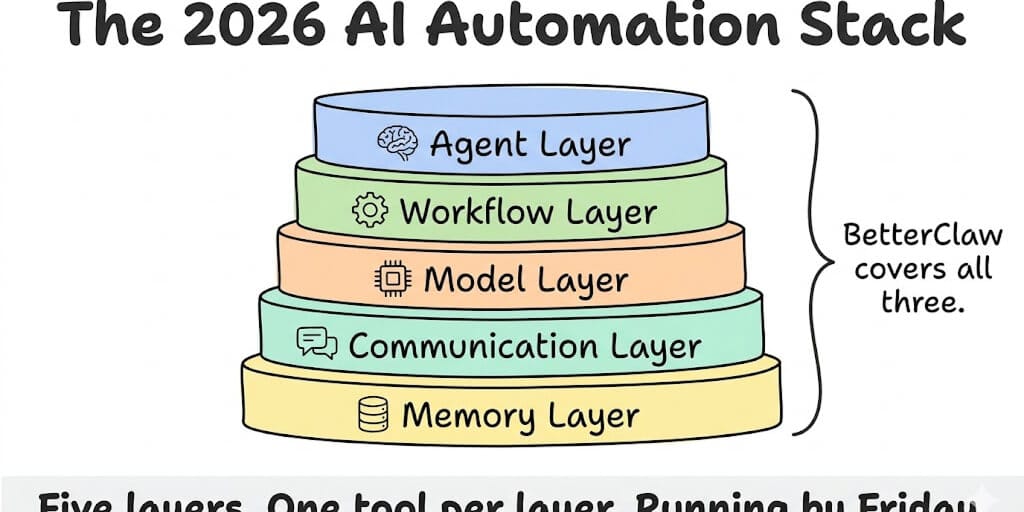
Not a list of 50 tools. An opinionated, five-layer stack that actually works together. Pick one tool per layer, deploy in a weekend.
Last quarter I watched an ops lead spend six weeks evaluating AI automation tools. She had a spreadsheet with 47 tools, color-coded by category, with a scoring matrix for each one.
Six weeks later she'd picked nothing.
The problem isn't that there aren't enough good tools. The problem is there are too many, and nobody tells you how they fit together. A chatbot builder isn't a workflow tool. A workflow tool isn't an autonomous agent. An autonomous agent isn't useful without a model provider and a place to communicate.
You need a stack, not a tool. And most AI automation tool lists give you 50 names without explaining what goes where.
This is the opinionated stack guide I wish existed when we started building. Five layers. One primary recommendation per layer. One alternative. Honest tradeoffs. The whole thing can be running by the end of the week.
Layer 1: The AI Agent Layer (the brain)
This is the piece that actually thinks. The agent receives a task, reasons about it, uses tools to get information or take action, and delivers a result. Everything else in the stack supports this layer.
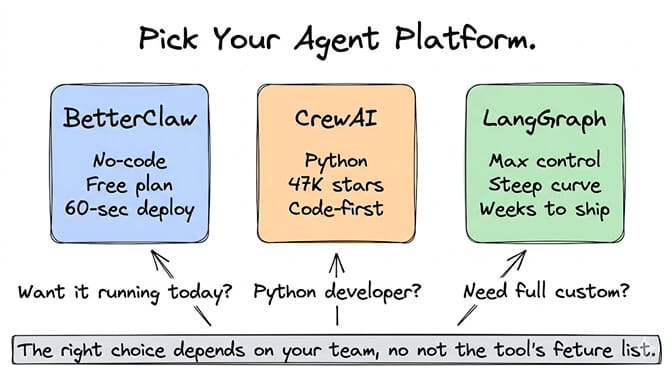
Primary pick: BetterClaw (no-code, ships today)
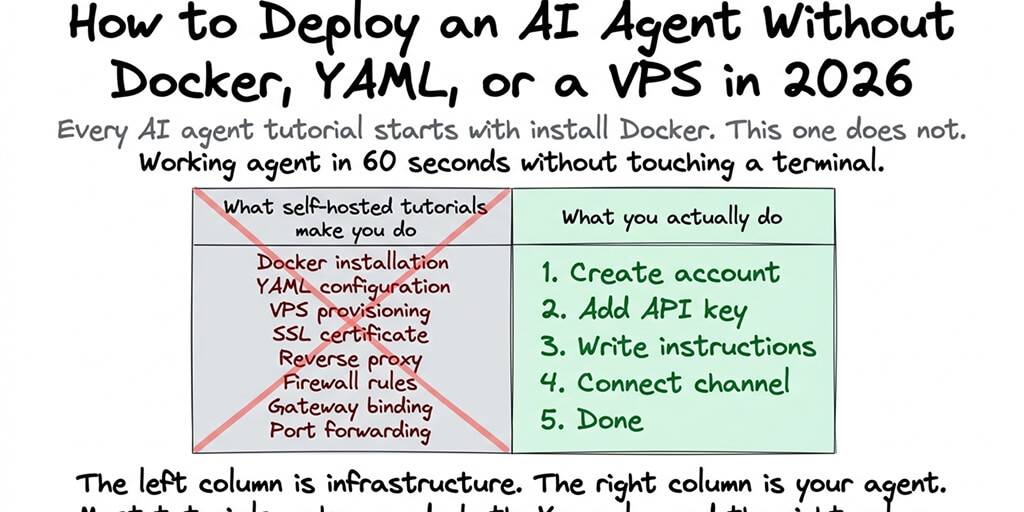
BetterClaw is a no-code AI agent builder. You sign up, connect your LLM key, write your agent's instructions, pick your integrations, and deploy. The whole process takes about 60 seconds.
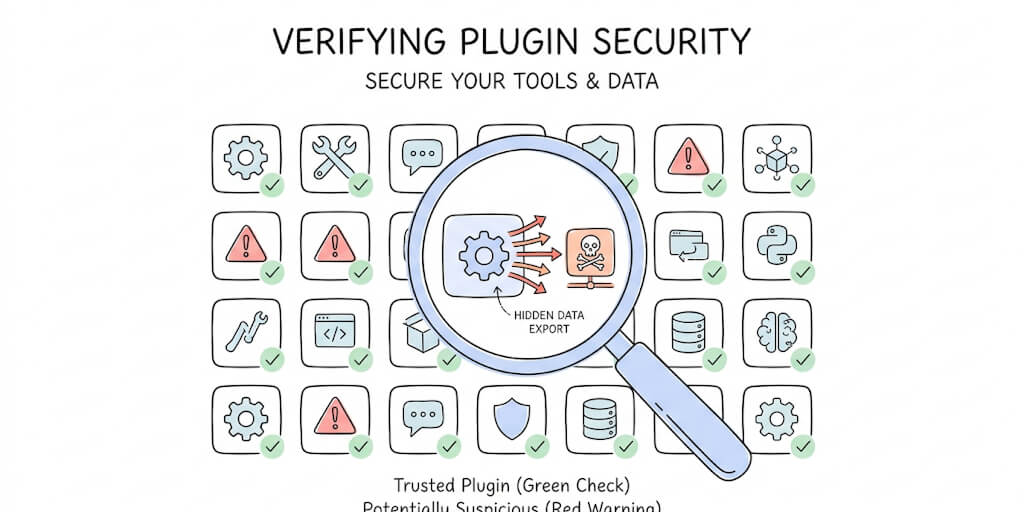
Why it's the primary pick: Unlimited skills, with a 4-layer security audit on our curated set. 120+ connectors (Gmail, HubSpot, Slack, GitHub, Jira, and more). 28+ model providers via BYOK with zero inference markup. Telegram, Slack, Discord and Gmail built in, plus webhooks. Built-in persistent memory with hybrid vector + keyword search. Trust levels with action approval and a one-click kill switch.
Pricing: Free plan ($0/month, 1 agent, 100 credits/month). Pro ($49/month). Business ($149/month). Enterprise (custom).
Best for: Non-technical founders, ops leads, marketers, small business owners, and any team that wants a working agent before the end of the day. For marketers, our AI marketing agent page shows what that looks like: competitor monitoring, content briefs and social drafts in your brand voice. 50+ companies use it in production, including Carelon, Grainger, and Robert Half.
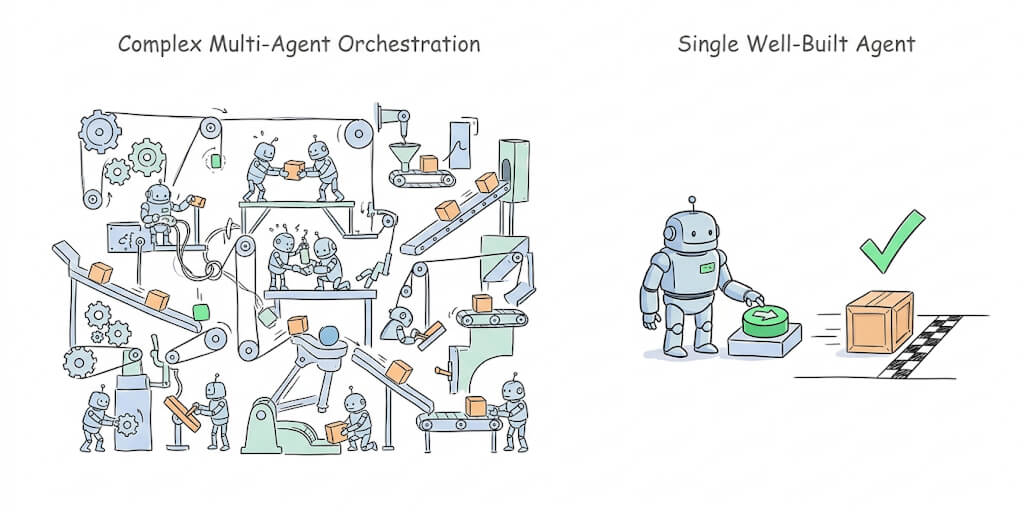
The tradeoff: If you need to write custom Python logic inside your agent, BetterClaw's visual builder won't satisfy you. You need a code-first framework.
Alternative: CrewAI (code-first, multi-agent)
CrewAI is an open-source multi-agent framework with 47,000+ GitHub stars. Used by IBM, PepsiCo, and DocuSign. 100,000+ certified developers through their learning platform.
Best for: Python developers who want role-based agent design and full code control. CrewAI lets you define agents with specific roles (researcher, writer, reviewer) that collaborate on complex tasks.
The tradeoff: Requires Python. No hosting included on the open-source version. You manage the infrastructure. Enterprise tier is available for managed deployment.
Also worth knowing: LangGraph
Maximum flexibility. Maximum complexity. LangGraph (from the LangChain team) gives you full control over agent state, flow, and behavior. If CrewAI is a sports car, LangGraph is a race car kit. You build everything from components.
Best for: Teams with dedicated AI engineers who need architectures that don't fit into any framework's opinions. Expect weeks of development before your first production agent.
Layer 2: The Workflow Layer (the plumbing)
Agents think. Workflows connect. This layer handles the "when X happens, do Y" logic between your agent and the rest of your tools.
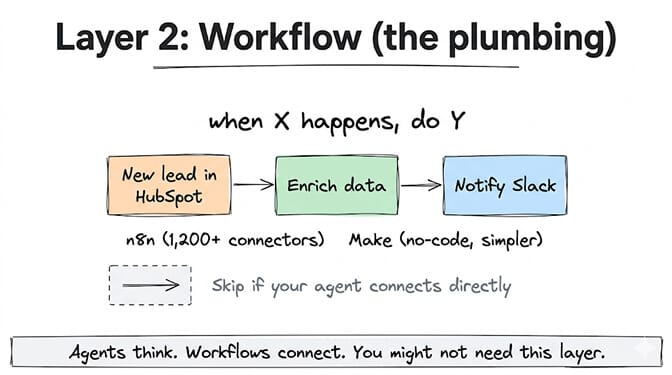
Here's the thing most people get wrong: you might not need this layer at all. If your agent connects directly to the tools it needs (Gmail, Slack, HubSpot), a separate workflow tool adds complexity without value. BetterClaw's 120+ connectors handle most scenarios without a workflow layer in between.
But if your automation involves complex conditional logic, multi-step sequences across 10+ tools, or data transformations between systems, a dedicated workflow tool earns its spot.
Primary pick: n8n (open-source, 1,200+ connectors)
n8n is an open-source workflow automation platform with over 1,200 connectors. Self-hosted or cloud-hosted. Visual builder with code flexibility when you need it.
Best for: Teams that need complex multi-step workflows across many tools. The connector library is the largest in the open-source space.
The tradeoff: n8n is workflow automation, not an autonomous agent platform. No persistent memory. No trust levels. No agent reasoning. It orchestrates steps. It doesn't think. We compare the two approaches head to head in BetterClaw vs n8n.
Alternative: Make (no-code, simpler)
Make (formerly Integromat) is the visual workflow builder for teams that don't code. Easier to use than n8n. Fewer connectors but cleaner UX.
Best for: Marketers and ops leads who need "when a new lead arrives in HubSpot, enrich it with Clearbit, and notify Slack."
When to skip this layer entirely
If your agent needs to read Gmail, update a CRM, and send Slack messages, BetterClaw's built-in integrations handle that without a separate workflow tool. Adding n8n or Make between your agent and your tools introduces latency, another failure point, and another subscription. Use a workflow layer only when you need conditional logic or data transformations that your agent platform doesn't support natively.
Layer 3: The LLM Provider Layer (the models)
Every agent needs a brain, and brains come at very different price points. For a full pricing breakdown, check our complete LLM pricing guide.
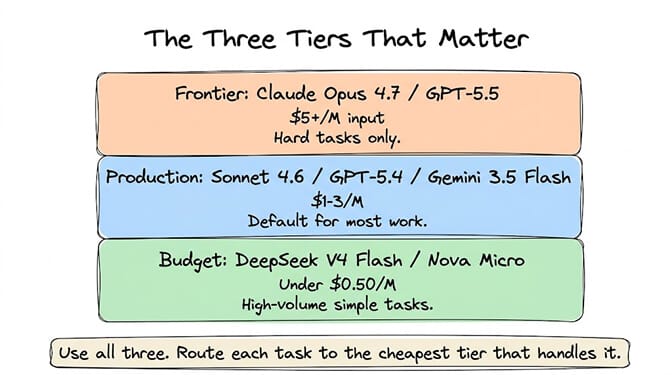
The short version:
For most agent workloads: Claude Sonnet 5.5 ($2/$10 per MTok) or GPT-5.4 ($2.50/$15). Best balance of quality, speed, and cost.
For budget-first teams: DeepSeek V4 Flash ($0.14/$0.28). Cheapest frontier-capable model. Handles 80% of tasks that Sonnet handles.
For coding agents: Claude Opus 4.7 ($5/$25). Leads SWE-Bench at 87.6%.
For free: Google Gemini 2.0 Flash has 1,000 free requests/day. Grok is free through SuperGrok ($30/month flat).
The smart move: use more than one. Budget model for simple tasks. Production model for most work. Frontier model for the hard stuff. This multi-tier approach, called model routing, cuts costs by 70-90%. Not sure which model fits which task? Our LLM selection framework settles it in four questions.
BetterClaw supports BYOK across all 28+ providers. Paste keys from different providers. Assign different models to different tasks. Zero markup. You pay providers directly.
Layer 4: The Communication Layer (where your agent lives)
Your agent needs a home. The platform where humans interact with it.
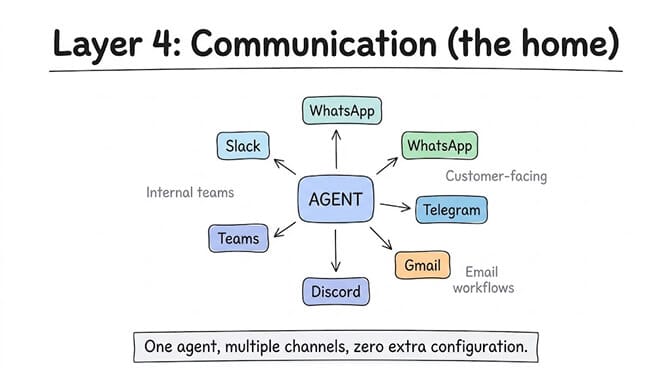
For internal teams: Slack is the default. Most companies already use it. Your agent becomes another team member in the channel.
For customer-facing: WhatsApp (3B+ users globally), Telegram (900M+ users), or embedded chat on your website.
For developer teams: Discord for community support agents. GitHub for code review agents.
For email workflows: Gmail or Outlook integration. The agent monitors your inbox and acts on what it finds.
The key question is: does your agent platform support the channel you need?
BetterClaw has Telegram, Slack, Discord and Gmail built in, plus webhooks and 120+ connectors. One agent, multiple channels, zero extra configuration. If you're using CrewAI or LangGraph, you'll build channel integrations yourself. That is the practical appeal of being able to build AI agents without code: the channels are checkboxes rather than client libraries you maintain.
Layer 5: The Memory Layer (what your agent remembers)
This is the layer most people forget, and it's the reason most AI agent projects feel "dumb" after the first week.
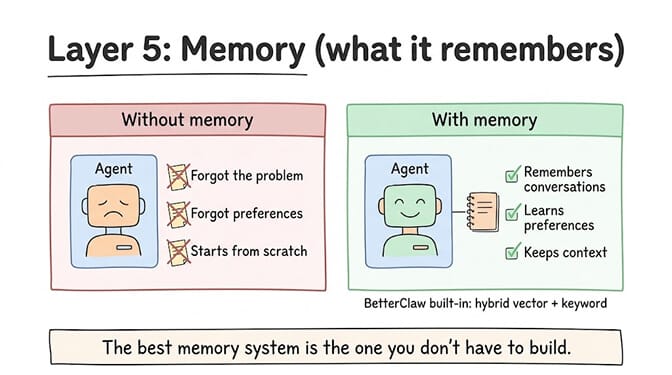
Without persistent memory, every conversation starts from scratch. Your agent doesn't remember that the customer already explained their problem twice. It doesn't remember that the CEO prefers bullet points over paragraphs. It doesn't remember that the last time it tried to book a meeting with that contact, the contact preferred Tuesdays.
The DIY approach: vector databases
Pinecone, Weaviate, Qdrant, Chroma. These store information as vector embeddings that the agent retrieves when relevant. Setup requires: choosing a database, configuring an embedding model, building ingestion pipelines, tuning retrieval parameters, and maintaining the infrastructure.
Best for: Teams with a dedicated ML engineer who needs fine-grained control over what gets stored and how it's retrieved.
The tradeoff: Weeks of setup. Ongoing tuning. Another service to maintain and pay for.
The simpler approach: built-in memory
BetterClaw includes persistent memory with hybrid vector + keyword search out of the box. 7-day memory on the free plan. Longer on Pro and Enterprise. No separate database to configure. No embedding pipeline to build. The agent remembers conversations, learns preferences, and maintains context across sessions.
The best memory system is the one you don't have to build. If you're spending weeks setting up Pinecone, ask yourself: is the memory the product, or is the agent the product?
The stack that actually ships
Here's where it comes together. Two stacks for two types of teams:
The "ship it Friday" stack:
Agent layer: BetterClaw (free plan, 60-second deploy). Model layer: Claude Sonnet 5.5 or DeepSeek V4 Flash via BYOK. Communication: Slack or Telegram (built-in). Memory: BetterClaw's built-in persistent memory. Workflow: skip it (BetterClaw's 120+ connectors handle most scenarios). Total cost: $0 to $49/month + token costs. Start here.
The "maximum control" stack:
Agent layer: CrewAI or LangGraph. Model layer: OpenAI or Anthropic API. Communication: custom-built channel integrations. Memory: Pinecone or Weaviate. Workflow: n8n for multi-system orchestration. Total cost: $50 to $500/month + significant engineering time.
Both stacks work. One ships in an afternoon. One ships in a quarter. Pick based on your team's skills and timeline, not on which tool has the most GitHub stars.
The honest part about AI automation tools in 2026
Gartner predicts 40% of enterprise apps will embed AI agents by the end of 2026. McKinsey estimates the addressable value of AI automation at $2.6 to $4.4 trillion. The tools exist. The models are good enough. The costs have dropped to the point where a useful agent runs for less than a Netflix subscription.
But here's the thing nobody says at AI conferences: the bottleneck isn't the tools. It's deciding what to automate first.
The founders who succeed with AI automation don't start with the tools. They start with one annoying, repetitive task that eats 5+ hours per week. Then they build one agent to handle it. Then they measure whether it works. Then they expand.
If any of this resonated, give BetterClaw a look. Free plan with 1 agent and 100 credits a month. $49/month for Pro. Unlimited skills. 28+ model providers. Telegram, Slack, Discord and Gmail built in, plus webhooks and 120+ connectors. Built-in memory. Your first deploy takes about 60 seconds. We handle three layers of the stack so you can focus on the part that matters: what your agent actually does.
Frequently Asked Questions
What are the best AI automation tools in 2026?
The best AI automation stack in 2026 has five layers: an agent platform (BetterClaw for no-code, CrewAI for code-first), a workflow tool (n8n for complex orchestration, or skip it if your agent platform handles integrations natively), an LLM provider (Claude Sonnet 5.5 for quality, DeepSeek V4 Flash for budget), a communication channel (Slack, Telegram, WhatsApp), and a memory layer (built-in persistent memory or a vector database like Pinecone). BetterClaw collapses the agent, communication, and memory layers into one platform.
How does BetterClaw compare to n8n or Zapier for AI automation?
They solve different problems. n8n and Zapier are workflow automation tools. They connect apps and trigger sequences ("when X happens, do Y"). BetterClaw is an autonomous agent platform. It reasons, makes decisions, uses tools, and handles tasks without step-by-step instructions. Use BetterClaw for autonomous AI agents. Use n8n for complex multi-step workflows between many tools. Many teams use both, but most start with just the agent layer.
How much does an AI automation stack cost per month?
A "ship it Friday" stack costs $0 to $80/month: BetterClaw free plan ($0) or Pro ($49), plus API tokens ($5-30/month on a mid-tier model). A "maximum control" stack costs $100 to $500+/month: self-hosted agent framework, vector database, workflow tool, and significant engineering time. For detailed cost breakdowns by use case, see our AI agent cost guide.
Do I need a vector database for my AI agent?
Not necessarily. Vector databases (Pinecone, Weaviate) are powerful for custom RAG pipelines and fine-grained retrieval control. But for most AI agent use cases, built-in memory is sufficient and far simpler. BetterClaw includes persistent memory with hybrid vector + keyword search on every plan. Skip the separate database unless you have specific retrieval requirements that justify the setup cost (typically weeks of engineering).
Can a non-technical founder build an AI automation stack?
Yes, if you pick the right tools. BetterClaw is specifically built for non-technical users. No code, no Docker, no terminal. The visual builder handles agent creation, integrations, and deployment. Pair it with a mid-tier model (Claude Sonnet 5.5 or DeepSeek V4 Flash) via BYOK, and you have a complete AI automation stack running in under 10 minutes.