The difference between an AI agent that saves you 2 hours a day and one that sits idle isn't the platform. It's the workflow design. Here are the 5 patterns that work.
A founder told me last month that she'd been on BetterClaw's free plan for two weeks and hadn't built anything yet.
Not because the platform was confusing. Not because she didn't have use cases. Because she kept staring at the blank instructions field thinking: "What do I actually tell this thing to do?"
She had the tool. She had the integrations. She had the API key connected. What she didn't have was the AI agent workflow pattern.
That's the gap nobody talks about. Every article covers "what is an AI agent" and "which platform should I use." Almost nobody covers the part that actually matters: how to design the workflow so the agent does useful work.
Here are 5 proven patterns. Each one includes the scenario, the design logic, and a step-by-step setup you can implement today. Pick one. Build it. Add another next week.
Pattern 1: Triage and Route
The scenario: Your support inbox gets 80 emails a day. 60% are routine (order status, password resets, shipping questions). 30% need a human (complex issues, billing disputes, product complaints). 10% are urgent (service outages, security incidents, payment failures).
You or your team reads all 80. Responds to 48 routine ones. Routes 24 to the right person. Flags 8 urgent ones. That's 3-4 hours of someone's day. Every day.
The AI agent workflow:
Agent reads every incoming email. Classifies by urgency (P1 urgent, P2 important, P3 routine) and category (billing, shipping, technical, account). For P3 tickets, the agent drafts a response using your knowledge base and sends it. For P2, it drafts a response and routes to the right team member via Slack with context. For P1, it sends an immediate notification to Slack with a summary and flags it for human action.
Setup on BetterClaw (10 minutes):
Connect Gmail via OAuth. Connect Slack via OAuth. Set trust level to Specialist (agent sends P3 replies autonomously, escalates P1/P2). Write instructions defining your classification rules and response style. Deploy.
Expected result: 60% of emails handled autonomously. 40% routed with context to the right person. Your team starts the day with 30 emails that need attention instead of 80.
One of our users, James Porter at Redwood Capital, went from 24-hour first response to under 5 minutes using this exact pattern.
Pattern 2: Monitor and Alert
The scenario: You want to know when competitors change pricing, launch features, or update their website. Currently, you check 5-10 competitor websites manually. Some weeks you remember. Most weeks you don't. By the time you notice a competitor dropped their price, three customers have already asked you about it.
The AI agent workflow:
Agent checks 5-10 competitor URLs daily on a scheduled cron. Compares the current page content to the previous snapshot stored in memory. If significant changes are detected (pricing changes, new features, new blog posts, positioning shifts), it compiles a change report. Sends the report to your Telegram (or Slack, or email) with a summary of what changed and why it might matter.
Setup on BetterClaw (8 minutes):
Connect Tavily Search skill for web research. Connect Telegram for delivery. Set a daily heartbeat schedule. Write instructions listing your competitor URLs and what constitutes a "significant change." Deploy.
Expected result: Daily competitive intelligence without manual checking. You find out about competitor moves within 24 hours instead of whenever you remember to check.
The best AI agent workflows aren't complex. They're specific. One clear trigger, one clear action, one clear delivery channel.
Pattern 3: Qualify and Escalate
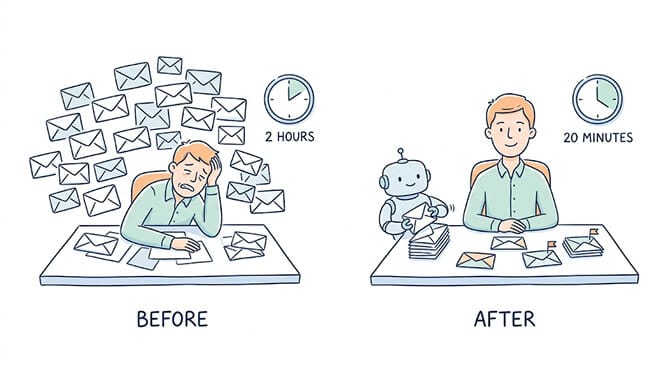
The scenario: Your startup gets 20 inbound leads per day via email. You (the founder) handle all of them manually. You spend 2 hours each morning reading emails, checking LinkedIn profiles, Googling companies, and deciding who's worth a meeting.
Half the leads are clearly unqualified. A quarter need nurturing. A quarter are ready for a conversation. But you spend equal time on all of them.
The AI agent workflow:
Agent reads each inbound email. Scores against criteria you define: company size (50+ employees = qualified), industry (SaaS, fintech, ecommerce = qualified), job title (VP/Director = decision-maker), and budget signals (mentions pricing, asks about enterprise features, references specific needs = high intent).
If qualified: drafts a personalized response referencing the prospect's specific situation. Proposes meeting times pulled from your connected Google Calendar.
If not qualified: sends a polite redirect to self-serve resources or routes to a nurture sequence.
Setup on BetterClaw (12 minutes):
Connect Gmail. Connect Google Calendar. Write your qualification criteria in plain English. Set trust level to Intern for week 1 (you review every draft). Promote to Specialist after validating accuracy. Deploy.
Expected result: You spend 20 minutes reviewing the agent's work instead of 2 hours doing it from scratch. Qualified leads get a response in minutes instead of hours. We covered the full AI sales agent setup in a separate deep-dive if you want more detail on the qualification logic.
Pattern 4: Summarize and Brief
The scenario: You wake up to 47 unread emails, 3 calendar meetings, and 12 Slack messages. You spend 30-45 minutes just figuring out what happened overnight. By the time you're caught up, your first meeting starts and you haven't made a single proactive decision.
The AI agent workflow:
Agent scans your email, calendar, and Slack at 6:30 AM (30 minutes before you usually start). Summarizes everything into four categories: urgent items needing immediate attention, meetings today with key context (agenda, attendees, prep notes), emails that need a response (with draft suggestions), and FYIs you can skip for now.
Sends a formatted morning briefing to your Telegram before you open any other app.
Setup on BetterClaw (6 minutes):
Connect Gmail. Connect Google Calendar. Connect Telegram. Set a daily heartbeat cron for 6:30 AM. Write instructions defining what counts as urgent, what needs a response, and what's an FYI. Deploy.
Expected result: Morning context in 2 minutes instead of 45. You walk into your first meeting knowing exactly what happened overnight.
This is the pattern I recommend starting with. It's the fastest to set up (6 minutes), lowest risk (it only reads and summarizes, it doesn't take actions), and highest immediate impact (you feel the time savings on day one).
If you're on BetterClaw's free plan and not sure where to begin, start here. Build the morning briefing. Live with it for a week. Then add Pattern 1 (Triage and Route) when you're ready for the agent to start taking actions.
Every pattern in this article works on BetterClaw's free plan ($0, no credit card, 500 credits/month). If you need more agents, more credits, and hourly scheduling, Pro is $49/month. But start free. Validate the workflow first.
Pattern 5: Schedule and Follow Up
The scenario: You send 30 emails a day. 40% of them need follow-ups. You forget half of those follow-ups. Three days later, you check your sent folder and realize you never heard back from 6 people who needed a response. Two of them were potential clients.
The AI agent workflow:
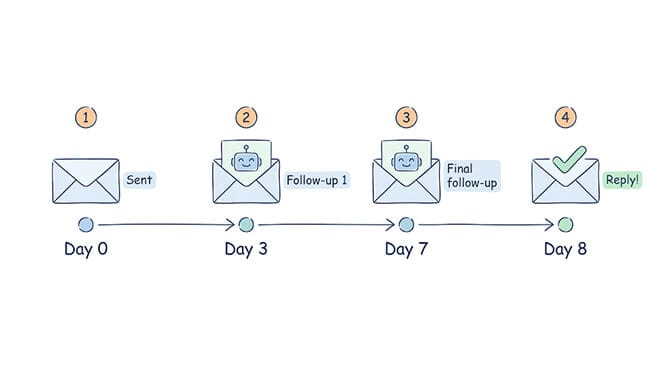
Agent tracks your sent emails. For emails you've flagged (or all emails to specific categories of recipients), it monitors for replies. If no reply after 3 days, the agent drafts a polite follow-up. If no reply after 7 days, it sends a final follow-up. All follow-ups are logged.
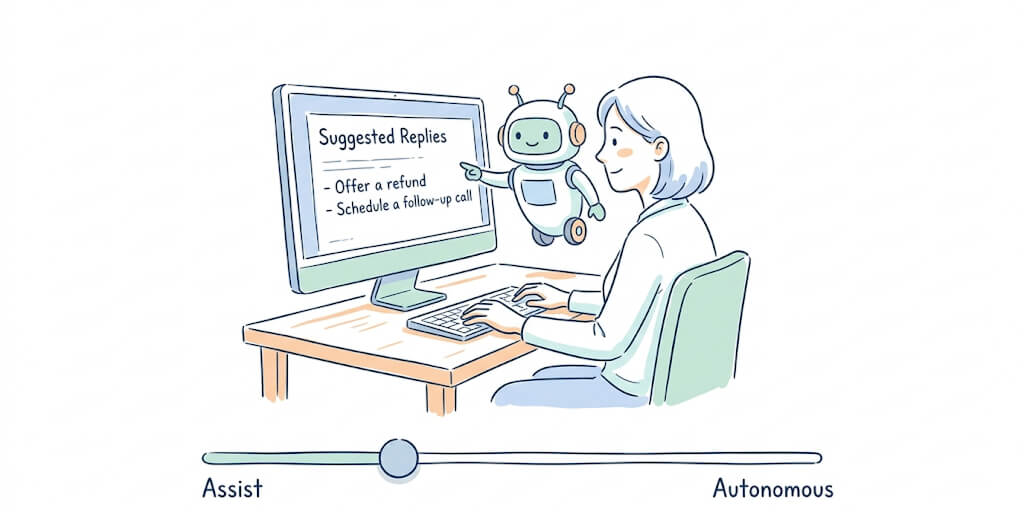
In Intern mode: the agent drafts follow-ups and waits for your approval. In Specialist mode: it sends routine follow-ups automatically and flags sensitive ones (high-value prospects, C-suite contacts) for your review.
Setup on BetterClaw (10 minutes):
Connect Gmail. Write follow-up rules (timing, tone, which recipients get automatic follow-ups vs flagged). Set trust level based on how autonomous you want the follow-ups to be. Deploy.
Expected result: Zero dropped follow-ups. 30% higher response rate on outbound email. That's not a guess. Follow-up research consistently shows that 44% of salespeople give up after one email, but 80% of deals require 5 or more follow-ups.
The pattern that ties them all together
Here's what these 5 patterns have in common.
Each one has a clear trigger (email arrives, cron fires, no reply detected). Each one has a clear action (classify, draft, summarize, follow up). Each one has a clear delivery (send reply, route to Slack, deliver to Telegram). And each one has a clear trust boundary (what the agent does automatically vs what goes through a human).
The best AI agent workflow is the one that matches a real problem you have today. Not the most impressive one. The most useful one.
Gartner predicts 40% of enterprise applications will embed AI agents by end of 2026. McKinsey estimates the addressable value at $2.6 to $4.4 trillion. But the teams capturing that value aren't building elaborate multi-agent orchestration systems. They're running Pattern 1 on their support inbox and Pattern 4 on their morning routine. Simple workflows. Compounding value.
If you want to understand how these workflow patterns fit into the broader AI agent builder ecosystem, we compared 7 platforms and covered which ones handle these use cases best.
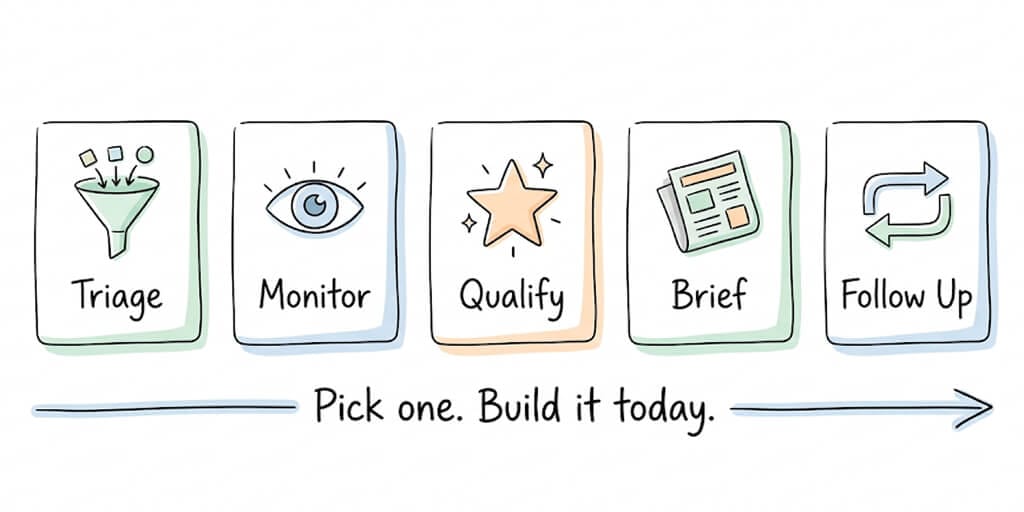
Pick one. Build it today.
The biggest mistake people make with AI agents isn't choosing the wrong platform. It's trying to build everything at once.
Pick the pattern that maps to your biggest daily time sink. Build it. Run it for a week. Adjust the instructions based on what the agent gets right and wrong. Then add a second pattern.
Pattern 4 (Summarize and Brief) is the fastest to build and safest to start with. Pattern 1 (Triage and Route) delivers the biggest ongoing time savings. Pattern 3 (Qualify and Escalate) has the clearest ROI for founders.
Start with one. The rest will follow.
Give BetterClaw a shot. Free plan with 1 agent and 500 credits a month. $49/month for Pro. Pick a pattern from this article. Build it in 6-12 minutes. Your first workflow runs today, not next quarter. Start here.
Frequently Asked Questions
What is an AI agent workflow?
An AI agent workflow is the structured sequence of triggers, decisions, and actions that an AI agent follows to complete a task. For example: "when an email arrives (trigger), classify it by urgency (decision), and either respond automatically or escalate to a human (action)." Good workflow design is the difference between an agent that saves hours per day and one that sits idle. The five core patterns are: triage and route, monitor and alert, qualify and escalate, summarize and brief, and schedule and follow up.
How do I design a workflow for my AI agent?
Start with your biggest daily time sink. Identify the trigger (what starts the task), the decision (what the agent needs to evaluate), and the action (what should happen). Write the instructions in plain English. On BetterClaw, this means connecting the relevant integrations (Gmail, Slack, Calendar), setting the trust level (Intern for human review, Specialist for semi-autonomous), and deploying. Most workflows take 6-12 minutes to set up. Start simple and add complexity after the basic pattern works.
What is the best first workflow to build with an AI agent?
The morning briefing (Pattern 4: Summarize and Brief) is the best starting workflow. It takes 6 minutes to set up, it only reads data (doesn't take actions), and you feel the time savings immediately. Connect Gmail, Calendar, and a messaging channel. Set a daily 6:30 AM schedule. The agent scans everything and sends you a formatted summary. Zero risk, high impact. Once you're comfortable, add the Triage and Route pattern for your support inbox.
How long does it take to set up an AI agent workflow?
On BetterClaw: 6-12 minutes depending on the pattern. Summarize and Brief: 6 minutes. Monitor and Alert: 8 minutes. Triage and Route: 10 minutes. Schedule and Follow Up: 10 minutes. Qualify and Escalate: 12 minutes. All setup is no-code (plain English instructions + OAuth integration clicks). On code-first frameworks (CrewAI, LangGraph), expect 4-8 hours for your first workflow including environment setup and hosting configuration.
Can AI agents follow up on emails automatically?
Yes. BetterClaw's Schedule and Follow Up pattern tracks sent emails and drafts follow-ups when no reply is received within a timeframe you define (typically 3 days for first follow-up, 7 days for final follow-up). In Intern mode, you review every follow-up before it sends. In Specialist mode, routine follow-ups send automatically while sensitive contacts get flagged for review. Setup takes about 10 minutes. Research shows 80% of deals require 5+ follow-ups but 44% of salespeople give up after one.