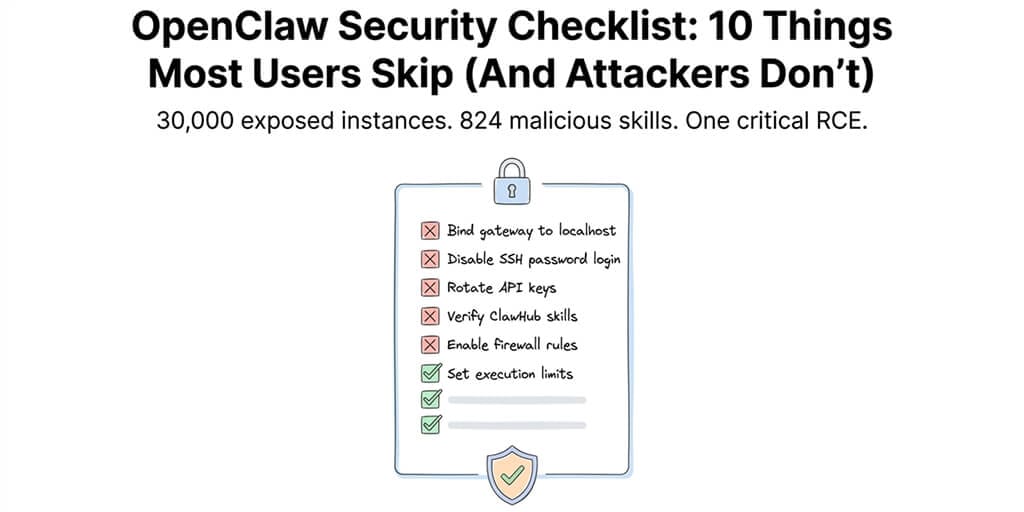
30,000 exposed instances. 824 malicious skills. One critical RCE. Here's the hardening guide nobody follows.
The Shodan alert hit my inbox at 6:14 AM. Someone had indexed my OpenClaw gateway. Port 18789, wide open, broadcasting to the entire internet.
My API keys were sitting in ~/.openclaw/openclaw.json in plaintext. My Anthropic key. My OpenAI key. My Telegram bot token. Everything.
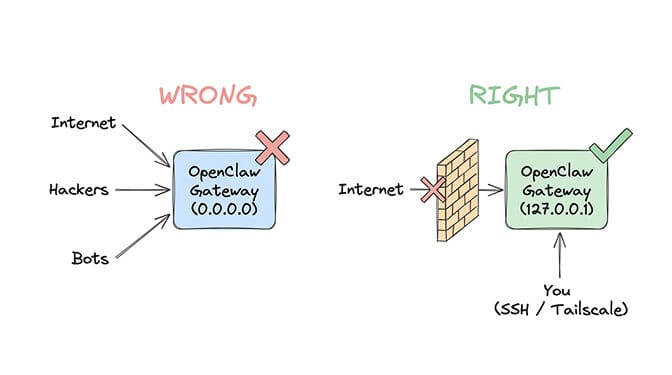
I'd left the gateway bound to 0.0.0.0 instead of 127.0.0.1. One character difference. The difference between "only I can access this" and "anyone on the internet can access this."
I got lucky. I caught it in hours. Others weren't so lucky.
Censys, Bitsight, and Hunt.io found over 30,000 internet-exposed OpenClaw instances running without authentication. An infostealer campaign in February 2026 specifically targeted the ~/.openclaw/openclaw.json config file on cloud VPS installations, exfiltrating every API key it found. Compromised keys were used to rack up thousands of dollars in fraudulent charges.
This is the OpenClaw security checklist I wish someone had given me before I exposed my entire agent stack to the public internet. Ten items. Most users skip all of them.
1. Bind your gateway to localhost (not 0.0.0.0)
This is the single most important OpenClaw security fix and the one most people get wrong.
By default, some setup guides configure the gateway to listen on 0.0.0.0:18789, which means it accepts connections from any network interface. If your server has a public IP, that means the entire internet can reach your gateway.
The fix takes 30 seconds:
openclaw configure
# Select "Local (this machine)"
Or manually in ~/.openclaw/openclaw.json:
{
  "gateway": {
    "bind": "loopback"
  }
}
Verify it worked:
ss -tlnp | grep 18789
# Should show 127.0.0.1:18789, NOT 0.0.0.0:18789
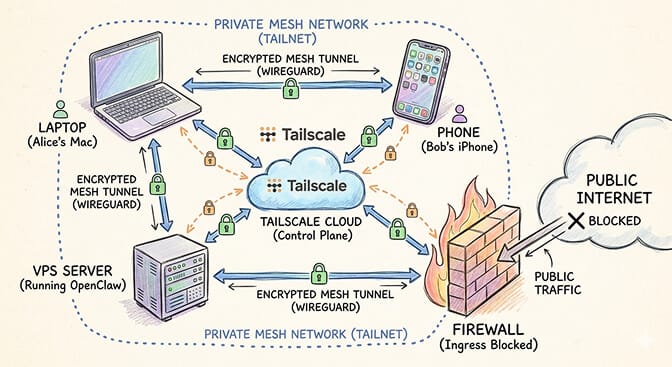
If you need remote access, use Tailscale Serve or an SSH tunnel. Never expose the gateway port directly.
2. Disable SSH password authentication
If you're running OpenClaw on a VPS (and you should be, instead of your personal machine), SSH is how you access it. Password-based SSH authentication is the first thing attackers brute-force.
The February 2026 infostealer campaign exploited exactly this: weak SSH passwords on VPS instances running OpenClaw. Once inside, reading the config file was trivial.
# In /etc/ssh/sshd_config:
PasswordAuthentication no
ChallengeResponseAuthentication no
sudo systemctl restart sshd
Use SSH key authentication exclusively. If you lose your key, you can recover through your VPS provider's console. If an attacker guesses your password, you lose everything.
3. Set file permissions on the OpenClaw config directory
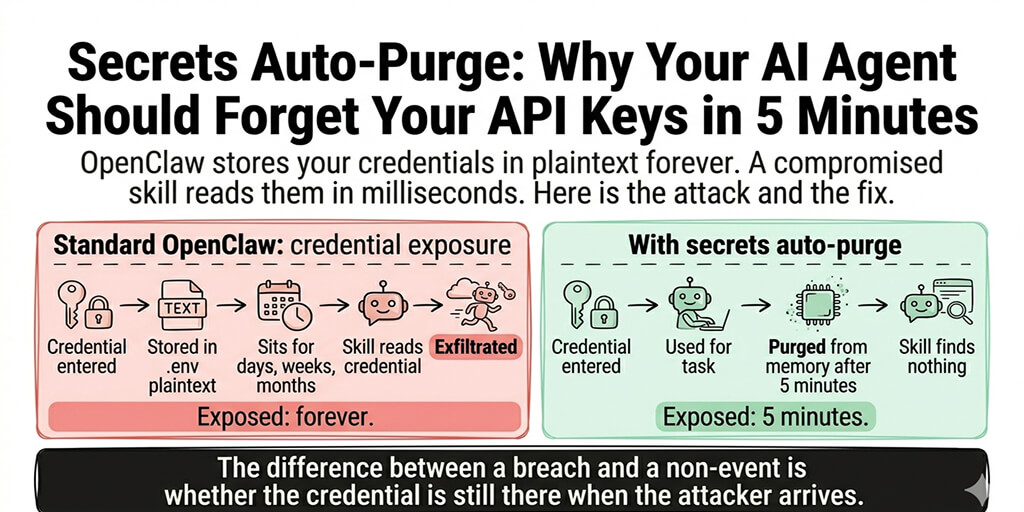
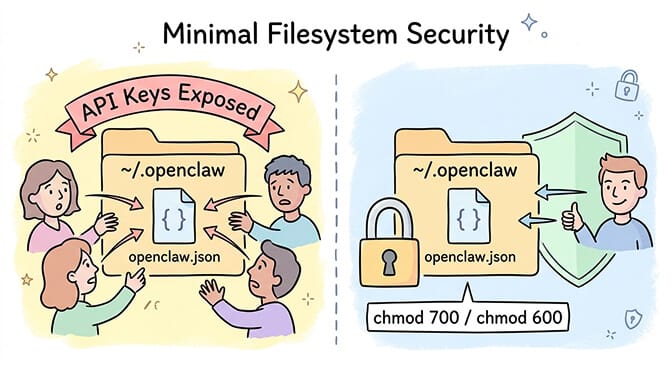
Your ~/.openclaw/openclaw.json file contains API keys in plaintext. Every key your agent uses: Anthropic, OpenAI, Telegram bot tokens, OAuth credentials. All of it, readable by anyone with access to the file.
chmod 700 ~/.openclaw
chmod 600 ~/.openclaw/openclaw.json
This restricts access to your user account only. No other system users can read your config. It's not encryption (we'll get to that), but it's the minimum baseline. A managed AI agent platform that encrypts secrets at rest and purges them from memory after use removes this step from your list entirely.
Microsoft's security blog explicitly recommends treating OpenClaw installations as containing sensitive credentials that require dedicated access controls. Their guidance: run OpenClaw only in fully isolated environments with dedicated, non-privileged credentials.
For a deeper look at every documented security incident in the OpenClaw ecosystem, our comprehensive guide to OpenClaw security risks covers the CrowdStrike advisory, Cisco findings, and the full ClawHavoc analysis.
4. Configure UFW (and actually enable it)
A firewall that's installed but not enabled is decoration. Surprisingly common on VPS setups where people install UFW during initial provisioning and never turn it on.
sudo ufw default deny incoming
sudo ufw default allow outgoing
sudo ufw allow 22/tcp
sudo ufw limit 22/tcp
sudo ufw enable
That's it. Deny all incoming except SSH (with rate limiting to slow brute-force attempts). OpenClaw's gateway should be on localhost, so it doesn't need an open port.
If you're running other services (web server, etc.), open only the ports you need: sudo ufw allow 80/tcp and sudo ufw allow 443/tcp.
A VPS with no firewall, password SSH, and OpenClaw bound to 0.0.0.0 is not a server. It's a donation box for your API keys.
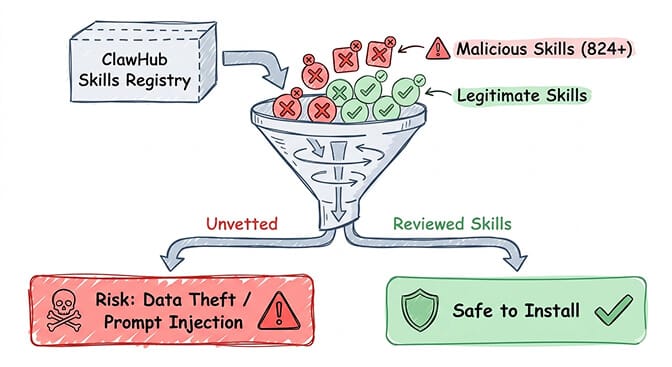
5. Vet every ClawHub skill before installing
The ClawHavoc campaign found 824+ malicious skills on ClawHub. That's roughly 20% of the entire skills registry. One in five skills was compromised.
Cisco independently found a third-party skill performing data exfiltration without user awareness. The skill looked legitimate, functioned as advertised, and quietly sent data to an external server in the background.
Before installing any skill:
- Read the source code. Every skill is JavaScript or TypeScript. If you can't read it, don't install it.
- Check the publisher's profile and other contributions.
- Search for the skill name in OpenClaw's GitHub issues for reports.
- Start with skills maintained by the OpenClaw core team.
- Avoid skills with low download counts and no community verification.
For guidance on which skills are actually worth installing (and have been community-vetted), our guide to the best OpenClaw skills ranks options by reliability and safety.
6. Run the built-in security audit
OpenClaw includes a security scanning tool that most users never run.
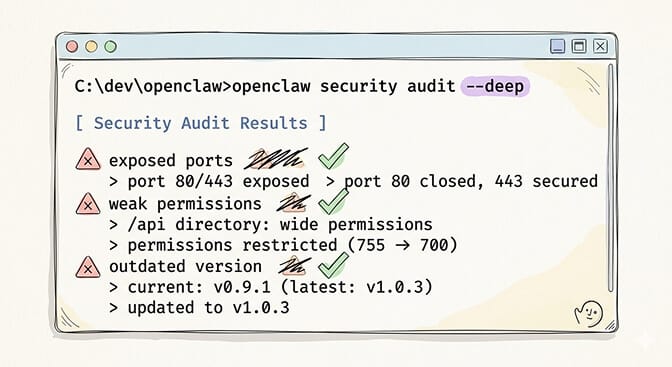
openclaw security audit --deep
This checks your configuration for common vulnerabilities: exposed ports, weak authentication, overly permissive file access, and known CVE exposure. It won't catch everything, but it catches the obvious stuff.
Run it after initial setup. Run it again after any config change. Run it after every OpenClaw update. The project had three CVEs disclosed in a single week in early 2026, including CVE-2026-25253 (one-click RCE, CVSS 8.8). Patches exist, but only if you apply them.
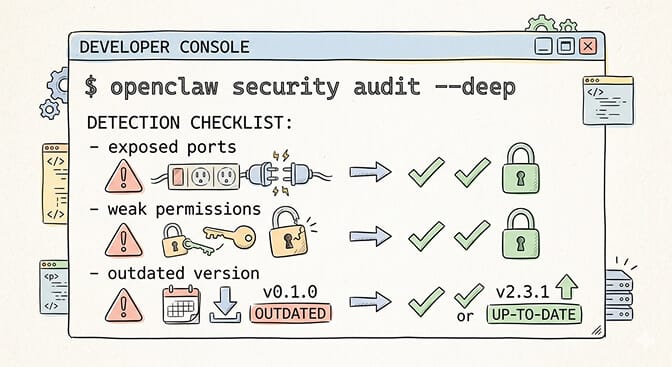
Watch: OpenClaw Security Hardening and Safe Setup Guide If you want to see the security audit and hardening process in action, this community walkthrough covers gateway binding, firewall configuration, credential management, and the specific config changes that prevent the most common attack vectors. Watch on YouTube
7. Use Tailscale instead of exposing ports
Here's the OpenClaw security approach that eliminates an entire category of risk: don't expose any ports to the public internet at all.
Tailscale creates a private mesh network between your devices. Your VPS, your laptop, your phone: they all connect through encrypted tunnels without opening any public ports.
- Install Tailscale on your VPS and your access devices.
- Access the OpenClaw dashboard through the Tailscale IP.
- No port forwarding. No firewall holes. No public exposure.
The Hetzner + Tailscale setup documented on Medium (the "$2.50 secure VPS" guide) is the gold standard for self-hosted OpenClaw security. Zero exposed ports. Zero public attack surface.
If you don't want to manage Tailscale, VPS security, or any of this infrastructure yourself, Better Claw handles security natively with Docker-sandboxed execution, AES-256 credential encryption, and zero exposed ports. $49/month for Pro, BYOK. No security checklist needed because the checklist is built into the platform.
8. Set maxIterations and maxContextTokens on every skill
This isn't just a cost control measure. It's a security control.
A prompt injection attack can cause your agent to enter an infinite loop, executing commands repeatedly. Without iteration limits, a single malicious prompt can trigger hundreds of tool calls, each one potentially executing shell commands on your system.
{
  "maxIterations": 15,
  "maxContextTokens": 4000,
  "maxSteps": 50
}
Set these on every skill. They cap how many actions your agent can take per request. A failed task costs you nothing. A runaway injection loop costs you control of your server.
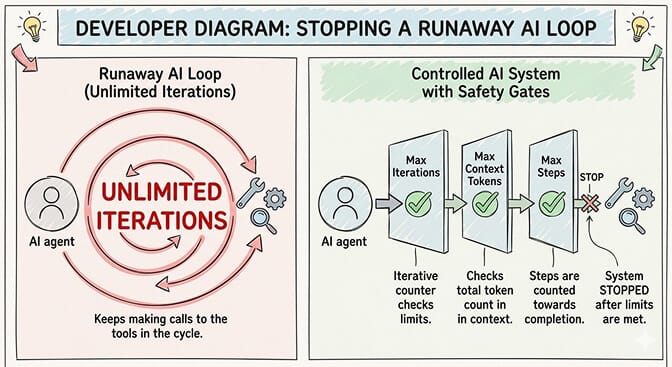
CrowdStrike's advisory specifically flagged unbounded agent execution as one of the top enterprise risks. Prompt injection is an inherent architectural risk when your agent processes untrusted content like emails and web pages. Limits don't eliminate the risk. They contain the blast radius.
9. Run OpenClaw in Docker with security flags
If you're self-hosting, Docker isolation is non-negotiable. But standard docker run isn't enough. You need restrictive security flags:
docker run -d \
  --read-only \
  --cap-drop=ALL \
  --security-opt=no-new-privileges \
  openclaw
--read-onlyprevents the container from writing to the filesystem (except mounted volumes).--cap-drop=ALLremoves all Linux capabilities.--security-opt=no-new-privilegesprevents privilege escalation inside the container.
Contabo's OpenClaw security guide walks through the full Docker hardening process. The key principle: your agent should have the minimum permissions needed to function. Nothing more.
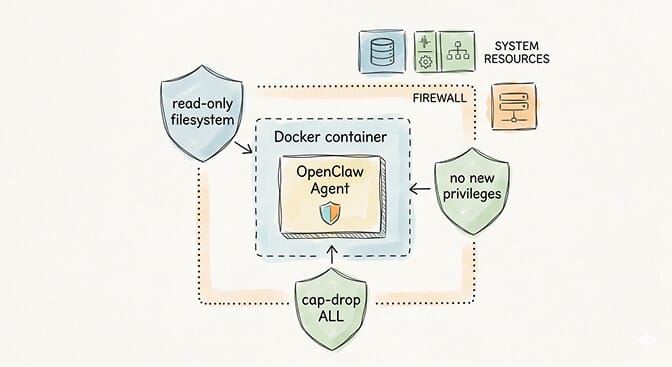
For understanding how OpenClaw works at the architecture level and why Docker isolation matters for the gateway model, our explainer covers the execution flow.
10. Keep OpenClaw updated (seriously)
This sounds obvious. It isn't happening.
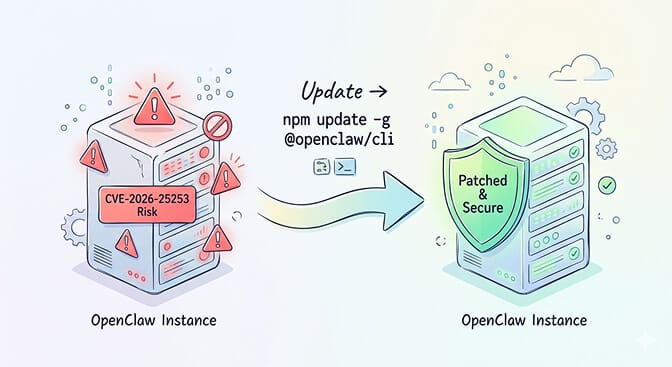
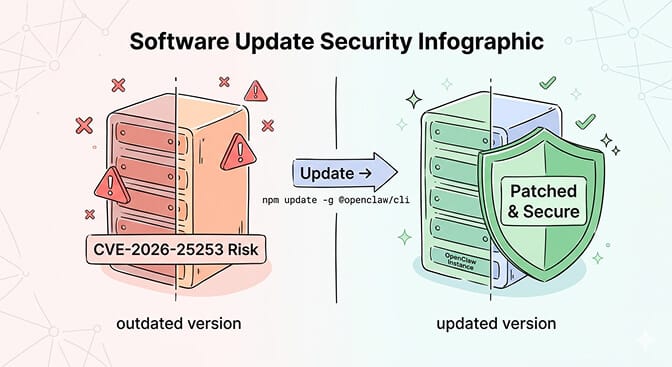
CVE-2026-25253 allowed one-click remote code execution with a CVSS score of 8.8. It was patched in v2026.1.29. Researchers found that self-hosted instances without monitoring stayed vulnerable for weeks because operators didn't know about the patch.
The project had three CVEs disclosed in a single week. Each patch requires downloading, testing, and deploying. If you skip one, you're running a known-vulnerable agent with access to your email, calendar, and API keys.
The Oasis Security team found a separate vulnerability (ClawJacked) where any website could hijack an OpenClaw instance via localhost WebSocket. The fix required updating to v2026.2.25 or later.
npm update -g @openclaw/cli
openclaw gateway restart
Run this weekly. Or set up a cron job. Or use a managed platform that handles updates automatically.
The uncomfortable truth about self-hosted OpenClaw security
OpenClaw's own maintainer, Shadow, put it bluntly: "If you can't understand how to run a command line, this is far too dangerous of a project for you to use safely."
That's not gatekeeping. It's an honest assessment from someone who understands what this software does. It has admin-level access to your messaging apps, email, calendar, files, and shell. A single misconfiguration exposes all of it.
Microsoft's security blog recommends against running OpenClaw on standard workstations. Meta banned it internally after a researcher's agent mass-deleted her emails. Elon Musk's tweet about "people giving root access to their entire life" hit 48K+ engagements.
The security responsibility for a self-hosted OpenClaw instance is real. 10 checklist items, each requiring technical knowledge and ongoing attention. Miss one and you're part of the 30,000+ exposed instances that researchers keep finding.
Some people have the skills and discipline to maintain this. They should self-host. For everyone else, the managed vs. self-hosted comparison is worth reviewing honestly.
If this checklist felt like more than you want to manage, if you'd rather spend your time building agent workflows than hardening servers, give Better Claw a try. It's $49/month for Pro, BYOK, every item on this checklist is handled automatically (Docker sandboxing, AES-256 encryption, gateway security, auto-updates, anomaly detection), and your first agent deploys in 60 seconds. We built it because we got tired of maintaining this checklist ourselves.
Frequently Asked Questions
What are the biggest OpenClaw security risks?
The three biggest risks are: exposed gateway ports (30,000+ instances found without authentication), malicious ClawHub skills (824+ compromised skills, ~20% of the registry), and plaintext API key storage in the config file (targeted by an infostealer campaign in February 2026). CVE-2026-25253 also allowed one-click remote code execution until patched. CrowdStrike, Cisco, and Microsoft have all published advisories on OpenClaw security.
How do I fix the OpenClaw gateway exposed on 0.0.0.0?
Run openclaw configure and select "Local (this machine)" to bind the gateway to localhost only. Or manually set "bind": "loopback" in the gateway section of your ~/.openclaw/openclaw.json. Verify with ss -tlnp | grep 18789, which should show 127.0.0.1:18789. For remote access, use Tailscale or SSH tunnels instead of exposing the port publicly.
How do I secure my OpenClaw API keys from theft?
Set file permissions on your config directory: chmod 700 ~/.openclaw and chmod 600 ~/.openclaw/openclaw.json. Disable SSH password authentication and use key-based auth only. Configure a firewall (UFW) to deny all incoming except SSH. For production deployments, use environment variables instead of hardcoding keys in the config file. Better Claw encrypts all credentials with AES-256 automatically.
Is self-hosted OpenClaw safe enough for business use?
It can be, but it requires significant security effort. You need Docker isolation with restrictive flags, firewall configuration, SSH hardening, regular patching (three CVEs in one week in early 2026), skill vetting, and ongoing monitoring. Microsoft recommends running OpenClaw only in fully isolated environments. For business use without a dedicated security team, managed platforms handle these requirements automatically.
How does Better Claw handle OpenClaw security?
Better Claw addresses every item on this checklist automatically: Docker-sandboxed execution (isolated containers per agent), AES-256 encryption for all credentials, zero exposed ports, automatic security updates, vetted skill marketplace, real-time anomaly detection with auto-pause, and workspace scoping with granular permission controls. $49/month for Pro, BYOK.