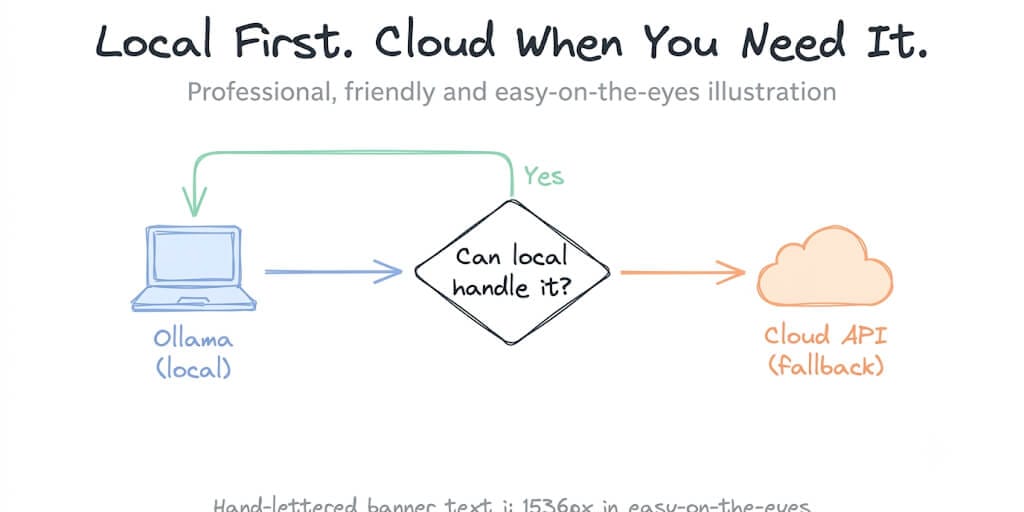
Run local when you can, fall back to cloud when you need to, and stop choosing between privacy and power.
The email triage agent I built ran perfectly on a Gemma 7B model served through Ollama on my laptop. Classify incoming emails, tag priorities, send summaries to Slack. Fast, free, private. My data never left my machine.
Then a user asked the agent to summarize a 40-page contract PDF attached to an email. Gemma choked on it. Not enough context window. Not enough reasoning depth. The kind of task that genuinely needs a frontier model.
I had two choices. Upgrade to a machine that could run a 70B model locally (expensive, loud, hot). Or send the hard tasks to a cloud API while keeping everything else local.
I picked both. And once the pattern clicked, I couldn't believe I'd ever thought of local versus cloud as a binary decision.
Local-first, cloud safety net, zero plumbing.
Connect your Ollama endpoint and your cloud API key. BetterClaw handles the routing and the fallback logic. Free forever, not a trial. Start free → No credit card · No Docker · No config files
Why "just use Ollama" and "just use the cloud" are both wrong
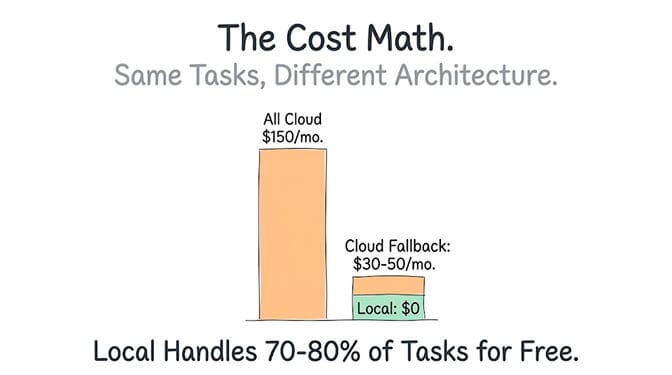
The case for running everything locally is real: zero token costs, full privacy, no vendor dependency. A developer spending $150 a month on cloud APIs accumulates $1,800 per year. A local setup on a used RTX 3090 at roughly $500 street price breaks even in about four months.
But local has a ceiling, and that ceiling is your hardware. A 7B model on a 16GB laptop handles classification and short-form generation well. It does not handle multi-document synthesis, complex reasoning across long context, or reliable tool calling on intricate schemas.
The case for running everything in the cloud is also real: frontier models like Claude Sonnet or GPT-4.1 can handle anything you throw at them, and you never worry about VRAM.
But you're paying for every token. Claude Sonnet 4.6 costs $3 per million input tokens and $15 per million output. DeepSeek V3 costs $0.14 input and $0.28 output. That's a 20 to 50x price difference between frontier and budget tiers, and for the 70 to 80 percent of agent tasks that are simple classification, formatting, and short extraction, you're dramatically overpaying.
The right architecture isn't local or cloud. It's local first, cloud when the task demands it, with a fallback chain that makes the switch invisible to the agent's workflow.
How Ollama cloud fallback actually works in 2026
Here's where the 2026 Ollama story gets interesting compared to even a year ago. Ollama now supports cloud-hosted models alongside local inference. Cloud models are identified by a :cloud suffix and are routed through Ollama's own proxy infrastructure, which means you can use the exact same OpenAI-compatible API endpoint for both local and cloud models without changing your code.
A local call hits http://localhost:11434. A cloud call to, say, kimi-k2.5:cloud goes through the same interface but gets proxied to Ollama's remote servers. Your agent code doesn't know the difference.
But that's not even the real problem. The real question is: who decides which tasks go local and which go cloud?
The simple version: manual fallback chains
In OpenClaw, you set a primary model and a list of fallbacks in your agent config. If the primary model fails, times out, or returns a provider error, the framework automatically tries the next model in the chain.
primary: "ollama/gemma4"
fallbacks: ["ollama/qwen3.5:cloud", "anthropic/claude-sonnet"]
This handles the simplest case: your local model either can't process the request (too long, too complex, tool schema failure) or your laptop is asleep, and the agent gracefully escalates to cloud without the user knowing anything broke.
The smarter version: task-based routing
The manual fallback is reactive. It waits for something to fail. A smarter version routes proactively based on what the task needs before sending it to the model.
The pattern, from the token cost optimization techniques we covered in a previous post, is model routing: classify the task's complexity first, then send it to the cheapest model that can handle it.
A practical routing split looks like 70 percent of queries going to a budget or local model, 20 percent to a mid-tier model, and 10 percent to a premium model. This can reduce average cost by 60 to 80 percent compared to sending everything to the same frontier model.
For an Ollama-plus-cloud setup, that translates to:
- Local (Ollama, $0): email classification, short summaries, formatting, simple extraction, any task under 4K tokens of context that doesn't require tool calling.
- Cloud budget tier (DeepSeek, Gemini Flash, $0.10-0.28/M tokens): moderate complexity, light tool calling, tasks that need a larger context window than your local model supports.
- Cloud frontier (Sonnet, GPT-4.1, $3-8/M input): multi-document synthesis, complex reasoning, long-context tool-calling workflows, anything where accuracy directly affects outcomes.
The part nobody tells you: the hard part of this architecture isn't the code. It's deciding where each task type belongs. That's a judgment call that depends on your specific agent's workflow, and it's the reason most guides on this topic give you the config syntax but not the decision framework.
What should stay local (always)
Some tasks should never leave your machine regardless of whether your cloud model could handle them faster.
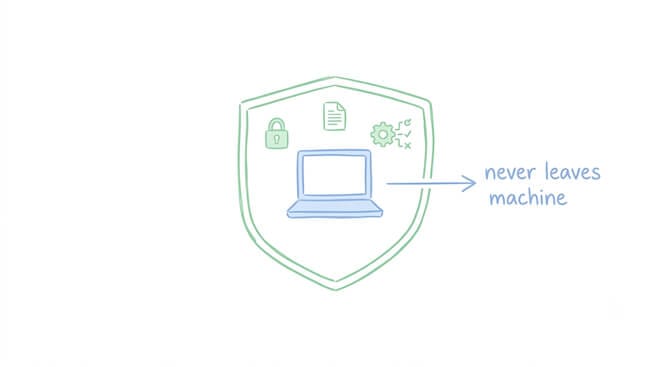
Anything touching sensitive data. Client information, financial records, employee data, health records. A recent survey found that 63 percent of employees who used AI tools in 2025 pasted sensitive company data including source code into personal chatbot accounts. Running locally is the only architecture that makes "your data never leaves your machine" a structural guarantee rather than a policy hope.
High-frequency, low-complexity tasks. If your agent classifies 200 emails per day and each classification takes 500 tokens, that's 100K input tokens daily. On Sonnet, that's $0.30 per day, $9 per month, just for classification. On Ollama, that's $0 per day forever. The quality difference on a binary classification task between a 7B local model and a frontier cloud model is negligible.
Development and testing. When you're iterating on prompts, debugging agent behavior, or testing new workflows, the instant feedback of a local model with no rate limits and no cost per call is worth the quality tradeoff. You switch to cloud for final validation, not for every iteration.
What should go to the cloud (selectively)
Tool-calling workflows. This is the honest caveat most "just use Ollama" guides skip. Some local models handle simple prompts but struggle with the full agent tool surface. Reliable function calling on complex schemas still favors frontier models. If your agent needs to call a Gmail API, parse the structured response, decide what to do, and call a Slack API in sequence, test that path on your local model before you trust it. Small models frequently drop arguments, hallucinate function names, or fail to follow multi-step tool sequences.
Long-context tasks. A 7B model with a 32K context window can't process a 40-page document. That's not a quality problem, it's a math problem. Cloud models with 200K to 1M token windows handle this natively.
Tasks where accuracy directly impacts outcomes. If the agent is drafting a client proposal, generating code that goes into production, or making a classification that triggers a financial action, the quality gap between a local 7B and a frontier cloud model matters, and it's worth paying for.
If managing which tasks go where sounds like exactly the kind of routing you'd rather not build from scratch, that's a meaningful part of what platforms like BetterClaw handle for you. Our visual agent builder supports 28+ model providers, including local Ollama endpoints, with zero markup on inference. You set the routing, the platform handles the fallback logic and the cost tracking. Free plan, no credit card, one agent, every feature.
The config that actually works
Here's a minimal working example for an OpenClaw agent that runs Gemma locally for simple tasks and falls back to a cloud model when the local one can't handle it.
{
  "models": {
    "providers": {
      "ollama-local": {
        "baseUrl": "http://localhost:11434",
        "apiKey": "ollama-local",
        "api": "ollama",
        "contextWindow": 32768,
        "models": [{ "id": "gemma4", "input": ["text"] }]
      }
    }
  },
  "agents": {
    "defaults": {
      "model": {
        "primary": "ollama-local/gemma4",
        "fallbacks": ["anthropic/claude-sonnet"]
      }
    }
  }
}
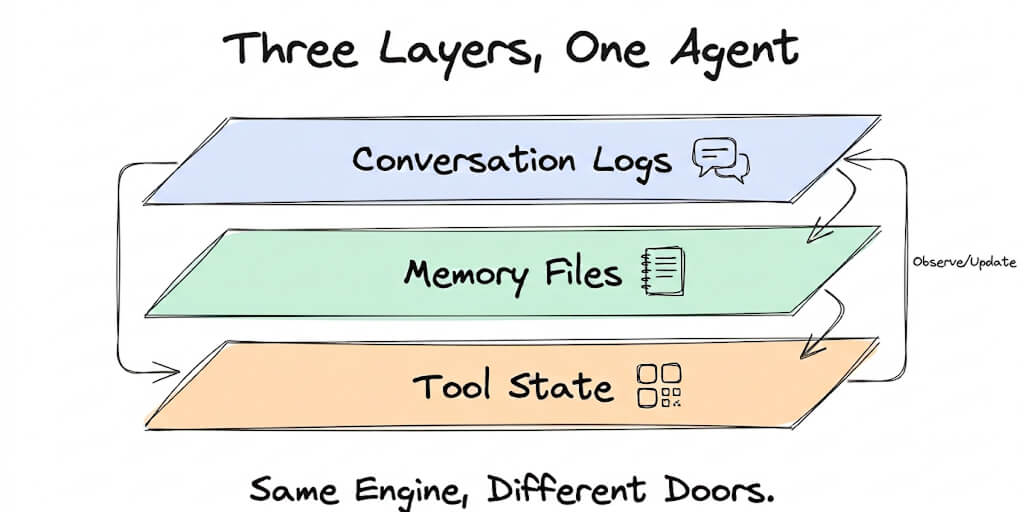
What this does: every task goes to your local Gemma first. If Ollama returns a provider error (the model can't handle the tool schema, the context is too long, or the machine is asleep), OpenClaw automatically retries with Claude Sonnet. Your conversation, memory files, and agent state carry over transparently.
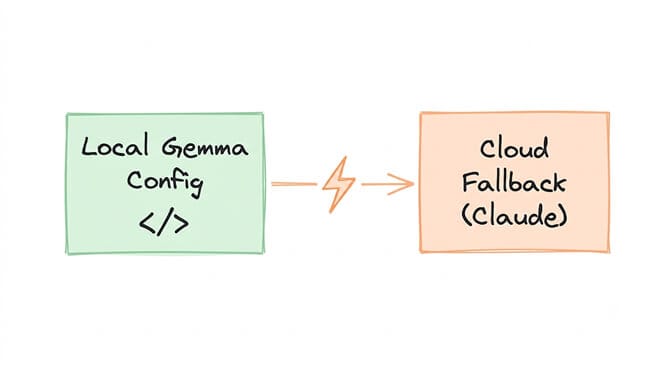
What this doesn't do: it doesn't proactively route based on task complexity. For that, you'd add a lightweight classifier that checks the input length and estimated complexity before choosing a model, which is a more involved setup but straightforward if you're comfortable with the OpenClaw config surface.
For anyone running into issues with response truncation or context limits during this kind of setup, our guide to fixing truncated responses covers the diagnostics in detail, since the same context-length problems that cause truncation are usually the same ones that trigger the cloud fallback in the first place.
The real tradeoff nobody talks about
Here's what I wish someone had told me before I spent a weekend building this: the hardest part of a local-plus-cloud architecture isn't the technical setup. It's maintaining it.
Your local model gets updated. The API format changes slightly. The cloud provider updates their tool-calling schema. Your Ollama version needs upgrading because the old one doesn't support the new model format. A GGUF quantization you were using gets deprecated.
Every seam between two systems is a future maintenance task. And when you're running an agent that handles real work, silently, in the background, a seam that breaks at 2 AM doesn't announce itself politely.
This is the honest argument for a managed platform over a DIY stack. Not that you can't build it yourself. You clearly can, the configs above work. But that the time you spend maintaining the seams between local and cloud is time you're not spending on what the agent actually does.
If you'd rather have the infrastructure maintained for you while keeping full control over which models your agent uses, give BetterClaw a try. Free plan with one agent, every feature, and 500 credits a month. $49 a month for Pro when you need 5 agents and 12,000 credits. Bring your own API keys, including a local Ollama endpoint, and pay providers directly with zero markup. Your first deploy takes about 60 seconds. We maintain the seams. You decide what the agent should do.
The local-plus-cloud split isn't a temporary hack while we wait for local models to catch up to frontier. It's the permanent architecture for anyone who cares about both cost and quality at the same time. The models will keep improving on both sides. The economics of paying frontier prices for classification tasks will never make sense.
Frequently Asked Questions
What is an Ollama cloud fallback?
An Ollama cloud fallback is an architecture where your AI agent runs a local model through Ollama as the primary, and automatically switches to a cloud API like Claude or GPT-4.1 when the local model can't handle a task due to context length, tool-calling complexity, or hardware limitations. The switch is transparent to the user and the agent's workflow.
How does Ollama cloud routing compare to using only cloud APIs?
Running a local-plus-cloud setup can reduce monthly API costs by 60 to 80 percent compared to routing everything through a frontier cloud model, because the majority of agent tasks (classification, short summaries, simple extraction) run for free on a local model. The cloud model only gets called for the 20 to 30 percent of tasks that genuinely need frontier reasoning or long context windows.
How do I set up Ollama with a cloud fallback for my agent?
In most agent frameworks like OpenClaw, you define a primary model pointing to your local Ollama instance and a fallback list pointing to one or more cloud providers. When the local model returns a provider error (context too long, tool schema failure, timeout), the framework automatically retries with the next model in the chain. The code example in this post shows a working config.
How much does an Ollama local-plus-cloud setup cost per month?
Ollama itself is free. The local inference cost is effectively $0 once you own the hardware. Cloud fallback costs depend on how often the agent escalates to cloud and which cloud model it uses. A typical agent handling email triage with Gemma locally and Sonnet as fallback runs $30 to $50 per month in cloud costs versus $150 or more for an all-cloud setup.
Is Ollama reliable enough for production AI agents?
For the tasks that fit within a local model's capabilities (classification, formatting, short generation), Ollama is stable and widely used in production. The reliability concern is specifically around complex tool calling and long-context tasks, which is exactly what the cloud fallback exists to handle. The architecture plays to each layer's strength rather than asking either one to do everything.