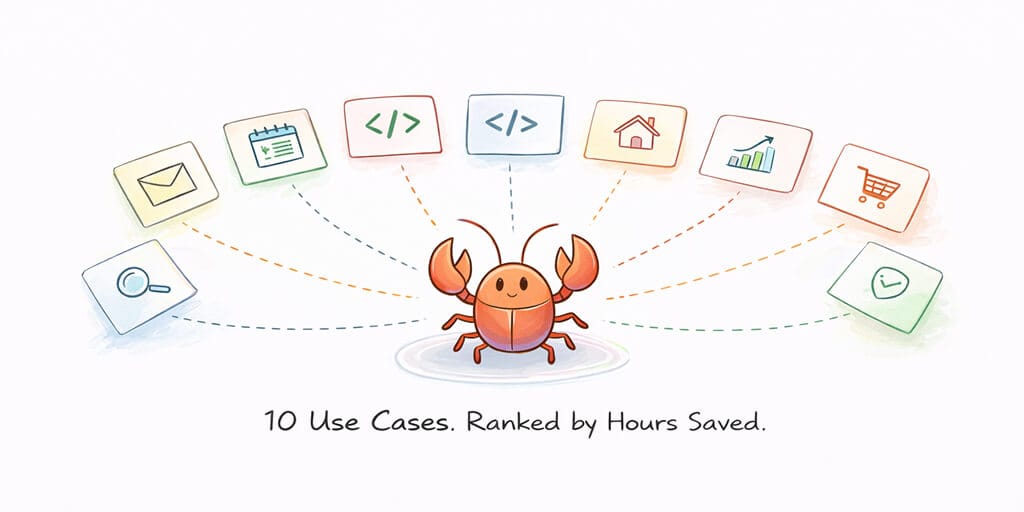
Everyone lists 50+ OpenClaw automations. Nobody tells you which ones matter. Here are the 10 that real users swear by, ranked by actual time saved.
I counted 85 OpenClaw use cases on one blog. Eighty-five.
Someone else published 35. Another did 25. There's a GitHub repo that just keeps growing. And every single one of them left me with the same question: where do I actually start?
Because here's what nobody tells you about OpenClaw use cases: most of them sound incredible in a tweet and fall apart the moment you try to run them for more than a day. The cool ones get the retweets. The boring ones save you actual time.
I've spent the last several weeks watching what the OpenClaw community is actually building, reading through the showcase on openclaw.ai, digging through GitHub repos, and testing workflows on our own deployments at BetterClaw. What follows is not a dump list. It's the 10 use cases that real people are running in production, ranked by how much time they genuinely save per week.
Start with one. Get it working. Then expand.
That's the pattern every successful OpenClaw user follows. The ones who install 15 skills on day one are the ones posting about security nightmares on Reddit two weeks later.
Let's get into it.
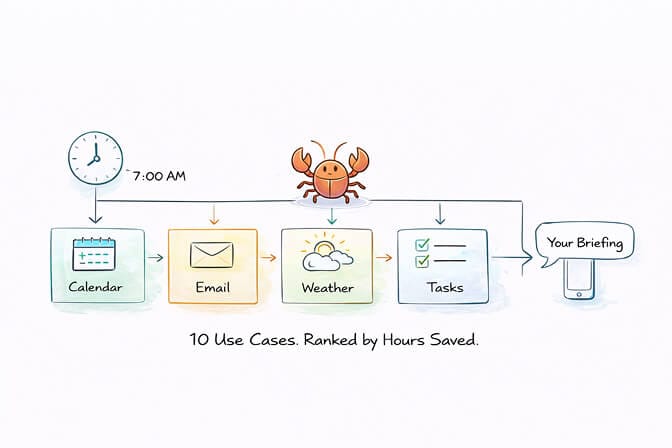
1. The Morning Briefing (Save: 30-45 min/week)
This is OpenClaw's killer app. The one that makes people say "wait, it can actually do that?"
Every morning at 7 AM, your agent pulls your calendar, scans your email for anything urgent, checks the weather, grabs your top tasks, and sends a formatted briefing to Telegram or WhatsApp before you've opened a single app.
Here's why it matters more than it sounds: it's not about the five minutes the briefing saves you each morning. It's about the cognitive load it removes. You start the day knowing what matters instead of spending 20 minutes context-switching between six apps to figure it out.
The best implementations include a "what's most important today" line that forces the agent to prioritize rather than just list. Light schedule? Short summary. Packed calendar? Detailed breakdown with prep notes for each meeting.
Setup time: 30 minutes. Weekly time saved: 30-45 minutes. Risk level: Low. This is the use case everyone should start with.
2. Email Triage and Inbox Automation (Save: 3-5 hours/week)
This is the one that saves the most raw time. And it's the one most people are afraid to set up.
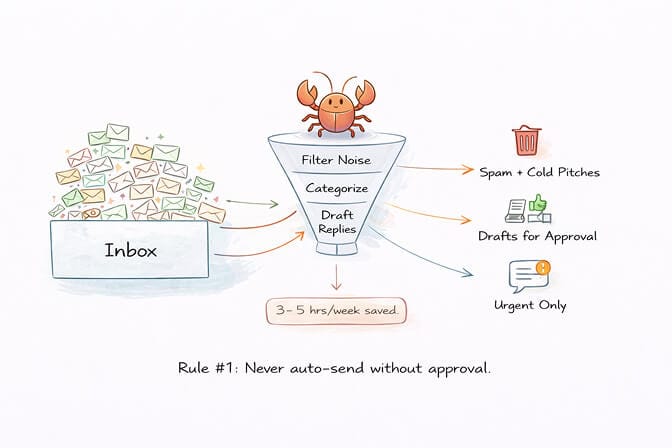
The basic version: your agent scans your inbox every 30 minutes, filters out newsletters and cold pitches, categorizes everything by urgency, and sends you a WhatsApp summary of only the emails that need your attention right now.
The advanced version: it drafts replies for routine emails, queues them for your approval, and learns from your corrections over time. One user on the OpenClaw showcase reported processing a backlog of 15,000 emails, with the agent unsubscribing from spam, categorizing by urgency, and drafting replies for review.
The critical rule: Never give your agent permission to send emails without your explicit approval. Put it in your SOUL.md: "Never send an email without showing me the draft and getting a 'yes' first." Start with read-only access. Graduate to draft-and-approve. Never go full autonomous on outbound email.
Security note: Use a dedicated email account for this, not your primary inbox. The attack surface is real. 42,000 exposed OpenClaw installations were found by security researchers in early 2026. Don't be one of them.
3. Meeting Notes and Action Item Extraction (Save: 2-3 hours/week)
This one hits different if you're in more than three meetings a day.
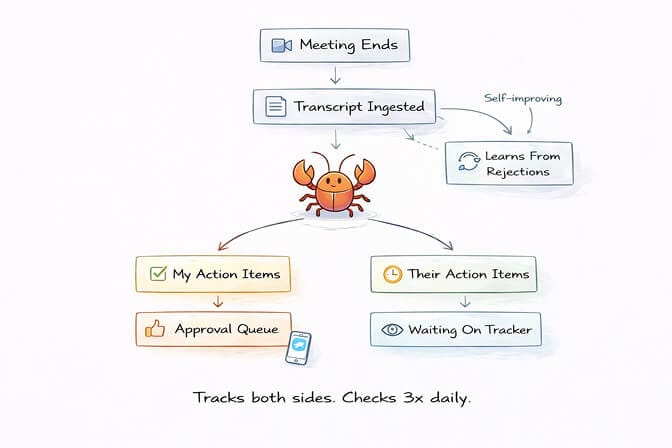
Connect OpenClaw to a meeting transcription tool like Fathom. After every external meeting, your agent pulls the transcript, matches attendees to your contacts, extracts action items with ownership (mine vs. theirs), and sends you an approval queue in Telegram.
Here's the part that makes it genuinely useful: it tracks both sides. If someone in the meeting says they'll send you a proposal by Friday, your agent records that as a "waiting on" item and checks three times daily whether it's been completed.
One creator built this to the point where his agent learns from rejected action items. If he says "no, that wasn't actually an action item for me," the agent updates its extraction prompt for next time. Self-improving meeting intelligence. Built from a natural language prompt.
The compound effect: Your morning briefing pulls from your meeting notes, which feed your CRM, which informs your next meeting's prep. Each use case makes the others more powerful.
4. Personal Knowledge Base with RAG Search (Save: 2-4 hours/week)
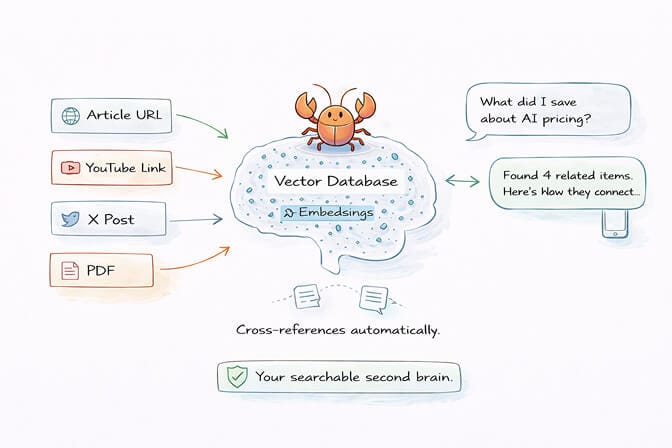
Every interesting article, YouTube video, X post, or PDF you come across, you drop the link into a Telegram topic. Your agent ingests it, chunks it, vectorizes it, and stores it locally in a searchable database.
Later, when you need to reference something, you ask in plain English: "show me everything I've saved about AI pricing models" or "what was that article about the company that raised $50M for AI safety?" The agent doesn't just keyword search. It understands meaning.
The real power shows up when the agent starts cross-referencing. You save an article about a new AI framework, and the agent says "this relates to something you saved three weeks ago about agent orchestration patterns." It connects dots you forgot existed.
For writers, researchers, and anyone who consumes a lot of information, this changes how you work. Instead of bookmarks you never revisit, you have a living, searchable second brain that gets smarter the more you feed it.
5. Custom CRM Built From Your Existing Data (Save: 3-5 hours/week)
This is the use case that makes you question why you're paying for CRM software.
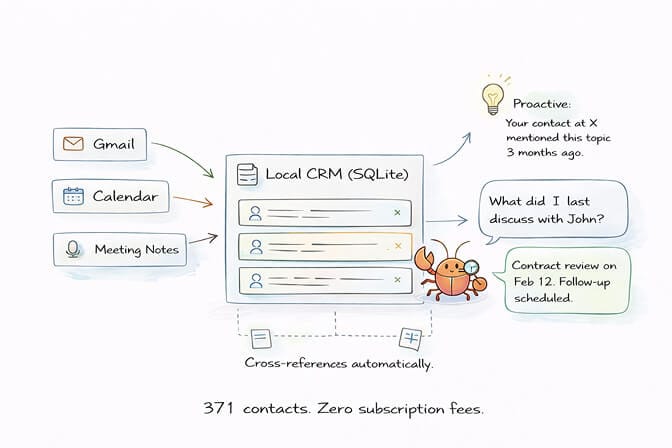
One power user described building a complete personal CRM through a single natural language prompt. It ingests Gmail, Google Calendar, and meeting transcriptions. It scans everything, filters out noise, uses an LLM to determine which contacts are actually important, and pulls them into a local SQLite database with vector embeddings.
The result: 371 contacts with full relationship history, interaction timelines, and natural language search. "What did I last discuss with John?" "Who did I talk to at Company X?" The agent knows because it stores everything locally.
But the really wild part is the proactive intelligence. Because the CRM sees all your data across sources, it makes connections you wouldn't. Working on a new project? The agent might surface a contact from three months ago who mentioned something relevant. It's not just a database. It's a relationship intelligence system that runs 24/7.
Setup note: This is a medium-complexity use case. The Gmail and Calendar integrations need careful permission scoping. Start with read-only access and expand gradually.
6. Multi-Agent Business Advisory (Save: 4-6 hours/week)
This is where OpenClaw stops feeling like a tool and starts feeling like a team.
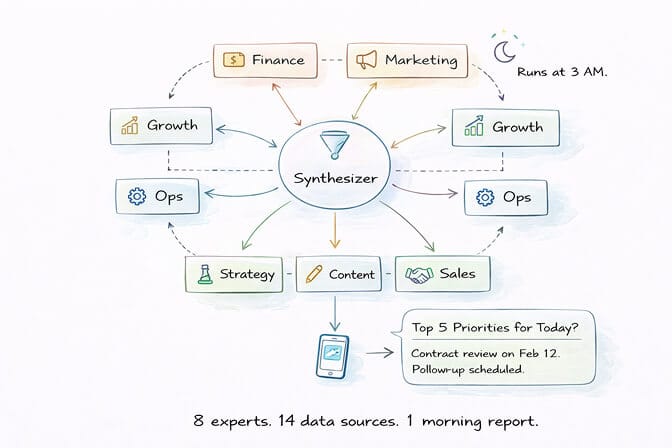
The pattern: you create multiple specialized agents (financial, marketing, growth, operations) that each analyze your business data from different angles. They run in parallel, examine everything from channel analytics to email activity to meeting transcripts, and synthesize their findings into a ranked recommendation report delivered to Telegram every night while you sleep.
One user runs eight parallel specialists across 14 data sources. They discuss, compare findings, eliminate duplicates, and deliver a prioritized action list every morning. Another solo founder runs four named agents with different personalities through a single Telegram chat, each handling strategy, development, marketing, and business operations.
The people running multi-agent setups consistently report the highest satisfaction. It's not about any single automation. It's about the compound intelligence of multiple perspectives analyzing the same data.
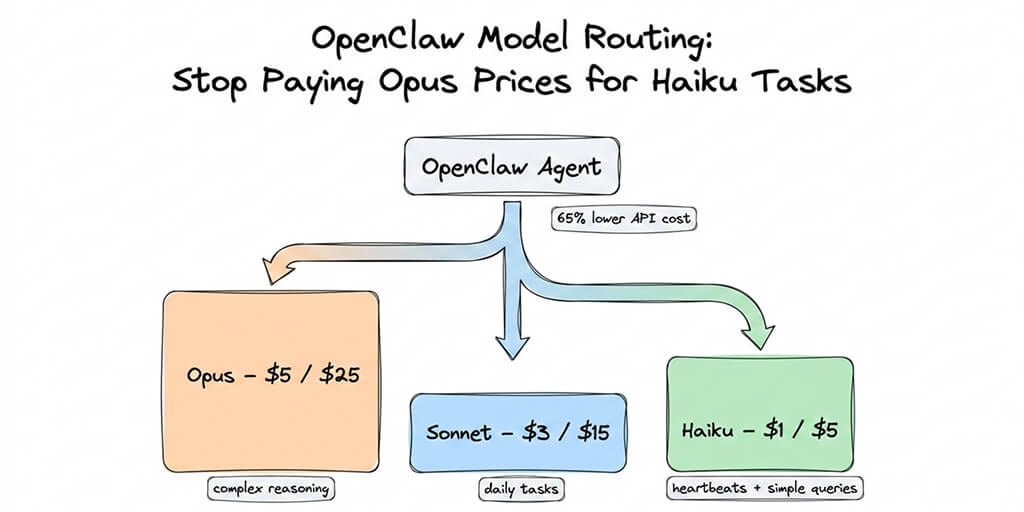
This is also one of the most expensive use cases in terms of API costs. Eight agents running frontier models nightly adds up. Use model routing (the ClawRouter skill reportedly cuts costs by about 70%) and assign cheaper models to simpler analysis tasks.
If you're building multi-agent workflows and want the infrastructure handled for you, BetterClaw supports multi-channel agent deployment with built-in monitoring and sandboxed execution for each agent instance. No Docker juggling required.
7. Developer Workflow Automation (Save: 3-5 hours/week)
For developers, this is where OpenClaw earns its keep.
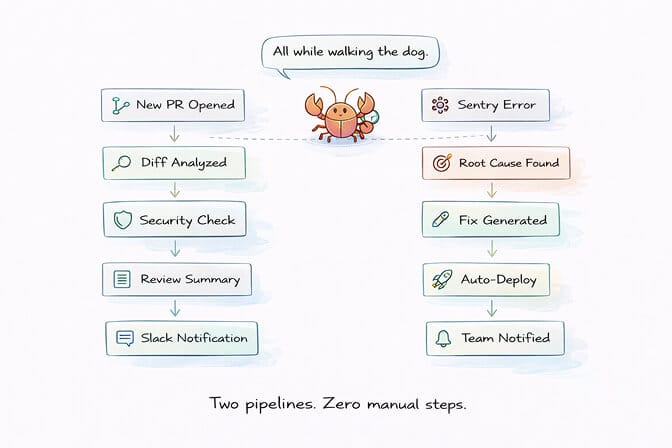
The core loop: your agent monitors GitHub for new PRs, analyzes diffs for missing tests and security concerns, sends formatted review summaries to the responsible developer through Slack, and can even generate fix suggestions. Add Sentry integration, and it catches production errors, identifies root causes, and creates issues with full context before your team wakes up.
One developer on the OpenClaw showcase described debugging a deployment failure, reviewing logs, identifying incorrect build commands, updating configs, redeploying, and confirming everything worked. All done via voice commands while walking his dog.
Another submitted his first Apple App Store submission entirely through Telegram, with the agent automating the entire TestFlight update process he'd never done before.
The DevOps use cases compound fast: CI/CD monitoring alerts when builds fail. Dependency scanning checks for outdated packages and security vulnerabilities. Automated PR reviews catch convention inconsistencies. Each one saves 15-30 minutes per occurrence, and they add up to hours every week.
8. Research and Negotiation Agent (Save: Variable, potentially $1,000s)
This is the OpenClaw story that went viral.
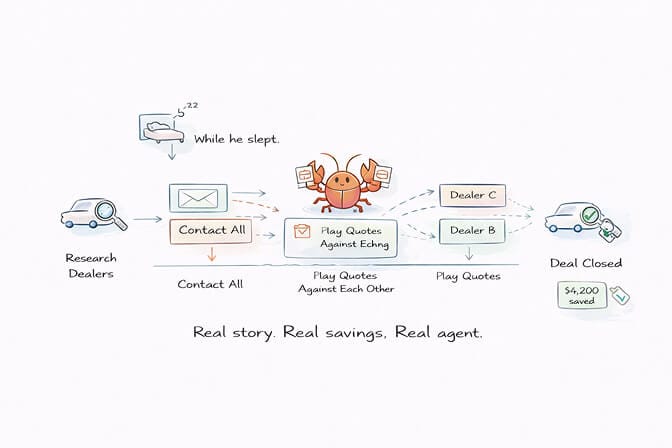
A software engineer tasked his agent with buying a car. The agent scraped local dealer inventories, filled out contact forms, and spent several days playing dealers against each other via email, forwarding competing PDF quotes. Final result: $4,200 saved on the purchase price while he slept.
The pattern works for any major purchase or negotiation. Set parameters (budget, requirements, deal-breakers), and the agent handles research, comparison, and email back-and-forth. For big purchases like cars, appliances, or services, the ROI is obvious. For small purchases, the setup time exceeds the value.
Other community examples: filing insurance claims through natural language, negotiating apartment repair quotes via WhatsApp, and running competitive pricing analysis across dozens of vendors.
Honest assessment: This isn't a weekly time saver. It's an occasional high-value automation that delivers outsized returns when you need it.
9. Content Pipeline and Social Media (Save: 3-5 hours/week)
Content creators have embraced OpenClaw harder than almost any other group.
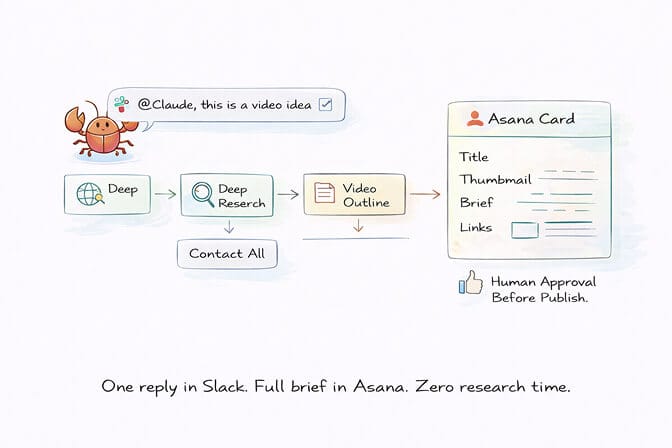
The full pipeline: your agent monitors trends, identifies content opportunities, does deep research, creates outlines, drafts posts adapted for each platform, and queues everything for your approval. One user described replying "@Claude, this is a video idea" in a Slack thread, and the agent automatically researched the topic, searched X trends, created a video outline, which could then be used to create videos using Adobe Express, and generated a card in Asana with title suggestions, thumbnail concepts, and a full brief. From there, an AI YouTube content generator like ytZolo can turn those title and thumbnail concepts into optimized, click-ready assets before the video goes live.
Another runs a multi-agent content pipeline in Discord with separate research, writing, and thumbnail agents working in dedicated channels. Yet another automated weekly SEO analysis with ranking reports generated and delivered automatically.
The critical rule here is the same as email: never auto-publish without human review. The agent handles research and first drafts. You handle quality control and final approval. The output increases without proportional time investment.
10. Smart Home and Life Automation (Save: 1-2 hours/week)
This is the use case that makes OpenClaw feel less like software and more like living in the future.
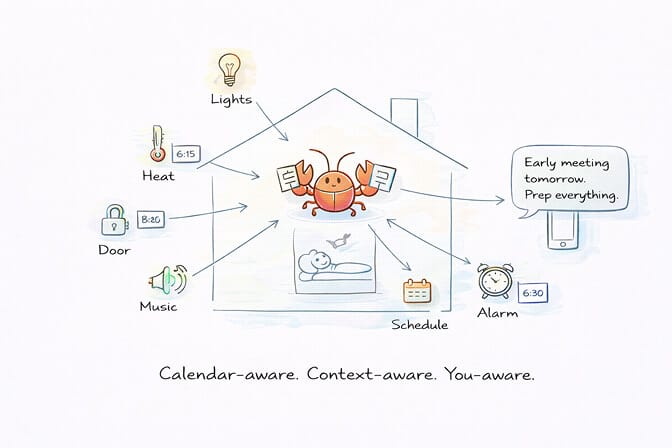
Connect your agent to Home Assistant, and it controls lights, locks, thermostats, and speakers through your chat channels. But the real value comes from combining smart home with your other data. "If I have meetings before 8 AM tomorrow, set my alarm for 6:30 and raise the heat at 6:15." That requires calendar awareness plus device control. OpenClaw handles both.
Community highlights: one user's agent orders groceries from their supermarket when their cleaning lady sends a message about supplies needed. It logs in using shared credentials from 1Password, handles text message MFA through an iMessage bridge, and places items in the cart. Another built a family calendar aggregator that produces a morning briefing for the entire household, monitors messages for appointments, and manages inventory.
The time saved is modest compared to business use cases. But the quality-of-life improvement is what people consistently call out.
The Honest Part: What Doesn't Work (Yet)
Not everything in the OpenClaw ecosystem lives up to the hype. Here's what I'd skip for now:
Fully autonomous financial trading. Yes, there are OpenClaw bots running crypto trades. One reported $115K in a week. That's an outlier, and the crypto ecosystem around OpenClaw has been associated with scams. Monitoring and alerts? Great. Autonomous execution with real money? Not yet.
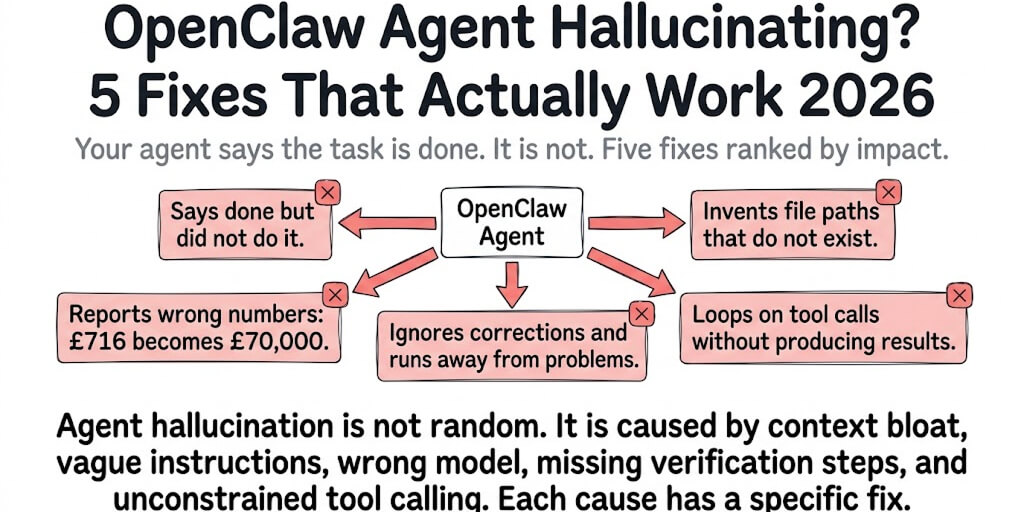
Autonomous outbound communication without approval gates. The Wired story about an agent tricked by a malicious email into forwarding data is real. Every outbound action (emails, messages, purchases) should require human approval until the security model matures.
Running 10+ use cases simultaneously from day one. The people getting real, lasting value from OpenClaw are running 2-3 workflows really well. Depth beats breadth every time.
Run These Use Cases Without the Infrastructure Headaches
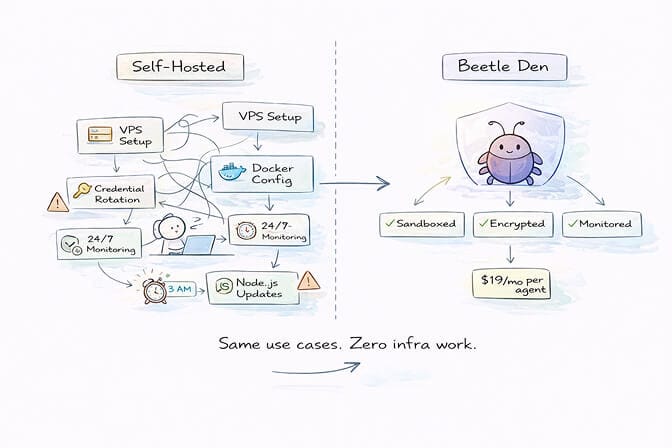
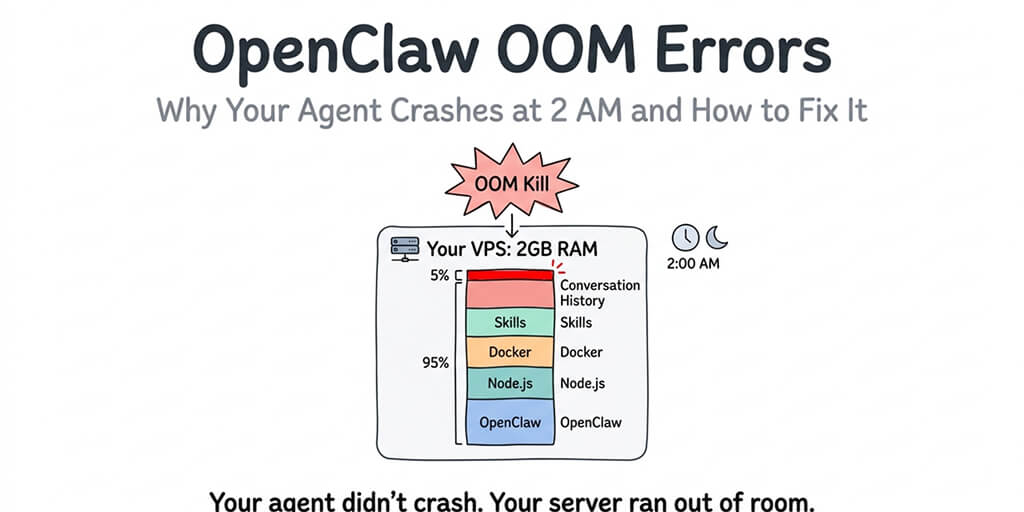
Every use case on this list requires the same foundation: a machine running 24/7, proper security configuration, Docker sandboxing, credential management, and monitoring. For experimentation, a Mac Mini or VPS works fine. For production workflows you depend on daily, the infrastructure overhead becomes a real job.
That's what BetterClaw is built for. A no-code AI agent platform with one-click deploy and Docker-sandboxed execution, AES-256 encryption, and auto-pause health monitoring baked in. $49/month for Pro, BYOK. You focus on building the use cases. We keep the agent running safely. See BetterClaw as an OpenClaw alternative →
The Real Lesson: Start With One
The most successful OpenClaw users I've observed all followed the same pattern. They didn't start with the flashiest use case. They started with the most useful one.
The morning briefing. Email triage. Meeting notes. Boring? Maybe. But these are the workflows that run every single day. They compound. They feed into each other. And after a week of having them work reliably, you stop thinking about the agent as software and start thinking about it as a teammate.
That's the moment OpenClaw stops being an experiment and becomes infrastructure.
Pick one use case from this list. The one that solves a problem you have right now. Get it running. Live with it for a week. Then add the next one.
The people who built those 85+ use case lists? They started with one too.
Frequently Asked Questions
What are the best OpenClaw use cases for beginners?
The morning briefing is the best starting point for any new OpenClaw user. It's low-risk (read-only access to calendar and news), quick to set up (about 30 minutes), and delivers immediate daily value. Email triage is the second best choice if you're comfortable granting read access to a dedicated email account. Both use cases build the foundation for more complex workflows later.
How do OpenClaw use cases compare to ChatGPT or Claude for automation?
The fundamental difference is that OpenClaw agents are persistent and proactive. ChatGPT and Claude respond when you open a browser tab and type a prompt. OpenClaw runs 24/7 on your machine or a VPS, executes scheduled tasks while you sleep, and takes real actions across your apps (email, calendar, GitHub, smart home). The tradeoff is more setup work and more security responsibility, but the automation depth is significantly greater.
How long does it take to set up an OpenClaw automation?
Simple use cases like morning briefings take about 30 minutes. Medium-complexity workflows like email triage or meeting notes take 1-2 hours including security hardening. Advanced multi-agent setups like the business advisory council can take a full weekend to configure properly. On BetterClaw, the base infrastructure deploys in under 60 seconds, so your time goes entirely into configuring the use case itself rather than managing Docker, YAML, and server setup.
Is OpenClaw automation worth the API costs?
For most use cases, yes. A single agent running Claude Sonnet for daily briefings, email triage, and meeting notes typically costs $30-80/month in API fees. The time saved (5-10+ hours per week) easily justifies that for any professional. Multi-agent setups with frontier models cost more, so use model routing (ClawRouter) to assign cheaper models to simple tasks and reserve expensive models for complex reasoning.
Is it safe to give OpenClaw access to my email, calendar, and business data?
It can be, with proper precautions. Use dedicated accounts (not your primary inbox), start with read-only permissions, add human approval gates for outbound actions, run the agent in a Docker sandbox, never hardcode API keys, and run openclaw doctor to audit your security configuration. For teams and businesses, managed platforms like BetterClaw include enterprise-grade security (sandboxed execution, AES-256 encryption, workspace scoping) by default, significantly reducing the configuration burden.