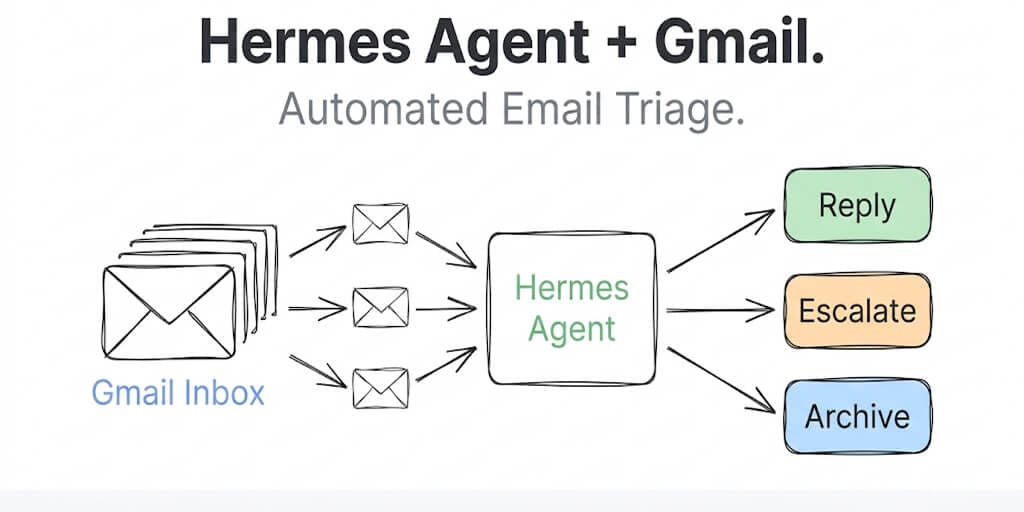
Set up your Hermes agent to classify, prioritize, and draft replies for Gmail. OAuth, labels, filters, and the SOUL.md config that actually works.
Remember the Meta researcher whose AI agent mass-deleted her emails while ignoring stop commands? Summer Yue's story became the cautionary tale of 2026 for anyone giving an agent access to an inbox.
But here's the thing. Email triage is one of the highest-value tasks you can hand to an AI agent. The average professional spends 28% of their workday on email. An agent that can classify incoming messages, flag urgent ones, draft responses to routine queries, and quietly archive noise... that's not a nice-to-have. That's hours back in your week.
The trick is doing it safely. Hermes Agent's email gateway gives you a solid foundation: dedicated inbox, allowlisted senders, reply-in-thread behavior, and a SOUL.md config that keeps the agent on rails. Here's how to set it up for Gmail specifically, with the triage workflow that won't mass-delete your inbox.
Why a dedicated Gmail account (not your personal one)
This is the most important decision in the entire setup. Do not point Hermes at your personal Gmail.
Three reasons. First, the IMAP credentials sit in plaintext in .env. Anyone who reads that file can read every message on that account. Second, the email adapter has full read access to the inbox by design. A bug in a skill could mark messages read, delete drafts, or forward content you didn't intend. Third, cold starts and clock skew can produce duplicate replies. You do not want those landing in a thread with a client.
Create a fresh Gmail account: hermes-triage@gmail.com, support-agent@yourdomain.com, or anything else that's disposable. Then set up Gmail filters on your real account to forward specific categories of email to the agent's address. That gives you a hard boundary between "things the agent can touch" and "everything else."
Step 1: Prepare the Gmail account
On your new dedicated Gmail account:
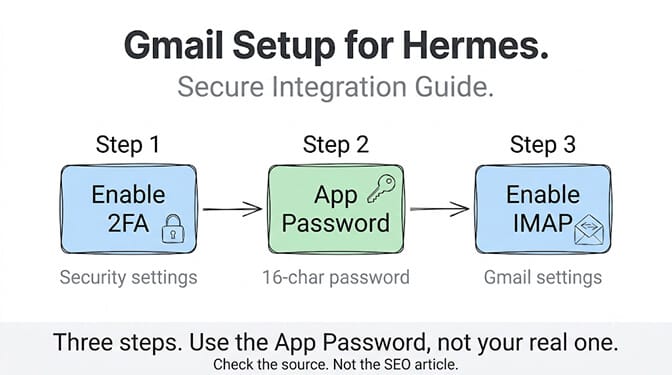
Enable 2-Step Verification. Go to Google Account, then Security, then 2-Step Verification. Turn it on. You need this before you can create an App Password.
Generate an App Password. Google Account, then Security, then App Passwords. Select "Mail" as the app. Google gives you a 16-character password. Copy it. This is what Hermes uses instead of your regular password.
Enable IMAP. In Gmail, go to Settings, then "Forwarding and POP/IMAP," then enable IMAP access. This lets Hermes poll the inbox using the standard IMAP protocol.
Step 2: Configure Hermes for email
Add the credentials to ~/.hermes/.env:
# Required
EMAIL_ADDRESS=hermes-triage@gmail.com
EMAIL_PASSWORD=abcdefghijklmnop  # App Password, no spaces
EMAIL_IMAP_HOST=imap.gmail.com
EMAIL_SMTP_HOST=smtp.gmail.com

# Security (required for safe operation)
EMAIL_ALLOWED_USERS=your-real@email.com,colleague@company.com

# Optional
EMAIL_POLL_INTERVAL=15  # Seconds between inbox checks
EMAIL_HOME_ADDRESS=your-real@email.com  # Where cron output goes
EMAIL_ALLOWED_USERS is not optional for triage. Without it, anyone who discovers your agent's email address can send it commands. Since Hermes agents have terminal access by default, an unsecured email gateway is effectively a remote code execution vulnerability. Lock it down.
The adapter polls IMAP for UNSEEN messages every 15 seconds (configurable). When a new email arrives, Hermes strips HTML, extracts the plain text and any attachments, processes it through the full agent pipeline (tools, memory, skills), and sends a reply through SMTP with proper In-Reply-To headers so the thread stays threaded.
Protect the .env file:
chmod 600 ~/.hermes/.env
Step 3: Write the SOUL.md for email triage
This is where most setups go wrong. Without a focused SOUL.md, Hermes will treat every incoming email like a general-purpose chat message. For triage, you need specific instructions about classification, priority levels, and what the agent should and shouldn't do. The same instructions go in the agent's role field if you build an AI agent on a hosted platform, but there is no file to lose track of.
# Soul

You are an email triage assistant for a startup founder.
You classify, prioritize, and draft replies. You never send
without explicit approval.

## Rules
- Classify every email into: urgent, needs-reply, informational, noise
- Urgent: customer complaints, security alerts, partner requests
- Needs-reply: questions from team members, vendor follow-ups
- Informational: newsletters, reports, FYI threads
- Noise: marketing, cold outreach, automated notifications

## Behavior
- For urgent emails: draft a reply AND notify via the home channel
- For needs-reply: draft a reply, save as draft, do not send
- For informational: summarize in one sentence, archive
- For noise: archive silently

## Avoid
- Never auto-send replies without being told to
- Never delete any email
- Never forward emails to addresses not in the allowlist
- Never share email content outside the email thread
Save this to ~/.hermes/SOUL.md. SOUL.md is slot #1 in the system prompt. It defines who the agent is and what it avoids. It survives across sessions and anchors every interaction.
The difference between a helpful email agent and a dangerous one is three lines in SOUL.md: never auto-send, never delete, never forward outside the allowlist.
If you've read about OpenClaw's security incidents (1,400+ malicious skills on ClawHub, the CVE-2026-25253 RCE vulnerability, Cisco finding a skill performing data exfiltration), you understand why behavioral constraints matter. An email agent with unrestricted access to your inbox is a liability, not a feature.
Step 4: Add triage skills
Hermes's self-improving skill system is what makes email triage get better over time. After the agent handles enough emails, it will start writing its own skills for recurring patterns. But you can accelerate this with a starter skill:
---
name: email-triage
description: Use when classifying and routing incoming email.
---

# Email Triage Procedure

1. Read the full email including subject, sender, and body
2. Check sender against known contacts in memory
3. Classify using the SOUL.md priority categories
4. For urgent: draft reply, tag as urgent, notify home channel
5. For needs-reply: draft reply, save as draft
6. For informational: write one-sentence summary
7. For noise: mark as processed, no action needed
8. Log classification decision and reasoning
Save this to ~/.hermes/skills/email-triage/SKILL.md. The agent loads it automatically on the next session.
For filtering automated emails that shouldn't trigger replies at all, add this to your config:
messaging:
  email:
    no_reply_patterns:
      - "noreply@*"
      - "alerts@*"
      - "notifications@*"
      - "marketing@*"
The agent still reads these (useful for ingesting alerts it should know about) but doesn't generate a response.
Step 5: Start the gateway and test
hermes gateway run
Send a test email from one of your allowed addresses to the agent's Gmail. Within 15 seconds (or your configured poll interval), Hermes should process it and reply in-thread.
If the agent seems too eager, too cautious, or misclassifies things, adjust the SOUL.md. Iterate. The first version is never the final one. Hermes's learning loop means the skill will also self-improve over subsequent sessions, which is exactly what you want for a task as nuanced as email triage.
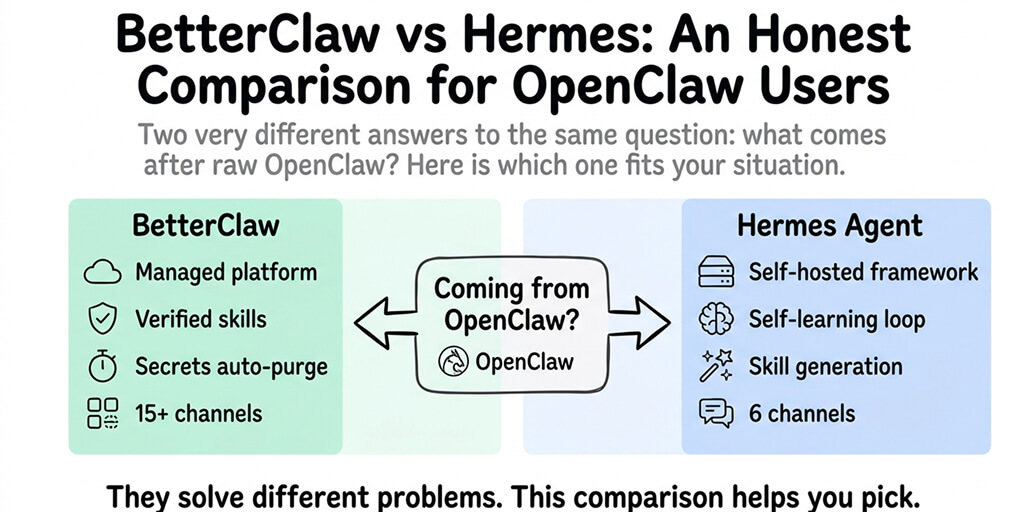
If all this IMAP configuration, credential management, SOUL.md tuning, and gateway monitoring feels like a lot of setup for what should be a simple "read my email and sort it" workflow, you're feeling the right tension. BetterClaw has one-click Gmail integration with OAuth (no app passwords), built-in trust levels that control what the agent can do (draft only, draft and send, or full access), and secrets auto-purge that removes credentials from agent memory after 5 minutes. Free plan, $49/month for Pro.
The Gmail limits you should know
Gmail's SMTP server caps outbound messages: 500 per day on free accounts, 2,000 on Google Workspace. For a triage agent that mostly drafts and classifies, you'll rarely hit these. But if you're also using the agent for outbound email campaigns, the limits matter.
The IMAP polling approach means worst-case latency of your poll interval plus processing time. At the default 15 seconds, that's roughly 15 to 20 seconds before the agent sees a new email. For triage, that's fine. For real-time customer support, consider reducing EMAIL_POLL_INTERVAL to 5, but be aware that aggressive polling can trigger rate limits on some providers.
Attachments are saved to ~/.hermes/inbox/email/<message-id>/. PDFs get extracted to text via the Hermes PDF skill if it's enabled. Images go to vision-capable models. For large attachments, watch your disk space.
The honest tradeoff
Email triage with Hermes works. The IMAP/SMTP adapter is solid, the skill system genuinely improves over time, and the SOUL.md behavioral constraints keep the agent from doing things it shouldn't.
But running it means maintaining a dedicated Gmail account, managing app passwords (which expire when you rotate 2FA), operating a VPS or server for the gateway process, and accepting that a single polling loop on a laptop dies the moment the laptop sleeps. McKinsey estimates AI agents address $2.6 to $4.4 trillion in economic value. Email triage alone won't get you there, but it's one of the highest-ROI starting points.
If the infrastructure overhead feels disproportionate to the outcome, give BetterClaw a look. Free plan with 1 agent and 100 credits a month. $49/month for Pro with Gmail, Calendar, HubSpot, and 22+ other one-click OAuth integrations. 200+ verified skills. Trust levels that let you set the agent to "draft only" or "draft and send." Your first agent deploys in 60 seconds. We handle the infrastructure. You handle the interesting part.
What makes this work long-term
The best email triage setup isn't the one with the most features. It's the one that gets better at knowing your email patterns. Hermes's self-improving skills mean the triage skill you write today isn't the one running in week four. The agent rewrites it based on what worked.
That learning loop, combined with a strict SOUL.md that prevents destructive actions, is what separates a useful email assistant from a liability. Start with "never auto-send, never delete, never forward." Loosen those constraints only when trust is earned.
Your inbox will thank you.
Frequently Asked Questions
What is Hermes Agent email triage and how does it work?
Hermes Agent email triage uses the built-in IMAP/SMTP email gateway to poll a dedicated Gmail inbox for new messages, classify them by priority (urgent, needs-reply, informational, noise), and draft appropriate responses. The agent uses SOUL.md behavioral rules and self-improving skills to get better at classification over time. It processes emails every 15 seconds by default and replies in-thread with proper headers.
How does the Hermes email setup compare to BetterClaw's Gmail integration?
Hermes uses IMAP/SMTP with App Passwords, requiring manual credential management, a dedicated Gmail account, and a server running the gateway process. BetterClaw uses one-click OAuth (no App Passwords), includes built-in trust levels to control what the agent can do with emails, and auto-purges credentials from agent memory after 5 minutes. Hermes gives more low-level control. BetterClaw gives faster setup with stronger security defaults. Both support Gmail. BetterClaw also has 25+ other OAuth integrations out of the box.
How do I set up Gmail App Passwords for Hermes Agent?
Enable 2-Step Verification on your Google Account first (Security, then 2-Step Verification). Then go to App Passwords (Security, then App Passwords), select "Mail," and Google generates a 16-character password. Copy it with no spaces into your ~/.hermes/.env as EMAIL_PASSWORD. You also need to enable IMAP in Gmail settings (Settings, Forwarding and POP/IMAP). The whole process takes about 5 minutes.
How much does running Hermes email triage cost?
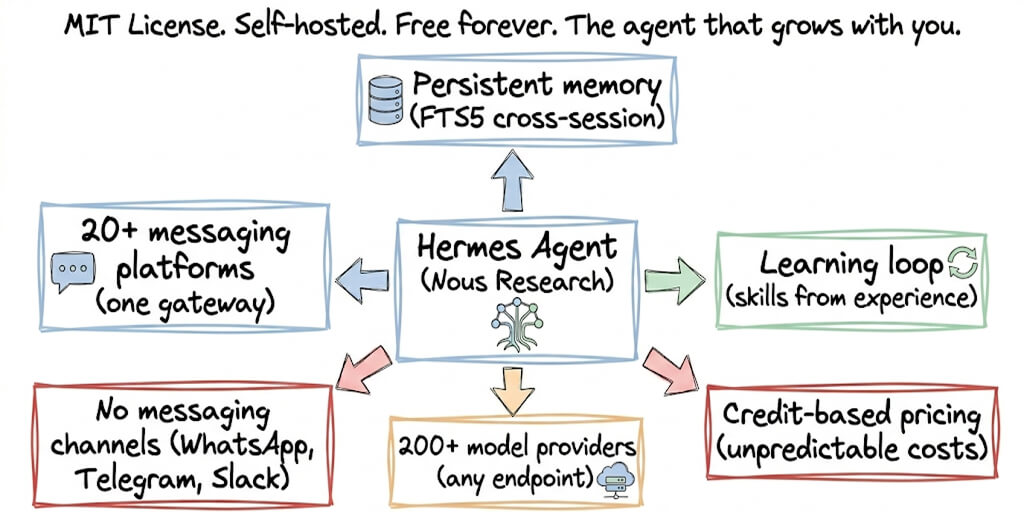
Hermes is free (MIT license). You need a server ($5 to $20/month VPS) and model inference tokens (free via Nous Portal with DeepSeek V4, or pay-per-token with other providers). Gmail is free for personal accounts. Total cost starts at $5/month. BetterClaw's managed alternative includes Gmail integration, hosting, and all infrastructure at $0/month on the free plan or $49/month on Pro.
Is it safe to give an AI agent access to email?
Only with proper safeguards. Use a dedicated email account (never your personal inbox). Configure EMAIL_ALLOWED_USERS to restrict who can interact with the agent. Set SOUL.md rules to prevent auto-sending, deleting, or forwarding without approval. The Meta researcher email deletion incident proved that agents without behavioral constraints can cause real damage. BetterClaw adds additional safety: trust levels (Intern, Specialist, Lead) with action approval workflows, AES-256 encrypted credentials, and a one-click kill switch to stop the agent instantly.