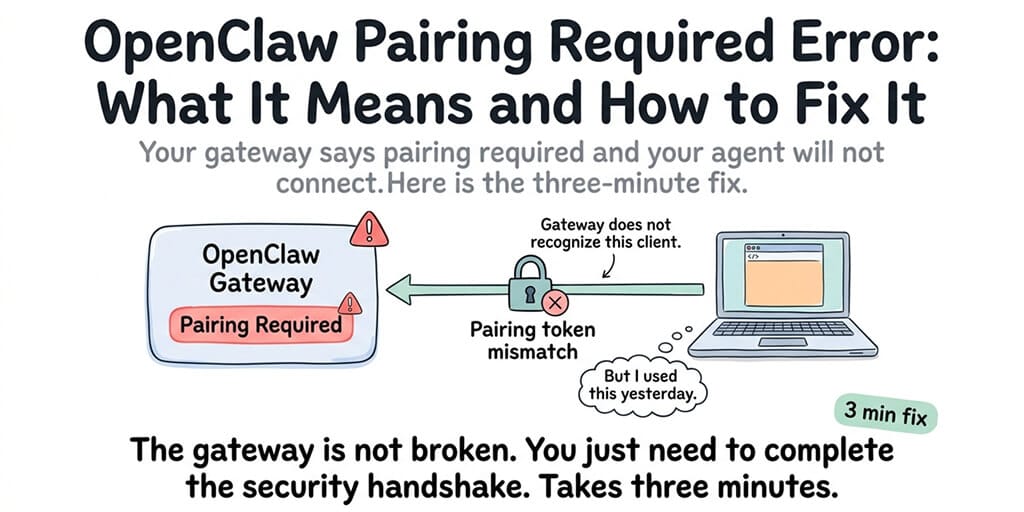
Your gateway says "pairing required" and your agent won't connect. Here's the three-minute fix and why it happened in the first place.
I opened the Control UI at 7 AM. The dashboard said "pairing required." My agent was running. The gateway was up. But the web interface refused to connect. Every action returned the same message: pairing required.
I tried refreshing. Clearing cache. Restarting the browser. Nothing. The agent was working fine through Telegram, but the Control UI was locked out.
The OpenClaw "pairing required" error means your client (browser, mobile app, or API connection) hasn't completed the security handshake with the gateway. It's a security feature, not a bug. But if you've never seen it before, it's confusing and frustrating.
Here's what causes it, how to fix it in three minutes, and why OpenClaw added this friction in the first place.
What "pairing required" actually means
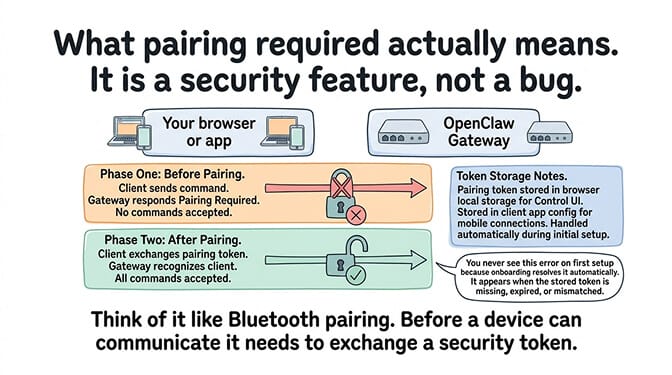
OpenClaw's gateway uses a pairing system to authenticate which clients can connect. Think of it like Bluetooth pairing: before a device can communicate with the gateway, it needs to exchange a security token. Until that handshake completes, the gateway rejects all commands from that client.
The pairing token is stored in your browser's local storage (for the Control UI) or in the client app's configuration (for mobile connections). When you first set up OpenClaw, the onboarding process handles pairing automatically. You never see the "pairing required" message because it's resolved during setup.
The error appears when the stored token is missing, expired, or mismatched. This happens for specific, predictable reasons.
The four causes (and which one you hit)
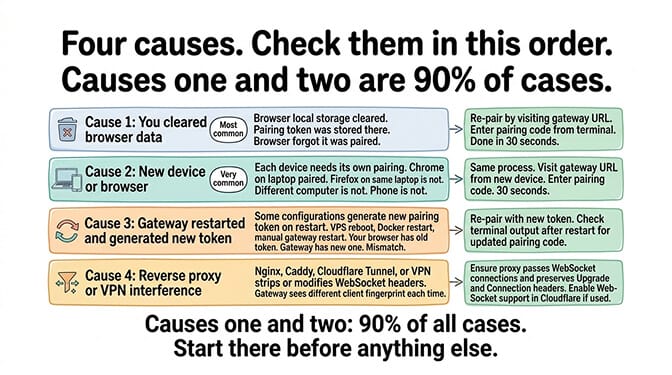
Cause 1: You cleared your browser data
The most common cause. You cleared cookies, cache, or local storage in your browser. The pairing token was stored in local storage. When you cleared it, the browser forgot that it was paired with the gateway.
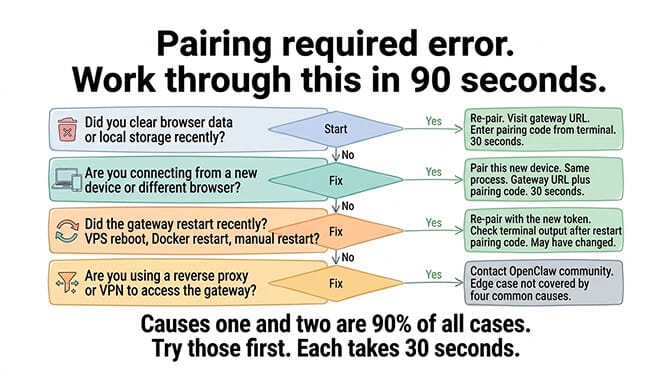
The fix: Re-pair by visiting your gateway URL and completing the pairing flow. The gateway will prompt you for the pairing code displayed in the terminal where your gateway is running. Enter it. Pairing restored. Takes 30 seconds.
Cause 2: You're connecting from a new device or browser
Each device needs its own pairing. If you set up OpenClaw on Chrome on your laptop and then try to access the Control UI from Firefox, Safari, your phone, or a different computer, each new client needs to complete pairing separately.
The fix: Same as Cause 1. Visit the gateway URL from the new device, enter the pairing code from the terminal.
Cause 3: The gateway restarted and generated a new pairing token
Some gateway configurations generate a new pairing token on restart. If your VPS rebooted, Docker restarted, or you manually restarted the gateway process, the token may have changed. Your browser still has the old token. The gateway has the new one. They don't match.
The fix: Re-pair from the gateway's new token. Check the terminal output after restart for the updated pairing code.
For the complete gateway security guide including binding and authentication, our security checklist covers the gateway configuration that affects pairing behavior.
Cause 4: You're behind a reverse proxy or VPN that's interfering
If you access your gateway through a reverse proxy (Nginx, Caddy, Cloudflare Tunnel) or a VPN, the proxy might strip or modify headers that the pairing system uses for client identification. The gateway sees a different client fingerprint each time, which prevents stable pairing.
The fix: Ensure your reverse proxy passes WebSocket connections and preserves the necessary headers. Check that the Upgrade and Connection headers are forwarded correctly. If using Cloudflare, ensure WebSocket support is enabled for the gateway's domain.
The "pairing required" error is always one of four things: cleared browser data, new device, gateway restart, or proxy interference. Check them in this order. The first two cover 90% of cases.
Why OpenClaw requires pairing in the first place
Here's what nobody tells you about the pairing system.
Pairing exists because 500,000+ OpenClaw instances were found exposed on the public internet. Without pairing, anyone who finds your gateway's IP and port can connect, send commands to your agent, read conversation history, and access everything the agent can access.
The pairing requirement is OpenClaw's answer to the exposure problem. Instead of relying on users to configure firewalls and gateway binding correctly (which 500,000+ instances proved they won't), pairing adds a layer of authentication that blocks unauthorized connections even if the gateway is accessible from the internet.
CrowdStrike's enterprise security advisory flagged unprotected gateway access as one of the primary OpenClaw risks. Pairing doesn't eliminate the need for proper gateway security (binding to loopback, firewall configuration), but it adds a defense-in-depth layer.
For the VPS security hardening guide with gateway protection, our security post covers the seven layers of protection that work alongside pairing.
How to prevent the error from coming back
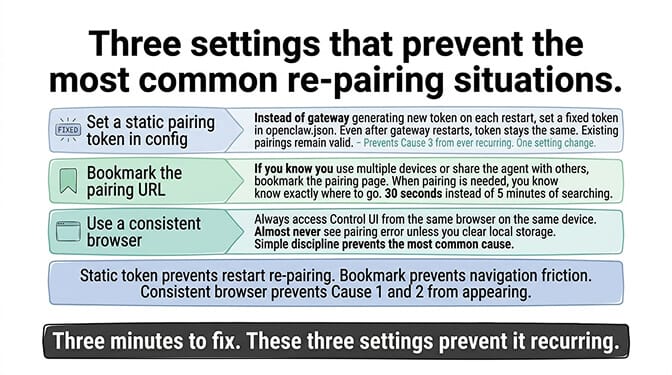
Three settings prevent the most common re-pairing situations.
Set a static pairing token in your config. Instead of letting the gateway generate a new token on each restart, set a fixed token in your openclaw.json. This way, even if the gateway restarts, the token stays the same and existing client pairings remain valid.
Bookmark the pairing URL. If you know you'll need to re-pair occasionally (multiple devices, shared agents), bookmark the pairing page. It takes 30 seconds to re-pair when you know where to go.
Use a consistent browser. If you always access the Control UI from the same browser on the same device, you'll almost never see the pairing error unless you clear local storage.
If gateway pairing, token management, and authentication configuration feels like more security infrastructure than you want to manage, BetterClaw handles authentication through the platform. No pairing tokens. No gateway binding. No WebSocket proxy configuration. You log into the dashboard and your agent is there. Free tier with 1 agent and BYOK. $49/month for Pro (5 agents included). 60-second deploy. The security layer is built into the platform, not configured by you.
The bigger picture: security friction versus security failure
Here's the honest take.
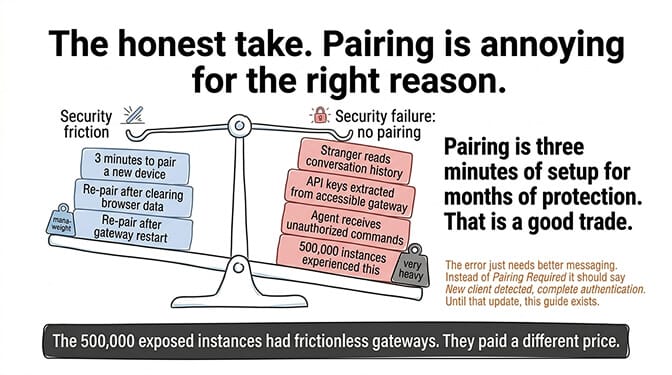
The "pairing required" error is annoying. But it's annoying for the right reason. It means your gateway is protected. An unauthenticated gateway (no pairing, no password, no firewall) feels frictionless until someone finds your IP and starts sending commands to your agent.
The 500,000+ exposed instances didn't have this friction. They had a different kind of friction: the kind where a stranger reads your conversation history and extracts your API keys.
Pairing is three minutes of setup for months of protection. It's a good trade. The error just needs better messaging. Instead of "pairing required" (which sounds like something is broken), it should say "new client detected, complete authentication" (which explains what's happening). Maybe that'll land in a future release. Until then, this guide exists.
If you want the authentication handled by a platform that doesn't require pairing tokens, gateway configuration, or WebSocket proxy setup, give BetterClaw a try. Free tier with 1 agent and BYOK. $49/month for Pro (5 agents included). Login is a username and password, not a terminal pairing code. The security is equivalent. The experience is different.
Frequently Asked Questions
What does "pairing required" mean in OpenClaw?
It means your client (browser, app, or API connection) hasn't completed the security handshake with the OpenClaw gateway. The gateway requires each client to exchange a pairing token before it accepts commands. This is a security feature that prevents unauthorized access. To fix it, visit your gateway URL and enter the pairing code displayed in the terminal where your gateway is running.
Why does OpenClaw keep asking for pairing?
Four common causes: you cleared your browser's local storage (which deleted the stored pairing token), you're connecting from a new device or browser, the gateway restarted and generated a new token, or a reverse proxy is interfering with WebSocket headers. The first two causes are the most common and take 30 seconds to fix by re-pairing.
How do I fix the OpenClaw gateway pairing error?
Visit your gateway URL in the browser showing the error. The gateway will display a pairing prompt. Check the terminal where your gateway is running for the pairing code. Enter the code. Pairing completes in 30 seconds. If the gateway restarted, the code may have changed. If you want the token to persist across restarts, set a static pairing token in your openclaw.json config file.
Can I disable OpenClaw gateway pairing?
Technically possible in the config, but strongly not recommended. Pairing exists because 500,000+ OpenClaw instances were found exposed without authentication. Disabling pairing removes the only client authentication layer unless you've configured separate protection (firewall, gateway binding to loopback, VPN). CrowdStrike's security advisory flagged unprotected gateways as a primary risk.
Does BetterClaw require gateway pairing?
No. BetterClaw handles authentication through platform-level login (username and password) rather than gateway pairing tokens. You don't configure gateway binding, pairing tokens, or WebSocket proxies. The security is built into the platform with Docker-sandboxed execution, AES-256 encryption, and workspace isolation. Free tier with 1 agent and BYOK. $49/month for Pro (5 agents included).